Listen to this Post
Introduction:
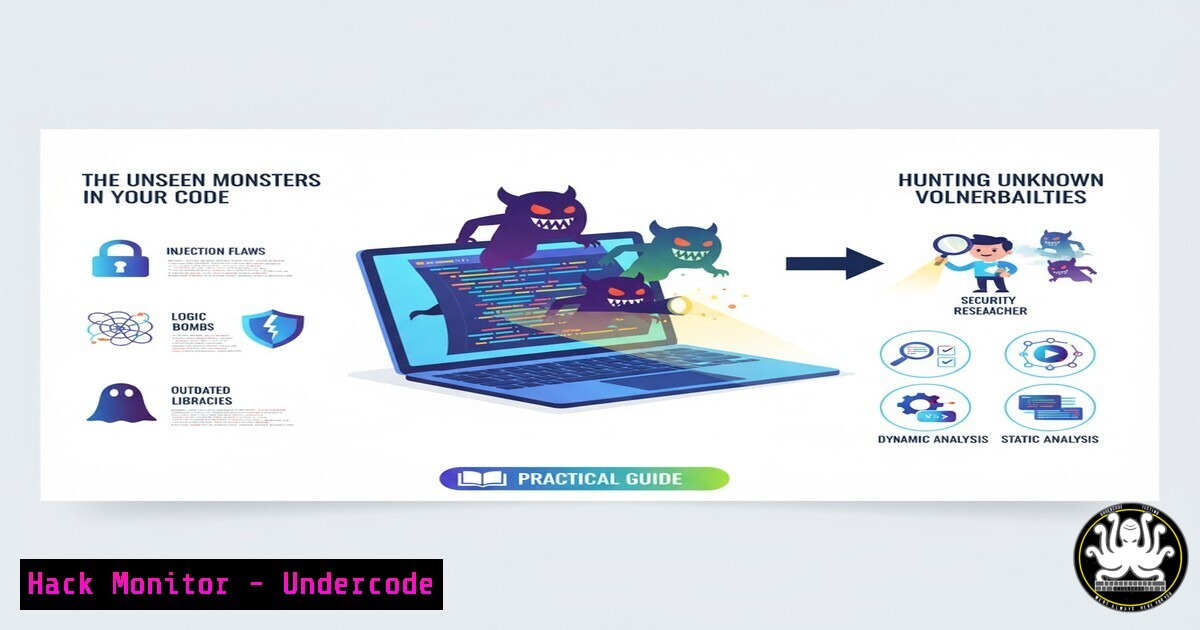
Unknown vulnerabilities represent the most significant and terrifying threat to modern organizations, lurking in the shadows of complex codebases and interconnected systems. While Halloween costumes come off, the need for continuous security vigilance remains constant every day. This guide moves beyond the theoretical to provide a practical, command-level framework for turning security gaps into actionable, mitigated risks.
Learning Objectives:
- Understand the core principles of proactive vulnerability hunting in both development and production environments.
- Master essential commands for scanning, analyzing, and hardening systems against common unknown threats.
- Implement a continuous security mindset through automated tools and manual testing techniques.
You Should Know:
1. Network Reconnaissance with Nmap
Before an attacker finds your weak spots, you must find them first. Nmap is the premier tool for network discovery and security auditing.
nmap -sS -sV -O -T4 <target_ip_or_subnet>
nmap --script vuln <target_ip>
nmap -p 1-65535 -sV -sS -T4 <target>
Step-by-step guide:
- The `-sS` flag initiates a SYN stealth scan, a common method to map open ports without completing a full TCP connection.
– `-sV` probes open ports to determine service and version information, which is critical for identifying specific software vulnerabilities. - The `–script vuln` argument runs a suite of scripts designed to check for known vulnerabilities against the detected services. Always run this in your own environments first to discover potential issues before malicious actors do.
2. Static Application Security Testing (SAST) with Semgrep
Integrate security directly into your development lifecycle by scanning source code for known vulnerability patterns.
 Install Semgrep
pip install semgrep

Scan a local repository for common security issues
semgrep --config=auto /path/to/your/code

Scan for specific issues like SQL injection
semgrep --config "p/sql-injection" /path/to/code
Step-by-step guide:
- The `–config=auto` option automatically downloads and runs a curated set of security rules for multiple programming languages.
- Running language-specific rules (e.g.,
p/sql-injection) helps you focus on the most critical vulnerabilities for your tech stack. - Integrate these commands into your CI/CD pipeline (e.g., in a GitHub Action) to automatically fail builds that introduce new security flaws.
3. Container Vulnerability Scanning with Trivy
In a cloud-native world, your container images are a primary attack vector. Trivy scans them for known vulnerabilities.
 Scan a container image
trivy image <your_docker_image:tag>

Scan a filesystem (e.g., a built application directory)
trivy fs /path/to/your/project

Generate a report in JSON format for further processing
trivy image --format json -o results.json <your_image>
Step-by-step guide:
- Simply point the `trivy image` command at any local or remote container image to get a list of known CVEs.
- Use the `–severity HIGH,CRITICAL` flag to focus only on the most pressing vulnerabilities.
- The JSON output (
--format json) can be integrated into security dashboards or ticketing systems for tracking remediation efforts.
4. Web Application Fuzzing with FFuf
Discover hidden endpoints, files, and API routes that could expose unintended functionality or sensitive data.
 Directory and file fuzzing
ffuf -w /path/to/wordlist.txt -u https://target.com/FUZZ

Parameter fuzzing
ffuf -w /path/to/params.txt -u https://target.com/endpoint?FUZZ=test_value

Subdomain discovery
ffuf -w /path/to/subdomains.txt -u https://FUZZ.target.com
Step-by-step guide:
– `-w` specifies the wordlist to use for fuzzing. Common wordlists are `SecLists` on GitHub.
– The `FUZZ` keyword is replaced by each entry in the wordlist during the attack.
– Filter out common false positives by using `-mc all` to show all response codes, then `-fc 404` to filter out 404s, helping you focus on live, interesting endpoints.
5. Analyzing Suspicious Processes on Linux
When a breach is suspected, you must quickly identify malicious processes and their artifacts.
 List all processes in a tree format
ps auxf

List open files and network connections for a specific PID
lsof -p <PID>
ls -la /proc/<PID>/exe

Check for hidden processes
ps -ef | awk '{print $2}' | sort -n | tail -5
Step-by-step guide:
– `ps auxf` provides a forest-style view of running processes, making parent-child relationships clear—crucial for identifying spawned malicious shells.
– `lsof -p
– The `/proc/
6. Windows Event Log Analysis for Intrusion Detection
The Windows Event Log is a goldmine for detecting post-exploitation activity and lateral movement.
 Query security log for specific event IDs from PowerShell
Get-WinEvent -FilterHashtable @{LogName='Security'; ID=4624,4625,4672}

Export logs for offline analysis
wevtutil epl Security C:\temp\security_log.evtx

Query for PowerShell script block logging events
Get-WinEvent -LogName "Microsoft-Windows-PowerShell/Operational" | Where-Object {$_.Id -eq 4104}
Step-by-step guide:
- Event ID `4624` (successful logon) and `4625` (failed logon) are critical for tracking authentication attempts.
- Event ID `4672` assigns special privileges, often seen in privilege escalation attacks.
- PowerShell Event ID `4104` logs script block contents, allowing you to see the actual commands an attacker executed, even if they used obfuscation.
7. Hardening Cloud Storage (AWS S3)
Misconfigured cloud storage is a leading cause of data breaches. These commands help audit and remediate S3 buckets.
 Check for S3 bucket public access
aws s3api get-bucket-acl --bucket BUCKET_NAME
aws s3api get-bucket-policy-status --bucket BUCKET_NAME

Enable default encryption on a bucket
aws s3api put-bucket-encryption --bucket BUCKET_NAME --server-side-encryption-configuration '{"Rules": [{"ApplyServerSideEncryptionByDefault": {"SSEAlgorithm": "AES256"}}]}'

Block all public access
aws s3api put-public-access-block --bucket BUCKET_NAME --public-access-block-configuration BlockPublicAcls=true,IgnorePublicAcls=true,BlockPublicPolicy=true,RestrictPublicBuckets=true
Step-by-step guide:
- The `get-bucket-acl` and `get-bucket-policy-status` commands are your first line of defense for auditing existing buckets for unintended public access.
- Enforcing server-side encryption with `put-bucket-encryption` protects data at rest, even if the underlying storage is compromised.
- The `put-public-access-block` command is the most comprehensive way to ensure no bucket can be accidentally made public, a common mistake in fast-paced development environments.
What Undercode Say:
- The shift from periodic penetration testing to continuous, crowdsourced security is not just a trend but a necessary evolution. The “unknown” is only unknown until a motivated researcher finds it.
- Proactive command-level hardening and automated scanning must be baked into the DevSecOps lifecycle, not bolted on as an afterthought. The commands provided are the building blocks of this mindset.
The fundamental paradigm is changing. Relying solely on traditional perimeter defenses and scheduled audits is akin to putting a lock on a door while leaving the windows open. The future belongs to organizations that treat their entire digital footprint as a continuous bug bounty program, where every line of code, every container, and every cloud configuration is constantly scrutinized—both by internal tools and external researchers. This layered, “always-on” approach transforms security from a cost center into a core competitive advantage, building inherent resilience against the evolving tactics of adversaries.
Prediction:
The convergence of AI-powered code generation and increasingly sophisticated attack automation will exponentially increase the scale and speed at which unknown vulnerabilities can be discovered and weaponized. Organizations that fail to adopt a continuous, command-level security posture will face an insurmountable threat landscape, where the time from vulnerability introduction to exploitation shrinks from months to minutes. The future of cybersecurity is not about preventing every attack, but about building systems resilient enough to withstand them and agile enough to patch them before they cause catastrophic damage.
🎯Let’s Practice For Free:
IT/Security Reporter URL:
Reported By: Com Olho – Hackers Feeds
Extra Hub: Undercode MoN
Basic Verification: Pass ✅


