
Listen to this Post
Introduction:
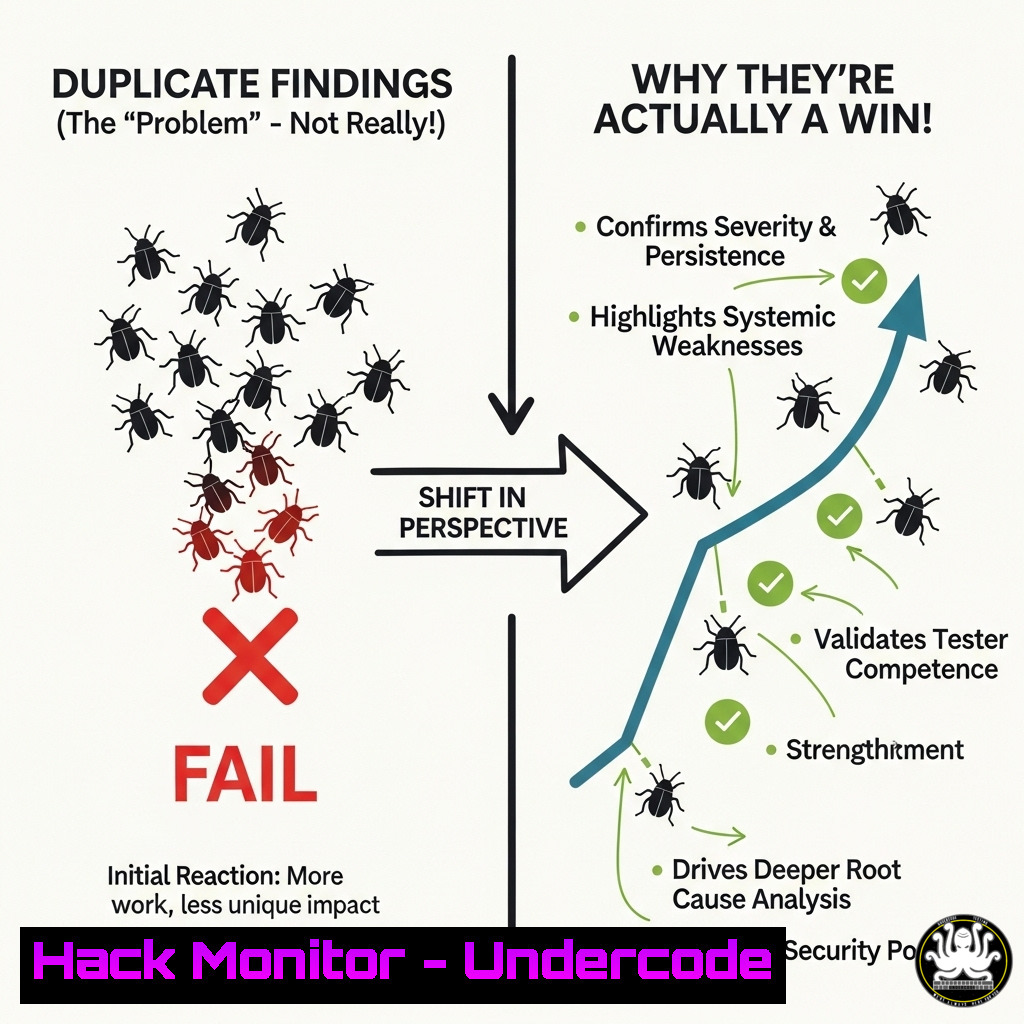
In the high-stakes world of bug bounty programs, a report marked as ‘duplicate’ is often perceived as a failure. However, this mindset overlooks the immense value embedded in the process of discovery itself. Each finding, even if previously reported, sharpens a researcher’s skills and contributes to a deeper understanding of application security.
Learning Objectives:
- Understand the core methodologies for effective vulnerability discovery in modern web applications.
- Learn essential command-line and tool-based techniques for reconnaissance, analysis, and proof-of-concept development.
- Develop the resilience to learn from every security assessment, regardless of its bounty outcome.
You Should Know:
1. The Art of Subdomain Enumeration
Reconnaissance is the first and most critical phase of any security assessment. Discovering all associated subdomains dramatically expands the attack surface.
`command – amass enum -passive -d ferrari.com -o subdomains.txt`
This command uses the Amass tool to perform passive subdomain enumeration against the target domain, ferrari.com. Passive enumeration gathers information from publicly available sources without sending direct traffic to the target’s servers, making it stealthy and avoiding detection. The results are saved to `subdomains.txt` for further analysis.
`command – subfinder -dL domains.txt -o subfinder_results.txt`
Subfinder is another powerful tool for passive subdomain discovery. The `-dL` flag allows you to provide a list of domains from a file (domains.txt), making it efficient for testing multiple targets or a target with many sister domains.
`command – assetfinder –subs-only ferrari.com | sort -u`
A simple yet effective pipeline using `assetfinder` to find subdomains, then piping (|) the output to `sort -u` to sort the list and remove any duplicate entries, ensuring a clean output.
2. Probing for Alive Hosts and HTTP Services
Not all discovered subdomains are active. Filtering for live hosts and identifying what services they run is the next logical step.
`command – cat subdomains.txt | httprobe -c 50 -t 3000 | tee alive_hosts.txt`
This pipeline takes the list of subdomains from `subdomains.txt` and feeds it into httprobe. The `-c 50` flag specifies to use 50 concurrent connections, and `-t 3000` sets a timeout of 3000 milliseconds. It probes for HTTP/HTTPS services and outputs the alive URLs. The `tee` command both displays the output on the screen and saves it to alive_hosts.txt.
`command – naabu -list subdomains.txt -top-ports 1000 -o naabu_results.txt`
Naabu is a port scanning tool written in Go. This command scans the `top-ports 1000` on all hosts in subdomains.txt, providing a broader view of open ports beyond just web services (80, 443).
`command – nmap -sV -iL alive_hosts.txt -oA service_scan –script http-title`
For the hosts confirmed to be alive, this Nmap command performs a version scan (-sV) to identify service banners, and uses the `http-title` script to grab the title of web pages, which can help quickly identify interesting targets.
3. Content Discovery and Hidden Path Brute-Forcing
Finding hidden directories, files, and API endpoints is a primary method for uncovering vulnerabilities.
`command – ffuf -w /path/to/wordlist.txt -u https://target.com/FUZZ -mc 200,403 -t 100`
FFuf is a fast web fuzzer. This command fuzzes the https://target.com/` endpoint, replacing `FUZZ` with words from the specified wordlist. It displays responses with HTTP status codes `200` (OK) and `403` (Forbidden), as both can indicate interesting finds. The `-t 100` flag uses 100 concurrent threads.
`command - gobuster dir -u https://api.target.com/ -w api-list.txt -x php,txt,json`
This Gobuster command is specifically tailored for API discovery. It bruteforces directories onhttps://api.target.com/` using a wordlist designed for common API endpoints (api-list.txt) and also checks for files with extensions like .php, .txt, and .json.
`command – feroxbuster –url https://target.com –depth 3 –filter-status 404 –auto-tune`
Feroxbuster is a recursive content discovery tool. It will automatically fuzz a target to a `–depth` of 3 directories deep, filter out common `404` responses, and `–auto-tune` its scan speed based on network conditions.
4. Analyzing JavaScript for Hidden Secrets
Modern web applications ship vast amounts of client-side code. Analyzing JavaScript files often reveals hidden endpoints, API keys, and other sensitive information.
`command – subjs https://target.com | tee js_files.txt`
The `subjs` tool fetches JavaScript files from a given URL. This command pulls all JS files from https://target.com` and saves the list tojs_files.txt.
`command - cat js_files.txt | httpx -silent | while read url; do echo " $url"; curl -s $url | grep -oE "https?://[^\"'{} ]+" | sort -u; done`
This advanced Bash pipeline takes the list of JS files, checks if they are alive withhttpx`, and then curls each file to extract all full URLs present within the JavaScript code. This can uncover hidden API endpoints and other domains.
`command – cat all_js.js | grep -E “api[Key|Token|Secret]|password|key” | sort -u`
A simple `grep` command to search a consolidated JavaScript file for hardcoded strings that often indicate sensitive information like API keys or passwords.
5. Automating with Nuclei for Vulnerability Detection
Nuclei uses a vast community-powered database of templates to quickly check for thousands of known vulnerabilities and misconfigurations.
`command – nuclei -l alive_hosts.txt -t exposures/ -es info -o nuclei_scan.txt`
This command runs Nuclei scans on all hosts in the `alive_hosts.txt` list. The `-t exposures/` flag specifies to use templates related to information exposures and sensitive data. The `-es info` flag excludes low-severity “info” findings, and results are saved to nuclei_scan.txt.
`command – nuclei -u https://target.com -t cves/ -iv`
This targets a single URL (https://target.com`) and runs all templates related to known CVEs (-t cves/`). The `-iv` flag enables interactively verifying the findings to reduce false positives.
`command – nuclei -update-templates`
A critical command to run before any assessment. It updates the local database of Nuclei templates to ensure you are checking for the latest vulnerabilities.
6. Crafting the Proof-of-Concept (PoC)
A successful bug report requires a clear, concise, and reproducible Proof-of-Concept.
`command – curl -i -s -k -X $’POST’ -H $’Host: target.com’ –data-binary $’param=value&id=123′ $’https://target.com/endpoint’`
A detailed `curl` command that can be used to perfectly replicate a malicious HTTP request. The `-i` flag includes the response headers in the output, which is crucial for demonstrating the impact.
`command – python3 -c “import requests; r = requests.post(‘https://target.com/api/auth’, json={’email’:’[email protected]’}, verify=False); print(r.status_code); print(r.text)”`
A simple Python one-liner using the `requests` library to demonstrate an API vulnerability. This is easily adaptable for reports and shows the exploit in a common programming language.
`command – echo -e “GET /v1/admin/users HTTP/1.1\nHost: target.com\nX-Forwarded-For: 127.0.0.1\n\n” | nc target.com 443`
Using the `netcat` (nc) tool to craft a raw HTTP request to demonstrate a vulnerability like an IP bypass via the `X-Forwarded-For` header.
7. The Analyst’s Toolkit: Environment Setup
A professional workflow is built on a solid, organized foundation.
`command – mkdir -p targets/ferrari/{recon,scans,exploits,loot} && cd targets/ferrari`
A Linux command to create a organized directory structure for a new target, keeping reconnaissance data, scan results, exploit code, and extracted data (“loot”) in separate, logical folders.
`command – cat alive_subdomains.txt | anew master_list.txt`
The `anew` tool is invaluable for bug bounty hunters. It appends new lines from `alive_subdomains.txt` to a `master_list.txt` file, but only if they aren’t already there, maintaining a clean, master list of all discovered targets over time.
`command – jq . web_app.json`
When analyzing JSON responses from APIs, piping them through `jq .` formats the JSON in a clean, readable way in the terminal, making analysis much easier.
What Undercode Say:
- Process Over Payout: The true currency in cybersecurity is not the bounty but the accumulated knowledge. Each duplicate report represents a successfully executed methodology, proving the researcher’s capability to find critical flaws.
- Resilience is a Skill: The ability to receive a “duplicate” tag and immediately continue hunting is what separates hobbyists from professional security consultants. This resilience is directly marketable and highly valued.
The Ferrari case study exemplifies a critical industry truth: success is not binary. A duplicate finding at a top-tier organization is a validation of skill, not a rejection. The technical process—enumeration, analysis, exploitation—that led to the finding is identical to that of a unique, high-value bug. This repeated practice hones the researcher’s craft, making them faster, more precise, and more prepared for the next target. Companies like Ferrari maintain rigorous programs because they understand the collective security benefit of this process, even when rewarding individual researchers isn’t necessary. The researcher builds a proven track record, and the organization’s asset security improves through continuous, multi-layered scrutiny.
Prediction:
The future of bug bounty platforms will increasingly leverage AI to perform initial triage and duplicate checking, drastically reducing the time between submission and reviewer assessment. However, this will raise the bar for report quality, demanding impeccable proof-of-concepts and clear impact analysis from researchers. Furthermore, we will see the rise of “CVEs for Duplicates,” where platforms may issue standardized identifiers for common duplicate findings, allowing researchers to formally credit these discoveries on their resumes and professional profiles, thus acknowledging the value of the process even without a financial reward.
🎯Let’s Practice For Free:
IT/Security Reporter URL:
Reported By: S%C4%B1la K – Hackers Feeds
Extra Hub: Undercode MoN
Basic Verification: Pass ✅


