Listen to this Post
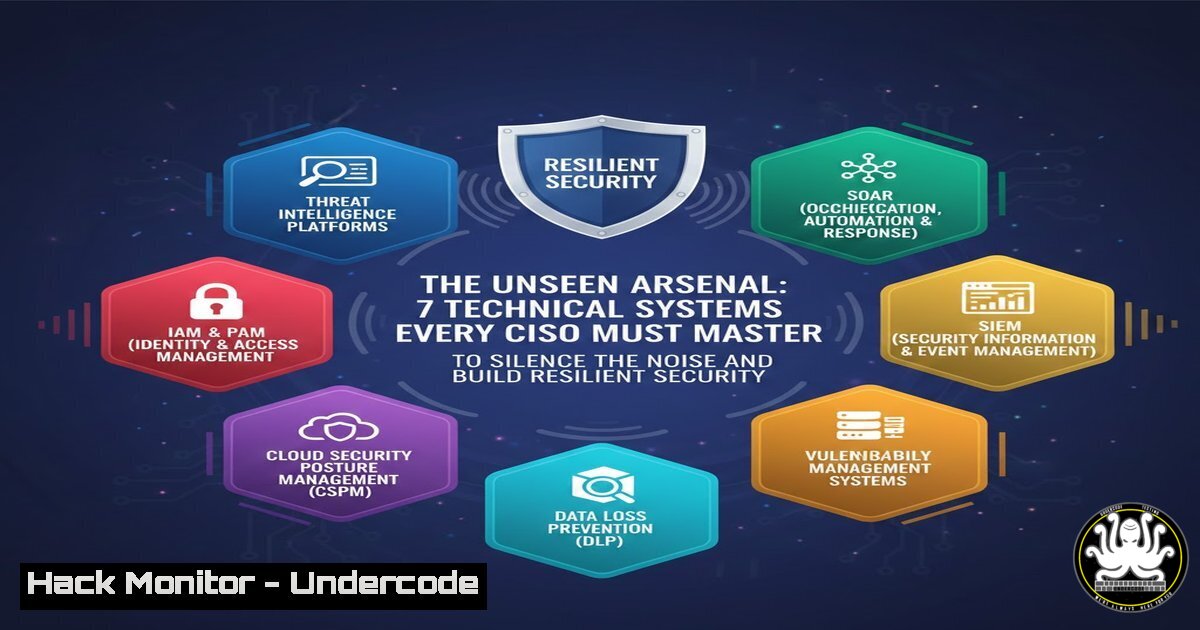
Introduction:
The Chief Information Security Officer (CISO) role is defined by immense pressure and high-stakes expectations, where the most critical work—proactive defense, continuous hardening, and strategic risk management—often remains invisible until a failure occurs. This technical deep dive moves beyond awareness to arm CISOs and their teams with actionable, concrete systems that transform silent pressure into measurable, automated defense. By implementing these layered technical controls, security leaders can create tangible visibility, automate the “unseen” work, and foster the robust organizational support needed for a truly resilient security posture.
Learning Objectives:
- Implement automated alert triage and log management to reduce operational noise and focus on critical threats.
- Harden cloud infrastructure using Infrastructure as Code (IaC) and policy-as-code to enforce consistent security baselines.
- Deploy and configure Endpoint Detection and Response (EDR) tools with custom rules for advanced threat hunting.
- Establish a formalized vulnerability management pipeline integrating SAST, DAST, and automated patch validation.
- Build a robust incident response playbook with automated containment steps and forensic data collection.
You Should Know:
1. Automating Alert Fatigue: Taming the SIEM Beast
The constant barrage of SIEM alerts is a primary source of unseen pressure. The goal is not to see all alerts, but to intelligently filter and correlate them.
Step‑by‑step guide explaining what this does and how to use it.
Step 1: Establish Baselining: Use statistical analysis to identify normal network and user behavior. In Splunk, this could involve:
`index=firewall | timechart span=1h count by dest_port | anomalydetect count`
Step 2: Implement Alert Correlation Rules: Move beyond single-event alerts. Create rules that trigger only when multiple suspicious events occur in sequence (e.g., a failed login, followed by a successful login from a new country, then an unusual file access). In Elastic SIEM, this is done with detection rules in Kibana.
Step 3: Automate Initial Triage: Use SOAR (Security Orchestration, Automation, and Response) platforms like TheHive or Cortex (XSOAR) to automatically enrich alerts with threat intel (e.g., VirusTotal, Shodan), check against internal databases, and tag or close false positives. A simple Python script can automate initial IP enrichment:
import requests
def enrich_ip(ip):
vt_url = f"https://www.virustotal.com/api/v3/ip_addresses/{ip}"
headers = {"x-apikey": "YOUR_VT_KEY"}
response = requests.get(vt_url, headers=headers)
return response.json()
2. Cloud Security Hardening with IaC & Policy-as-Code
Manual cloud configuration is error-prone and invisible. Codifying security guarantees consistency and visibility.
Step‑by‑step guide explaining what this does and how to use it.
Step 1: Define Security Baselines in Code: Use Terraform or AWS CloudFormation to define secure infrastructure. This template snippet ensures an S3 bucket is not publicly readable and has logging enabled.
resource "aws_s3_bucket" "secure_bucket" {
bucket = "my-secure-data"
acl = "private"
logging {
target_bucket = aws_s3_bucket.log_bucket.id
target_prefix = "logs/"
}
server_side_encryption_configuration {
rule {
apply_server_side_encryption_by_default {
sse_algorithm = "AES256"
}
}
}
}
Step 2: Enforce Policies Continuously: Use tools like Checkov, Terrascan, or AWS Config to scan IaC templates and live resources for misconfigurations. Integrate these into your CI/CD pipeline.
`checkov -d /path/to/terraform/code`
Step 3: Remediate Automatically: Link policy findings to automated remediation workflows using AWS Lambda or Azure Automation. For example, a function can automatically remediate a publicly exposed S3 bucket by applying a private ACL.
3. Endpoint Visibility & Control: Beyond Basic AV
Endpoints are the frontline. Advanced logging and EDR provide the deep visibility needed to detect subtle attacks.
Step‑by‑step guide explaining what this does and how to use it.
Step 1: Enable Advanced System Logging: On Windows, deploy Sysmon via a central GPO for detailed process creation, network connection, and file creation tracking. A critical Sysmon configuration rule to log LSASS memory access (a sign of credential dumping):
<Sysmon>
<EventFiltering>
<RuleGroup name="" groupRelation="or">
<ProcessAccess onmatch="include">
<TargetImage condition="end with">lsass.exe</TargetImage>
</ProcessAccess>
</RuleGroup>
</EventFiltering>
</Sysmon>
On Linux, ensure `auditd` is configured to monitor sensitive files and privileged commands.
Step 2: Configure EDR for Threat Hunting: Go beyond default policies. Create custom detection rules in tools like CrowdStrike Falcon or Microsoft Defender for Endpoint. For instance, a query to find `living-off-the-land` binaries (like certutil.exe) downloading files from the internet:
`process_name:certutil.exe AND cmdline:url AND cmdline:fetch`
Step 3: Isolate Endpoints from CLI: In an incident, you must isolate a compromised host quickly via the EDR console or API. Using CrowdStrike’s API:
`curl -X POST “https://api.crowdstrike.com/devices/entities/devices-actions/v2?action_name=contain” -H “Authorization: Bearer $API_KEY” -H “Content-Type: application/json” -d ‘{“ids”: [“DEVICE_ID”]}’`
4. The Vulnerability Management Pipeline: From Scan to Patch Validation
Finding vulnerabilities is visible; efficiently managing them to closure is the unseen work. Automate the pipeline.
Step‑by‑step guide explaining what this does and how to use it.
Step 1: Integrate Scanners into CI/CD: Use tools like Nessus, Qualys, or open-source OWASP ZAP and Trivy. Break the build on critical vulnerabilities. A Trivy scan in a GitLab CI pipeline:
container_scan:
image: aquasec/trivy
script:
- trivy image --severity CRITICAL,HIGH --exit-code 1 $CI_REGISTRY_IMAGE:$CI_COMMIT_SHA
Step 2: Automate Patching with Validation: Use patch management tools (WSUS, SCCM, Ansible) but pair them with post-patch validation scans. An Ansible playbook to patch and validate a web server:
- hosts: webservers
tasks:
- name: Update apt cache and upgrade packages
apt: upgrade=dist update_cache=yes
- name: Restart Nginx
systemd: name=nginx state=restarted
- name: Validate service and port
wait_for: port=443 state=started delay=10
Step 3: Prioritize with Context: Use a vulnerability management platform to correlate scanner findings with asset criticality and threat intelligence to produce a true risk-based priority list.
5. Building the Automated Incident Response Playbook
When a major incident strikes, the pressure is public. Automated playbooks ensure a swift, consistent, and documented response.
Step‑by‑step guide explaining what this does and how to use it.
Step 1: Map Common Attack Patterns to Containment Steps: For a ransomware alert, the automated playbook (in a SOAR) should: 1) Isolate the host (via EDR API), 2) Disable the affected user’s AD account, 3) Snapshot the affected VM or system (for forensics), 4) Block identified malicious hashes at the firewall/endpoint.
Step 2: Automate Forensic Data Collection: Use KAPE (Kroll Artifact Parser) on Windows or dd/volatility on Linux to collect memory and disk artifacts. Automate the collection with a script that runs from a central server:
`kape.exe –tsource C: –tdest \\forensics-server\evidence\%COMPUTERNAME% –target !SANS_Triage`
Step 3: Conduct Post-Incident Tabletop Exercises: Use breach simulation platforms like SafeBreach or AttackIQ to automatically test your playbooks against real attack techniques, measuring Mean Time to Detect (MTTD) and Mean Time to Respond (MTTR).
6. Implementing Zero Trust Network Access (ZTNA)
The traditional “trust but verify” model is brittle. ZTNA enforces “never trust, always verify,” reducing the attack surface invisibly.
Step‑by‑step guide explaining what this does and how to use it.
Step 1: Deploy an Identity-Aware Proxy (IAP): Use solutions like Cloudflare Access, Zscaler Private Access, or Google BeyondCorp Enterprise. Policies are based on user identity, device posture, and context, not just IP address.
Step 2: Enforce Device Posture Checks: Before granting access, ensure the device meets standards: disk encryption enabled, OS version current, EDR agent running. Configure these checks in your ZTNA/admin console.
Step 3: Segment Application Access: Move away from full network VPN access. Configure policies so user `X` can only reach application `Y` on port Z. This contains lateral movement. A Terraform snippet for a Cloudflare Access policy:
resource "cloudflare_access_application" "app" {
zone_id = var.zone_id
name = "Admin Panel"
domain = "admin.example.com"
session_duration = "24h"
}
resource "cloudflare_access_policy" "policy" {
application_id = cloudflare_access_application.app.id
zone_id = var.zone_id
name = "Admins Only"
precedence = "1"
decision = "allow"
include {
email = ["[email protected]"]
}
require {
device_posture = { check { exists = "$device_posture.checks.os_version" } }
}
}
- Security Culture as Code: Continuous Phishing & Training
Human risk is a constant, unseen variable. Automate training and simulation to build a resilient human layer.
Step‑by‑step guide explaining what this does and how to use it.
Step 1: Automate Phishing Simulations: Use platforms like KnowBe4 or Cofense PDR to run regular, randomized simulated phishing campaigns. Automate campaigns based on triggers (e.g., new hire onboarding, after a major incident).
Step 2: Integrate Training with IT Tickets: When a user fails a simulation or reports a real phishing email, automatically assign mandatory, short training modules via your ITSM platform (ServiceNow, Jira) API.
Step 3: Measure and Report on Behavior Change: Track metrics like Phish-Prone Percentage (PPP), report rates, and training completion. Use this data in board reports to demonstrate the ROI of security awareness, making the invisible human firewall visible.
What Undercode Say:
- Automation is the CISO’s Force Multiplier: The core mandate for modern security leadership is to systematically replace manual, repetitive tasks with automated, codified systems. This transforms “unseen effort” into visible, auditable, and scalable control frameworks, directly reducing operational pressure and risk.
- Visibility Drives Accountability and Support: Technical systems that produce clear metrics—mean time to patch, containment time, reduced alert volume—translate security’s abstract value into business language. This data is indispensable for securing board-level support and budget, closing the loop between unseen work and organizational recognition.
Analysis: The post poignantly highlights the human dimension of the CISO role, but the technical response is not just about tools—it’s about creating leverage. Each system outlined here serves a dual purpose: it directly hardens the environment while simultaneously generating the artifacts (logs, reports, metrics) that make security’s value incontrovertible. By focusing on automation, integration, and measurement, CISOs can shift the narrative from being solely responsible for preventing breaches to being the architects of a resilient, self-documenting security apparatus. This technical foundation is what enables the “better conversations” and “better support” the post advocates for, moving security from a silent cost center to a demonstrated business enabler.
Prediction:
The future CISO role will be dominated by the integration of AI and Machine Learning into these foundational systems. Predictive AI will move beyond alert correlation to forecast likely attack vectors based on internal telemetry and external threat feeds, allowing for preemptive hardening. AI-driven security co-pilots will automatically draft IR playbooks from natural language commands, write detection rules, and explain complex risks to the board. The “unseen work” will increasingly be performed by autonomous AI agents, overseen by security engineers. This will elevate the CISO’s focus from technical minutiae to strategic risk architecture and AI governance, fundamentally changing the role’s demands and required skill sets. The pressure will remain high, but its nature will shift from operational firefighting to strategic foresight and ethical oversight of automated defense systems.
▶️ Related Video (72% Match):
🎯Let’s Practice For Free:
IT/Security Reporter URL:
Reported By: Inga Stirbytecybersecurityleader – Hackers Feeds
Extra Hub: Undercode MoN
Basic Verification: Pass ✅


