Listen to this Post
Introduction:
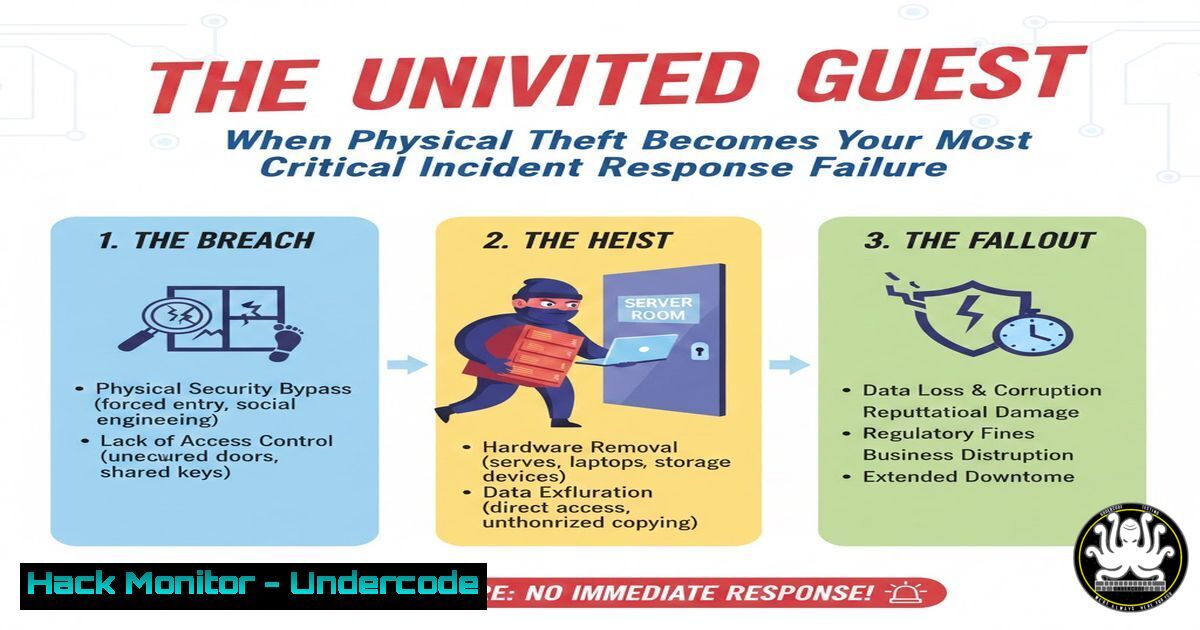
A stolen laptop is a common crime, but when the thief gains immediate, unfettered access to the device and its data, it escalates from a property loss to a catastrophic security breach. This scenario, highlighted in a recent social media discussion, exposes a critical blind spot in many corporate and personal Incident Response (IR) plans: the assumption that physical theft is merely a hardware issue, not an immediate data compromise. This article dissects the technical and procedural failures that turn a theft into a breach and provides a hardened, actionable guide to ensure your IR plan accounts for the moment a device leaves your control.
Learning Objectives:
- Implement pre-boot authentication and full-disk encryption to render stolen hardware inert.
- Configure and enforce remote wipe capabilities for all mobile endpoints.
- Integrate physical device recovery and forensic analysis steps into your IR playbook.
- Harden operating systems against unauthorized local access.
- Establish mandatory backup protocols that are isolated from primary devices.
You Should Know:
- The First Line of Defense: Pre-Boot Authentication & Full-Disk Encryption
The core failure in the discussed incident was the lack of a password at the OS level, allowing the thief “full control.” The true solution is to protect data before the operating system loads.
Step‑by‑step guide:
Windows (Using BitLocker with TPM + PIN):
1. Open Group Policy Editor (`gpedit.msc`).
- Navigate to
Computer Configuration > Administrative Templates > Windows Components > BitLocker Drive Encryption > Operating System Drives. - Enable “Require additional authentication at startup” and check “Allow BitLocker without a compatible TPM” (if needed).
- In Control Panel > BitLocker Drive Encryption, turn on BitLocker for the OS drive.
- Choose “Enter a PIN” as the additional authentication method. This PIN must be entered before Windows boots, preventing the scenario described.
Linux (Using LUKS2 Encryption):
- If setting up a new system, select “Encrypt the entire LVM volume” during installation.
- For an existing system, use `cryptsetup` to encrypt the partition (Warning: Backup data first!):
sudo cryptsetup reinstall --verify-passphrase luksFormat /dev/sdX1
sudo cryptsetup open /dev/sdX1 encrypted_volume
Then migrate data to the mapped device.
- Update `/etc/crypttab` and `/etc/fstab` to mount the encrypted volume at boot, requiring a passphrase.
-
The Remote Kill Switch: Enabling Remote Wipe Capabilities
A stolen device must be assumed compromised. Remote wipe is the definitive action to prevent data exfiltration.
Step‑by‑step guide:
For Corporate Devices (MDM/Microsoft Intune Example):
1. Enroll the device into Microsoft Intune.
- Create a compliance policy that marks devices without disk encryption as non-compliant.
- Create a device configuration profile to enable BitLocker.
- In the Intune admin center, once a device is reported stolen, navigate to Devices > All devices, select the device, and choose “Wipe”. Select the “Retire” or “Wipe” option to clean the device completely upon next internet connection.
For Personal/Standalone Devices (Windows 10/11):
1. Link the device to a Microsoft account.
- Enable “Find my device” in Settings > Update & Security > Find my device.
-
If stolen, visit account.microsoft.com/devices, select the device, and click “Find my device”. You can see its location and issue a “Remote wipe” command, which triggers upon next sign-in.
-
IR Playbook Integration: The “Device Physically Stolen” Procedure
Your IR plan must have a dedicated section for physical theft that goes beyond “file a police report.”
Step‑by‑step guide:
- Immediate Action (First 15 mins): Designate an IR lead. Using MDM or cloud admin consoles, initiate remote wipe. Immediately reset all credentials for cloud services the user had accessed (email, CRM, SSO). Notify security team to monitor for access attempts from unusual locations.
- Containment & Eradication (Next 1 hour): Revoke the device’s certificates and VPN access. Check backup logs to confirm the user’s data was successfully backed up within the last 24 hours. Begin restoration of critical data to a clean, replacement device.
-
Recovery & Lessons Learned (Next 24-48 hours): If the device is recovered, image the drive for forensic analysis before reconnecting it to the network. Update the IR playbook with any gaps discovered (e.g., “was remote wipe configured?”).
-
OS Hardening: Disabling Automatic Login and USB Boot
Prevent trivial bypasses of security by locking down local access vectors.
Step‑by‑step guide:
Windows – Disable Automatic Login:
1. Press `Win + R`, type `netplwiz`.
- Uncheck “Users must enter a username and password to use this computer”.
- Apply. You will be prompted to enter and confirm the password for the auto-login account. This ensures a password is always required.
BIOS/UEFI Hardening:
- Reboot and enter BIOS/UEFI setup (typically F2, Del, F10).
2. Set a supervisor/administrator password for the BIOS.
3. Disable booting from USB/CD/DVD.
-
Enable “Secure Boot”. This prevents unauthorized operating systems from loading.
-
The Non-Negotiable Safety Net: The 3-2-1 Backup Rule
The comment about lacking backups completes the “recipe for disaster.” Data must exist independently of the hardware.
Step‑by‑step guide:
- 3 Copies: Maintain the original, plus two backups.
- 2 Different Media: Use different types, e.g., internal drive + external NAS + cloud storage.
- 1 Offsite: Ensure one backup is geographically separate (cloud storage fulfills this).
Automated Backup Command (Linux using `rsync` to NAS):rsync -avh --progress --delete /home/user/Documents/ user@nas_ip:/backup/user/Documents/
Add this to a cron job (
crontab -e) for daily execution:
`0 2 /usr/bin/rsync -avh /home/user/Important/ user@nas:/backup/`
What Undercode Say:
- Key Takeaway 1: A modern IR plan is incomplete without addressing the immediate digital consequences of physical theft. The moment a device leaves your possession, the clock starts on data compromise, not just hardware recovery.
- Key Takeaway 2: Security is a stack. Relying solely on an OS login password is a single, fragile layer. Resilience comes from stacking encryption (at-rest), strong authentication (pre-boot), remote action capabilities, and immutable backups.
The analysis reveals a fundamental disconnect between theoretical IR planning and practical human/operational failings. Tabletop exercises often simulate cyber attacks, but neglect the mundane trigger of theft. This incident underscores that the weakest link is often the most obvious: a lack of enforced basic hygiene. The “thief with full control” is not a sophisticated hacker; they are the beneficiary of profound security negligence. Organizations must audit not just for malware, but for the presence of encryption, the functionality of remote wipe, and the verifiable existence of recent backups. Treat every mobile endpoint as a ticking data breach the instant it leaves the building.
Prediction:
The convergence of physical crime and digital exploitation will accelerate. We will see the rise of more organized “crime-as-a-service” rings that specifically target corporate laptops in public places, not for resale value, but for immediate data harvesting and lateral movement into corporate networks. AI will play a dual role: used by defenders to instantly classify a stolen device event and trigger automated containment workflows (credential resets, NAC quarantine), and by attackers to quickly sift through locally cached data from stolen devices to find credentials and API keys. Future IR platforms will integrate with MDM, Identity Providers, and Data Loss Prevention (DLP) tools to auto-generate a tailored, executable response plan the second a device is marked as stolen in a police database or MDM console, turning a chaotic reaction into a swift, automated surgical strike.
▶️ Related Video (82% Match):
🎯Let’s Practice For Free:
IT/Security Reporter URL:
Reported By: Wilklu Bet – Hackers Feeds
Extra Hub: Undercode MoN
Basic Verification: Pass ✅


