Listen to this Post
Introduction:
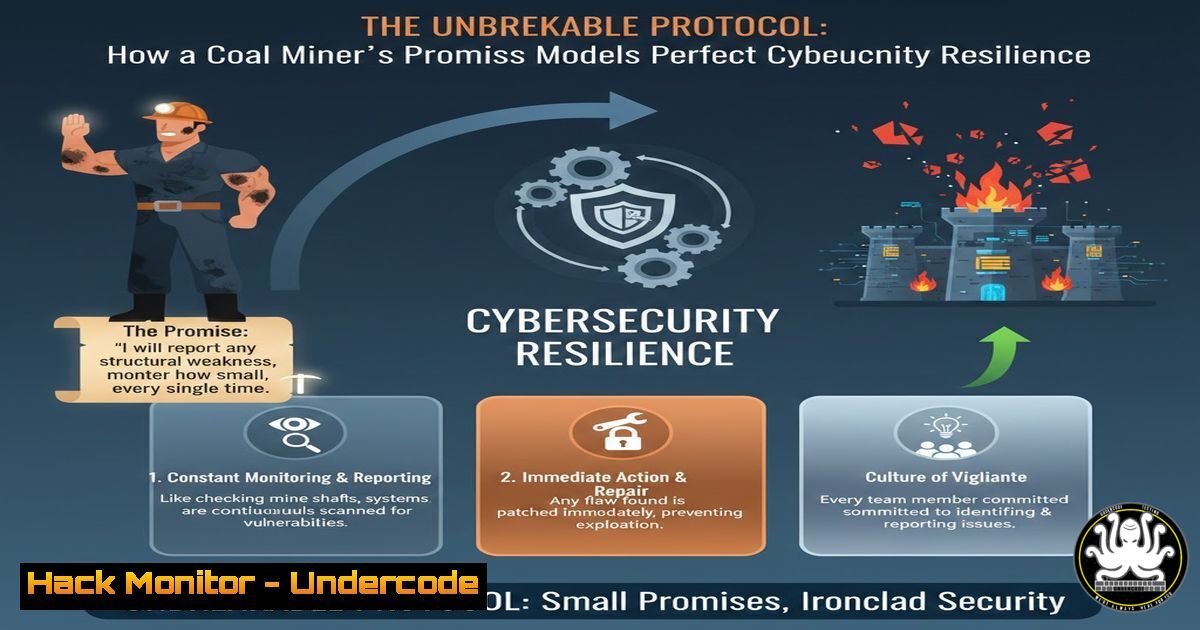
In cybersecurity, the most sophisticated systems can fail if a single protocol is broken or a critical alert is ignored. The story of the coal miner, who showed up for his son despite exhaustion, exemplifies the non-negotiable commitment required to defend digital assets. This article explores how this same ethos of integrity, presence, and prioritizing promises can be directly applied to building unbreachable security postures in IT and AI infrastructures.
Learning Objectives:
- Understand how the principle of unwavering commitment translates to security protocol adherence and system hardening.
- Learn to implement and automate critical security checks that must never be skipped, analogous to “keeping a promise” to your systems.
- Develop a resilience framework that ensures security controls are present and effective, even under duress or heavy load.
You Should Know:
1. The Non-Negotiable Security Promise: System Hardening
Just as the miner prioritized his promise, system hardening is a foundational promise you make to your infrastructure. It involves configuring systems to reduce the attack surface, a task that must be completed regardless of time constraints.
Step-by-step guide explaining what this does and how to use it.
What it does: System hardening removes unnecessary programs, accounts, services, and patches known vulnerabilities, making it significantly harder for an attacker to gain a foothold.
How to use it:
1. Linux Example (Debian/Ubuntu):
 Remove unnecessary services (e.g., telnet server)
sudo apt purge telnetd

Check for and remove unused packages
sudo apt autoremove

Disable a non-essential network service (e.g., apache2 if not needed)
sudo systemctl disable apache2
sudo systemctl stop apache2
2. Windows Example (via PowerShell):
 Disable the SMBv1 protocol, a known security risk
Disable-WindowsOptionalFeature -Online -FeatureName SMB1Protocol

Remove a bloatware application that could pose a risk (e.g., a specific appx package)
Get-AppxPackage zoom | Remove-AppxPackage
- Showing Up “As You Are”: Continuous Vulnerability Scanning
The miner showed up tired and dirty, but he showed up. Similarly, your security tools must run continuously, providing an honest assessment of your system’s “health” no matter its state.
Step-by-step guide explaining what this does and how to use it.
What it does: Automated vulnerability scanners constantly probe your systems for known weaknesses, providing real-time intelligence on your security posture.
How to use it:
1. Using a Popular Open-Source Tool (Nessus):
Install Nessus and complete the initial setup.
Create a new “Basic Network Scan” policy.
Configure the scan to run daily against your target IP range (e.g., 192.168.1.0/24).
Set up email alerts for critical and high-severity findings to ensure you “show up” to fix them.
2. Cloud Infrastructure (AWS Inspector):
Navigate to AWS Inspector in the AWS Management Console.
Create a assessment target encompassing your EC2 instances.
Create an assessment template using the “Common Vulnerabilities and Exposures” rules package.
Set it to run automatically and report findings to Amazon SNS.
- The Look in His Eyes: Proactive Log Analysis and SIEM
The miner’s determined eyes showed he was fully present. A Security Information and Event Management (SIEM) system is the ever-watchful eyes of your IT environment, correlating logs to detect anomalies.
Step-by-step guide explaining what this does and how to use it.
What it does: A SIEM aggregates log data from network devices, servers, and applications, using rules to detect potential security incidents in real-time.
How to use it:
- Writing a Custom Sigma Rule (for use in SIEMs like Splunk or Elastic):
title: Suspicious Process Execution in Temp Directory
logsource:
category: process_creation
detection:
selection:
Image|endswith: '\Temp.exe'  Looks for EXEs run from Temp
filter:
Image: '\Temp\notepad.exe'  False positive exclusion
condition: selection and not filter
description: Detects a potential malware execution from a user's temporary folder.
2. Linux Command to forward logs (via logger):
 Manually send a test alert to the SIEM
logger -p auth.info "SECURITY ALERT: Test unauthorized access attempt on $(hostname)"
4. Prioritizing What Truly Matters: Patch Management
The miner knew the basketball game was a priority. In cybersecurity, patching critical vulnerabilities is that priority, and it must be handled with a strict, reliable process.
Step-by-step guide explaining what this does and how to use it.
What it does: Patch management is the cycle of acquiring, testing, and installing patches (code changes) to correct security vulnerabilities and improve functionality.
How to use it:
- Automating Patches on Linux (Unattended Upgrades for Security):
Install unattended-upgrades package
sudo apt install unattended-upgrades

Configure to automatically install security updates
sudo dpkg-reconfigure --priority=low unattended-upgrades
Select "Yes" when prompted.
2. Windows Server Update Services (WSUS):
Install the WSUS role on a dedicated server.
Configure Group Policy to point client machines to the WSUS server.
On the WSUS console, approve critical security updates for specific target groups.
Set a deadline for installation to enforce compliance.
5. Integrity in Action: API Security Hardening
The miner’s integrity was his core. For modern applications, API security is core. A single unsecured endpoint can break the promise of data confidentiality, just as a broken promise breaks trust.
Step-by-step guide explaining what this does and how to use it.
What it does: API security involves protecting the communication channel between clients and servers, ensuring proper authentication, authorization, and input validation to prevent data breaches.
How to use it:
- Example of a Secure API Endpoint (Python/Flask with JWT):
from flask import Flask, request, jsonify
from flask_jwt_extended import JWTManager, create_access_token, jwt_required</li>
</ol>

app = Flask(<strong>name</strong>)
app.config['JWT_SECRET_KEY'] = 'your-super-secret-key'  Store in env var!
jwt = JWTManager(app)

@app.route('/api/secure-data', methods=['GET'])
@jwt_required()  This protects the endpoint
def get_secure_data():
 Logic to fetch and return data only if a valid JWT is present
return jsonify({"data": "This is highly sensitive information."}), 200
2. Using a Tool like OWASP ZAP to Test API Security:
Start OWASP ZAP and set your browser to use it as a proxy.Use your application to generate API traffic.
Right-click your API endpoint in the ‘Sites’ list and select ‘Attack’ > ‘Active Scan’.
Review the ‘Alerts’ tab for findings like “Missing Anti-CSRF Tokens” or “SQL Injection”.6. Building a Resilient Framework: Zero Trust Architecture
The father’s action was a microcosm of Zero Trust: “never trust, always verify.” He didn’t assume his presence was enough; he physically verified it by being there.
Step-by-step guide explaining what this does and how to use it.
What it does: Zero Trust is a security model that requires strict identity verification for every person and device trying to access resources on a private network, regardless of whether they are sitting within the network perimeter.How to use it:
1. Implementing Micro-Segmentation (Cloud Example):
In AWS or Azure, create separate VNets/VPCs for different application tiers (Web, App, Database).
Configure Network Security Groups (NSGs) or Security Groups to only allow necessary traffic. For example, the database tier should only accept connections from the app tier on the specific database port (e.g., 1433 for MSSQL, 3306 for MySQL).Deny all other traffic by default.
2. Enforcing Principle of Least Privilege (Linux):
 Instead of giving a user full sudo access, be specific.
 Edit the sudoers file with `visudo`
 Grant a user permission to only restart the web server
username ALL=(ALL) NOPASSWD: /bin/systemctl restart nginx
What Undercode Say:
- Human Integrity is the Ultimate Security Control. The most advanced AI-driven security stack is worthless without the human commitment to uphold its protocols. The miner’s story is a powerful metaphor for the diligence required to consistently execute security basics.
- Resilience Over Perfection. Security is not about having a perfectly clean system 100% of the time; it’s about having the resilience and processes to “show up” and respond effectively when you are “tired and dirty”—i.e., during an incident or under heavy operational load.
This analysis connects a deeply human story to the core of cybersecurity operational doctrine. The relentless, often thankless, work of patching, monitoring, and hardening is the technical equivalent of keeping a promise to protect data and systems. It’s a lesson that the “why” behind our security efforts—protecting what we value—is just as critical as the “how.” Fostering a culture that values this unwavering commitment is what separates a compliant organization from a truly secure one.
Prediction:
The future of cybersecurity will not be won by silver-bullet technologies alone but by organizations that can instill this “coal miner’s ethos” into their security culture and AI-driven automated systems. We will see a rise in AIOps and SOAR platforms that don’t just alert, but enforce commitment—automating the “showing up” by auto-remediating common threats, ensuring that the fundamental security promises of patching, hardening, and monitoring are kept without fail, 24/7, regardless of human fatigue. The human role will evolve from manual executor to strategic overseer of these automated ethical systems.
🎯Let’s Practice For Free:
IT/Security Reporter URL:
Reported By: Alisha Surabhi – Hackers Feeds
Extra Hub: Undercode MoN
Basic Verification: Pass ✅🔐JOIN OUR CYBER WORLD [ CVE News • HackMonitor • UndercodeNews ]
📢 Follow UndercodeTesting & Stay Tuned:


