Listen to this Post
Introduction:
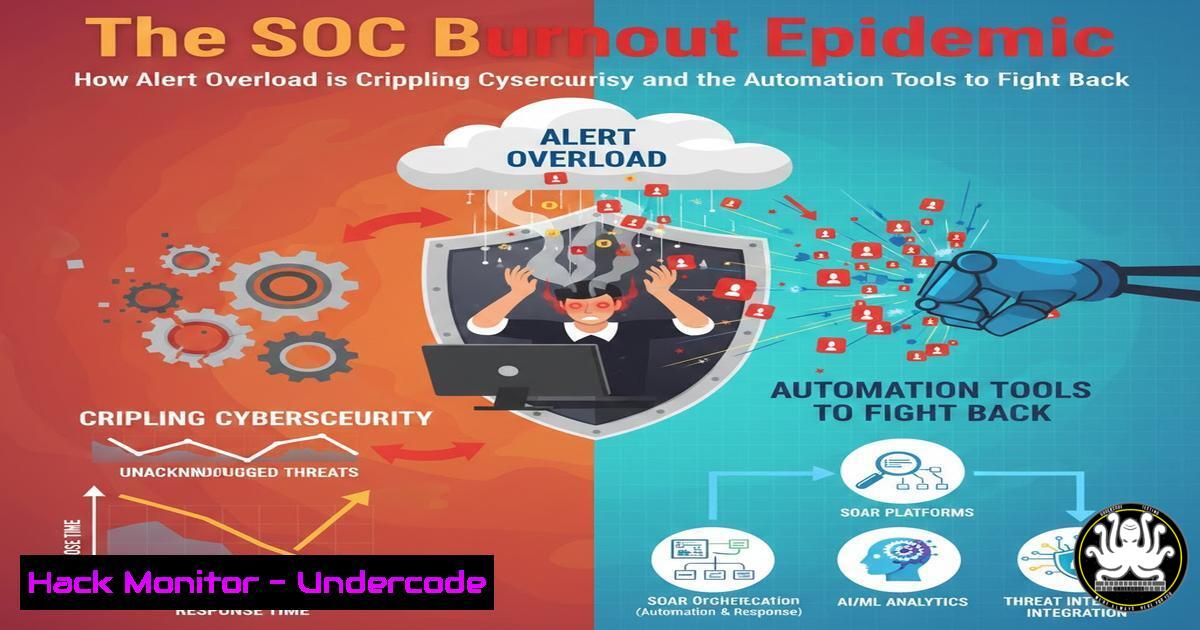
The modern Security Operations Center (SOC) is a battlefield of incessant alerts, where analysts are expected to triage a deluge of notifications while maintaining peak analytical performance. A viral industry post humorously highlights the grim reality: a single analyst simultaneously facing 14 alerts, 3 chat pings, 2 escalations, and a disruptive system update. This scenario is not just a joke; it’s a critical vulnerability exposing organizations to missed threats due to analyst fatigue and inefficient processes. This article deconstructs the alert overload crisis and provides a technical blueprint for building a resilient, automated SOC capable of weathering the storm.
Learning Objectives:
- Understand the core technical inefficiencies leading to SOC alert fatigue and how to quantify them.
- Implement actionable automation scripts for EDR/SIEM platforms to filter and prioritize alerts.
- Configure system hardening and maintenance protocols to prevent operational disruptions like untimely updates.
You Should Know:
- Quantifying the Chaos: Metrics and Log Analysis for SOC Baseline
Before automation, you must measure the problem. The “14 alerts” need context: are they false positives, duplicates, or true critical incidents? Use your SIEM’s native logging and correlation capabilities to establish a baseline.
Step‑by‑step guide explaining what this does and how to use it.
First, extract alert volume and source data. In a Splunk environment, a query might look like:
`index=security_alerts earliest=-24h | stats count by alert_name, severity | sort – count`
This provides a breakdown of the most frequent alerts. Next, analyze analyst workload. If using a ticketing system like Jira or ServiceNow, integrate logs to measure “time to acknowledge” and “time to resolve.” On a Linux-based analysis workstation, you can use command-line tools to track personal activity. For example, to check system notifications that might be disruptive, you could examine journalctl: `journalctl -u unattended-upgrades –since “today”` to see when automatic updates occurred. The goal is to create a dashboard showing alerts per hour, mean time to respond (MTTR), and the ratio of false positives. This data is the foundation for justifying and targeting automation.
- Taming the EDR Beast: Automated Triage with PowerShell and Python
Endpoint Detection and Response (EDR) tools are primary alert generators. Automating the initial triage of common, low-severity EDR alerts is crucial. The “3 pings” often relate to these alerts waiting for review.
Step‑by‑step guide explaining what this does and how to use it.
Most EDR platforms offer APIs. Use a scripting language like Python to query, filter, and act on alerts. For example, a script could automatically tag and close alerts known to be benign (e.g., certain internal tool executions). Here’s a conceptual Python snippet using the `requests` library for a generic EDR API:
import requests
import json

api_url = "https://your-edr-api.com/alerts"
headers = {"Authorization": "Bearer YOUR_API_KEY"}
params = {"severity": "low", "status": "unresolved"}

response = requests.get(api_url, headers=headers, params=params)
alerts = response.json()

for alert in alerts:
if "known_benign_process.exe" in alert['process']:
close_url = f"{api_url}/{alert['id']}/close"
close_data = {"status": "false_positive"}
requests.post(close_url, headers=headers, json=close_data)
print(f"Closed alert {alert['id']} as false positive.")
For Windows-centric environments, PowerShell can interact with SIEM/EDR modules. Always test scripts in a sandbox, log all actions, and maintain a whitelist reviewed regularly to prevent dismissing real threats.
- SIEM S.P.L. Kung Fu: Writing Filters That Actually Reduce Noise
A well-tuned SIEM is the SOC’s best ally. The “14 alerts” often stem from poorly parsed or overly broad correlation rules. Mastering Search Processing Language (SPL) or its equivalent is key.
Step‑by‑step guide explaining what this does and how to use it.
Instead of alerting on every single failed login, create a rule that triggers only after multiple failures from distinct usernames targeting different accounts within a short window—a stronger indicator of scanning. Example SPL for Splunk:
`index=auth_fails | bucket _time span=5m | stats dc(username) as unique_users, count by src_ip | where unique_users > 3 AND count > 10`
This search clusters events, counting distinct usernames and total attempts per source IP in 5-minute windows, filtering for behavior suggestive of automated attacks. Apply this logic to your noisiest alert types. Furthermore, use threat intelligence feeds to filter alerts from known benign IPs (like your own company’s VPN range) directly at the ingestion point, if your SIEM supports it.
- Simulating the Onslaught: Building Internal Phishing and BAS Drills
The “high-pressure environment” must be trained for. Proactively simulate the overload using controlled exercises like phishing campaigns and Breach and Attack Simulation (BAS).
Step‑by‑step guide explaining what this does and how to use it.
Deploy an open-source phishing framework like Gophish or a BAS platform like Caldera to simulate attacks. The goal isn’t to trick analysts but to test processes under load. Schedule a drill where, in addition to real alerts, you inject 10 simulated incidents (e.g., phishing emails reported, simulated malware execution alerts). Monitor how the team prioritizes and communicates. Use the results to refine playbooks. For instance, a Caldera agent can simulate a MITRE ATT&CK technique like T1566 (Phishing) and generate corresponding EDR alerts. Observing how these are triaged alongside real work reveals process gaps.
5. Controlling Your Environment: Hardening the Analyst Workstation
The “laptop updating” during a crisis is an unacceptable operational failure. Analyst workstations must be hardened and update schedules rigorously controlled.
Step‑by‑step guide explaining what this does and how to use it.
For Windows 10/11 analyst systems, use Group Policy or local policy to disable automatic reboots and configure active hours. A critical PowerShell command to check update settings is: Get-ItemProperty -Path "HKLM:\SOFTWARE\Policies\Microsoft\Windows\WindowsUpdate\AU". To set updates for notify-only, you could use:
reg add "HKLM\SOFTWARE\Policies\Microsoft\Windows\WindowsUpdate\AU" /v NoAutoUpdate /t REG_DWORD /d 1
(Note: Enterprise environments should use WSUS or Intune for centralized control). For Linux analyst boxes, configure `unattended-upgrades` to apply only security updates and at a scheduled time (e.g., Sunday at 2 AM). Edit `/etc/apt/apt.conf.d/50unattended-upgrades` and set `AutoFixInterrupted` to true, and schedule with cron: 0 2 0 /usr/bin/unattended-upgrade.
What Undercode Say:
- Automation is Non-Negotiable: The SOC of 2024 cannot rely on manual triage for every alert. Investment in scripting and SOAR platforms is a direct force multiplier for analyst effectiveness and morale.
- Measure to Manage: You cannot improve what you don’t measure. SOC metrics must evolve beyond “alerts handled” to “true positive rate,” “automation coverage,” and “mean time to automate.” This data-driven approach is key to securing budget for needed tools and headcount.
-
The viral post is a symptom of a deep-seated cultural and technical debt in many security programs. Leaders often mistake “high-pressure” for “operationally effective,” when in reality, it leads to burnout, high turnover, and increased risk from missed signals. The solution lies in a dual approach: leveraging technology to absorb the repetitive load and empowering analysts with controlled, reliable environments. This transforms the SOC from a reactive help desk into a true intelligence and response unit.
Prediction:
The escalating volume and sophistication of attacks will make the current manual-heavy SOC model untenable within 2-3 years. The future belongs to AI-driven SOCs where predictive analytics and automated response playbooks handle 80% of initial alert triage. The human analyst’s role will shift dramatically towards threat hunting, playbook engineering, and investigating only the most complex, novel anomalies that AI flags. Organizations that fail to adapt by investing in this automation and AI-augmented workflow will face not only a staffing crisis but a severe security deficit, as their overwhelmed teams become incapable of distinguishing signal from noise in the coming storm.
🎯Let’s Practice For Free:
IT/Security Reporter URL:
Reported By: Raja Singh – Hackers Feeds
Extra Hub: Undercode MoN
Basic Verification: Pass ✅


