Listen to this Post
Introduction:
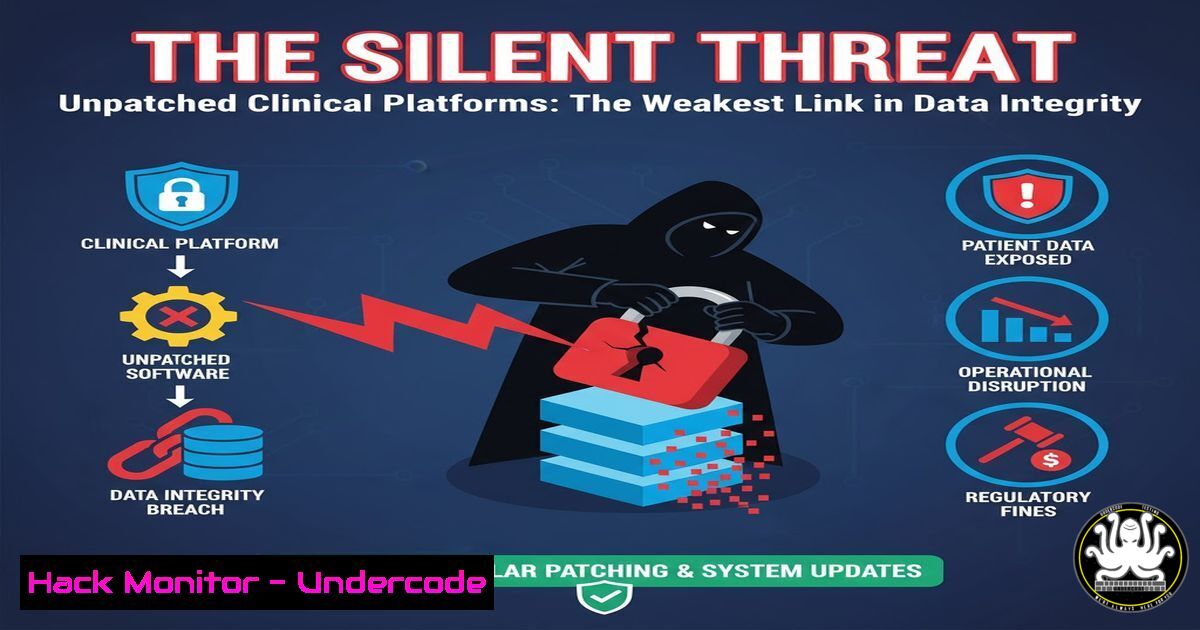
The integration of clinical research platforms, while streamlining trial management, creates an expanded attack surface ripe for exploitation. Legacy systems, misconfigurations, and inadequate access controls within these integrated environments can compromise the very data integrity they are meant to protect, leading to catastrophic consequences for patient safety and regulatory compliance.
Learning Objectives:
- Identify common misconfigurations in integrated IT environments that threaten clinical data.
- Implement hardening techniques for Windows/Linux servers hosting critical applications.
- Utilize command-line tools to audit access controls and detect potential vulnerabilities.
You Should Know:
- Auditing Windows Server Permissions for Clinical Data Directories
Misconfigured file permissions are a primary vector for data exfiltration. Clinical data repositories must be secured beyond default settings.
Verified Commands:
 PowerShell: Get NTFS permissions on a specific directory
Get-Acl -Path "C:\ClinicalData\Trials" | Format-List

icacls: Detailed permission display and modification
icacls "C:\ClinicalData\Trials" /grant "ClinicalAuditors:RX"

Audit for 'Everyone' or 'Users' group having write access
icacls "C:\ClinicalData\" /find "Everyone" | findstr "W"
Step-by-step guide:
The `Get-Acl` PowerShell cmdlet provides a high-level view of the Access Control List (ACL). For a more granular, command-line approach, `icacls` is indispensable. To audit a directory, open an administrative command prompt and run icacls "C:\YourDataPath". This will list all users and groups and their permissions (F-Full, M-Modify, RX-Read&Execute, R-Read, W-Write). Regularly scan for overly permissive entries like “Everyone:(W)” or “Authenticated Users:(F)” and remove them using `/remove` or restrict them using /deny.
2. Hardening Linux Servers Hosting eClinical Databases
Linux servers often host the backend databases for platforms like eClinical. Unnecessary services and open ports are a significant risk.
Verified Commands:
 Check for listening ports and associated services
ss -tuln

Disable an unnecessary service (e.g., telnet)
sudo systemctl stop telnet.socket
sudo systemctl disable telnet.socket

Verify and configure the firewall (UFW)
sudo ufw status verbose
sudo ufw allow from 192.168.1.0/24 to any port 5432  Allow DB from specific subnet
sudo ufw deny out 25  Block outgoing SMTP if not needed
Step-by-step guide:
Start by identifying all listening ports with ss -tuln. Any service listening on 0.0.0.0 (all interfaces) should be scrutinized. Use `systemctl list-unit-files | grep enabled` to see all active services. Disable any that are not essential for the clinical application’s function, such as `telnet` or rpcbind. Finally, configure Uncomplicated Firewall (UFW) to adopt a default-deny policy (sudo ufw default deny incoming) and only allow traffic from specific, authorized subnets to the database port.
3. SQL Injection Testing for Clinical Web Portals
Web portals for data entry are prime targets for SQL injection, which can lead to full database compromise.
Verified Commands/Tools:
 Using sqlmap to test a parameter for SQLi vulnerabilities
sqlmap -u "https://portal.heroclinical.com/login?user=test" --batch --level=3

Basic curl command to manually test a parameter
curl -X GET "https://portal.heroclinical.com/login?user=admin' OR '1'='1'--"
Step-by-step guide:
While manual testing with `curl` can reveal basic errors, a tool like `sqlmap` automates the process. After identifying a parameter (like `?user=` in a login form), run a basic `sqlmap` command against it. The `–batch` flag runs non-interactively, and `–level` increases the thoroughness of the test. A positive result indicates a critical flaw where an attacker can dump the entire clinical trial database. Mitigation involves using prepared statements and parameterized queries in the application code.
- Monitoring for Unauthorized Access with Windows Event Logs
Proactive monitoring is key to detecting a breach early. Windows Event Logs contain a treasure trove of security information.
Verified Commands:
 PowerShell: Query for failed logons (Event ID 4625)
Get-WinEvent -FilterHashtable @{LogName='Security'; ID=4625} -MaxEvents 20

Query for successful logons to sensitive accounts (Event ID 4624)
Get-WinEvent -FilterHashtable @{LogName='Security'; ID=4624} | Where-Object {$_.Properties[bash].Value -eq "Administrator"}
Step-by-step guide:
Failed logon attempts (Event ID 4625) can indicate brute-force attacks. Use the `Get-WinEvent` PowerShell cmdlet to regularly pull these events and alert on a high volume from a single source. More critically, monitor for successful logons (Event ID 4624) by privileged accounts like “Administrator” outside of maintenance windows. Setting up a SIEM to aggregate and correlate these logs is the professional standard for detecting lateral movement.
5. Securing API Endpoints in Cloud Integrated Solutions
Modern eClinical platforms rely heavily on APIs for cloud integration. Insecure APIs are a common source of data leaks.
Verified Commands/Tools:
 Using curl to test for missing authentication on an API endpoint
curl -H "Content-Type: application/json" -X GET https://api.eclinical.com/v1/trials

Using jq to parse and filter large JSON responses from an API
curl -s -H "Authorization: Bearer $TOKEN" https://api.eclinical.com/v1/patients | jq '.[] | select(.ssn)'
Step-by-step guide:
First, test API endpoints without any authentication tokens. A `200 OK` response likely indicates a severe misconfiguration. Always ensure APIs require a valid token or key. When interacting with legitimate APIs, use tools like `jq` to parse the response. The example command checks if the API is unnecessarily returning sensitive data like Social Security Numbers (SSN). Principle of Least Privilege must be applied to API scopes, ensuring a token for reading basic trial info cannot access full patient records.
6. Vulnerability Scanning with Nmap and NSE Scripts
Network mapping and vulnerability scanning are foundational to any security posture assessment.
Verified Commands:
 Basic service discovery scan
nmap -sV -sC 192.168.1.0/24

Scan for specific vulnerabilities (e.g., EternalBlue)
nmap --script smb-vuln-ms17-010 192.168.1.50

Audit SSL/TLS versions and ciphers
nmap --script ssl-enum-ciphers -p 443 portal.heroclinical.com
Step-by-step guide:
A standard service scan (-sV -sC) uses Nmap’s scripting engine (NSE) to probe open ports and identify running services and versions. This can reveal outdated, vulnerable software. You can then target specific services with vulnerability scripts, like checking an SMB server for the EternalBlue exploit. Regularly auditing web-facing services for weak SSL/TLS ciphers is also critical to prevent man-in-the-middle attacks.
7. Container Security Scanning in Cloud-Native Deployments
As clinical platforms move to containerized, cloud-native architectures, image security becomes paramount.
Verified Commands:
 Using Trivy to scan a Docker image for vulnerabilities
trivy image yourregistry.azurecr.io/eclinical/frontend:latest

Scanning a running container's filesystem
docker exec -it container_name bash -c "apt list --installed | grep openssl"

Using Docker Bench Security to audit host configuration
git clone https://github.com/docker/docker-bench-security.git
cd docker-bench-security
sudo ./docker-bench-security.sh
Step-by-step guide:
Integrate a scanner like `Trivy` directly into your CI/CD pipeline. The command `trivy image your-image:tag` will output all known CVEs (Common Vulnerabilities and Exposures) found in the operating system and application dependencies. For ad-hoc checks, you can inspect a running container’s packages. Furthermore, the Docker Bench Security script provides an automated check against the CIS (Center for Internet Security) benchmarks, ensuring the host and daemon configuration is secure.
What Undercode Say:
- Integration Equals Expansion: The primary security risk in M&A and platform integration is not the core software, but the expanded and often poorly understood attack surface of the combined IT estate. Attackers target the weakest link, which is often a legacy system from the acquired company.
- Data Integrity is Non-Negotiable: In clinical research, a breach of confidentiality is severe, but a compromise of data integrity is catastrophic. It can invalidate years of research, harm patients, and lead to regulatory action. Security controls must be designed to prevent unauthorized modification of data, not just its exfiltration.
The push for seamless integration and “going live” often creates a window of extreme vulnerability where security protocols are relaxed. The analysis suggests that threat actors are increasingly aware of this, using the period following a merger announcement to launch sophisticated phishing campaigns and look for misconfigured cloud storage buckets related to the new assets. The focus must shift from perimeter-based defense to a zero-trust model, where every access request is verified, regardless of its source.
Prediction:
The convergence of IT and operational technology (OT) in clinical settings, including diagnostic and monitoring equipment connected to the eClinical ecosystem, will be the next major attack vector. We predict a rise in ransomware campaigns that do not just encrypt data but subtly manipulate patient-reported outcomes or diagnostic results from integrated devices, threatening the very validity of clinical trials and leading to a new era of “integrity-based” extortion.
🎯Let’s Practice For Free:
IT/Security Reporter URL:
Reported By: Kristophermcdaniel Clinicalresearch – Hackers Feeds
Extra Hub: Undercode MoN
Basic Verification: Pass ✅


