Listen to this Post
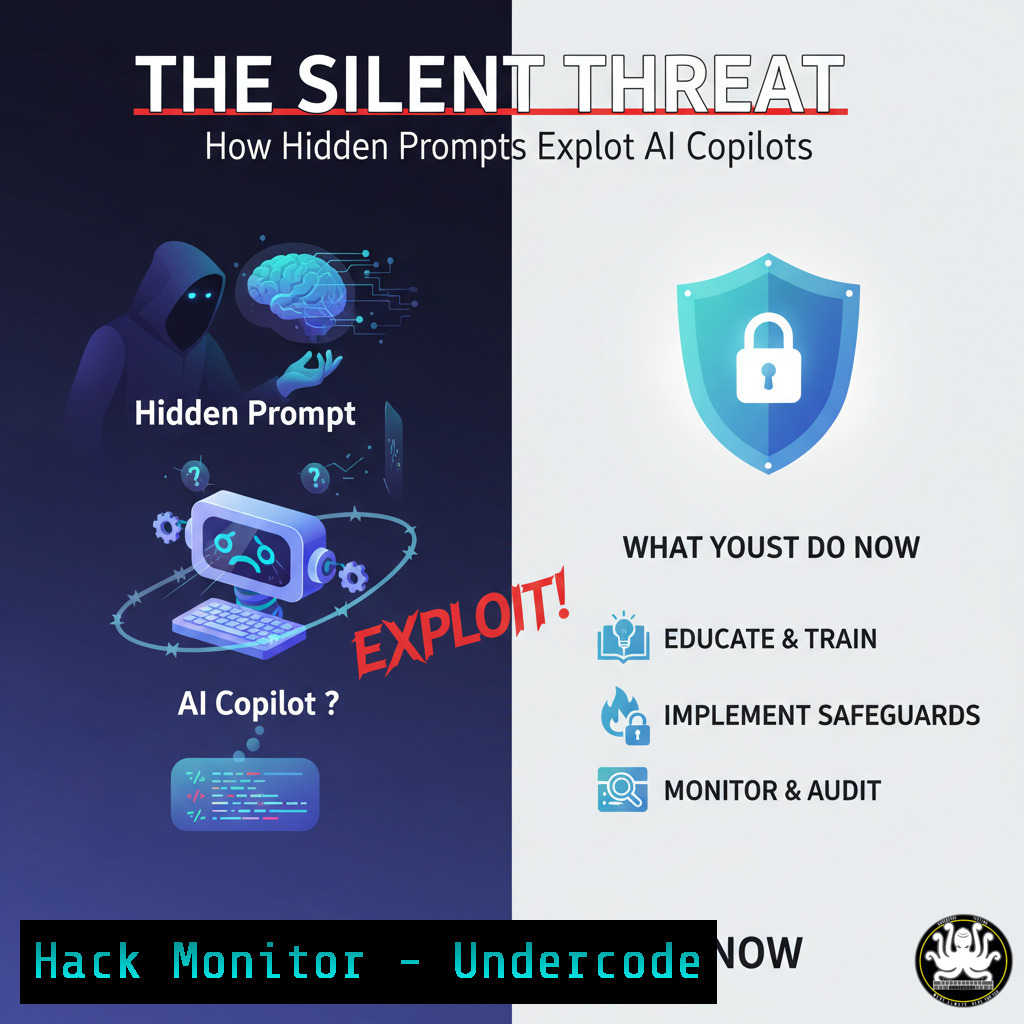
Introduction:
A new class of vulnerability is emerging that targets AI-powered coding assistants, turning them into potential vectors for data exfiltration and code injection. This attack, leveraging hidden prompts within documents, operates silently and requires zero clicks from the victim, posing a significant threat to developers and organizations integrating these tools into their workflows.
Learning Objectives:
- Understand the mechanics of the Copilot CVE attack flow and how hidden prompts are executed.
- Learn practical, immediate mitigations to harden your development environment against such exploits.
- Identify key indicators of compromise and implement monitoring strategies for AI tool usage.
You Should Know:
1. Understanding the Attack Vector: Malicious Document Injection
The core of this exploit involves a specially crafted document that contains hidden prompts. When this document is opened in an environment with an active AI Copilot, these prompts are executed automatically without user interaction, potentially leading to data leakage or remote code execution.
Mitigation Step-by-Step:
Step 1: Disable Copilot’s automatic execution on document open within your IDE settings (e.g., VS Code’s `github.copilot.enable` setting).
Step 2: Implement strict document provenance policies. Only open files from trusted, verified sources.
Step 3: Use endpoint detection and response (EDR) tools to monitor for anomalous processes spawned by your code editor.
2. Network Hardening: Restricting Outbound Calls
A primary goal of the attack is to exfiltrate data. Locking down outbound network traffic from developer workstations is a critical defense layer.
Verified Commands & Configurations:
Windows (via PowerShell):
 Create a new outbound firewall rule to block all traffic, then allow only specific applications/ports.
New-NetFirewallRule -DisplayName "Block All Outbound" -Direction Outbound -Action Block
New-NetFirewallRule -DisplayName "Allow Browser HTTPS" -Direction Outbound -Action Allow -Protocol TCP -RemotePort 443 -Program "C:\Program Files\Google\Chrome\Application\chrome.exe"
What this does: The first command establishes a default-deny policy for all outbound traffic. The second creates an explicit allow rule for a specific application (Chrome) to talk on port 443, effectively blocking any unknown process (like a compromised IDE) from “phoning home.”
Linux (via iptables):
 Flush existing rules and set default policies to DROP
sudo iptables -F
sudo iptables -P INPUT DROP
sudo iptables -P FORWARD DROP
sudo iptables -P OUTPUT DROP

Allow outbound traffic only on port 443 (HTTPS) and established connections
sudo iptables -A OUTPUT -p tcp --dport 443 -m state --state NEW,ESTABLISHED -j ACCEPT
sudo iptables -A OUTPUT -m state --state ESTABLISHED,RELATED -j ACCEPT
What this does: This creates a highly restrictive firewall, only permitting new outbound HTTPS connections and responses to already-established connections. This would prevent a hidden prompt from initiating a new connection to an attacker’s server on a non-standard port.
3. Environment Sanitization: Sandboxing Your IDE
Isolating your development environment limits the potential damage of a successful exploit.
Verified Tutorial (Using Docker):
Create a `Dockerfile` to run your IDE in a container:
FROM ubuntu:latest
RUN apt-get update && apt-get install -y <your-ide-package>
RUN useradd -m developer
USER developer
WORKDIR /home/developer
CMD ["<your-ide-command>"]
Build and run the container with restricted access:
docker build -t sandboxed-ide .
docker run -it --rm \
--cap-drop=ALL \
--network none \
-v $(pwd)/code:/home/developer/code \
sandboxed-ide
What this does: This runs your IDE with all Linux capabilities dropped and with no network access (--network none), severely limiting its ability to perform malicious actions even if compromised. Your local code directory is mounted read-write, allowing you to work normally.
4. API Security: Validating and Monitoring LLM Interactions
For organizations deploying internal Copilot-like tools, securing the API gateway is paramount.
Verified Code Snippet (Python – Simple Input Sanitizer):
import re

def sanitize_copilot_input(user_input, document_context):
"""
Basic sanitizer to block attempts to inject hidden prompts or exfiltrate data.
"""
 Block commands attempting to change context or ignore previous instructions
ignore_patterns = [r"(?i)ignore.previous", r"(?i)from now on", r"(?i)disregard"]
for pattern in ignore_patterns:
if re.search(pattern, user_input):
return "Request blocked for security reasons."

Block obvious exfiltration attempts (e.g., sending data to a URL)
exfiltration_pattern = r"(?i)(curl|wget|send|post|api.\w+.com|https?://)"
if re.search(exfiltration_pattern, user_input):
return "Request blocked for security reasons."

Allow the request to proceed to the LLM
return None

Example usage in an API endpoint
block_reason = sanitize_copilot_input(user_prompt, current_document)
if block_reason:
return {"error": block_reason}
else:
 Proceed to call the LLM API
response = call_llm_api(user_prompt, document_context)
What this does: This function acts as a preliminary filter before a user’s prompt is sent to the LLM. It uses regular expressions to detect and block phrases commonly used in prompt injection attacks and obvious data exfiltration commands.
5. Detection & Logging: Hunting for Anomalous Activity
You can’t mitigate what you can’t see. Comprehensive logging is essential for identifying an attack in progress.
Verified Linux Command (Auditd for Process Monitoring):
 Monitor all executions of the 'curl' and 'wget' commands from any user
sudo auditctl -a always,exit -F arch=b64 -S execve -F exe=/usr/bin/curl -k copilot_monitor
sudo auditctl -a always,exit -F arch=b64 -S execve -F exe=/usr/bin/wget -k copilot_monitor

Search the audit log for relevant events
sudo ausearch -k copilot_monitor
What this does: The Linux Audit Framework (auditd) is configured to log every single execution of `curl` or wget. If a hidden prompt within a document successfully triggers one of these tools for exfiltration, a detailed log entry will be created, allowing for immediate investigation.
Windows (Via PowerShell Logging):
 Enable Module logging for PowerShell to capture all executed commands
Set-ItemProperty -Path "HKLM:\SOFTWARE\Policies\Microsoft\Windows\PowerShell\ModuleLogging" -Name "EnableModuleLogging" -Value 1
Set-ItemProperty -Path "HKLM:\SOFTWARE\Policies\Microsoft\Windows\PowerShell\ModuleLogging\ModuleNames" -Name "" -Value ""

The logs will be visible in Event Viewer under: Applications and Services Logs > Microsoft > Windows > PowerShell > Operational
What this does: This enables deep logging of all PowerShell activity. If a malicious prompt manages to execute a PowerShell command for exfiltration, the entire command line will be captured in the event log.
What Undercode Say:
- The Illusion of Trust is Broken. This CVE shatters the implicit trust we place in AI assistants within our IDEs. The tool meant to enhance productivity can be weaponized through the most mundane of actions: opening a file.
- This is Just the Beginning. This attack vector is primitive compared to what’s coming. We will see more sophisticated multi-step injections, attacks targeting CI/CD pipelines via AI-generated code, and exploits that persist across coding sessions.
The Hack The Box disclosure is a critical wake-up call for the entire software development industry. It moves AI security from an abstract concern to a tangible, immediate threat that requires a shift-left approach. Mitigation is less about a single patch and more about adopting a new security posture: zero trust for AI tools. Developers and AppSec teams must now audit their AI workflows with the same rigor applied to network perimeters and web applications. The race between AI-powered security and AI-powered exploitation has officially begun.
Prediction:
The successful exploitation of this CVE will catalyze a new niche within the offensive security market: AI Red Teaming. Penetration testing firms will rapidly develop specialized services to stress-test AI integrations, from Copilot-style assistants to custom LLM applications. Within 18 months, we predict that “AI Penetration Testing” will become a standard line item in enterprise security assessments, and frameworks like MITRE ATLAS will be updated with dozens of new techniques specific to these attack vectors. This incident marks the end of the ‘novelty phase’ of generative AI in development and the beginning of its formalized security era.
🎯Let’s Practice For Free:
IT/Security Reporter URL:
Reported By: https://lnkd.in/p/dFvxqsxQ – Hackers Feeds
Extra Hub: Undercode MoN
Basic Verification: Pass ✅


