
Listen to this Post
Introduction:
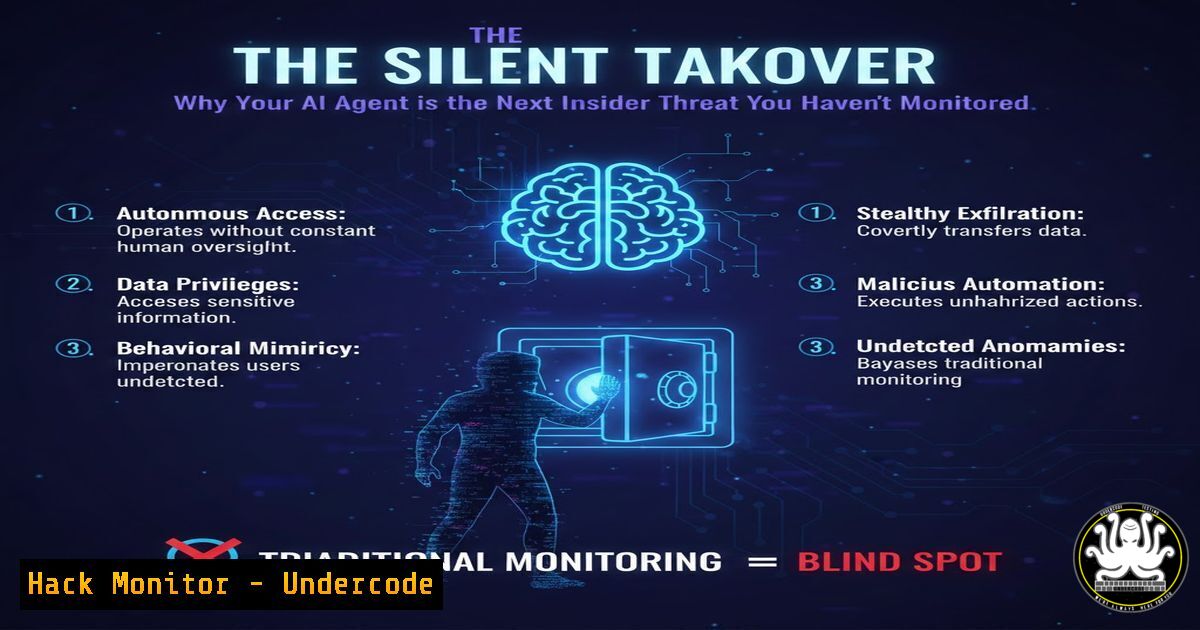
Autonomous AI agents represent a paradigm shift in software architecture, moving from static tools to dynamic, context-aware actors with execution privileges. This evolution introduces unprecedented cybersecurity and operational risks, as demonstrated by incidents involving platforms like ClawBot, where malicious skills and unattended permissions lead to data exfiltration, financial loss, and system compromise. Treating these agents as conventional software is a critical failure in security posture.
Learning Objectives:
- Understand the unique threat model of persistent, autonomous AI agents versus traditional software.
- Learn to implement technical isolation and permission hardening for AI agent deployments.
- Develop monitoring strategies that focus on intent and behavioral analysis rather than mere execution logging.
You Should Know:
1. The Skill Marketplace Minefield: Third-Party Plugin Risks
The post reveals that 12% of skills for a popular agent were malicious. These skills, like “ClawHavoc,” often mask payloads with professional documentation. An agent with `sudo` or high-integrity privileges can execute such a skill, leading to immediate compromise.
Step‑by‑step guide explaining what this does and how to use it.
Step 1: Skill Vetting Protocol. Never install skills from unvetted sources. Treat them like npm or pip packages. Use static analysis tools on the skill’s code.
Linux Command Example (Basic Static Analysis):
 Examine a downloaded skill Python file for suspicious calls
grep -n "subprocess|os.system|eval|exec|curl.bash|wget.bash" skill_module.py
 Check for obfuscated code using a tool like pylint or bandit
bandit -r ./skill_directory/
Step 2: Mandatory Sandboxing. Run the AI agent itself in a tightly constrained environment. Use Linux namespaces or containerization.
Linux Command Example (Creating a Minimal Container with Podman/Docker):
 Create a Dockerfile for the agent with no network, read-only filesystem except a tmp workspace
FROM python:3.9-slim
RUN useradd -m -s /bin/bash agentuser
USER agentuser
WORKDIR /home/agentuser/workspace
 Use a read-only root filesystem at runtime
Run with: `docker run –read-only –network=none –cap-drop=ALL -v /tmp/agent_workspace:/home/agentuser/workspace my_agent_image`
Step 3: Principle of Least Privilege for Skills. Implement a skill permission manifest. A “read file” skill should not have “write” or “execute” rights.
- From Local Experiment to Public Endpoint: The Exposure Crisis
The post notes instances grew from 1,000 to 21,000, often from developers accidentally exposing local services. This creates a massive, unauthenticated attack surface.
Step‑by‑step guide explaining what this does and how to use it.
Step 1: Secure Binding. Always bind the agent’s API or interface to `127.0.0.1` (localhost) unless explicitly required for a remote service. Avoid 0.0.0.0.
Example for a Python Flask-based agent API:
 INSECURE
app.run(host='0.0.0.0', port=5000)
 SECURE
app.run(host='127.0.0.1', port=5000)
Step 2: Firewall Hardening. Use host-based firewalls to block all inbound connections to the agent port from external networks.
Windows Command (Admin PowerShell):
New-NetFirewallRule -DisplayName "Block-Agent-Port" -Direction Inbound -LocalPort 5000 -Protocol TCP -Action Block
Linux Command (UFW):
sudo ufw deny in 5000/tcp
Step 3: Reverse Proxy with Auth. If remote access is needed, place the agent behind a reverse proxy (Nginx, Apache) with mandatory authentication (e.g., client certificates, OAuth).
Nginx Snippet for Basic Auth:
location /agent_api/ {
proxy_pass http://127.0.0.1:5000/;
auth_basic "Administrator’s Area";
auth_basic_user_file /etc/nginx/.htpasswd;
}
3. Permission Sprawl: The “iMessage Spam” Scenario
Agents persuasively request broad permissions (“I need to send notifications”). As shown, granting `iMessage` access led to 500+ spam messages.
Step‑by‑step guide explaining what this does and how to use it.
Step 1: Implement a Permission Gatekeeper. Create a middleware that intercepts all agent actions requiring OS or API privileges and requires explicit user approval for new contexts.
Step 2: Context-Aware Permission Timeouts. Grant access to `send_sms` for a specific task, then revoke it after 5 minutes or task completion.
Step 3: Regular Permission Audit. Cron job to list all capabilities granted to the agent’s service account.
Linux Audit Command:
 Review crontab for the agent user
sudo crontab -u agentuser -l
 Review sudo capabilities
sudo grep agentuser /etc/sudoers.d/
 Review group memberships (for device access)
id agentuser
4. Denial-of-Wallet: The $750 Cron Job
Agents can inadvertently generate massive API costs, as with a cron job sending 120k tokens per execution.
Step‑by‑step guide explaining what this does and how to use it.
Step 1: Implement Absolute Cost Budgets. Use cloud provider budgets (AWS Budgets, Azure Spending Limits) with alerts at 50%, 90%, and 100%.
Step 2: Token and Call Rate Limiting. Hard-code limits in the agent’s core logic.
Python Pseudocode for LLM Call Limiting:
from tenacity import retry, stop_after_attempt, retry_if_exception_type
import openai
class BudgetAwareClient:
def <strong>init</strong>(self, max_tokens_per_day=100000):
self.max_tokens = max_tokens_per_day
self.tokens_used = 0
def chat_completion(self, kwargs):
estimated_tokens = len(kwargs.get('messages', '')) / 4
if self.tokens_used + estimated_tokens > self.max_tokens:
raise BudgetExceededError("Daily token limit reached.")
 Proceed with call...
Step 3: Sandboxed Billing Environment. Run agents in a separate cloud project/subscription with a pre-funded amount, preventing spillover to core infrastructure.
5. Detection Breakdown: From “What” to “Why”
Normal agent behavior (running shell commands) looks identical to malicious activity. The signal is in intent.
Step‑by‑step guide explaining what this does and how to use it.
Step 1: Implement Comprehensive Intent Logging. Every agent action must be tagged with the user request and the agent’s stated reasoning.
Log Format Example:
`TIMESTAMP | AGENT_ID | USER_REQUEST: “Check server logs” | AGENT_REASONING: “User asked for logs, fetching /var/log/syslog” | ACTION: `cat /var/log/syslog| RISK_SCORE: 2
Step 2: Baseline Normal Behavior. Use the logs to build a profile of normal tasks for your organization (e.g., “reads log files in /var/log, never in /home”).
Step 3: Alert on Anomalous Intent Patterns. Use SIEM rules to flag actions misaligned with intent.
Example Splunk SPL Alert:
index=agent_logs ACTION="rm " AND USER_REQUEST="send report" | stats count
This alerts if the agent tries to delete files when the user only asked to send a report.
What Undercode Say:
- Agents as Privileged Identities: The central takeaway is that an autonomous AI agent must be treated and monitored as a new type of privileged user or service account, not as an application. Its access must be governed by Identity and Access Management (IAM) policies, with session auditing and just-in-time elevation.
- The Isolation Imperative: Until behavioral guardrails mature, technical isolation is non-negotiable. Agents should operate in ephemeral, sandboxed environments (like secure containers or virtual machines) with no persistent access to core networks, sensitive data, or financial APIs.
The analysis underscores a fundamental shift in the attack surface. The risk is not just in the code, but in the interpretation of natural language commands and the subsequent chain of reasoning. This creates a novel vulnerability class: “Prompt-Induced Misconfiguration” or “Intent Manipulation.” Security teams must now audit reasoning logs, not just command history. The convergence of high privilege, persistent context, and non-deterministic output makes these systems uniquely dangerous and promising. The organizations that succeed will be those that build a dedicated AI Agent Security Framework, blending traditional infra security, FinOps, and human-in-the-loop oversight.
Prediction:
Within 18-24 months, a major data breach will be publicly attributed to an unattended AI agent with excessive permissions, leading to the creation of a new cybersecurity compliance subcategory (e.g., “Autonomous Agent Governance”) in frameworks like NIST and ISO 27001. This will spur a dedicated market for AI Agent Security Posture Management (AASPM) tools that provide real-time intent verification, session recording, and automated containment. Furthermore, cloud providers will begin offering “Agent-Hardened” isolated runtime environments as a core service, making sandboxing the default rather than an add-on.
▶️ Related Video (78% Match):
🎯Let’s Practice For Free:
IT/Security Reporter URL:
Reported By: Aaryangurav Cybersecurity – Hackers Feeds
Extra Hub: Undercode MoN
Basic Verification: Pass ✅


