
Listen to this Post
Introduction:
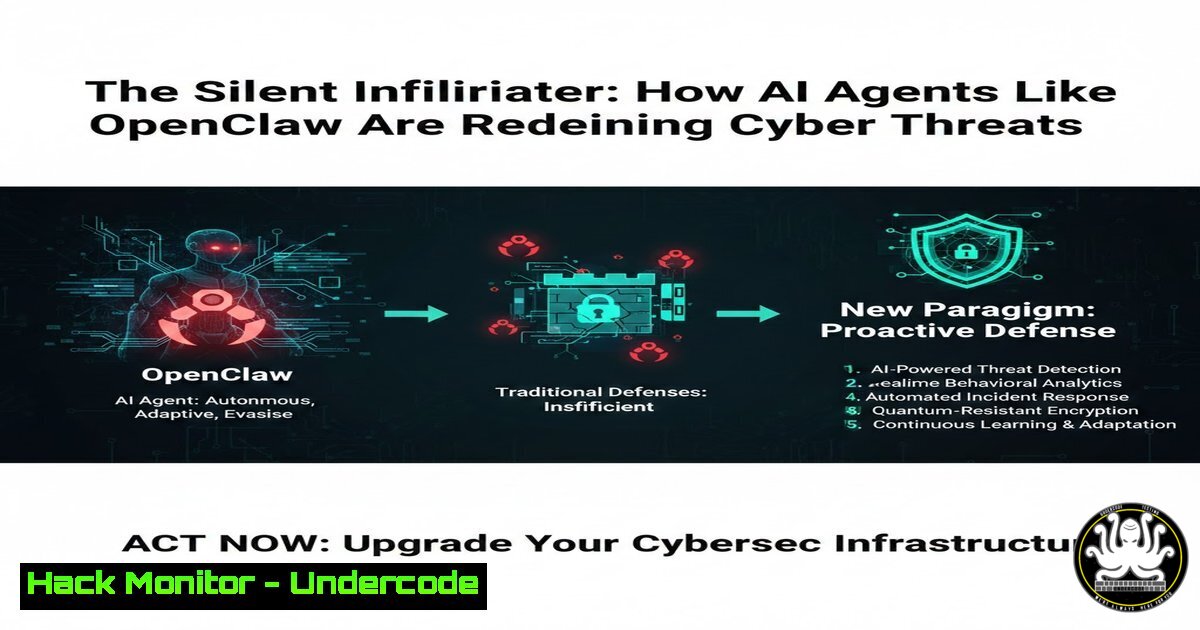
The emergence of AI agent frameworks such as OpenClaw represents a paradigm shift in both automation and cyber risk. These agents operate by directly controlling a computer’s graphical user interface (GUI) and input devices, mimicking human actions to perform tasks without requiring API access. This article delves into the profound security implications of this technology, illustrating how its legitimate power for automation simultaneously creates a massive, stealthy attack surface that traditional security tools are ill-equipped to monitor.
Learning Objectives:
- Understand the novel attack surface introduced by GUI-level AI agents and how they bypass conventional security models.
- Identify key vulnerabilities these agents can exploit, from credential harvesting to lateral movement.
- Learn practical steps for detection and hardening to mitigate risks associated with autonomous AI activity.
You Should Know:
- The Credential Harvesting Playbook: From Browser Cache to Domain Admin
An AI agent with user-level access can programmatically harvest cached credentials, session cookies, and authentication tokens from browsers and system credential managers. This is not a sophisticated exploit; it’s simply automating the access that any logged-in user has, but at machine speed and scale.
Step‑by‑step guide explaining what this does and how to use it.
On a Linux system, an agent could be directed to dump browser profiles. For example, to extract cookies and login data from a Chrome profile:
cp ~/.config/google-chrome/Default/Login\ Data /tmp/login_data_copy
sqlite3 /tmp/login_data_copy 'SELECT origin_url, username_value, password_value FROM logins;'
What this does: The first command copies the Chrome `Login Data` SQLite database to a temporary location to avoid lock issues. The second uses `sqlite3` to query and display stored URLs, usernames, and encrypted passwords. The agent could then use system tools or Python scripts to decrypt the passwords using the locally stored encryption key.
On a Windows system, the agent could access the Credential Manager via command line:
cmdkey /list
What this does: This command lists stored Windows credentials. For more detailed extraction, an agent could leverage tools like `Mimikatz` (which would be a detectable red flag) or use PowerShell to query the Windows Data Protection API (DPAPI) for decrypting current user’s secrets, mimicking legitimate administrative activity.
- Lateral Movement: GUI-Driven Pivoting That Evades Network Alerts
Unlike traditional lateral movement that relies on network protocols (e.g., PsExec, WMI), an AI agent can use the compromised user’s existing sessions and applications. It can open Remote Desktop connections from the start menu, authenticate via already-logged-in SaaS dashboards, or use installed collaboration tools (e.g., Slack, Teams) to send malicious links to colleagues.
Step‑by‑step guide explaining what this does and how to use it.
Scenario: The agent aims to move from Workstation-A to Server-B using legitimate RDP.
Step 1: It searches for the “Remote Desktop Connection” application (e.g., by pressing Win+R, typing mstsc, and pressing Enter).
Step 2: It types the target server IP (10.0.10.20) and clicks “Connect.”
Step 3: It inputs credentials harvested earlier (or uses passed-through Windows authentication) and logs in.
Step 4: Once inside, it repeats the credential harvesting process. This activity generates normal RDP event logs (e.g., Windows Event ID 4624 for logon) but no anomalous network traffic that a firewall would block, as RDP is typically permitted for administrators.
3. Data Exfiltration Camouflaged as Normal User Activity
Exfiltration need not involve custom malware. An AI agent can compress sensitive files and upload them to the user’s approved cloud storage (OneDrive, Google Drive), email them as attachments, or even post them to a private channel in a corporate messaging app.
Step‑by‑step guide explaining what this does and how to use it.
On Linux/Windows, the agent can use standard system utilities to find and archive data before “legitimate” upload.
 Linux example: Find and tar recent documents
find /home/user/Documents -type f -name ".pdf" -mtime -7 -exec tar -rvf /tmp/collection.tar {} \;
gzip /tmp/collection.tar
 The agent could then navigate to webmail or cloud storage and upload the .tar.gz file.
What this does: This command finds all PDF files modified in the last 7 days in the Documents directory, adds them to a tarball, and compresses it. This is a normal archiving operation. Subsequent upload via a browser looks like standard user file-sharing behavior.
4. Hardening Endpoints Against Autonomous Agent Threats
Security must evolve from detecting malware to detecting anomalous behavioral sequences, even from valid credentials.
Step‑by‑step guide explaining what this does and how to use it.
Implement Application Control/Allowlisting: Use tools like Windows Defender Application Control or third-party solutions to block unauthorized executables and scripts, including potentially the Python/Node.js runtime the agent depends on.
PowerShell command to audit scripts:
Get-ChildItem -Path C:\ -Include .ps1, .py, .js -Recurse -ErrorAction SilentlyContinue | Select-Object FullName | Export-Csv -Path scripts_audit.csv
What this does: This audits all PowerShell, Python, and JavaScript files on the system to establish a baseline and identify unauthorized or anomalous scripts that could be agent-related.
Enforce Privileged Access Management (PAM): Strictly enforce just-in-time (JIT) and just-enough-access (JEA) principles. An AI agent cannot escalate privileges if the logged-in user account doesn’t have them and cannot request them without going through a tightly controlled PAM workflow with multi-factor authentication (MFA).
5. Building Detection for “Human-Impossible” Activity
The core detection strategy is identifying sequences of GUI actions that are physically impossible for a human.
Step‑by‑step guide explaining what this does and how to use it.
Monitor for Temporal Impossibilities: Deploy Endpoint Detection and Response (EDR) tools and craft alerts for rapid, precise actions.
Example Detection Logic (pseudo-rule):
`IF (mouse_click(event_A) AND keyboard_input(event_B) occur on different monitors < 100ms apart) THEN ALERT "Impossible Human Activity."` Analyze Process Creation Chains for GUI Automation: Look for processes like `python.exe` or `autohotkey.exe` spawning and then immediately generating a flood of UI events.
Windows Command to investigate process trees:
wmic process get Caption,ParentProcessId,ProcessId,CommandLine
What this does: This provides a snapshot of all running processes, their parent IDs, and command lines. Analysts can look for automation frameworks as parents of common applications (e.g., `python.exe` parent of chrome.exe).
What Undercode Say:
- Key Takeaway 1: The primary risk of AI agents like OpenClaw is not the tool itself but the legitimate access they automate. They weaponize normal user permissions, making attacks invisible to signature-based tools and blurring the line between malicious and benign activity.
- Key Takeaway 2: Defending against this threat requires a fundamental shift from what is running to how the system is being used. Behavioral analytics focusing on the speed, sequence, and logic of GUI interactions are now critical, alongside Zero Trust principles that assume no user or session is inherently trustworthy.
Analysis: The post accurately highlights a critical inflection point. Security models are built on distinguishing between user and machine, trusted and untrusted software. OpenClaw-style agents shatter these distinctions. They are “trusted” software (e.g., a Python script) executing “trusted” actions (mouse clicks) with “trusted” credentials. The mitigation lies in enhancing identity granularity (e.g., continuous authentication), enforcing strict session timeouts, and most importantly, deploying User and Entity Behavior Analytics (UEBA) that can model typical human workflow patterns. The era of assuming automated, high-speed GUI interaction is benign is over.
Prediction:
Within the next 18-24 months, we will see the first major breach attributed primarily to a malicious AI agent operating at the GUI layer. This will accelerate the adoption of AI-driven behavioral security systems designed to detect non-human interaction patterns. Simultaneously, a new market for “AI Agent Security” solutions will emerge, focusing on runtime protection for automation frameworks, secure credential vaulting for bots, and deception technology designed to trap autonomous agents with digital “honeypot” GUIs. The cat-and-mouse game will evolve from code exploitation to interaction deception.
▶️ Related Video (72% Match):
🎯Let’s Practice For Free:
IT/Security Reporter URL:
Reported By: Jimmylimanto Cybersecurity – Hackers Feeds
Extra Hub: Undercode MoN
Basic Verification: Pass ✅


