
Listen to this Post
Introduction:
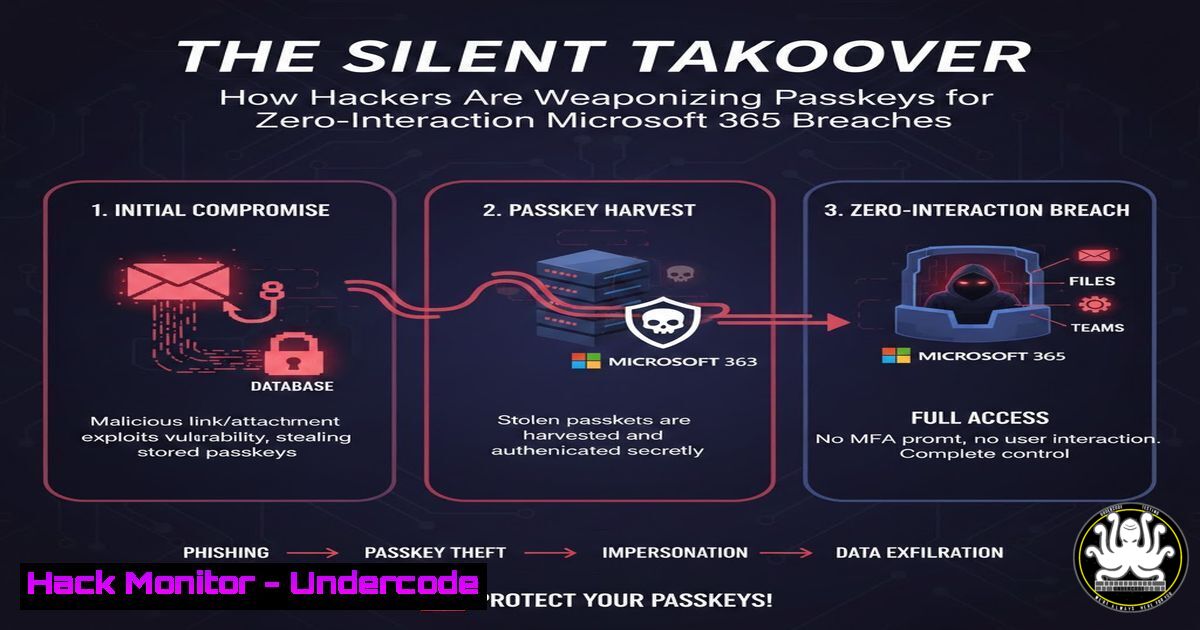
A groundbreaking proof-of-concept has emerged, demonstrating how attackers can weaponize FIDO2 passkeys for completely silent, programmatic authentication against any Microsoft API or portal. By generating and registering a virtual passkey to a high-privilege user like a Global Admin without any user interaction, this technique creates a persistent, phish-resistant backdoor that bypasses traditional MFA prompts. This evolution of credential access blurs the line between stolen secrets and legitimate, hardware-bound authentication, presenting a severe new threat to Entra ID (Azure AD) environments.
Learning Objectives:
- Understand the technical mechanism behind programmatic passkey generation and registration in Entra ID.
- Learn how to execute a proof-of-concept in a controlled lab environment to gauge risk.
- Identify critical defensive controls and monitoring strategies to detect and prevent such attacks.
You Should Know:
1. The Anatomy of a Silent Passkey Attack
This attack chain transforms a passkey from a user-centric security key into a machine-controlled persistence tool. It consists of two core phases: programmatic credential generation and silent authentication. The attacker first uses a tool (like New-FidoKey.ps1) to create a new FIDO2 private/public key pair and registers the public key to a target user in Entra ID. Crucially, this is done via Microsoft Graph API calls authenticated with an identity that already has permission to update the user’s authentication methods (e.g., an app with the `UserAuthenticationMethod.ReadWrite.All` scope). Once registered, the second script uses the stored private key to silently generate authentication cookies or tokens for any Microsoft service, with zero interaction from the legitimate user.
Step‑by‑step guide:
- Establish Initial Foothold: Obtain credentials or tokens for an identity with sufficient privileges. This could be a compromised user account (e.g., Help Desk staff), a misconfigured service principal, or an over-privileged application.
- Generate the Passkey: On a controlled system, run the PowerShell script to create a virtual passkey. This does not require physical hardware.
Example conceptual command - The actual script logic involves Graph API calls
This generates a key and registers it for a target user.
.\New-FidoKey.ps1 -TargetUser "[email protected]" -OutputKeyFile "C:\temp\passkey.bin"
- Authenticate Silently: Use the output key file with a companion authentication script (like Nathan McNulty’s) to generate a session.
This uses the generated key to get an access token or session cookie.
$authCookie = .\Invoke-SilentPasskeyAuth.ps1 -KeyFile "C:\temp\passkey.bin" -Resource "https://graph.microsoft.com"
- Access Microsoft APIs: Use the resulting token or cookie to interact with Microsoft Graph, the Azure portal, or Microsoft 365 services as the compromised user.
2. Lab Setup: Testing the POC Safely
To understand the threat, security teams must test it in a fully isolated lab tenant. Never run these scripts in production or any environment containing real data.
Step‑by‑step guide:
- Provision an Isolated Tenant: Use a Microsoft 365 Developer tenant or a dedicated test tenant with no trust relationships to production.
- Create a Test User & App Registration: Create a user (e.g.,
[email protected]) and grant it Global Administrator role. Register a new application in Entra ID. - Configure App Permissions: Grant the application the `UserAuthenticationMethod.ReadWrite.All` application permission (not delegated). Admin-consent to the permission.
- Generate App Credentials: Create a client secret or certificate for the app. This credential will be used by the POC scripts to perform the passkey registration.
- Clone and Review the Scripts: Download the scripts from the provided links. CRITICAL: Thoroughly review the code before execution to understand its actions.
Example of cautious download and review
git clone https://github.com/some-lab-repo/PasskeyPOC.git
cd PasskeyPOC
cat New-FidoKey.ps1 | head -50  Review the code
- Execute in Controlled Sequence: Run the scripts within the lab, feeding them the app credentials and targeting the test admin user. Monitor all actions in the Entra ID audit logs.
-
The Critical Role of Attestation and “Device Bound” Passkeys
As noted by Jan Bakker, the core vulnerability exploited is the acceptance of passkeys without attestation. Attestation is a FIDO2 feature where the authenticator (like a Yubikey) cryptographically proves it is a genuine, hardware-bound device. Entra ID can be configured to require attestation, enforcing the use of physical, certified security keys. Virtual, software-based passkeys cannot provide valid attestation. Therefore, enabling “Device Bound” passkey policy and requiring attestation are primary mitigations, restricting registration to true hardware security keys.
4. Detection: Hunting for Passkey Registration Anomalies
Monitoring for this activity is paramount. Focus on Entra ID audit logs for unusual authentication method additions.
Step‑by‑step guide for detection:
- Identify the Log Source: The operation is logged in `AuditLogs` under the `Update user` activity, with specific detail in the `TargetResources.ModifiedProperties` field.
- Craft a KQL Query (for Microsoft Sentinel/Azure Monitor):
AuditLogs
| where OperationName == "Update user"
| where Result == "success"
| mv-expand TargetResources.ModifiedProperties
| where TargetResources.ModifiedProperties['displayName'] == "StrongAuthenticationMethod"
| extend NewValue = tostring(TargetResources.ModifiedProperties['newValue'])
| where NewValue has "FIDO2" // Look for FIDO2 key additions
| project TimeGenerated, OperationName, InitiatedBy['user'].userPrincipalName, TargetResources[bash].displayName, NewValue
- Baseline Normal Behavior: Understand who in your organization (e.g., security team) legitimately registers security keys to establish a baseline and reduce false positives.
- Alert on High-Risk Context: Trigger investigations for registrations performed by service principals, from unusual IP ranges, or for highly privileged users outside of defined maintenance windows.
5. Mitigation: Hardening Entra ID Configuration
Proactive configuration is the best defense. Implement these controls to shrink the attack surface.
Step‑by‑step hardening guide:
- Require Attestation: Navigate to Entra ID > Security > Authentication methods > Passkey (FIDO2) settings. Enable “Require attestation” and “Allow self-service setup” to “No” to prevent users from registering their own keys without oversight.
- Restrict Registration Scope: In the same policy, use “Target” settings to restrict passkey registration to specific security groups (e.g., a “Hardware Key Users” group). Exclude high-privilege accounts until they are explicitly onboarded with a governed process.
- Audit App Permissions: Regularly review all application registrations and service principals for the `UserAuthenticationMethod.ReadWrite.All` permission. Use PowerShell to find them:
Get-MgServicePrincipal -All | Where-Object { $<em>.AppRoles | Where-Object { $</em>.Value -eq "UserAuthenticationMethod.ReadWrite.All" -and $_.AllowedMemberTypes -contains "Application" } }Justify and document any approved use. Remove unnecessary permissions.
- Implement Conditional Access: Create a Conditional Access policy that blocks access from platforms not meeting your security standards, and potentially requires compliant or hybrid joined devices even for passkey authentication, adding another layer of device context.
What Undercode Say:
- Persistent Backdoor, Not Just Stolen Creds: This technique creates a new, legitimate authentication factor for the victim, not just exfiltrating an existing one. It is stealthier than credential dumping and persists through password resets.
- The Privilege is the Prerequisite: The attack is not a “vulnerability” in the classic sense but a potent misuse of valid API permissions. It underscores that over-provisioned Graph API permissions are as dangerous as domain admin rights in a legacy AD environment.
The analysis reveals a significant escalation in identity-based attacks. This POC moves beyond stealing what exists to creating a stealthy, durable alternative. It exploits the flexible, API-driven nature of modern cloud identity systems, turning a user security feature into an admin-level threat. Defense must pivot from just detecting stolen secrets to governing credential creation permissions and enforcing hardware-rooted trust via attestation. The conversation in the comments highlights the ethical tightrope—this is a powerful automation for red teams and lab builders, but a nightmare scenario if left ungoverned in production. The key insight is that in cloud identity, the permission to modify authentication methods is now a tier-0 asset equivalent to domain dominance.
Prediction:
This technique will rapidly be integrated into attacker playbooks and penetration testing tools, leading to a surge in “passkey planting” incidents. We will see adaptations for other identity providers that support FIDO2. In response, Microsoft and other providers will likely introduce more granular policies, such as separate permissions for registering hardware-bound vs. software passkeys, and mandatory attestation for administrative users. This arms race will push the industry toward stricter default configurations, making hardware-bound key attestation a baseline security requirement for privileged cloud access, much like smart cards became in high-security government networks.
▶️ Related Video (82% Match):
🎯Let’s Practice For Free:
IT/Security Reporter URL:
Reported By: Https: – Hackers Feeds
Extra Hub: Undercode MoN
Basic Verification: Pass ✅


