Listen to this Post
Introduction:
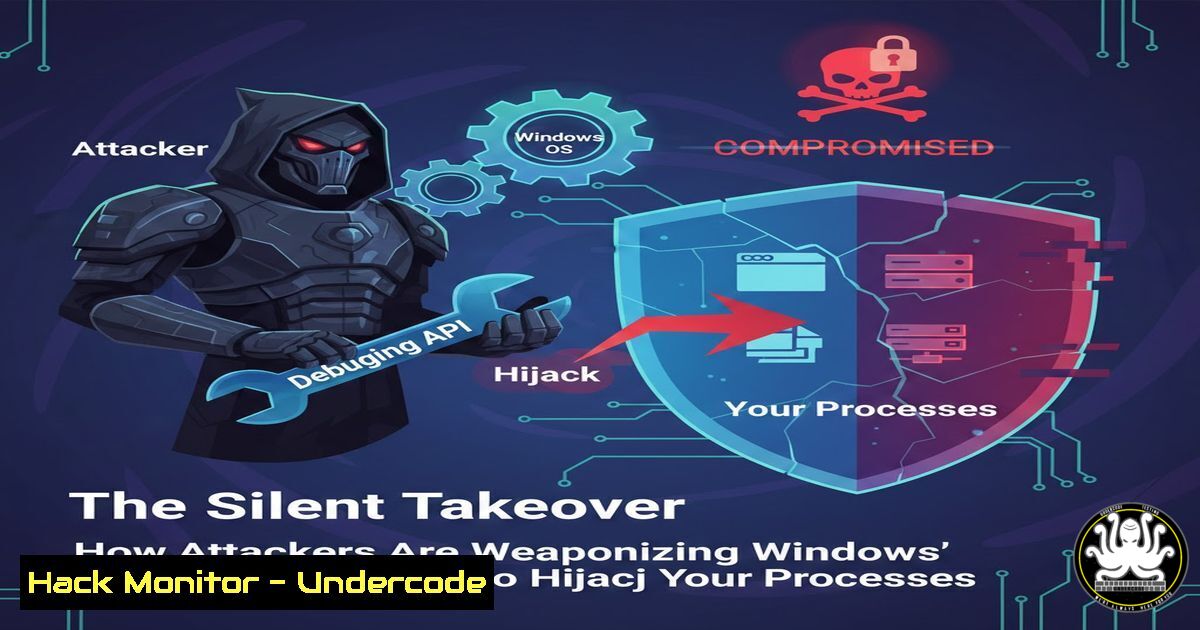
A novel Proof-of-Concept (PoC) demonstrates a sophisticated process injection technique that abuses the legitimate Windows Debugging API. Unlike conventional methods that directly read/write remote memory, this approach uses context manipulation to force a target process to load and execute shellcode autonomously, presenting significant evasion capabilities. This article deconstructs the technique, provides actionable detection strategies, and explores its implications for endpoint security.
Learning Objectives:
- Understand the mechanics of process injection via the Windows Debugging API and context manipulation.
- Learn to detect anomalous debugging activity and suspicious thread context changes on Windows systems.
- Implement hardening measures to mitigate the risk of such advanced code execution attacks.
You Should Know:
- The Core Mechanism: Debugging API Abuse & Context Manipulation
The PoC exploits the fundamental relationship between a debugger and a debuggee. The Windows Debugging API (dbghelp.dll, `kernel32` functions likeDebugActiveProcess) allows a process to observe and control another. The innovation lies in not writing shellcode directly into the target’s memory. Instead, the attacker:
a. Attaches as a debugger to the target process.
b. Waits for a debug event (e.g., an exception).
c. Modifies the thread context (specifically the instruction pointer `RIP/EIP` and stack pointerRSP/ESP) of the target thread within the debuggee process to point to a benign, already-present Windows API function likeLoadLibraryA.
d. Manipulates the stack to ensure `LoadLibraryA` loads the attacker’s DLL or shellcode payload.
e. Resumes the thread, forcing the target process to perform the injection itself.
2. Step-by-Step: Technical Walkthrough of the Attack
Step‑by‑step guide explaining what this does and how to use it.
Step 1: Attach and Suspend. The attacker process calls `DebugActiveProcess(PID)` to attach to the target with `DEBUG_PROCESS` access. This immediately suspends all threads in the target.
Step 2: Loop and Wait. The attacker enters a debug loop using WaitForDebugEvent(). It waits for an exception event, often generated intentionally.
Step 3: Manipulate Context. On the debug event, the attacker calls `GetThreadContext()` to retrieve the registers of the faulting thread. It then alters this context structure:
`Context.Rip = (DWORD64)GetProcAddress(GetModuleHandleA(“kernel32.dll”), “LoadLibraryA”);`
`Context.Rsp -= 8; // Adjust stack`
`WriteProcessMemory(…, &shellcodePath, …, Context.Rsp); // Write argument to stack`
Step 4: Set and Resume. The modified context is written back with SetThreadContext(). The thread is resumed with ContinueDebugEvent(). The target thread then executes LoadLibraryA, loading the attacker’s DLL.
3. Detection: Hunting for Malicious Debuggers
Step‑by‑step guide explaining what this does and how to use it.
Malicious use of debugging APIs leaves forensic traces. Use these PowerShell commands to hunt:
`Get-Process | Where-Object {$_.SessionId -ne 0} | Select-Object Id, ProcessName, SessionId` – Look for processes debugging across sessions.
Use Windows Event Logs: Security event 4672 (Special privileges assigned) for `SeDebugPrivilege` being enabled. Enhanced logging via Sysmon (Event ID 10, ProcessAccess) with `GrantedAccess` mask `0x1F0FFF` (typically includes `PROCESS_VM_WRITE` & PROCESS_VM_OPERATION).
Sysmon Configuration Snippet:
``
` `
` 0x1F0FFF `
` lsass.exe `
` `
``
4. Mitigation: Hardening the Environment
Step‑by‑step guide explaining what this does and how to use it.
Principle of Least Privilege: Strictly control SeDebugPrivilege. Use Group Policy: Computer Configuration > Windows Settings > Security Settings > Local Policies > User Rights Assignment > “Debug programs”. Remove all users and groups except specific, authorized accounts.
Application Control Policies: Deploy Windows Defender Application Control (WDAC) or AppLocker to restrict which binaries can run, preventing untrusted debugger tools.
Endpoint Detection & Response (EDR): Ensure EDR solutions are configured to flag or block processes attempting to enable debugging privileges or attach to sensitive processes (e.g., lsass.exe, csrss.exe).
5. Advanced Analysis: Using WinDbg to Investigate
Step‑by‑step guide explaining what this does and how to use it.
If you suspect an infection, use Microsoft’s WinDbg to analyze process memory and threads.
`windbg -p
`!process 0 0` – List all processes.
`.thread /p /r` – Switch to a specific thread and display its context.
`r @rip` – Display the current instruction pointer. Look for unexpected values pointing to `LoadLibrary` or VirtualAlloc.
`lm` – List loaded modules. Look for unknown DLLs loaded from unusual paths.
6. Simulation & Blue Team Exercise
Step‑by‑step guide explaining what this does and how to use it.
To test your defenses, safely simulate the technique in a lab using a custom C/PoC tool. Monitor the resulting events in Sysmon and your SIEM. Key logs to correlate:
Process creation (Sysmon Event ID 1) for the debugger.
Process access (Sysmon Event ID 10) with suspicious GrantedAccess.
A module load (Sysmon Event ID 7) showing a DLL being loaded into the target process post-debugging event.
What Undercode Say:
- This technique represents a shift towards “compliance-based” attacks, leveraging permitted, signed Windows APIs to perform malicious actions, thereby bypassing security controls that only block “malicious” or unsigned code operations.
- Detection is challenging but not impossible. The forensic footprint is subtle but centered around the anomalous pairing of a debugger process with a target that shouldn’t be debugged (like a production service) and subsequent thread context alterations.
Analysis: This PoC elegantly demonstrates a Living-off-the-Land (LotL) tactic for process injection. It’s more stealthy than classic techniques like VirtualAllocEx/WriteProcessMemory/CreateRemoteThread as it minimizes direct memory operations. The true danger lies in its potential integration into broader attack chains, particularly for post-exploitation and credential access from protected processes like lsass.exe. Defenders must pivot their focus from just binary maliciousness to behavioral sequences, specifically the abuse of legitimate debugging and process interaction capabilities.
Prediction:
The refinement and weaponization of debugging API abuse will likely increase, especially in targeted attacks. As EDR solutions improve at detecting common injection patterns, attackers will increasingly adopt these “trusted API” methods. We anticipate future variants will combine this with other evasion tactics, such as triggering the debug events via more stealthy means or abusing other introspection APIs like the Windows Performance Toolkit. This will force a paradigm shift in endpoint protection, moving from signature-based blocking to real-time behavioral analysis of inter-process communication and privilege usage patterns, potentially integrated at the hypervisor level for greater isolation and visibility.
▶️ Related Video (78% Match):
🎯Let’s Practice For Free:
IT/Security Reporter URL:
Reported By: Tim Tittel – Hackers Feeds
Extra Hub: Undercode MoN
Basic Verification: Pass ✅


