Listen to this Post
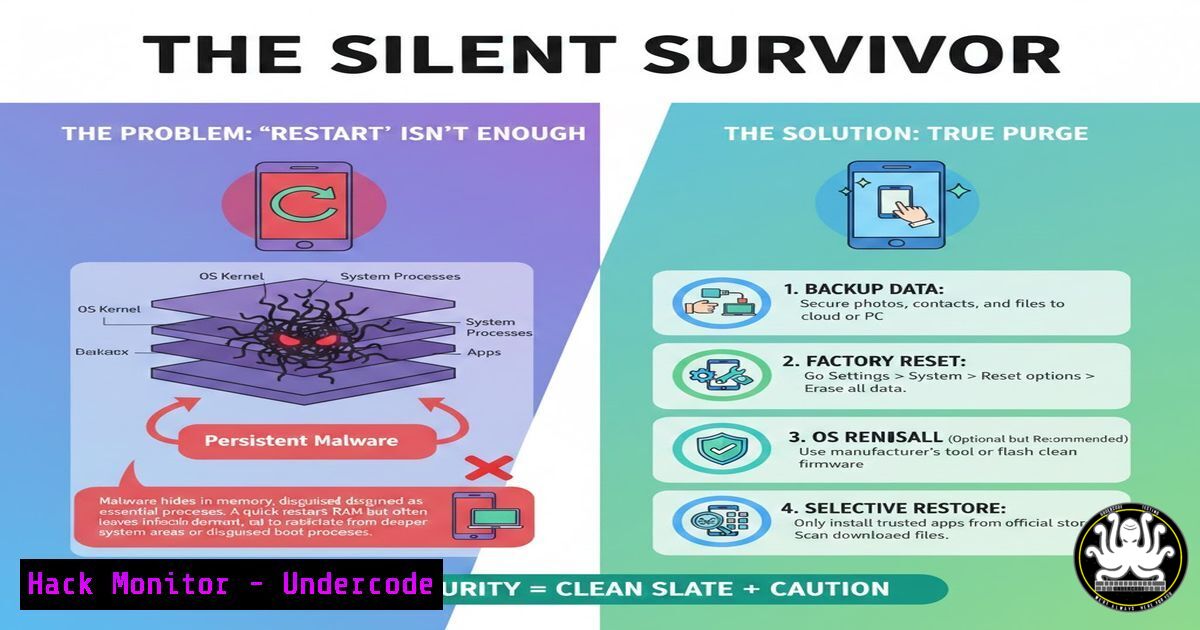
Introduction:
In an era where smartphone malware grows increasingly sophisticated, a common piece of advice—”just restart your phone”—has become a dangerously incomplete solution. State-sponsored and advanced persistent threats (APTs) now employ bootkit and persistence mechanisms that can survive a soft reboot, continuing their surveillance and data exfiltration undetected. This article, inspired by alerts from the ANSSI (French National Cybersecurity Agency) and the FBI, delves into the technical reality of malware that fakes a shutdown and provides a hardened protocol for truly securing your device.
Learning Objectives:
- Understand the technical difference between a soft reboot and a complete power cycle, and why it matters for security.
- Identify the classes of malware (e.g., bootkits, rootkits) that can persist through a standard restart.
- Implement a verified procedural defense for individuals at high risk (executives, officials, journalists) to disrupt persistent threats.
You Should Know:
- The Illusion of Safety: How Malware Survives a Reboot
A standard “restart” on modern smartphones is a soft reboot. This process restarts the operating system (Android/Linux kernel, iOS/XNU) but does not fully cut power to the device’s memory (RAM) or clear all states in the system-on-a-chip (SoC). Advanced malware can hook into low-level system processes or exploit vulnerabilities in the boot sequence to reload itself before the OS fully initializes. This is often achieved by compromising the `init` process on Android or leveraging `persistent` daemons on jailbroken iOS.
Step-by-step guide explaining what this does and how to use it:
To understand your device’s boot process, you can inspect the system logs. On Android (requires ADB debugging enabled), connect your phone to a trusted computer and run:
`adb logcat -d | grep -i “boot”`
This filters the log for boot-related messages. Look for unusual services or processes starting very early (e.g., before zygote, the parent of all Android apps). On a rooted device, checking the `init.rc` or files in `/system/etc/init/` for unknown scripts is crucial. On iOS, this level of introspection is not possible without jailbreaking, which itself introduces massive security risks, highlighting the importance of the physical power-off method.
- The Power Cycle Imperative: Cutting the Persistent Thread
A complete power-off and cold boot forces a full re-initialization of the hardware and a clean load of the boot chain from read-only memory. This action clears volatile memory and resets the processor state, severing the execution chain of most persistent malware that hasn’t achieved an unprecedented level of hardware compromise (e.g., via the Baseband Processor).
Step-by-step guide explaining what this does and how to use it:
1. Hold the physical power/side button until the power-off slider appears (iOS) or menu appears (Android).
2. Use the on-screen prompt to power off completely. Do not tap “Restart.”
3. Wait for the screen to go fully black and for any device lighting (like LED indicators) to extinguish.
4. Critical Step: Wait an additional 5-7 minutes. This is not superstition; some sophisticated malware are designed to enter a low-power “limp mode” in certain chipset components, waiting for the main processor to be woken again. A prolonged absence of power can drain residual charge in circuits, ensuring a fuller reset.
5. Power the device back on by holding the side button again. You are now initiating a true cold boot from a hardware power state (G3/S5).
3. High-Risk Protocol: Building a Security-First Routine
For individuals targeted by sophisticated adversaries (corporate executives, government personnel, activists), a structured routine is necessary. Ad-hoc power cycling is not enough; it must be integrated into a broader operational security (OpSec) model.
Step-by-step guide explaining what this does and how to use it:
– Daily: Power cycle your device each evening before sleep. This creates a daily disruption window for any potential malware that may have been installed during the day.
– Pre-Sensitive Event: Always perform a full power cycle before traveling, attending high-stakes meetings (board meetings, confidential negotiations), or visiting secure locations. Assume your device is compromised if taken out of your possession for even a moment.
– Post-Exposure Check: If you suspect physical access to your device, after a power cycle, scrutinize your device for signs of compromise. Check for:
– Unknown administrator profiles (Settings > Security > Device Admin Apps on Android).
– Unfamiliar certificates installed (Settings > Security > Encryption & Credentials > Trusted Credentials).
– Abnormal data usage or battery drain in settings menus.
– On iPhone, review `Settings > Privacy & Security > Safety Check` for shared access and device connections.
4. Beyond the Power Button: Complementary Technical Defenses
Power cycling is a foundational, non-technical mitigation. It must be paired with robust technical controls to form a defense-in-depth strategy.
Step-by-step guide explaining what this does and how to use it:
– Enforce Full-Disk Encryption (FDE) / File-Based Encryption (FBE): This is enabled by default on modern iOS and Android. Verify it. On Android, go to Settings > Security > Encryption & Credentials. It should state “Encrypted.” This protects data-at-rest if the device is physically captured after being powered off.
– Harden Your Lock Screen: Use a long alphanumeric passcode (minimum 10 characters), not a simple 4-6 digit PIN or pattern. This significantly raises the cost of brute-force attacks via forensic tools. Disable lock-screen notifications for sensitive apps (Messenger, Email).
– Update Relentlessly: Configure automatic system updates. Kernel and bootloader patches delivered in OS updates are the primary defense against the exploits used by these persistent threats. The update process itself also involves a full power cycle.
- The Limitations: When Even a Power Cycle Isn’t Enough
It is critical to acknowledge the ceiling of this mitigation. State-level actors with unlimited resources may utilize techniques that can survive a power cycle, such as:
– Bootkit/UEFI Malware: Flashing malicious firmware to the device’s persistent SPI flash memory. This is extremely rare on non-jailbroken/iOS devices due to secure boot chains.
– Baseband Processor Exploits: The cellular modem is a separate computer. If compromised, it can sometimes persist independently. A power cycle may not reset it.
– Hardware Implants: Physical modification of the device. No software measure can detect or mitigate this.
Mitigation for these advanced threats requires physical inspection, hardware replacement, and relying on the device manufacturer’s secure boot implementation.
What Undercode Say:
- Key Takeaway 1: The “restart” function is a software-level reset manipulated by the very OS that malware compromises. A full, timed power cycle is a hardware-level action that breaks execution continuity for all but the most advanced firmware-level malware.
- Key Takeaway 2: This technique is a procedural control, not a silver bullet. Its highest value is in disrupting persistent surveillance cycles for high-value targets. It raises the cost and complexity for an attacker, forcing them to repeatedly regain access, which increases their chance of detection.
Analysis:
The ANSSI/FBI recommendation formalizes a subtle but critical gap in mainstream mobile security hygiene. It signals a shift from purely software-based defenses toward acknowledging hardware state as a security parameter. For cybersecurity professionals, this underscores the need to educate users beyond app-based antivirus solutions. The advice bridges a knowledge gap between average users and red-team operators who have long known about persistence mechanisms. Its power lies in its simplicity and universal applicability, making it one of the few countermeasures equally effective for a CEO and a journalist in the field. However, it also reveals the limitations of consumer device security against well-resourced adversaries, hinting at an ongoing arms race at the firmware and hardware level.
Prediction:
The public guidance from national agencies on power cycling foreshadows a future where mobile malware persistence will become more common in the criminal toolkit, not just nation-states. We will likely see an increase in commercial spyware offering “persistence through reboot” as a premium feature. In response, mobile operating systems will introduce more robust “hard reboot” shortcuts and potentially even scheduled, mandatory hardware-level power resets as a security feature for enterprise-managed devices. Furthermore, this highlights the growing importance of hardware-rooted security measures like Apple’s Secure Enclave and Google’s Titan M2 chip, which are designed to maintain integrity even if the main OS is compromised, making full power cycles an even more trusted clean-state procedure.
🎯Let’s Practice For Free:
IT/Security Reporter URL:
Reported By: Activity 7401190854822055936 – Hackers Feeds
Extra Hub: Undercode MoN
Basic Verification: Pass ✅


