Listen to this Post
Introduction:
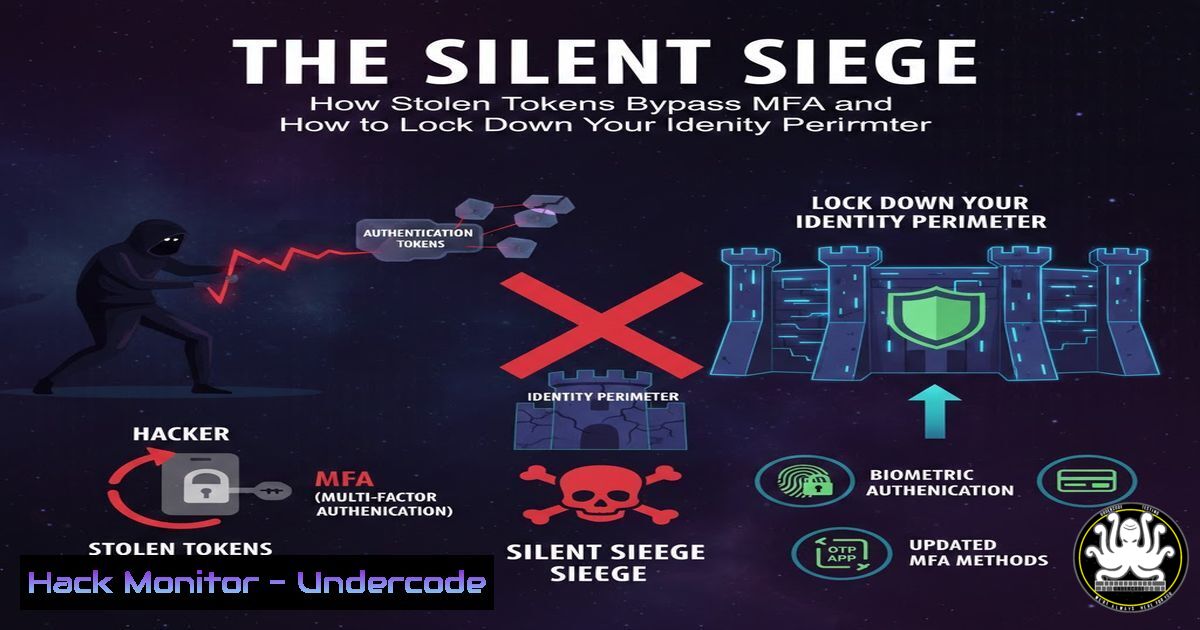
In the era of modern authentication, passwords are no longer the primary gatekeeper; tokens are. These digital keys, generated after initial login, grant seamless access to resources but have become the crown jewels for attackers. By exploiting stolen Access, Refresh, and Primary Refresh Tokens (PRTs), adversaries can bypass Multi-Factor Authentication (MFA) and maintain persistent, undetected access to cloud environments like Microsoft 365. This article deconstructs token-based attacks and provides a technical blueprint for building an immutable defense.
Learning Objectives:
- Understand the critical differences and security implications of Access Tokens, Refresh Tokens, and Primary Refresh Tokens (PRTs).
- Learn the step-by-step mechanics of token replay attacks and how they neutralize MFA.
- Implement concrete defensive strategies using Continuous Access Evaluation (CAE), Conditional Access, and Token Protection Policies.
You Should Know:
- Deconstructing the Token Trinity: More Than Just a Key
Modern authentication relies on a trio of tokens. An Access Token is short-lived (typically 1 hour), bearer-sensitive, and used for API requests. A Refresh Token is longer-lived, used to obtain new Access Tokens without user interaction. The Primary Refresh Token (PRT) is a special, device-bound token used in Windows Hello for Business and Azure AD Joined scenarios for seamless Single Sign-On (SSO).
Step-by-step guide explaining what this does and how to use it:
To inspect tokens in a real-world scenario, you can use PowerShell with the MSAL.PS library. This is crucial for security testing.
 Install the MSAL.PS module
Install-Module MSAL.PS -Force

Acquire a token interactively for Microsoft Graph
$tokenResult = Get-MsalToken -ClientId "1b730954-1685-4b74-9bfd-dac224a7b894" -TenantId "your-tenant.onmicrosoft.com" -Scopes "User.Read"

Examine the token cache entry
$tokenResult.Account
$tokenResult.ExpiresOn.LocalDateTime
 The Access Token is in $tokenResult.AccessToken
 Refresh Token is stored securely in the cache and used transparently.
This script demonstrates token acquisition. For an attacker, the goal is to exfiltrate these cached tokens, often from memory or browser storage, to replay them.
- The Attack Path: Token Theft and Replay in Action
Token replay attacks involve stealing these tokens and using them from a different device or location. Since the token represents an already-completed authentication session (including MFA), the attacker bypasses all login prompts. Tools like `Mimikatz` can extract tokens from Windows LSASS memory, while browser extensions or malicious software can siphon session cookies.
Step-by-step guide explaining what this does and how to use it:
A common technique on a compromised Windows system involves dumping process memory. In Linux, similar concepts apply with credential dumping.
 On a compromised Linux host, an attacker might search for credential files or browser data
find ~/.config -name "cookie" -o -name "token" -type f 2>/dev/null
 Check for active Kerberos tickets (conceptually similar to tokens)
klist
Mitigation begins with recognizing these artifacts. Endpoint Detection and Response (EDR) tools should be configured to alert on processes like `lsass.exe` memory access or unusual access to browser cookie databases.
- Fortifying the Perimeter with Conditional Access (CAE Not Enabled)
Conditional Access (CA) is the first line of programmable defense. It evaluates signals like user, device, location, and application risk before issuing a token. A foundational policy to block token replay from unexpected locations is critical.
Step-by-step guide explaining what this does and how to use it:
1. Navigate to Azure Portal > Azure Active Directory > Security > Conditional Access.
2. Create a new policy named “BLOCK: High-Risk Sign-ins and Impossible Travel”.
3. Under Users or workload identities, select All users. Exclude your emergency break-glass accounts.
4. Under Cloud apps or actions, select All cloud apps.
5. Under Conditions, configure:
Sign-in risk: Set to `High` and `Medium`.
Locations: Configure `Any location` as the include, then under Exclude, add your trusted named locations (e.g., corporate IP ranges).
6. Under Access controls > Grant, select Block access. Enable the policy.
This policy blocks sign-ins flagged as risky by Identity Protection or originating from outside your trusted IPs, adding a layer before token issuance.
- The Game Changer: Implementing Continuous Access Evaluation (CAE)
CAE is a critical evolution. Instead of waiting for a short-lived token to expire, CAE enables real-time revocation. If a user is disabled, their password changes, or a risk event is detected, the resource provider (like Microsoft Graph) is notified via a secure channel to invalidate the token instantly.
Step-by-step guide explaining what this does and how to use it:
CAE is enabled at the tenant and application level.
1. Enable for the tenant: Go to Azure AD > Security > Continuous access evaluation. Preview features must be enabled.
2. Enable for an application (e.g., your custom app):
In the Azure AD App Registration, go to Manifest.
Set the `”accessTokenAcceptedVersion”: 2` property.
Ensure the `”api”` section requests scopes from a CAE-enabled resource like `https://graph.microsoft.com/User.Read`.
3. Test revocation: Have a user acquire a token, then disable their account in Azure AD. Within minutes (theoretical maximum of 15 minutes, often seconds), API calls with that token will return a 401 Unauthorized error.
- Advanced Hardening: Token Protection and Short-Lived Token Policies
Microsoft’s Token Protection framework marks PRTs with a unique device identifier, making them useless if stolen. Coupled with session lifetime management, you can drastically reduce the attack window.
Step-by-step guide explaining what this does and how to use it:
Configure token lifetime policies via PowerShell. This tightens default expiration times.
 Connect to Azure AD
Connect-AzureAD

Create a new policy for refresh token lifetime (e.g., for high-risk apps)
New-AzureADPolicy -Definition @('{"TokenLifetimePolicy":{"Version":1,"MaxAgeSingleFactor":"until-revoked","MaxAgeMultiFactor":"1.00:00:00"}}') -DisplayName "ShortRefreshTokenPolicy" -IsOrganizationDefault $false -Type "TokenLifetimePolicy"

Apply this policy to a specific service principal (application)
$policy = Get-AzureADPolicy -Filter "DisplayName eq 'ShortRefreshTokenPolicy'"
$sp = Get-AzureADServicePrincipal -Filter "DisplayName eq 'Microsoft Office'"
Add-AzureADServicePrincipalPolicy -Id $sp.ObjectId -RefObjectId $policy.Id
This policy sets multi-factor refresh tokens to expire in 1 day instead of the default 90 days for some tokens, and single-factor tokens to be valid until explicitly revoked, which should be avoided.
6. Proactive Hunting: Detecting Token Replay with KQL
Security teams must hunt for anomalous token use. Azure AD Sign-in Logs and Microsoft Sentinel provide the data. Look for the same user authenticating from two geographically impossible locations in a short time frame.
Step-by-step guide explaining what this does and how to use it:
A basic Kusto Query Language (KQL) query for Microsoft Sentinel or Azure AD Logs:
SigninLogs
| where TimeGenerated > ago(1h)
| where ResultType == 0 // Successful sign-ins
| project UserPrincipalName, AppDisplayName, LocationDetails, IPAddress, DeviceDetail, CorrelationId
| join kind= inner (
SigninLogs
| where TimeGenerated > ago(1h)
| where ResultType == 0
| project CorrelationId, AlternateLocation=LocationDetails, AlternateIP=IPAddress
) on CorrelationId
| where LocationDetails['countryOrRegion'] != AlternateLocation['countryOrRegion']
| where ip_distance(IPAddress, AlternateIP) > 1000 // Distance in kilometers
| project UserPrincipalName, AppDisplayName, FirstLocation=LocationDetails['countryOrRegion'], FirstIP=IPAddress, SecondLocation=AlternateLocation['countryOrRegion'], SecondIP=AlternateIP, TimeGenerated
This query identifies “impossible travel” scenarios where the same authentication session (CorrelationId) appears to originate from two distant countries, a strong indicator of a token replay attack.
What Undercode Say:
- Tokens Are the New Password. The security battleground has shifted from credential theft to token theft. Defending cached and in-transit tokens is as critical as protecting password hashes.
- Zero Trust is Non-Negotiable. CAE and aggressive Conditional Access policies implement the core Zero Trust principle: “never trust, always verify,” moving validation from a one-time event to a continuous process.
Analysis:
The post highlights a pivotal shift in offensive cyber tactics. Attackers, faced with widespread MFA adoption, have moved downstream in the authentication chain. The technical deep-dive into PRTs and CAE is not academic; it’s a direct response to real-world incidents like the SolarWinds breach, where tokens were heavily exploited. The guidance moves beyond checklist compliance (having MFA) to architectural resilience (validating every request). The omission of detailed device compliance checks in the source post is a slight gap, as device health is a key signal for Conditional Access. Ultimately, this framework turns identity from a static perimeter into a dynamic, self-healing security layer.
Prediction:
Within the next 2-3 years, token-based attacks will become the dominant initial access vector for cloud-centric enterprises, surpassing phishing for credentials. This will catalyze three developments: 1) The widespread, mandatory adoption of CAE and token binding standards across all major cloud providers, 2) The integration of behavioral biometrics (typing cadence, mouse movements) as continuous validation signals embedded within token claims, and 3) The rise of confidential computing for token storage, where tokens are only decrypted inside hardware-based secure enclaves on endpoints, rendering memory-dumping attacks obsolete. Identity security will become less about login and more about the continuous, cryptographically verifiable attestation of the user, device, and session integrity.
▶️ Related Video (76% Match):
🎯Let’s Practice For Free:
IT/Security Reporter URL:
Reported By: Jean Francois – Hackers Feeds
Extra Hub: Undercode MoN
Basic Verification: Pass ✅


