Listen to this Post
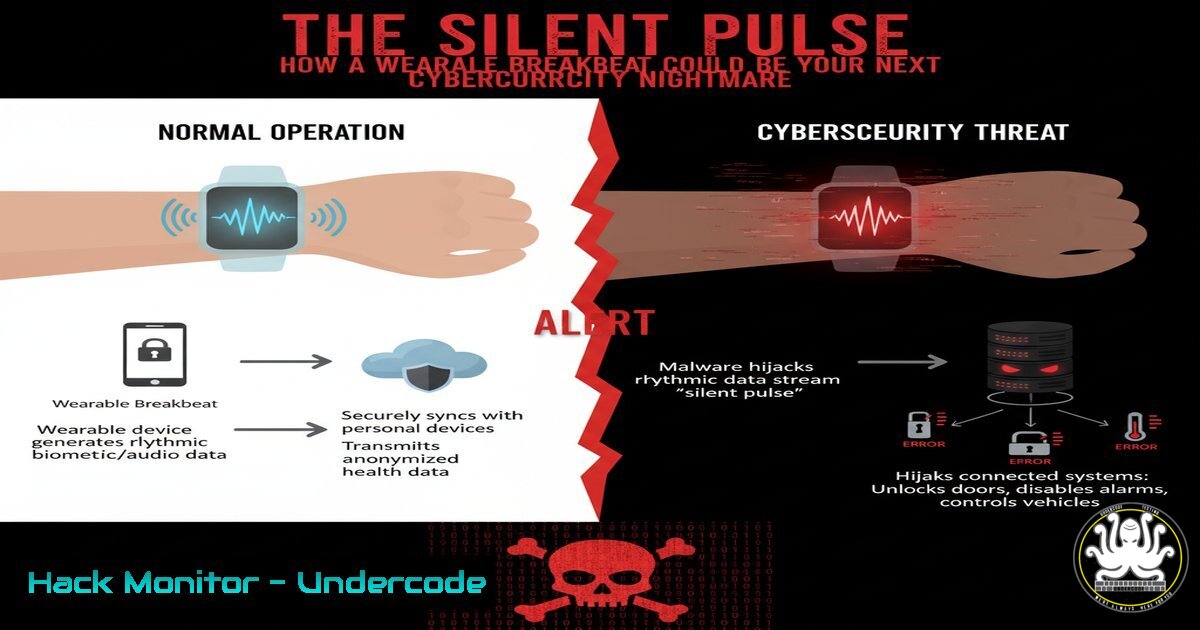
Introduction:
The advent of continuous, real-time health monitoring via wearable patches represents a paradigm shift in proactive healthcare. However, this influx of highly sensitive, real-time biometric data into the digital ecosystem creates a vast and attractive new attack surface for cybercriminals, demanding unprecedented security vigilance.
Learning Objectives:
- Understand the new cybersecurity risks introduced by real-time biometric data collection.
- Learn to implement security hardening for devices and data pipelines handling sensitive health information.
- Develop incident response protocols for potential breaches of continuous health data.
You Should Know:
- Securing the Data Pipeline: Encryption in Transit and at Rest
The continuous stream of blood pressure data must be encrypted from the patch to the cloud storage to prevent eavesdropping or man-in-the-middle attacks.
OpenSSL command to generate a strong private key for data encryption

<h2 style="color: yellow;">openssl genpkey -algorithm RSA -out private_key.pem -pkeyopt rsa_keygen_bits:4096
This command generates a 4096-bit RSA private key, a fundamental step in creating a Public Key Infrastructure (PKI) for your device ecosystem. The private key (.pem) is kept secure on your server, while the public key can be embedded in the wearable device to initiate secure, encrypted communication channels, ensuring all transmitted biometric data is protected.
` Command to encrypt a data file using the public key
openssl pkeyutl -encrypt -in raw_health_data.txt -out encrypted_data.enc -pubin -inkey public_key.pem`
This command takes the raw data file and encrypts it using the previously generated public key. Only the corresponding private key can decrypt this data. This ensures that even if data packets are intercepted during transmission from the wearable to the application or cloud server, the contents remain confidential and unusable to an attacker.
2. Hardening the API Gateway
The wearable’s companion app communicates with backend services via APIs, which are prime targets for abuse, injection, and denial-of-service attacks.
` Nginx configuration snippet to implement rate limiting on API endpoints
limit_req_zone $binary_remote_addr zone=api_rate_limit:10m rate=10r/s;
server {
listen 443 ssl;
server_name healthapi.yourcompany.com;
location /api/v1/upload {
limit_req zone=api_rate_limit burst=20 nodelay;
proxy_pass http://backend_servers;
}
}`
This Nginx configuration establishes a rate-limiting zone to prevent API abuse. It defines a zone called `api_rate_limit` that tracks requests by IP address ($binary_remote_addr) in a 10MB storage space, allowing a baseline rate of 10 requests per second. The `burst=20 nodelay` parameter allows temporary bursts of up to 20 requests without delaying them, but any requests exceeding this limit will be immediately rejected with a 503 error. This mitigates brute-force and DDoS attacks aimed at overwhelming the service that receives the continuous health data.
` Use curl to test API authentication, expecting a 401 Unauthorized if token is missing
curl -I -X POST https://healthapi.yourcompany.com/api/v1/upload -H “Content-Type: application/json”`
This `curl` command tests the API endpoint without providing any authentication credentials. A properly secured API should respond with a `401 Unauthorized` HTTP status code. This is a crucial test to ensure your endpoints are not inadvertently exposed to unauthenticated requests, which could allow attackers to inject fraudulent health data or probe for vulnerabilities.
3. Implementing Strict Network Access Control
Wearables and their connected apps should operate on a principle of least privilege, communicating only with explicitly authorized endpoints.
` Windows PowerShell command to view current firewall rules
Get-NetFirewallRule | Where-Object {$_.Enabled -eq ‘True’} | Format-Table Name, DisplayName, Direction, Action`
This PowerShell command lists all active Windows Firewall rules, showing their name, direction (Inbound/Outbound), and action (Allow/Block). For a application handling sensitive data, you should audit these rules to ensure the application is only permitted outbound communication to your specific, trusted API endpoints and not given broad internet access, reducing the potential for data exfiltration.
` Linux iptables rule to restrict outbound connections to a specific health API IP
sudo iptables -A OUTPUT -p tcp -d 203.0.113.25 –dport 443 -j ACCEPT
sudo iptables -A OUTPUT -p udp –dport 53 -j ACCEPT Allow DNS
sudo iptables -A OUTPUT -j DROP Drop all other outbound traffic`
This series of `iptables` commands on a Linux-based device or gateway implements a strict outbound firewall policy. The first rule allows outbound HTTPS traffic only to the specific IP address of the health API server (203.0.113.25). The second rule permits DNS queries (UDP port 53) necessary to resolve domain names. The final rule is a blanket `DROP` for all other outbound traffic, creating a default-deny posture that severely limits an attacker’s ability to call home or move laterally from a compromised device.
4. Vulnerability Scanning and Patch Management
The software stack, from the mobile OS to the backend databases, must be continuously scanned for known vulnerabilities.
` Command to scan a Linux server for vulnerabilities using OpenVAS (example)
omp -u username -w password –host
This command uses the OpenVAS Management Protocol (OMP) to initiate a “Full and fast” vulnerability scan against a target server. Regularly scanning backend servers that process and store health data is non-negotiable. This automated testing identifies missing security patches, misconfigurations, and known vulnerabilities (CVEs) that could be exploited to gain access to the sensitive biometric database.
PowerShell command to list all installed software and versions on Windows

<h2 style="color: yellow;">Get-WmiObject -Class Win32_Product | Select-Object Name, Version, Vendor
This PowerShell command queries the Windows Management Instrumentation (WMI) to list all installed software packages along with their versions and vendors. Maintaining an accurate software bill of materials (SBOM) is critical for effective patch management. You can cross-reference this list with vulnerability databases (like the NVD) to quickly identify which systems need patching, ensuring known exploits for your specific software versions are remediated before they can be weaponized.
5. Database Security and Anonymization
The database storing continuous health records is a crown jewel target and must be fortified with access controls and data masking.
PostgreSQL command to create a role with minimal privileges for the app

<h2 style="color: yellow;">CREATE ROLE health_app_user WITH LOGIN PASSWORD 'strong_password_here';</h2>

<h2 style="color: yellow;">GRANT CONNECT ON DATABASE health_db TO health_app_user;</h2>

<h2 style="color: yellow;">GRANT SELECT, INSERT ON TABLE bp_readings TO health_app_user;</h2>

<h2 style="color: yellow;">REVOKE ALL ON SCHEMA public FROM health_app_user;
These SQL commands demonstrate the principle of least privilege for database access. Instead of using a superuser account, a dedicated role (health_app_user) is created with a strong password. This role is only granted the permissions absolutely necessary for the application to function: the ability to connect to the database and to `SELECT` (read) and `INSERT` (write) into the `bp_readings` table. All other default privileges are revoked, limiting the damage from a potential SQL injection attack.
MySQL command to mask (pseudonymize) patient identifiers in query results

<h2 style="color: yellow;">SELECT CONCAT('USER_', MD5(user_id)) AS anonymous_id, systolic, diastolic, timestamp</h2>

<h2 style="color: yellow;">FROM bp_readings WHERE timestamp > '2023-10-27';
This SQL query uses the `MD5` hashing function to pseudonymize the direct user identifier (user_id) when selecting data for analysis. While MD5 is not suitable for password storage, it can be sufficient for irreversible data masking in non-security contexts. This technique allows data scientists or system auditors to work with the dataset without exposing the actual identity of the individuals, protecting patient privacy even in the event of a partial data exposure.
What Undercode Say:
- The attack surface is no longer just a database; it’s a real-time stream of your most private data, flowing constantly. Securing this requires a paradigm shift from perimeter-based defense to zero-trust encryption of every single packet.
- The value of a continuous, timestamped log of a victim’s physiological stress responses to a ransomware attack is incalculable to a threat actor. This is beyond financial data; it’s the ultimate leverage.
The convergence of healthcare and IoT has created a new class of asset: the human body itself, as a data-generating endpoint. This isn’t a server hack; it’s a personal bio-weaponization. The industry’s focus has been on the medical breakthrough, but the silent race is now on to secure the endless pulse of data these devices emit. Failure isn’t a data breach; it’s a fundamental violation of bodily autonomy in the digital realm. Security can no longer be an afterthought; it must be designed into the device’s very core, from the laser-sintered circuit to the cloud database.
Prediction:
The first major breach of a continuous health monitoring platform will not be a simple data leak. It will involve real-time manipulation of bio-feeds, enabling threat actors to fabricate medical emergencies, trigger false alerts to overwhelm healthcare systems, or even blackmail individuals by threatening to publicize altered data showing fabricated life-threatening conditions. This will force a regulatory explosion, akin to GDPR but specifically for real-time biometric integrity, mandating military-grade encryption and immutable audit logs for all health data streams.
🎯Let’s Practice For Free:
IT/Security Reporter URL:
Reported By: https://lnkd.in/p/dFuFHCKa – Hackers Feeds
Extra Hub: Undercode MoN
Basic Verification: Pass ✅


