Listen to this Post
Introduction:
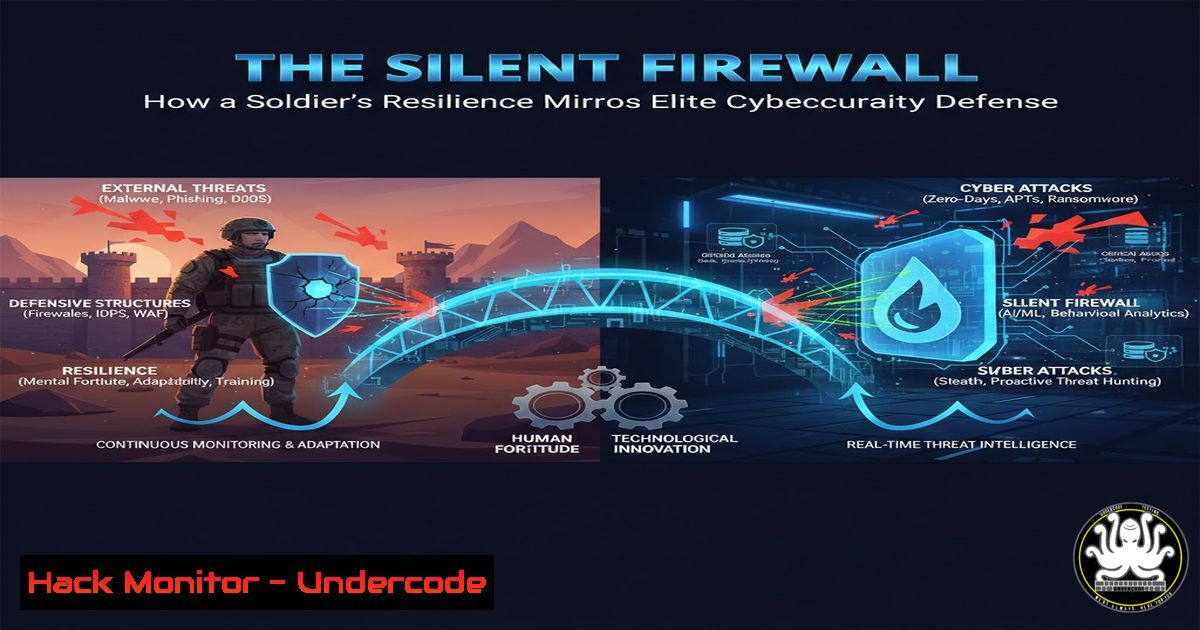
In cybersecurity, resilience is not measured by the absence of attacks, but by the capacity to withstand them and continue the mission. The story of a CRPF officer surviving nine bullets parallels the core duty of security professionals: to protect critical assets under relentless assault. This article translates that physical-world bravery into a technical blueprint for building unyielding digital defenses.
Learning Objectives:
- Architect layered security defenses using the principle of “defense-in-depth.”
- Implement robust incident response and forensic analysis procedures.
- Harden systems and cloud environments to survive and repel advanced attacks.
You Should Know:
- Building Your Security Perimeter: The First Line of Defense
Just as a commando secures a perimeter, your network’s first line is non-negotiable. This involves segmenting networks and deploying Intrusion Detection/Prevention Systems (IDS/IPS).
Step‑by‑step guide:
Network Segmentation with VLANs (Linux): Isolate critical assets.
 Create a VLAN interface on eth0 with ID 100
sudo ip link add link eth0 name eth0.100 type vlan id 100
 Assign an IP to the new VLAN interface
sudo ip addr add 10.0.100.1/24 dev eth0.100
 Bring the interface up
sudo ip link set up eth0.100
Deploy a Snort IDS (Linux): Monitor for malicious traffic.
 Install Snort
sudo apt-get install snort -y
 Configure community rules
sudo wget https://www.snort.org/downloads/community/community-rules.tar.gz -O /tmp/community-rules.tar.gz
sudo tar -xvf /tmp/community-rules.tar.gz -C /etc/snort/rules/
 Start Snort in IDS mode on interface eth0
sudo snort -A console -q -c /etc/snort/snort.conf -i eth0
2. Incident Response: Operating Under Fire
When a breach occurs (an attacker “gets through”), a disciplined, pre-planned response is critical. This is your digital “taking bullets and still standing.”
Step‑by‑step guide:
Isolation & Triage (Windows Command Line): Immediately contain the threat.
 Identify anomalous network connections (using netstat)
netstat -ano | findstr ESTABLISHED
 Force kill a suspicious process by PID (e.g., PID 1234)
taskkill /F /PID 1234
 Disable a compromised user account
net user [bash] /active:no
Volatile Data Collection (Linux for Forensics): Preserve evidence from memory.
 Capture running processes
ps aux > /forensics/process_list.txt
 Capture network connections
netstat -tunap > /forensics/network_connections.txt
 Create a memory dump using LiME (requires loaded module)
sudo insmod /path/to/lime.ko "path=/forensics/memdump.lime format=lime"
3. System Hardening: Forging Digital Body Armor
Reduce your attack surface by stripping systems of unnecessary services and enforcing strict configurations, making every “bullet” (exploit attempt) less likely to hit a vital component.
Step‑by‑step guide:
Linux Hardening with CIS Benchmarks:
 Check for unnecessary setuid/setgid binaries
find / -type f -perm /6000 -ls 2>/dev/null
 Remove SUID from a binary if not strictly required
sudo chmod u-s /path/to/binary
 Ensure SSH root login is disabled
sudo sed -i 's/^PermitRootLogin./PermitRootLogin no/' /etc/ssh/sshd_config
sudo systemctl restart sshd
Windows Hardening via PowerShell:
 Disable SMBv1 (an old, vulnerable protocol)
Disable-WindowsOptionalFeature -Online -FeatureName SMB1Protocol
 Enable Windows Defender Firewall with logging
Set-NetFirewallProfile -Profile Domain,Public,Private -Enabled True
Set-NetFirewallProfile -LogFileName %systemroot%\system32\LogFiles\Firewall\pfirewall.log
4. Cloud Environment Hardening: Securing Your Digital Basecamp
Modern infrastructure lives in the cloud. Secure your Identity and Access Management (IAM) and storage buckets like you would a physical HQ.
Step‑by‑step guide:
AWS S3 Bucket Hardening (AWS CLI):
 Ensure no S3 bucket is publicly readable
aws s3api put-public-access-block \
--bucket my-bucket \
--public-access-block-configuration "BlockPublicAcls=true,IgnorePublicAcls=true,BlockPublicPolicy=true,RestrictPublicBuckets=true"
 Enable server-side encryption by default
aws s3api put-bucket-encryption \
--bucket my-bucket \
--server-side-encryption-configuration '{"Rules":[{"ApplyServerSideEncryptionByDefault":{"SSEAlgorithm":"AES256"}}]}'
5. Vulnerability Management: The Continuous Reconnaissance
Proactively find and patch weaknesses before attackers exploit them. This is continuous threat assessment.
Step‑by‑step guide:
Automated Scanning with Nmap & OpenVAS:
 Basic Nmap vulnerability script scan
nmap -sV --script vuln <target_ip>
 Install and setup OpenVAS (Greenbone) on Kali
sudo apt update && sudo apt install gvm
sudo gvm-setup
sudo gvm-start
 Access https://127.0.0.1:9392 and run a full scan against a target subnet
6. API Security: Guarding the Communication Channels
APIs are critical communication lines. Authenticate, authorize, and encrypt all traffic.
Step‑by‑step guide:
Implementing JWT Validation in a Node.js/Express API:
const jwt = require('jsonwebtoken');
const express = require('express');
const app = express();
app.use(express.json());

// Middleware to verify JWT
const authenticateJWT = (req, res, next) => {
const authHeader = req.headers.authorization;
if (authHeader) {
const token = authHeader.split(' ')[bash];
jwt.verify(token, process.env.ACCESS_TOKEN_SECRET, (err, user) => {
if (err) {
return res.sendStatus(403); // Forbidden
}
req.user = user;
next();
});
} else {
res.sendStatus(401); // Unauthorized
}
};

// Protected route
app.get('/protected', authenticateJWT, (req, res) => {
res.json({ message: 'Access granted to secured data.' });
});
- Logging, Monitoring, and Threat Hunting: The 24/7 Watchtower
Visibility is everything. Centralized logs and Security Information and Event Management (SIEM) systems are your sentries.
Step‑by‑step guide:
Centralized Logging with rsyslog and Wazuh (Linux Agent):
 Install Wazuh agent
curl -so wazuh-agent.deb https://packages.wazuh.com/4.x/apt/pool/main/w/wazuh-agent/wazuh-agent_4.7.3-1_amd64.deb
sudo WAZUH_MANAGER='10.0.1.100' dpkg -i wazuh-agent.deb
 Start and enable the agent
sudo systemctl daemon-reload
sudo systemctl enable wazuh-agent
sudo systemctl start wazuh-agent
 Configure rsyslog to forward logs to the SIEM
echo ". @10.0.1.100:514" | sudo tee -a /etc/rsyslog.conf
sudo systemctl restart rsyslog
What Undercode Say:
- Resilience is an Architecture, Not a Feature: True security isn’t about preventing every single intrusion—that’s impossible. It’s about designing systems with the assumption that breaches will happen, ensuring they can detect, contain, and operate through them, much like a body designed to survive trauma.
- The Human Element is the Ultimate Kernel: The most sophisticated AI-driven security stack is useless without the disciplined, courageous, and ethical human operator behind it. The will to fight for the mission, to analyze logs at 3 AM, and to make tough calls during an incident is the non-negotiable core.
The story of physical bravery is a powerful metaphor for the silent, relentless battle in cyberspace. While the tools and tactics differ, the core principles of preparation, layered defense, unwavering response, and mission focus are identical. Cybersecurity professionals are the guardians of our digital sovereignty; their vigilance allows our connected world to function in peace.
Prediction:
The future of cyber conflict will increasingly leverage AI, not just for defense but for orchestrating adaptive, large-scale attacks that probe for weaknesses 24/7. The “soldiers” on the front line will be AI-augmented analysts and automated security orchestration platforms. However, this will elevate, not replace, the need for human strategic oversight, ethical judgment, and the kind of grit that inspires a team to stand and fight after taking “nine bullets.” The legends of tomorrow will be those who can blend advanced AI tools with unbreakable human resolve to protect critical data and infrastructure.
▶️ Related Video (86% Match):
🎯Let’s Practice For Free:
IT/Security Reporter URL:
Reported By: Tusharsaini79 India – Hackers Feeds
Extra Hub: Undercode MoN
Basic Verification: Pass ✅


