Listen to this Post
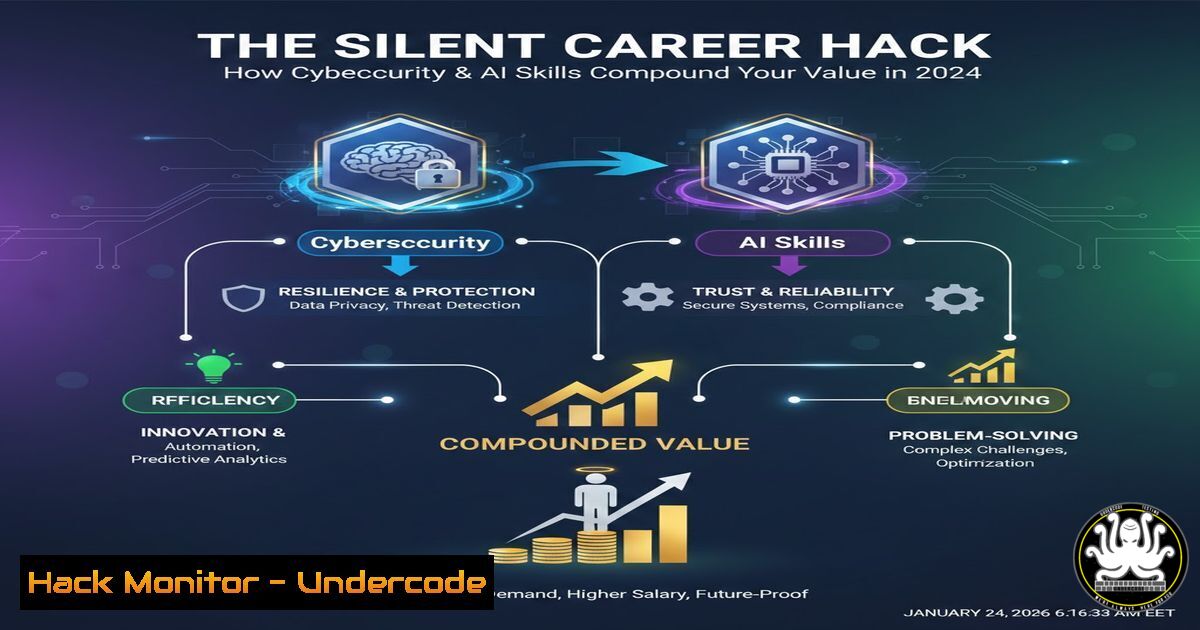
Introduction:
In the modern digital economy, career growth is increasingly decoupled from traditional credentials and tied directly to tangible, high-demand technical skills. As cyber threats evolve and AI integration accelerates, professionals who proactively master tools like Power BI, machine learning, and cybersecurity frameworks are silently building unassailable career capital through clarity, consistency, and compounding technical effort.
Learning Objectives:
- Decode how to translate broad career advice into actionable, technical skill-building routines.
- Implement practical, hands-on commands and projects to build visibility and credibility in IT, Data, and Cybersecurity.
- Develop a continuous learning system leveraging the promoted courses to create a defensive and offensive technical skill set.
You Should Know:
1. From “Skills Over Degrees” to Command-Line Proficiency
The post emphasizes problem-solving ability. In technical fields, this begins with core platform proficiency. Whether you choose the Google IT Support or Cybersecurity path, mastering the foundational command line is non-negotiable.
Step‑by‑step guide explaining what this does and how to use it:
Linux (Bash) Fundamentals: Start by navigating and investigating systems.
 Check system processes and network connections (common for troubleshooting)
ps aux | grep 'suspect_process'
netstat -tulpn  List all listening ports and associated programs
 Analyze log files for errors (critical for IT support & security)
tail -f /var/log/syslog  Follow system logs in real-time
grep -i "error|failed" /var/log/auth.log  Search for auth failures
Windows (PowerShell) Equivalents: Modern Windows administration is PowerShell-driven.
 Get detailed process information
Get-Process | Where-Object { $<em>.CPU -gt 50 }
 Check network connections
Get-NetTCPConnection | Where-Object { $</em>.State -eq "Listen" }
 Query the Windows Event Log for security events
Get-WinEvent -LogName Security -MaxEvents 20 | Format-List
What this does: These commands move you from a GUI-dependent user to an administrator who can audit, troubleshoot, and secure systems programmatically.
2. Building “Visibility” Through a Public GitHub Portfolio
“Good work in silence goes unnoticed.” In tech, your GitHub is your public ledger of competence. Completing projects from the Machine Learning or Deep Learning courses? Don’t just finish them—document and publish them.
Step‑by‑step guide:
- Create a Repository: For each course module, create a well-named repo (e.g.,
network-traffic-analyzer). - Professional README.md: Use markdown to explain the project, its purpose, the tools used, and how to run it.
- Code with Comments: Write clean, commented code. For example, a Python script from a cybersecurity course:
Port Scanner with Socket Library - Educational Use Only import socket def scan_port(ip, port): try: sock = socket.socket(socket.AF_INET, socket.SOCK_STREAM) sock.settimeout(1) result = sock.connect_ex((ip, port)) if result == 0: print(f"Port {port}: OPEN") sock.close() except socket.error: print(f"Could not connect to {ip}") Define target (always scan only systems you own or have permission to test) target = "127.0.0.1" for port in range(20, 1025): scan_port(target, port) - Share: Link to your finished projects on LinkedIn when sharing “learnings,” as the post advises.
-
“Consistency” via a Home Lab & Scheduled Audits
“Small daily effort > occasional motivation.” Set up a persistent home lab environment using virtual machines (VirtualBox/VMware) to practice daily.
Step‑by‑step guide:
- Build: Create a virtual network with a Kali Linux (attacker) VM and a Metasploitable 2 (vulnerable target) VM.
- Automate: Schedule daily 30-minute sessions using calendar blocks. Task examples:
Day 1: Use `nmap` to map the target’s network services: `nmap -sV -O -p- 192.168.1.105`
Day 2: Practice using `grep` and `awk` to parse Apache logs from a downloaded sample.
Day 3: Run a vulnerability scan with OpenVAS against your target VM and review the report. -
Document: Keep a simple log (a text file or OneNote) of commands used and findings.
-
“Feedback is Fuel” Through Code Review & Threat Modeling
The fastest learners seek feedback. For technical work, this means engaging in code reviews and participating in threat modeling exercises.
Step‑by‑step guide:
- For Data Skills (Power BI/Data Analytics): Share your dashboard file (.pbix) or Jupyter Notebook with a peer. Ask specific questions: “Is my DAX calculation efficient?” “Could this visualization be clearer?”
-
For Security Skills: Practice threat modeling on a simple web app diagram.
Step: Draw the components (user, web server, database).
Step: Identify threats using the STRIDE model (Spoofing, Tampering, Repudiation, Information Disclosure, DoS, Elevation of Privilege).
Step: Share your analysis in a forum like Reddit’s r/netsecstudents for constructive feedback on your methodology. -
“Mindset is Your Multiplier”: Embracing Defensive & Offensive Thinking
“Growth starts when comfort ends.” In cybersecurity, this means moving from a purely defensive posture to understanding offensive tactics to better defend.
Step‑by‑step guide (Controlled Environment Only):
- Understand a Vulnerability: From the IBM Cybersecurity course, you might learn about SQL Injection.
- Set Up a Test: Run a vulnerable web app (like OWASP Juice Shop) in Docker: `docker run –rm -p 3000:3000 bkimminich/juice-shop`
3. Exploit it Safely: Craft a simple SQL injection payload in the login field: `’ OR 1=1–`
4. Mitigate It: Then, learn and implement the fix—using parameterized queries—in a sample application code. This cycle of learn->exploit->mitigate embodies the growth mindset.
What Undercode Say:
- Compounding Technical Effort is the True Equity: The promoted courses are not isolated classes; they are modular components of a personal security platform. A day of Power BI teaches data normalization that aids in SIEM log analysis; a lesson in machine learning lays the groundwork for detecting anomalous network behavior.
- Visibility in Tech is Quantified and Public: Your professional “visibility” is no longer abstract. It is your commit history, your published CVEs, your well-architected cloud deployment templates, and your contributions to open-source security tools. The post’s lesson on sharing learnings translates directly to blogging about your home lab findings or contributing to a tool’s documentation.
Prediction:
The convergence of AI and cybersecurity skills highlighted by the course links (Deep Learning & Cybersecurity) will define the next frontline. Professionals who consistently build this dual-capability will be critical in defending against AI-powered phishing, automating threat response with machine learning, and developing resilient systems. The “1% daily improvement” in these areas won’t just surprise individuals; it will create the human firewall needed to mitigate sophisticated, AI-augmented cyber threats that will dominate the 2025-2027 landscape. The careers that compound will be those built on this technical bedrock.
🎯Let’s Practice For Free:
IT/Security Reporter URL:
Reported By: Shivendraojha Pdf – Hackers Feeds
Extra Hub: Undercode MoN
Basic Verification: Pass ✅


