Listen to this Post
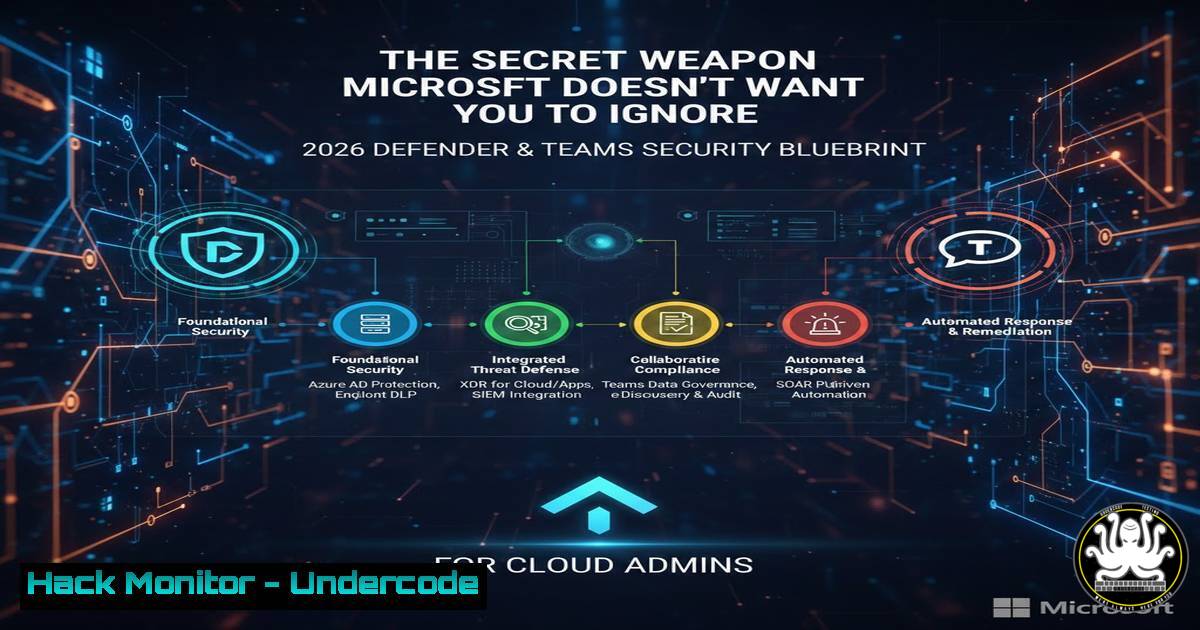
Introduction:
The relentless evolution of cloud-native threats demands equally dynamic defense strategies, moving beyond basic configuration to deep, architectural security. With the impending 2026 update to “Demystifying Microsoft Defender for Servers” and the new “Securing Microsoft Teams” guide from Microsoft MVP James Agombar, IT professionals are being handed a critical playbook for proactive cyber defense. This article deconstructs the core principles behind hardening these pivotal Microsoft 365 and Azure environments, transforming reactive alerts into an impenetrable security posture.
Learning Objectives:
- Understand the critical pillars for implementing and tuning Microsoft Defender for Servers beyond default settings.
- Learn the step-by-step process to audit and secure Microsoft Teams against data exfiltration and unauthorized access.
- Develop proficiency in using PowerShell and CLI tools for automated security configuration and continuous compliance checks.
You Should Know:
1. Hardening Defender for Servers: Beyond the Onboarding
The true power of Microsoft Defender for Servers (MDS) lies in its advanced configurations, which are often overlooked post-onboarding. Simply enabling the agent is insufficient; you must tune sensitivity, integrate vulnerability assessments, and configure just-in-time (JIT) VM access.
Step‑by‑step guide explaining what this does and how to use it.
Step 1: Enable Vulnerability Assessments. MDS can integrate with Microsoft Defender Vulnerability Management (MDVM) or Qualys. Enable this via Azure Policy or directly in the Defender for Cloud portal under “Recommendations.”
Step 2: Configure JIT VM Access. This reduces the attack surface by blocking persistent management ports. Navigate to Defender for Cloud -> Workload protections -> Just-in-time VM access. Select a VM and configure allowed source IPs, ports (e.g., 22, 3389), and a max request time (e.g., 3 hours).
Step 3: Tune Alert Rules. Reduce alert fatigue by creating custom suppression rules for non-actionable alerts. Use the following KQL (Kusto Query Language) example in Azure Sentinel or Defender’s advanced hunting to filter out specific, known-benign activity.
// Example: Suppress alerts for a specific admin's logon from a trusted IP
SecurityAlert
| where AlertName == "Suspicious SSH login"
| where Entities has "192.168.1.100" // Trusted IP
| where timestamp > ago(1h)
- Securing Teams: Locking Down the Modern Collaboration Hub
Microsoft Teams is a nexus of sensitive data, making it a prime target. Security must focus on external access, file sharing policies, and meeting controls.
Step‑by‑step guide explaining what this does and how to use it.
Step 1: Govern External Access. In the Microsoft Teams admin center, navigate to Users -> External access. Prefer “Allow specific domains” over “Allow all external domains” to tightly control federation.
Step 2: Implement SharePoint/OneDrive Governance. Since Teams files live in SharePoint, configure sharing policies at the tenant level. Use Microsoft PowerShell to set the base sharing policy.
 Connect to SharePoint Online: Connect-SPOService
 Set tenant-wide sharing policy to allow external sharing only to authenticated users
Set-SPOTenant -SharingCapability ExternalUserSharingOnly
Set-SPOTenant -RequireAnonymousLinksExpireInDays 7  Links expire in a week
Step 3: Harden Meeting Settings. Prevent anonymous users from joining meetings and restrict who can present. In Teams Admin Center, go to Meetings -> Meeting policies. Create a new policy with `-AllowAnonymousUsersToJoinMeeting $false` and -DesignatedPresenterRoleMode "OrganizerOnly".
3. Automating Security Posture with PowerShell
Consistency is key. Automate the validation of security settings across your tenant.
Step‑by‑step guide explaining what this does and how to use it.
Script Objective: Audit all Azure VMs for Defender for Servers onboarding status and JIT configuration.
PowerShell Commands:
 Install & Connect: Install-Module -Name Az.Security, Connect-AzAccount
 Get all VMs in a subscription
$vms = Get-AzVM
foreach ($vm in $vms) {
$jitStatus = Get-AzJitNetworkAccessPolicy -ResourceGroupName $vm.ResourceGroupName -Location $vm.Location -Name "default" -ErrorAction SilentlyContinue
$defenderStatus = Get-AzSecurityAdvancedThreatProtection -ResourceId $vm.Id
 Output results
[bash]@{
VMName = $vm.Name
ResourceGroup = $vm.ResourceGroupName
DefenderOnboarding = if($defenderStatus.IsEnabled){"Enabled"}else{"Not Enabled"}
JITConfigured = if($jitStatus){"Yes"}else{"No"}
}
}
4. Linux Server Hardening for Defender Integration
For Linux servers protected by MDS, complement the EDR with OS-level hardening.
Step‑by‑step guide explaining what this does and how to use it.
Step 1: Install and Verify the Defender Agent. Follow Microsoft’s guidance for your distribution. After installation, verify the service is running.
Step 2: Harden SSHD Configuration. Edit `/etc/ssh/sshd_config` with the following key directives:
 Disable root login
PermitRootLogin no
 Use key-based authentication only
PasswordAuthentication no
 Restrict protocol to SSHv2
Protocol 2
 Allow specific users (e.g., 'admin')
AllowUsers admin
Step 3: Apply Kernel Hardening Parameters. Temporarily add parameters to `/etc/sysctl.conf` to mitigate network-based attacks:
 Prevent SYN flood attacks
net.ipv4.tcp_syncookies = 1
 Ignore ICMP redirects (prevent MITM)
net.ipv4.conf.all.accept_redirects = 0
net.ipv6.conf.all.accept_redirects = 0
 Apply changes: sudo sysctl -p
5. API Security for Cloud Management
The Azure Management API is a high-value target. Secure it with Conditional Access and Managed Identities.
Step‑by‑step guide explaining what this does and how to use it.
Step 1: Enforce Conditional Access for Azure Portal/API. In Azure AD, create a new Conditional Access policy targeting “Microsoft Azure Management” as the cloud app. Require MFA and grant access only from compliant or hybrid Azure AD joined devices.
Step 2: Use Managed Identities for Automation. Instead of service principals with stored secrets, assign a system-assigned or user-assigned managed identity to your VMs, Logic Apps, or Functions. Grant the identity the least necessary privilege via Azure RBAC. Code running on the resource can then request tokens seamlessly.
 Example: On an Azure VM with a system-assigned identity, get a token for Azure Resource Manager
curl 'http://169.254.169.254/metadata/identity/oauth2/token?api-version=2018-02-01&resource=https://management.azure.com/' -H Metadata:true
What Undercode Say:
- Proactive Tuning is Non-Negotiable. The default deployment of any security tool, including Defender for Cloud, offers only baseline protection. The real-world efficacy is unlocked through continuous tuning, integration, and automation, as highlighted by the deep dive into JIT, alert suppression, and Teams policies.
- Identity is the Unifying Control Plane. Whether securing server logons, API access, or Teams collaboration, the thread connecting all advanced mitigations is robust identity governance. Techniques like Conditional Access, Managed Identities, and strict external access policies are the cornerstone of a defense-in-depth strategy that survives initial compromise.
The analysis suggests that the community-driven knowledge encapsulated in these upcoming guides fills a critical gap between Microsoft’s vast documentation and practical, battle-tested implementation. Agombar’s work, born from an inability to “relax,” underscores a professional reality: in cybersecurity, the attack surface evolves during holidays and weekends. These resources provide not just configuration steps, but a mindset—architecting security into the fabric of cloud operations rather than applying it as a veneer. This shift from tactical tool deployment to strategic security architecture is what separates vulnerable environments from resilient ones.
Prediction:
The methodology detailed in these guides—deep product specialization, automation-first posture validation, and unifying security across SaaS and IaaS layers—will become the standard operating procedure for mid-market and enterprise cloud teams by 2027. As AI-driven offensive tools lower the barrier to sophisticated attacks, defender efficiency will be forced to scale through automation and precise, intelligent policy frameworks, not manual review. The “2026 Blueprint” will likely catalyze a broader industry trend of hyper-specialized, community-authored security operational manuals, making advanced hardening accessible beyond the largest corporations with dedicated security research teams.
▶️ Related Video (72% Match):
🎯Let’s Practice For Free:
IT/Security Reporter URL:
Reported By: Jamesagombar Being – Hackers Feeds
Extra Hub: Undercode MoN
Basic Verification: Pass ✅


