
Listen to this Post
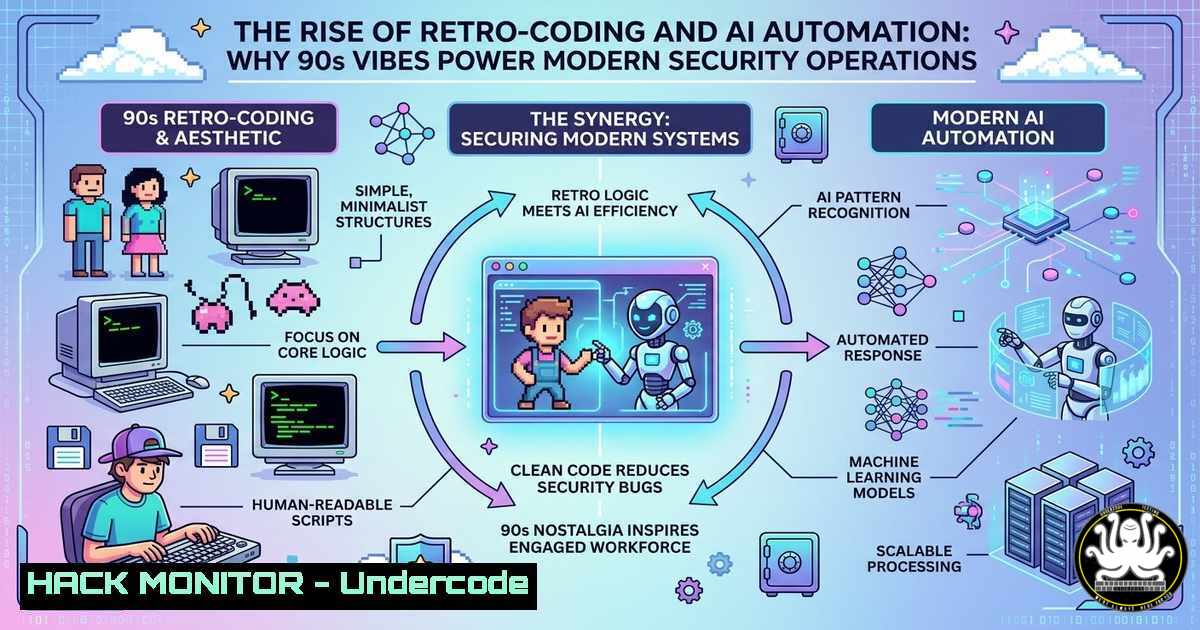
Introduction:
The fusion of nostalgic development environments with cutting-edge artificial intelligence is creating a new paradigm in cybersecurity operations. As industry leaders like David Kennedy from Binary Defense and TrustedSec embrace late-night coding sessions reminiscent of the 1990s and early 2000s, a deeper trend emerges: the integration of AI-driven tools such as and automation platforms like signalBot into modern DevOps pipelines. This approach not only enhances productivity but also reshapes how security professionals manage threats, automate workflows, and maintain the creative “flow state” critical for innovation in red teaming and adversary simulation.
Learning Objectives:
- Understand how retro-style coding environments and modern AI tools synergize to improve security workflow automation.
- Learn to implement signalBot or similar messaging-based automation for streamlining repetitive security tasks.
- Explore practical Linux and Windows commands for integrating AI APIs into threat hunting and penetration testing pipelines.
You Should Know:
- Recreating the 90s Dev Environment for Modern Security Automation
The post references a nostalgic coding atmosphere characterized by green-on-black text interfaces and deep focus. This is more than aesthetics—it’s about minimizing distractions to achieve a state of deep work. For cybersecurity professionals, replicating this environment can enhance concentration during vulnerability research or exploit development.
Start by setting up a minimalist terminal-based workspace. On Linux, you can use `cool-retro-term` to simulate a vintage terminal. For Windows, Windows Terminal with a custom “Matrix” color scheme achieves a similar effect. The key is to strip away modern UI clutter.
To integrate this with automation, consider using `tmux` or `screen` to manage multiple terminal sessions for monitoring logs, running scans, and controlling AI chatbots. For example, to keep a persistent session for a custom AI agent:
 Install tmux on Linux
sudo apt install tmux -y

Create a new session named 'automation'
tmux new -s automation

Inside the session, run your AI integration script
python3 ai_automation.py
On Windows (PowerShell), you can use `ConEmu` or `Windows Terminal` with split panes to achieve a similar multiplexed view. This setup allows you to have a pane for watching SIEM alerts, another for managing signalBot webhooks, and a third for coding, all without switching windows.
Step‑by‑step guide explaining what this does and how to use it: This environment reduces context switching, a major productivity killer in security operations. By using tmux, you can detach from your session (Ctrl+B, D) and reattach later (tmux attach -t automation), ensuring your long-running automation scripts or AI model interactions continue uninterrupted. This is crucial for tasks like fuzzing, where processes may run for hours.
- Integrating signalBot and AI into the DevOps Pipeline
Comments from Ken D. highlight the use of signalBot to automate tasks that previously accumulated until the weekend. SignalBot typically refers to a messaging-based automation tool (often associated with Signal or similar secure messaging APIs) that can trigger workflows from a simple chat message.
To replicate this, you can use a combination of a secure messaging API and a webhook listener. For instance, using the Signal CLI (command-line interface) on Linux allows you to send and receive encrypted messages. You can then pair this with a Python script that listens for specific commands.
Here’s a basic Python script using Flask to act as a webhook receiver that triggers a security scan when a chat message is received:
from flask import Flask, request
import subprocess

app = Flask(<strong>name</strong>)

@app.route('/webhook', methods=['POST'])
def webhook():
data = request.json
if data.get('command') == 'run_scan':
 Execute a vulnerability scan
subprocess.run(['nmap', '-sV', 'target_ip'])
return 'Scan initiated', 200
return 'Command not recognized', 400

if <strong>name</strong> == '<strong>main</strong>':
app.run(host='0.0.0.0', port=5000)
To secure this, ensure the webhook endpoint is behind a reverse proxy with TLS and authentication (e.g., using an API key in the header). On Windows, you could achieve similar automation using PowerShell and Azure Functions or a local web server like http-server.
Step‑by‑step guide explaining what this does and how to use it: This approach converts a simple chat message into a trigger for complex security tasks—like spinning up a cloud instance for malware analysis, running a vulnerability scan, or collecting logs. It reduces the manual overhead of logging into multiple consoles and standardizes responses to common requests. For production, integrate with existing chat platforms (Slack, Teams) using their webhook APIs, but be mindful of security; ensure all triggers are authenticated and the actions are logged for audit purposes.
3. AI-Assisted Exploit Development and Threat Hunting
The reference to and the excitement around “being in the zone” ties directly to the use of large language models (LLMs) in security. Tools like (Anthropic) or local models (e.g., Llama) can be integrated into the terminal to assist with writing proof-of-concept exploits, analyzing malware, or generating reports.
For example, you can use the `curl` command to interact with an LLM API. To generate a basic reverse shell payload, you might send a prompt:
curl -X POST https://api.anthropic.com/v1/messages \
-H "x-api-key: YOUR_API_KEY" \
-H "content-type: application/json" \
-d '{
"model": "-3-opus-20240229",
"max_tokens": 1000,
"messages": [{"role": "user", "content": "Generate a Python reverse shell payload that connects to 192.168.1.100:4444"}]
}'
On Windows, you could use PowerShell’s `Invoke-RestMethod` to achieve the same. The key is to treat the AI as a co-pilot that accelerates the research phase, allowing you to focus on the nuanced aspects of exploitation that require human intuition.
Step‑by‑step guide explaining what this does and how to use it: When conducting penetration tests, AI can quickly generate boilerplate code or suggest bypass techniques for common security controls. For threat hunting, AI can parse large volumes of log data using natural language queries. To maintain security, never send proprietary data to public AI APIs; use local models via tools like `ollama` for sensitive work. For instance, to run a local model:
 Install ollama
curl -fsSL https://ollama.com/install.sh | sh

Pull a model
ollama pull deepseek-coder

Run a query
ollama run deepseek-coder "Explain this Windows event log entry: 4624"
- Cloud Hardening and API Security in the Automation Era
Automation via messaging platforms introduces new API security concerns. If you’re using a tool like signalBot to trigger cloud actions, the underlying API keys and webhook URLs become high-value targets. Hardening these components is critical.
Implement strict IAM policies. For AWS, use the principle of least privilege. Example policy for an IAM user that only allows launching specific EC2 instances:
{
"Version": "2012-10-17",
"Statement": [
{
"Effect": "Allow",
"Action": "ec2:RunInstances",
"Resource": "arn:aws:ec2:us-east-1:123456789012:instance/",
"Condition": {
"StringEquals": {
"ec2:InstanceType": ["t2.micro"]
}
}
}
]
}
For Linux systems hosting these automation scripts, use `systemd` to run them as a non-root service with minimal privileges. On Windows, use Task Scheduler to run PowerShell scripts as a dedicated service account. Additionally, enforce MFA on any account that can modify these automation rules.
Step‑by‑step guide explaining what this does and how to use it: This ensures that even if a developer’s chat account is compromised, the attacker cannot misuse the automation to spin up expensive resources or delete critical infrastructure. Use tools like `checkov` or `tfsec` to scan your infrastructure-as-code for misconfigurations before deployment. Regularly rotate API keys and use secrets management tools like HashiCorp Vault to store them, injecting them into your automation scripts via environment variables rather than hardcoding.
5. Vulnerability Exploitation and Mitigation for AI-Driven Pipelines
With the integration of AI, new vulnerabilities emerge, such as prompt injection attacks. If an attacker can manipulate the AI prompt sent by your automation tool, they might coerce the AI into executing malicious code or revealing sensitive data.
To mitigate this, treat any external input to your AI automation as untrusted. Implement strict input validation. For example, if your AI automation accepts a “command” via a chat message, do not feed that directly into a system call. Instead, use a whitelist of allowed commands:
allowed_commands = ['run_scan', 'deploy_honeypot', 'collect_logs']
if command in allowed_commands:
 Execute
else:
 Reject
Furthermore, run your AI automation in a sandboxed environment. On Linux, use `firejail` or Docker to contain the process. For Windows, consider using Windows Sandbox or AppContainers.
 Run your Python automation inside a Docker container with limited capabilities
docker run --rm -it --read-only --network none python:3.9-slim python ai_automation.py
Step‑by‑step guide explaining what this does and how to use it: This prevents a compromised automation script from affecting the host system or the broader network. By containerizing the AI interaction, you create a blast radius. If the AI is tricked into generating a malicious command, that command is executed within the container, which has no network access and a read-only filesystem, neutralizing the threat.
What Undercode Say:
- Key Takeaway 1: The resurgence of minimalist, retro-style coding environments combined with modern AI tools like is not just a trend but a strategic approach to achieving deep focus and automating complex security workflows.
- Key Takeaway 2: Integrating messaging-based automation (e.g., signalBot) into security operations requires careful attention to API security, least privilege IAM, and sandboxing to prevent new vectors of compromise.
- Analysis: The blend of nostalgia and cutting-edge technology highlights a fundamental principle in security operations: the human element—specifically, the “flow state”—remains irreplaceable. AI and automation handle the repetitive, time-consuming tasks, allowing experts to focus on creative problem-solving. However, this integration introduces a new attack surface. The conversation underscores the necessity for security professionals to not only adopt these tools but also to rigorously harden the automation pipelines they create, treating every API call and chat message as a potential threat vector.
Prediction:
As AI-driven automation becomes more deeply embedded in security pipelines, we will see a rise in “prompt engineering” as a core security competency, alongside traditional coding. The lines between DevOps, security operations, and AI engineering will blur, creating a new hybrid role focused on securing and optimizing automated, AI-assisted workflows. Organizations that successfully balance the efficiency gains of these tools with robust security controls will gain a significant operational advantage, while those that rush to adopt without hardening will likely face novel forms of API-based and AI-prompt injection attacks.
▶️ Related Video (78% Match):
🎯Let’s Practice For Free:
IT/Security Reporter URL:
Reported By: Davidkennedy4 Binarydefense – Hackers Feeds
Extra Hub: Undercode MoN
Basic Verification: Pass ✅


