Listen to this Post
Introduction:
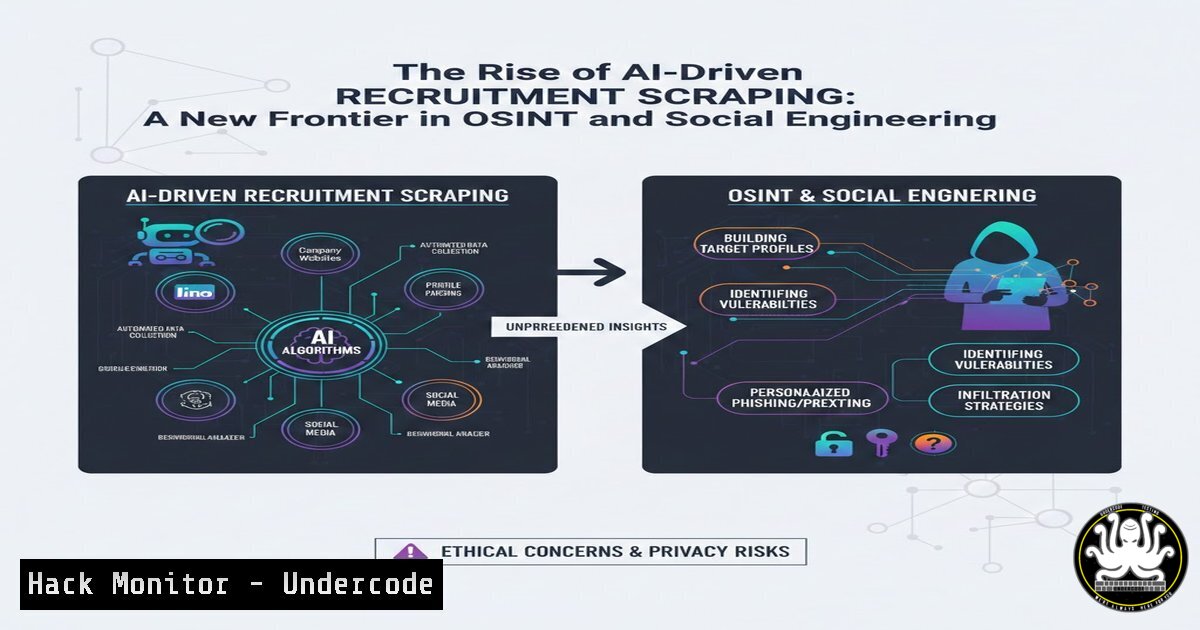
The convergence of artificial intelligence and automated data scraping has created a new vector for unsolicited, often deceptive, recruitment tactics. Cybercriminals and negligent agencies are leveraging AI to parse LinkedIn profiles en masse, generating personalized but contextually blind messages that bypass traditional candidate screening. This practice not only floods professionals with irrelevant offers but also serves as a potent tool for reconnaissance, enabling threat actors to map organizational structures, verify active individuals, and craft highly targeted phishing campaigns under the guise of legitimate job opportunities.
Learning Objectives:
- Analyze the mechanics of AI-powered data scraping from professional social networks.
- Identify the cybersecurity risks posed by automated, unsolicited recruitment messages, including OSINT gathering and social engineering.
- Implement technical controls and verification methods to mitigate exposure to malicious recruitment schemes.
You Should Know:
1. Automated Profile Scraping and AI-Driven Message Generation
The core of this issue lies in the mass extraction of publicly available data from platforms like LinkedIn. Scraper applications can harvest millions of profiles, capturing names, current roles, employment history, and stated skills. This data is then fed into Large Language Models (LLMs) which generate seemingly personal outreach emails.
What this does: It allows an actor to contact thousands of potential targets with minimal effort, bypassing the “opt-out” indicators a user might place on their profile.
How to investigate a suspicious message:
- Linux/macOS (using `dig` and
whois): Verify the sender’s domain.Check if the domain has a valid mail exchange record dig careers.anahix.com MX +short Get registration details of the domain to see if it's newly created or suspicious whois careers.anahix.com | grep -E "Creation Date|Registrant"
- Windows (using
nslookup):nslookup -type=MX careers.anahix.com
2. Reconnaissance and OSINT Harvesting via Fake Recruiters
The primary cybersecurity concern is not just spam, but the use of these messages for Open Source Intelligence (OSINT). A message referencing your specific role at a company confirms to a malicious actor that the profile is active and monitored. This verification step is critical before launching a targeted attack like “Whaling” (targeting CEOs) or Business Email Compromise (BEC).
Step‑by‑step guide to checking sender legitimacy:
- Inspect Email Headers: Look for the “Received” paths to see if the email originated from a legitimate corporate server or a mass-mailing service like Mailchimp or a generic VPS.
– View Full Headers in Gmail: Open the email, click the three dots next to “Reply,” and select “Show original.” Check `Return-Path` and `SPF` (Sender Policy Framework) alignment.
2. Cross-Reference the Domain: As seen in the post, `[email protected]` uses a free email service. Legitimate corporate recruiters almost always use a company domain (e.g., @peraton.com). If they claim to be from a large firm but use a Gmail address, it is a major red flag.
3. Verify the Recruiter’s Identity: Check if the named agent exists on the company’s official website, not just on LinkedIn. Call the company’s main switchboard to verify the individual works there.
3. Command-Line Tools for Email Verification and Analysis
To automate the detection of suspicious patterns, security professionals can use command-line tools to analyze bulk email logs or suspicious messages.
Step‑by‑step guide: Analyzing an email source for anomalies.
- Extract and Analyze IP Geolocation (Linux): Save the email source to a file (
email_source.txt) and use `grep` andwhois.Extract the originating IP (usually the last trusted Received header) grep -E "^Received: from" email_source.txt | head -1 Use whois to find where the server is located whois [bash] | grep -i country
What this does: If the recruiter claims to be in Texas, but the sending server IP is located in Nigeria or Russia, the message is likely malicious.
- Windows PowerShell for Header Parsing:
Load email content and extract the 'Reply-To' domain
$email = Get-Content -Path "C:\email_source.txt" -Raw
if ($email -match "Reply-To: .@(.?)>") {
Write-Host "Reply-To Domain: $($matches[bash])"
}
4. API Security and Data Scraping Mitigation
The ability to scrape LinkedIn data highlights a broader issue in API security. While public profile views are part of the platform’s function, mass scraping violates terms of service and is often enabled by weaknesses in API rate limiting and bot detection.
Step‑by‑step guide: Hardening APIs against automated scraping (For Developers/SecOps):
1. Implement Rate Limiting: Use tools like `fail2ban` or API gateways to restrict requests from a single IP address.
2. Deploy Bot Detection: Integrate services like Cloudflare Bot Management or reCAPTCHA on profile view endpoints to distinguish between human users and headless browsers.
3. Analyze Traffic Patterns (Linux tcpdump):
 Capture traffic to your API endpoint and look for patterns of automated access
sudo tcpdump -i eth0 -A -s 0 host your-api-server.com and port 443 | grep "GET /profile"
5. Exploitation and Mitigation of Social Engineering Vectors
If an attacker has used AI to scrape your profile, the next step is often a social engineering attack. They know your tech stack (e.g., Python, AWS, specific vulnerabilities). A malicious recruiter might send a “coding challenge” that contains malware or a link to a fake login portal.
How to mitigate this risk:
- Sandboxing Links: Never click links in unsolicited recruitment emails directly. Use a service like `VirusTotal` or run them in a sandboxed browser (e.g., using Firejail on Linux).
Run Firefox in a sandbox on Linux to open a suspicious link
firejail firefox https://suspicious-recruitment-link.com
- Windows Defender Application Guard: For Edge users on Windows 10/11, enable Application Guard to open untrusted sites in a hardware-isolated container.
- Path: Windows Security > App & browser control > Exploit protection settings > Turn on Application Guard.
What Undercode Say:
- Verification is Non-Negotiable: In the age of AI-generated text, the authenticity of any unsolicited digital communication must be verified through out-of-band channels. The ease with which LLMs can mimic human tone renders traditional “phishing clue” checks (spelling/grammar) obsolete. The key takeaway is that if you didn’t initiate contact, the default stance must be suspicion, especially when the message pertains to your professional identity. This blurs the line between spam and targeted reconnaissance, demanding a zero-trust approach to your inbox.
- Your Digital Footprint is a Target: The very data you share to enhance your professional visibility (skills, certifications, current projects) is precisely the data scraped to build a convincing lure. This necessitates a strategic shift in how professionals present themselves online. Consider obfuscating specific details or using generic terms to describe critical infrastructure roles to reduce the fidelity of the data available to scrapers. The battle is no longer just about privacy, but about actively managing the attack surface you present to automated AI agents.
Prediction:
We will see a rapid escalation in AI-vs-AI defense mechanisms on professional networks. LinkedIn and similar platforms will be forced to deploy advanced adversarial AI to detect and block sophisticated scraping bots in real-time. Concurrently, a new market for “anti-OSINT” services will emerge, offering professionals tools to pollute or anonymize their public data feeds, making it harder for malicious AI to extract accurate, actionable intelligence. This will evolve into a persistent cat-and-mouse game where the authenticity of a connection request or job offer will require cryptographic or biometric proof to be trusted.
▶️ Related Video (80% Match):
🎯Let’s Practice For Free:
IT/Security Reporter URL:
Reported By: Daspinks Over – Hackers Feeds
Extra Hub: Undercode MoN
Basic Verification: Pass ✅


