Listen to this Post
Introduction:
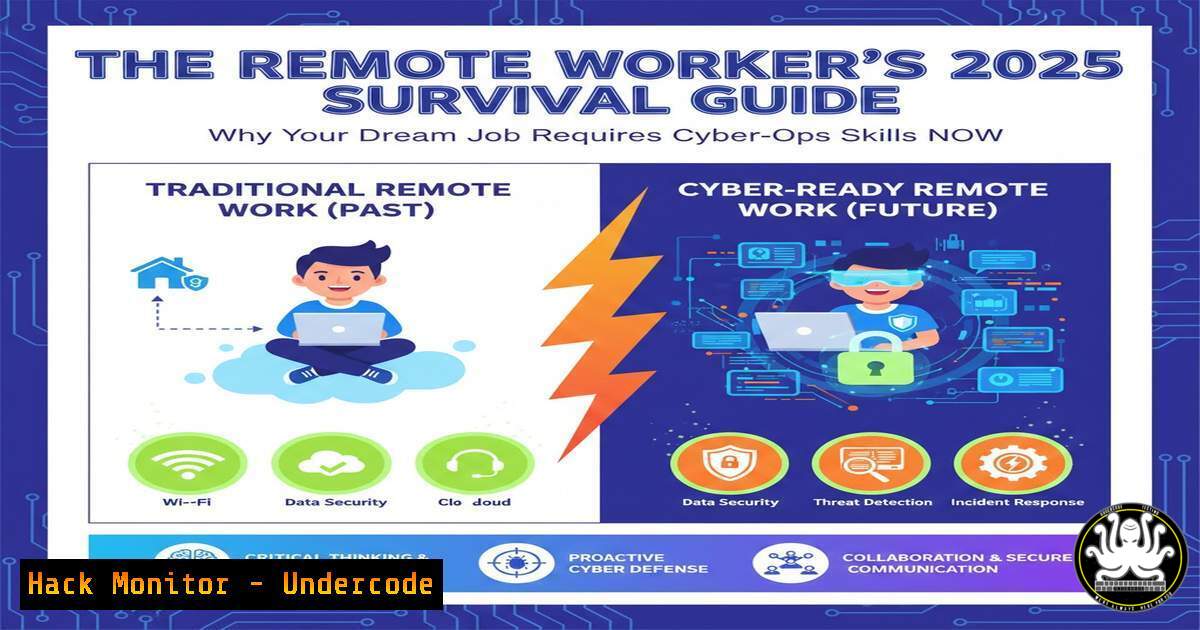
The paradigm shift to remote work has unlocked global opportunities but has simultaneously expanded the corporate attack surface exponentially. While job seekers flock to platforms like Remote Rocketship and WeWorkRemotely, adversaries target the inherent vulnerabilities in distributed networks, from unsecured home offices to API‑driven collaboration tools. This article deconstructs the essential cybersecurity and IT proficiencies you must master to not only land a remote tech role in 2025 but to secure your digital workspace against evolving threats.
Learning Objectives:
- Implement critical hardening techniques for remote work environments on Windows and Linux systems.
- Configure and secure core remote access technologies, including VPNs, SSH, and cloud service APIs.
- Utilize foundational AI and automation tools to enhance security postures and operational efficiency.
You Should Know:
1. Hardening Your Home Network: The First Perimeter
The default configuration of consumer routers and personal devices is a primary attack vector. Remote workers must establish a secure network perimeter before connecting to corporate assets.
Step‑by‑step guide explaining what this does and how to use it.
Change Default Credentials: Log into your router admin panel (often `192.168.1.1` or 192.168.0.1) and change the default admin username and password to a strong, unique passphrase.
Enable WPA3 Encryption: In wireless settings, switch security mode from WPA2 to WPA3. If your device doesn’t support WPA3, use WPA2‑AES.
Create a Guest Network: Isolate your work devices from personal IoT devices (smart speakers, cameras) by placing them on a separate guest network.
Update Firmware: Regularly check for and install router firmware updates to patch vulnerabilities.
Linux/Mac CLI Check: Use `nmcli device wifi list` or `airport -s` to scan networks and verify your security protocol.
2. Securing Remote Access: Beyond the Basic VPN
A VPN is essential, but its configuration dictates its security. We’ll move beyond just connecting to implementing zero‑trust principles.
Step‑by‑step guide explaining what this does and how to use it.
Choose a Protocol: Prefer WireGuard or OpenVPN over older protocols like PPTP. For corporate access, follow IT policy.
Hardening OpenVPN Server Config (Sample): If self‑hosting, edit server.conf:
proto udp
cipher AES-256-GCM
auth SHA512
tls-version-min 1.2
 Disable compression to mitigate CRIME attack
compress stub-v2
SSH Hardening (For Linux/Mac Remote Admin): Edit /etc/ssh/sshd_config:
Port 2222  Change from default 22
PermitRootLogin no
PasswordAuthentication no  Enforce key-based auth
PubkeyAuthentication yes
AllowUsers your_username
Generate SSH keys: `ssh-keygen -t ed25519 -a 100`
3. API Security for AI & Cloud Tools
The AI and cloud courses listed (Google AI, IBM Generative AI) rely heavily on APIs. Misconfigured API keys are a goldmine for attackers.
Step‑by‑step guide explaining what this does and how to use it.
Never Hardcode Keys: Store API keys in environment variables or secret management tools.
Linux/Mac: `export OPENAI_API_KEY=”your-key”` (add to `.bashrc` or use a vault).
Windows (PowerShell): `$env:OPENAI_API_KEY=”your-key”`
Implement Least Privilege: Grant API tokens only the permissions absolutely necessary (e.g., read-only).
Audit and Rotate: Use a script to list and regularly rotate keys. For AWS CLI: aws iam list-access-keys --user-name <username>.
4. Endpoint Security Configuration
Your laptop is the new corporate endpoint. Administrative control is your responsibility.
Step‑by‑step guide explaining what this does and how to use it.
Windows (PowerShell Admin):
Enable BitLocker: `Enable-BitLocker -MountPoint “C:” -EncryptionMethod XtsAes256`
Harden Defender: `Set-MpPreference -DisableRealtimeMonitoring $false -SubmissionSamplesConsent 2 -HighThreatDefaultAction Quarantine`
Linux (Ubuntu/Debian):
Install and configure UFW firewall: sudo ufw enable, sudo ufw default deny incoming, `sudo ufw allow from 192.168.1.0/24 to any port 22`
Audit processes: Use `ps aux | grep -i “crypt”` or `systemctl list-units –type=service` to check for unknown services.
5. Phishing Resilience & Digital Hygiene
Remote work increases reliance on digital communication, making you a prime phishing target.
Step‑by‑step guide explaining what this does and how to use it.
Email Header Analysis: Check `Received` and `Return-Path` headers for spoofing. Use CLI tools like `mxtoolbox.com` from a terminal: `curl “https://api.mxtoolbox.com/api/v1/Lookup/spf/$domain”`
Sandbox Suspicious Links/Attachments: Use a VM or a tool like `urlscan.io` via API: `curl -X POST “https://urlscan.io/api/v1/scan/” -H “Content-Type: application/json” -d ‘{“url”:”$suspicious-url”, “public”:”on”}’`
Enable Multi‑Factor Authentication (MFA) Everywhere: Use an authenticator app (e.g., Authy, Google Authenticator) or a hardware security key (YubiKey) instead of SMS.
What Undercode Say:
- Key Takeaway 1: The modern remote job is a cybersecurity role by default. The technical skills highlighted in courses like Google Cybersecurity and Microsoft AI & ML Engineering are not optional; they are fundamental operational requirements for protecting data outside the traditional corporate firewall.
- Key Takeaway 2: Proactive, automated hardening is the only scalable defense. Manual, reactive security is obsolete. The integration of AI for threat detection (as taught in Generative AI with LLMs) and the automated enforcement of configurations through scripting are critical skills that separate secure from vulnerable remote workers.
The platforms promising the dream remote job—LinkedIn, Remotive, Remote.co—are also aggregation points for your digital footprint. Adversaries use these sites for reconnaissance and targeted social engineering. The courses listed (IBM RAG and Agentic AI, Prompt Engineering) are dual‑use: they build career skills but also teach the mechanics of the very AI tools being weaponized for sophisticated phishing and automation of attacks. Therefore, understanding these technologies is directly equivalent to understanding your threat model. The remote worker must become a guardian of their own digital fortress.
Prediction:
By late 2025, we will see a major shift in remote hiring criteria. “Cybersecurity‑First Remote Work” will become a standard, with employers mandating evidence of specific hardening competencies—such as secure home network configuration and MFA enforcement—as part of the onboarding process. Job platforms will begin integrating verified skill badges for these practices. Furthermore, AI‑driven, personalized phishing campaigns, generated by the same large language models covered in the listed courses, will become so pervasive that foundational red‑team/blue‑team skills will transition from niche IT roles to general remote workforce requirements. The line between a productive remote tool and a critical vulnerability will be defined solely by the user’s level of security awareness.
▶️ Related Video (80% Match):
🎯Let’s Practice For Free:
IT/Security Reporter URL:
Reported By: Navneet Kumar – Hackers Feeds
Extra Hub: Undercode MoN
Basic Verification: Pass ✅


