Listen to this Post
Introduction:
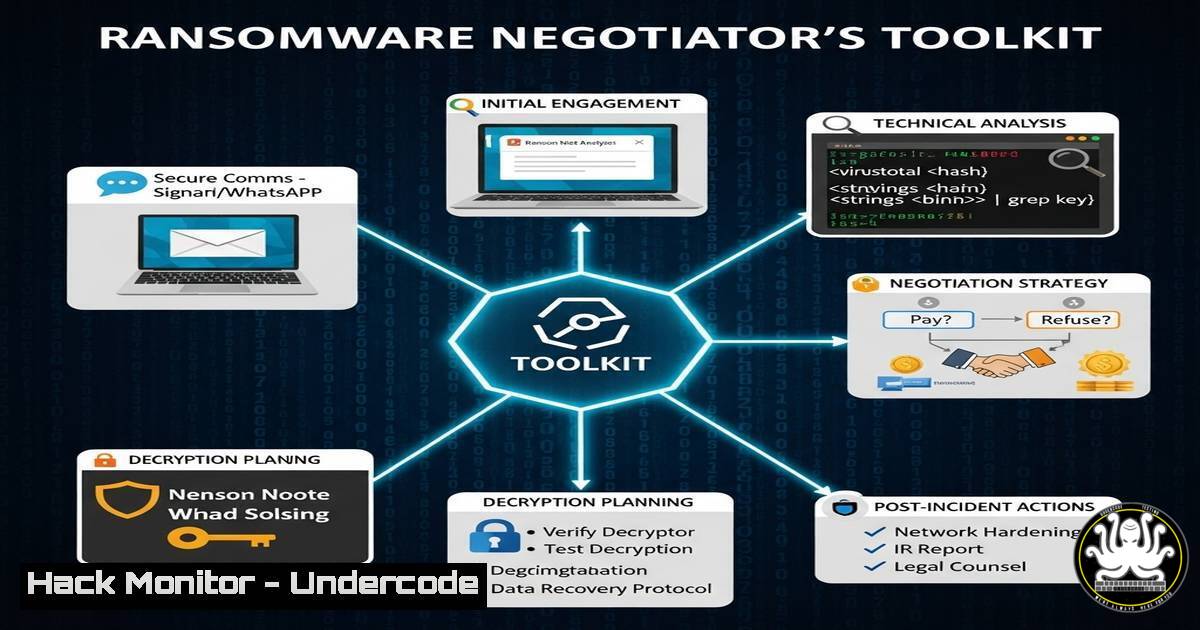
Ransomware attacks continue to evolve, shifting from mere data encryption to complex extortion schemes involving double threats and sophisticated negotiation. For IT and security professionals, understanding the technical and procedural response is no longer optional; it’s a critical component of modern cyber defense, blending threat intelligence, digital forensics, and high-stakes communication.
Learning Objectives:
- Understand the core technical processes involved in a ransomware incident response.
- Learn essential commands for initial triage, investigation, and mitigation on both Windows and Linux systems.
- Gain insight into the threat intelligence and cryptocurrency tracing techniques used by professional negotiators.
You Should Know:
1. Initial Triage & Isolation
When a ransomware incident is detected, the immediate priority is to contain the threat and prevent lateral movement. This often involves isolating affected hosts from the network.
Windows:
 Disable a specific network interface
Disable-NetAdapter -Name "Ethernet" -Confirm:$false

Block a specific IP address (attacker's C2) via Windows Firewall
New-NetFirewallRule -DisplayName "Block_C2_IP" -Direction Outbound -Action Block -RemoteAddress 192.0.2.100

Force a group policy update to push isolation rules
gpupdate /force
Linux:
 Bring a network interface down
sudo ip link set eth0 down

Block all outbound traffic with iptables (drastic isolation)
sudo iptables -P OUTPUT DROP

Alternatively, block traffic to a specific malicious IP
sudo iptables -A OUTPUT -d 192.0.2.100 -j DROP
Step-by-step guide: These commands are your first response. The Windows `Disable-NetAdapter` cmdlet instantly disconnects the machine. The firewall rule specifically blocks communication with a known command-and-control (C2) server. On Linux, `iptables` is the kernel-level firewall tool; dropping all OUTPUT traffic is a severe but effective containment method. Use these commands with extreme caution, as they will disrupt all network services.
2. Identifying Malicious Processes
Before wiping and restoring, analysts must identify the ransomware process for forensic evidence.
Windows:
 Get a list of all running processes
Get-Process | Format-Table Name, Id, CPU, Path -AutoSize

Find processes with high CPU or disk activity
Get-Process | Sort-Object CPU -Descending | Select-Object -First 10
Get-Process | Sort-Object WorkingSet -Descending | Select-Object -First 10

Search for files with common ransomware extensions
Get-ChildItem -Path C:\ -Recurse -Filter ".locked" -ErrorAction SilentlyContinue
Get-ChildItem -Path C:\ -Recurse -Filter ".crypt" -ErrorAction SilentlyContinue
Linux:
 List all running processes in a detailed hierarchy
ps auxf

Monitor real-time system processes (look for unusual CPU usage)
top

Find encrypted files with specific extensions
sudo find / -name ".encrypted" -type f 2>/dev/null
sudo find / -name ".locky" -type f 2>/dev/null
Step-by-step guide: `Get-Process` in PowerShell provides a snapshot of active executables. Sorting by CPU or Memory (WorkingSet) can help pinpoint a resource-intensive ransomware process. The `find` command on Linux is invaluable for quickly locating a large number of encrypted files, which helps assess the scope of the attack.
3. Memory Acquisition for Forensics
Capturing the memory of an infected machine preserves evidence of the ransomware in action, including encryption keys and C2 IPs.
Windows (Using DumpIt):
 Navigate to the DumpIt tool and run it
.\DumpIt.exe -o memory_dump.raw
Linux (Using LiME):
 Load the LiME kernel module to acquire memory
sudo insmod lime.ko "path=/tmp/memory_dump.raw format=raw"
Step-by-step guide: Memory forensics is crucial. On Windows, tools like DumpIt create a bit-for-bit copy of physical RAM. On Linux, the Loadable Kernel Module (LKM) LiME does the same. These dumps can be analyzed later with tools like Volatility to extract artifacts without altering the compromised system’s disk.
4. Network Analysis & C2 Investigation
Understanding how the ransomware communicates is key to intelligence gathering and blocking further damage.
Windows/Linux:
通用 netstat command to list active connections
netstat -ano | findstr ESTABLISHED  Windows
netstat -tulpn | grep ESTAB  Linux

Using tcpdump to capture packets on a specific interface
tcpdump -i eth0 -w investigation.pcap

Querying threat intelligence APIs for a suspicious IP (e.g., via curl)
curl -s http://api.threatfox.com/v1/query_ioc -d '{"ioc": "192.0.2.100"}'
Step-by-step guide: `netstat` shows active network connections, which can reveal calls to a malicious IP. `tcpdump` is a powerful packet analyzer that records all traffic, which can be inspected in tools like Wireshark. The `curl` command demonstrates how to automate threat intelligence checks against an API to quickly determine if an IP is known to be malicious.
5. Cryptocurrency Wallet Investigation (Basic OSINT)
Part of negotiation and intelligence involves tracing the cryptocurrency wallets used for payments.
Bash/Online Tools:
 No direct command-line tool, but processes involve using blockchain explorers via API.
 Example using curl with a Blockchain.com API endpoint to get wallet info
curl https://blockchain.info/rawaddr/<wallet_address_here>

Or with a different explorer
curl https://api.blockcypher.com/v1/btc/main/addrs/<wallet_address_here>
Step-by-step guide: This is a basic example of cryptocurrency Open-Source Intelligence (OSINT). By querying public blockchain APIs, analysts can trace the flow of funds from the victim’s payment wallet to other addresses, potentially identifying patterns or links to known threat actors. This intelligence can be used during negotiation.
6. Strengthening Defenses Post-Incident
After containment, systems must be hardened against re-infection.
Windows:
 Enable and configure Windows Defender Antivirus for maximum protection
Set-MpPreference -DisableRealtimeMonitoring $false
Set-MpPreference -EnableNetworkProtection Enabled
Add-MpPreference -AttackSurfaceReductionRules_Ids <GUID> -AttackSurfaceReductionRules_Actions Enabled

Harden SMB protocol to prevent lateral movement
Set-SmbServerConfiguration -EnableSMB1Protocol $false -Force
Linux:
 Ensure fail2ban is installed and configured to block brute-force attacks
sudo apt-get install fail2ban
sudo systemctl enable fail2ban

Check and disable unnecessary services
sudo systemctl list-unit-files --state=enabled
sudo systemctl disable <unnecessary_service>
Step-by-step guide: These commands are part of a post-breach hardening regimen. Enabling and tuning Windows Defender’s advanced features like Network Protection and Attack Surface Reduction Rules (ASR) adds layers of defense. Disabling the outdated and insecure SMBv1 protocol is a critical step. On Linux, `fail2ban` monitors log files and bans IPs that show malicious signs.
7. Simulating Ransomware for Training
Controlled environments like labs are used to practice response. This code creates a harmless file-encryption simulation.
Python Script (For Training Labs Only):
import os
from cryptography.fernet import Fernet

SIMULATION ONLY - DO NOT RUN ON PRODUCTION SYSTEMS
 Generate a key
key = Fernet.generate_key()
with open('simulation_key.key', 'wb') as key_file:
key_file.write(key)

fernet = Fernet(key)

Encrypt .txt files in a specific test directory
for root, dirs, files in os.walk('./test_lab_directory'):
for file in files:
if file.endswith('.txt'):
file_path = os.path.join(root, file)
with open(file_path, 'rb') as f:
data = f.read()
encrypted_data = fernet.encrypt(data)
with open(file_path + '.SIMULATED_ENC', 'wb') as f:
f.write(encrypted_data)
os.remove(file_path)
Step-by-step guide: This Python script, using the `cryptography` library, mimics ransomware behavior in a completely safe manner for training purposes. It generates an encryption key, then finds and “encrypts” all `.txt` files in a designated test directory, appending `.SIMULATED_ENC` to them. It is vital this only runs in an isolated lab environment.
What Undercode Say:
- The modern ransomware response is a multidisciplinary effort, deeply technical yet requiring soft skills like negotiation.
- Proactive hardening and continuous training are the most effective shields against the devastating impact of an attack.
The post highlights a critical evolution in cybersecurity training: the move beyond technical remediation to encompass the entire attack lifecycle, including the business-centric phase of negotiation. The mention of cryptocurrency investigation as a weak point is telling; it’s a complex but increasingly vital skill. The professional’s path described—moving from negotiation to detection engineering—signals the industry’s demand for well-rounded experts who can not only stop attacks but also manage their fallout and improve defenses for the future. This holistic approach is what separates reactive IT teams from proactive security programs.
Prediction:
The integration of AI into ransomware attacks will automate target selection, optimize ransom demands based on stolen data analysis, and generate highly persuasive, personalized phishing campaigns. Conversely, AI-powered defense will automate threat hunting, predict attack paths, and simulate negotiation scenarios, leading to an AI-driven arms race between threat actors and defenders. The role of the human negotiator will evolve to manage these AI systems and handle only the most complex, high-stakes discussions.
🎯Let’s Practice For Free:
IT/Security Reporter URL:
Reported By: Jgarcia Cybersec – Hackers Feeds
Extra Hub: Undercode MoN
Basic Verification: Pass ✅


