
Listen to this Post
Introduction:
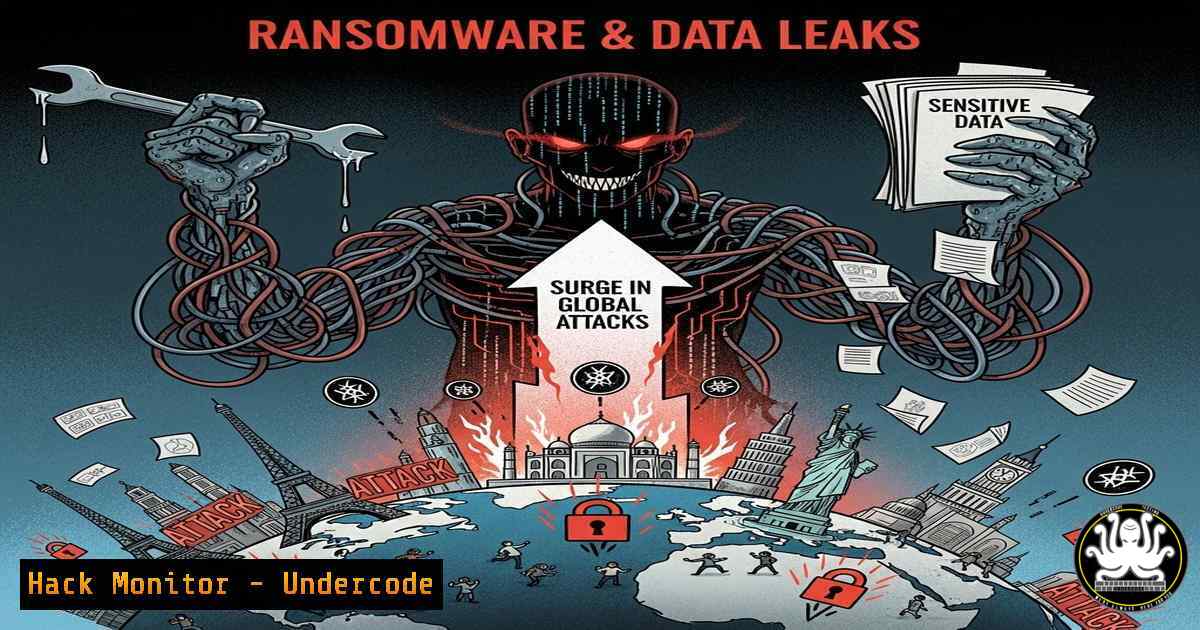
A staggering 487 ransomware attacks were recorded in July 2025 alone, marking a 41% year-over-year surge. This explosion is not a random occurrence but a direct consequence of a thriving underground economy powered by massive data leaks. This article deconstructs how threat groups like Qilin, Akira, and Play weaponize exposed credentials and vulnerabilities to launch devastating attacks.
Learning Objectives:
- Understand the direct correlation between data breaches and the increasing frequency of ransomware attacks.
- Learn to identify and mitigate common initial access vectors exploited by ransomware operators.
- Implement proactive hardening and monitoring measures to defend against credential-based attacks.
You Should Know:
1. Identifying and Securing Exposed RDP Services
RDP remains a primary vector for ransomware initial access. Criminals use brute-force attacks or leverage credentials purchased from initial access brokers (IABs).
Command List & Tutorial:
 Scan a network range for open port 3389 (RDP)
nmap -p 3389 192.168.1.0/24

Check for RDP connections on a local Windows machine (Command Prompt)
netstat -ano | findstr :3389

Using PowerShell to query for active RDP sessions
Get-WmiObject -Class Win32_TSLogonSession -Namespace root\cimv2\terminalservices
Step-by-Step Guide:
The `nmap` command scans a subnet for devices with port 3389 open, identifying potential RDP entry points. The `netstat` command checks for active RDP connections on a local Windows host, showing the Process ID (PID) of the associated service. The PowerShell cmdlet queries the Windows Terminal Services subsystem to list active logon sessions, helping administrators identify unauthorized access. Mitigation involves changing the default RDP port, enforcing Network Level Authentication (NLA), and implementing account lockout policies to prevent brute-forcing.
2. Hardening VPN Configurations Against Exploitation
Groups like Akira and Qilin frequently exploit unpatched VPN vulnerabilities in appliances from Fortinet, Cisco, and SonicWall.
Command List & Tutorial:
 Check for open VPN ports (UDP 500, UDP 4500)
nmap -sU -p 500,4500 <target_ip>

Example for FortiGate: Check current firmware version
get system status

Example for FortiGate: Apply a strict firewall policy to limit VPN access
config firewall policy
edit 0
set srcintf "wan1"
set dstintf "ssl.root"
set srcaddr "all"
set dstaddr "all"
set action accept
set schedule "always"
set service "SSLVPN"
set groups "SSLVPN_Group"
next
end
Step-by-Step Guide:
The `nmap` command identifies devices responding to VPN-related ports, which should not be exposed to untrusted networks without strict controls. On FortiGate devices, the `get system status` command displays the current firmware version, which must be kept up-to-date. The firewall policy configuration snippet demonstrates how to create a policy that only allows SSL-VPN traffic from specific source interfaces and restricts access to a designated user group (SSLVPN_Group), adhering to the principle of least privilege.
- Detecting and Responding to Brute-Force Attacks on OWA
Play ransomware group often targets Outlook Web Access (OWA) with brute-force attacks using leaked credential lists.
Command List & Tutorial:
 Query Windows Security Event Log for failed logons (Event ID 4625)
Get-WinEvent -FilterHashtable @{LogName='Security'; ID=4625} -MaxEvents 50 | Format-List

PowerShell to parse IIS logs for OWA brute-force attempts (adjust path)
Get-Content C:\inetpub\logs\LogFiles\W3SVC1.log | Select-String "POST /owa/auth.owa" | Select-String " 401 "

Create a custom Windows Event Log filter for excessive 4625 events
wevtutil qe Security /q:"[System[(EventID=4625)]]" /rd:true /f:text /c:100
Step-by-Step Guide:
These commands are crucial for detecting authentication attacks. The first PowerShell command extracts the latest 50 failed logon events (ID 4625) from the Security log, which can reveal patterns of attack. The second command parses IIS logs for HTTP 401 Unauthorized responses on OWA authentication requests, a clear indicator of a credential stuffing attack. Continuous monitoring of these logs and implementing an alert threshold for failed attempts from a single IP address is a critical defense measure.
4. Investigating and Mitigating Cloud Storage (NAS) Exploits
Akira is known to exploit publicly exposed Network-Attached Storage (NAS) devices.
Command List & Tutorial:
 Nmap script scan for common NAS services (SMB, NFS, AFP)
nmap --script smb-enum-shares,smb-vuln-ms17-010,nfs-showmount,afp-showvolumes -p 139,445,2049,548 <target_ip>

Securely unmount an unnecessary NFS share on a Linux server
umount -f /mnt/nas_share

Hardening an SMB share on a Synology NAS (via CLI) - disable SMB1
synosetkeyvalue /etc/smb.conf global min protocol SMB2
Step-by-Step Guide:
The `nmap` command uses specialized scripts to enumerate shares and check for critical vulnerabilities like EternalBlue on SMB services. This reconnaissance is what attackers perform. The `umount` command forcefully unmounts a network share, which can be part of an incident response playbook to contain a breach. The Synology command modifies the `smb.conf` configuration file to disable the insecure SMBv1 protocol, a common hardening step to prevent exploitation.
5. Leveraging Threat Intelligence to Find Breached Credentials
Proactive defense involves checking if corporate credentials have already been leaked.
Command List & Tutorial:
 Using the HIBP CLI (if configured with an API key) to check an email
hibp -e [email protected]

Using curl to query the DeHashed API (requires account)
curl -u 'api_key:' "https://api.dehashed.com/search?query=email:[email protected]"

PowerShell to parse a password dump file for company domains
Select-String -Path .\breached_data.txt -Pattern "@company.com"
Step-by-Step Guide:
These commands simulate both defensive and offensive actions. Security teams can use the Have I Been Pwned (HIBP) CLI or the DeHashed API (via curl) to proactively discover if employee credentials have been exposed in third-party breaches. This allows for forced password resets before attackers can use them. The `Select-String` PowerShell command demonstrates how an attacker might quickly parse a massive password dump file for email addresses belonging to a target domain, highlighting the importance of credential monitoring.
6. Implementing Network Segmentation to Thwart Pivot Attacks
Ransomware groups pivot through a network after gaining initial access. Segmentation is critical containment.
Command List & Tutorial:
 Windows: View current firewall rules
netsh advfirewall firewall show rule name=all

Windows: Create a firewall rule to block lateral movement (SMB port 445)
netsh advfirewall firewall add rule name="Block Lateral SMB" dir=in action=block protocol=TCP localport=445

Linux: Simple iptables rule to drop traffic to a different subnet
iptables -A OUTPUT -d 10.0.1.0/24 -j DROP
Step-by-Step Guide:
The `netsh` commands are used to view and configure the Windows Advanced Firewall. The rule created specifically blocks inbound SMB traffic on port 445, a common protocol used for lateral movement. On Linux systems, `iptables` can be used to create granular rules that prevent a compromised server in one subnet (e.g., DMZ 10.0.0.0/24) from initiating connections to critical internal subnets (e.g., 10.0.1.0/24), effectively containing a breach.
7. Analyzing Ransomware Notes and IOCs for TTPs
Understanding the adversary’s tactics, techniques, and procedures (TTPs) from an incident is key to defense.
Command List & Tutorial:
 Search for common ransomware note filenames on a filesystem
find / -name ".txt" -o -name ".html" -o -name "README" | xargs grep -l "decrypt|ransom|bitcoin"

Use curl to download IOCs from a threat intelligence feed for blocking
curl https://threat-intel-source.com/feeds/qilin_ips.txt -o malicious_ips.txt

Use Windows PowerShell to search for recently encrypted files (by extension)
Get-ChildItem -Path C:\ -Recurse -Force -ErrorAction SilentlyContinue -Include .encrypted,.locked,.crypt | Select-Object FullName, LastWriteTime
Step-by-Step Guide:
The `find` and `grep` commands help incident responders quickly locate the ransom note typically dropped by attackers. The `curl` command exemplifies how to automate the ingestion of Indicators of Compromise (IOCs), like malicious IP addresses associated with the Qilin group, for immediate blocking at the firewall. The PowerShell command scans the filesystem for files with extensions commonly appended by ransomware, helping to assess the scope of an encryption event.
What Undercode Say:
- Data is the New Initial Access Vector: The paradigm has shifted. It’s no longer just about exploiting a technical flaw; it’s about exploiting the vast repositories of leaked data that provide the keys to the kingdom. Patching alone is insufficient; credential hygiene and monitoring are now equally critical.
- The Cybercrime Supply Chain is Maturing: The ecosystem of Initial Access Brokers (IABs), ransomware-as-a-service (RaaS) groups, and data leak sites creates a highly efficient and specialized supply chain. Defenders must combat the entire chain, not just the final payload.
The analysis is clear: the record-breaking ransomware surge is a direct symptom of the global data leak epidemic. Attackers are no longer just hackers; they are efficient businessmen leveraging a pre-existing marketplace of access and information. Defensive strategies stuck in a reactive, patch-and-pray model are doomed to fail. The future of defense is proactive threat intelligence, stringent access control based on the principle of least privilege, and assuming that credentials are already compromised, manditating robust multi-factor authentication (MFA) and continuous monitoring for anomalous sign-in activity. The cost of inaction is not just a ransom payment, but irreversible reputational damage and collateral victimization of clients.
Prediction:
The trend of data-leak-fueled attacks will intensify throughout 2026. As more massive breaches from 2024-2025 are fully weaponized, we will see a rise in automated, large-scale ransomware campaigns targeting small and medium-sized businesses (SMBs) that are perceived as soft targets. The barrier to entry for cybercriminals will lower further due to the availability of cheap, high-quality access and AI-powered tools that automate vulnerability discovery and exploitation. Organizations that fail to adopt a intelligence-driven, zero-trust approach will face an untenable level of risk.
🎯Let’s Practice For Free:
IT/Security Reporter URL:
Reported By: Ismaildrissi Erawyps – Hackers Feeds
Extra Hub: Undercode MoN
Basic Verification: Pass ✅


