Listen to this Post
Introduction:
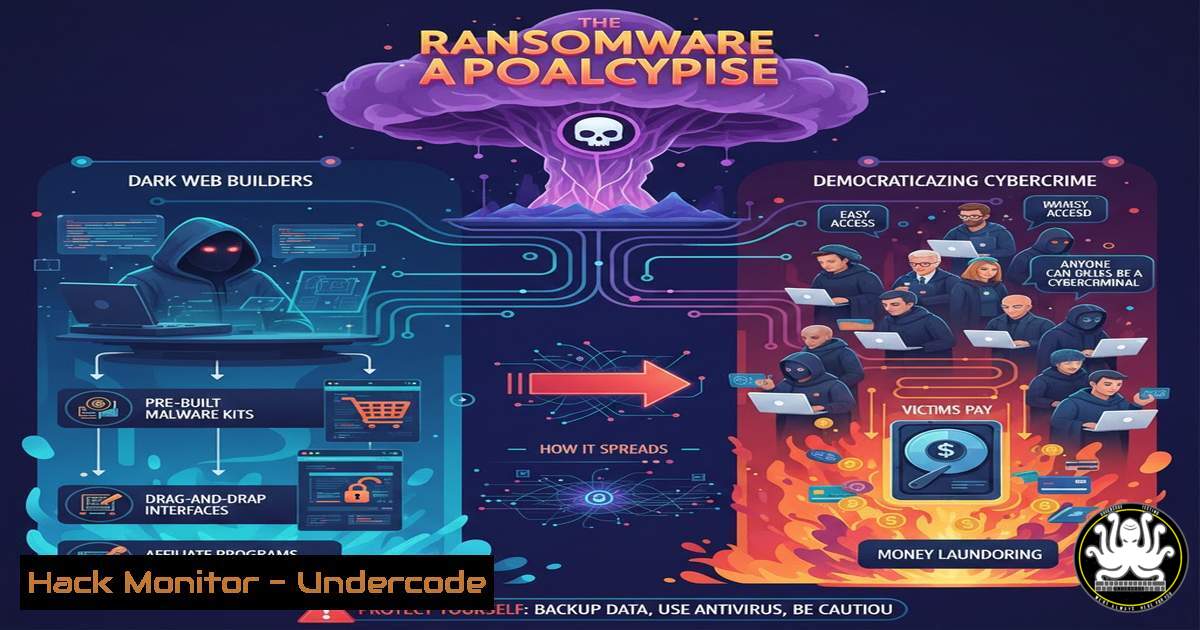
The cyber threat landscape is undergoing a catastrophic shift. The technical barrier to launching sophisticated ransomware attacks has collapsed, thanks to the widespread availability of Ransomware-as-a-Service (RaaS) builders on dark web forums. These GUI-based toolkits allow even low-skilled threat actors to create, customize, and deploy devastating ransomware payloads, turning cybercrime into a plug-and-play operation.
Learning Objectives:
- Understand the functionality and proliferation of ransomware builders on dark web markets.
- Learn proactive defense and detection strategies to identify builder-generated ransomware.
- Implement hardening techniques for both Windows and Linux systems to mitigate ransomware impact.
You Should Know:
1. The Anatomy of a Modern Ransomware Builder
Ransomware builders are sophisticated software suites that provide a graphical user interface for configuring malicious payloads. Attackers can customize encryption algorithms (AES-256, RSA-2048), set ransom amounts and payment deadlines, create custom ransom notes, and even specify file extensions to target while excluding critical system folders to avoid crashing the machine before encryption is complete. These builders often package the final payload with obfuscation and anti-analysis features to evade basic antivirus detection.
Step-by-step guide explaining what this does and how to use it.
Builder Interface: A cybercriminal accesses a builder, often a single executable file.
Configuration: They fill in fields for:
Payment Address: Bitcoin or Monero wallet.
Ransom Note: Text displayed to the victim.
Encryption Settings: Selection of strong ciphers.
Exclusion Lists: Directories like `/Windows/System32` or `/bin` to avoid.
Build & Compile: The builder compiles the configured options into a standalone, executable ransomware binary, often protected with a packer like UPX.
Distribution: The binary is distributed via phishing emails, malicious ads, or exploit kits.
2. Proactive Network Monitoring for Builder Activity
Many ransomware families, especially those derived from builders, communicate with Command and Control (C2) servers before, during, or after the encryption process. Monitoring for these communications can provide an early warning.
Step-by-step guide explaining what this does and how to use it.
Deploy a Network Monitoring Solution: Use tools like Security Onion, Zeek (formerly Bro), or Suricata.
Implement Threat Intelligence Feeds: Integrate IoC (Indicators of Compromise) feeds that track known ransomware C2 servers and domains associated with builder campaigns.
Analyze DNS Logs: Look for DNS queries to newly registered domains (NRDs) or domains with a low reputation score. A Suricata rule to detect potential C2 traffic might look for specific SSL certificate issuers used by malware:
`alert tls any any -> any any (msg:”Potential Malicious SSL Certificate”; ja3.hash; content:”a0a1a2a3a4a5a6a7a8a9b0b1b2b3b4″; sid:1000001;)`
Correlate Alerts: An alert from an endpoint detection tool coupled with an outgoing connection to a low-reputation IP should trigger an immediate incident response.
3. Hardening Windows Against Ransomware Execution
Windows systems are primary targets. Hardening them involves restricting the execution of unauthorized software and protecting critical resources.
Step-by-step guide explaining what this does and how to use it.
Implement Application Whitelisting: Use Windows AppLocker or a third-party solution to create policies that only allow approved executables, scripts, and installers to run.
PowerShell Command to Create a Default Deny AppLocker Policy:
`New-AppLockerPolicy -RuleType Publisher, Path -User Everyone -Xml | Set-AppLockerPolicy -Merge`
Disable Office Macros: Block macros from running in Office files from the internet via Group Policy: Computer Configuration -> Administrative Templates -> Microsoft Office 2016 -> Security Settings -> Block macros from running in Office files from the Internet.
Use Controlled Folder Access: Enable this feature in Windows Defender to protect sensitive folders from unauthorized changes by untrusted applications.
PowerShell Command:
`Set-MpPreference -EnableControlledFolderAccess Enabled`
4. Linux Server Hardening for Ransomware Defense
Linux servers, particularly web and database servers, are high-value targets for ransomware actors seeking to encrypt critical data.
Step-by-step guide explaining what this does and how to use it.
Principle of Least Privilege: Ensure services and users run with the minimum privileges required. Avoid running applications as the `root` user.
Implement File Integrity Monitoring (FIM): Use tools like AIDE (Advanced Intrusion Detection Environment) or Osquery to monitor critical system and web directories for unauthorized changes.
Linux Commands to Initialize and Check with AIDE:
`sudo aide –init`
`sudo mv /var/lib/aide/aide.db.new.gz /var/lib/aide/aide.db.gz`
`sudo aide –check`
Restrict SSH Access: Disable password-based SSH login and use key-based authentication only. Implement fail2ban to block brute-force attacks.
Edit `/etc/ssh/sshd_config`:
`PasswordAuthentication no`
`PermitRootLogin no`
5. Creating YARA Rules for Detection
YARA is a powerful tool for identifying and classifying malware based on textual or binary patterns. You can create custom rules to detect known ransomware builder families.
Step-by-step guide explaining what this does and how to use it.
Analyze Threat Reports: Obtain samples or reports on builder-generated ransomware (e.g., “HAKUNAMATATA,” “Chaos”).
Identify Unique Strings: Use disassemblers or static analysis tools to find unique strings in the binary, such as ransom note text, mutex names, or API calls.
Write the YARA Rule: Create a rule that triggers on these patterns.
Example YARA Rule for a Generic Ransomware Builder Payload:
rule Ransomware_Builder_Generic_1 {
meta:
description = "Detects potential ransomware from builders"
author = "Your Name"
date = "2024-01-01"
strings:
$s1 = "Your files have been encrypted" wide ascii
$s2 = "Send Bitcoin to" wide ascii
$s3 = { 6A 00 68 00 00 00 00 6A 00 FF 15 ?? ?? ?? ?? } // Common API call pattern
condition:
2 of them
}
Deploy the Rule: Scan your network shares and endpoints with this rule using tools like Thor Lite or ClamAV with YARA support.
- Incident Response: Isolating and Eradicating a Ransomware Infection
If you detect ransomware activity, a swift and methodical response is critical to prevent widespread encryption.
Step-by-step guide explaining what this does and how to use it.
Step 1 – Immediate Isolation: Disconnect the infected machine from the network both wired and wireless. Do not turn it off, as volatile memory may contain forensic evidence.
Step 2 – Identify the Strain: Use the ransom note filename and extension, or tools like ID Ransomware, to identify the ransomware family. This informs decryption possibilities.
Step 3 – Contain the Spread: Check connected network shares, cloud storage, and backup systems for signs of encryption. Isolate or take them offline if necessary.
Step 4 – Eradicate and Recover: Wipe the infected system completely. Restore from a known-clean, offline backup. Before bringing systems back online, patch the vulnerability that allowed the initial compromise.
What Undercode Say:
- The democratization of ransomware via builders has fundamentally lowered the entry bar for cybercriminals, leading to an exponential increase in attack volume and frequency.
- Defense-in-depth is no longer optional; it is a survival requirement. Relying solely on traditional antivirus is a recipe for disaster.
The proliferation of ransomware builders represents a strategic inflection point in cybersecurity. The market dynamics on forums like Craxpro show a mature software economy, complete with customer support, version updates, and cracked software. This commoditization means that the primary motivation for an attacker is no longer technical prowess but simply intent. Organizations must now assume that any attacker, regardless of skill, can wield a potent digital weapon. The focus of defense must shift from purely prevention to a balance of prevention, robust detection, and resilient recovery capabilities. Investing in advanced endpoint protection, network segmentation, and immutable backups is now the baseline cost of doing business in a digital world.
Prediction:
The next 18-24 months will see the rise of AI-powered ransomware builders. These tools will use generative AI to create highly targeted, polymorphic ransomware code that can change its signature with each build, rendering traditional hash-based and simple signature-based detection useless. Furthermore, we will see these builders begin to automatically incorporate cloud-specific attack modules, directly targeting S3 buckets, Azure Blob Storage, and SaaS applications, leading to a new wave of cross-platform, cloud-centric ransomware campaigns.
🎯Let’s Practice For Free:
IT/Security Reporter URL:
Reported By: Shivam Mittal2023 – Hackers Feeds
Extra Hub: Undercode MoN
Basic Verification: Pass ✅


