Listen to this Post
Introduction:
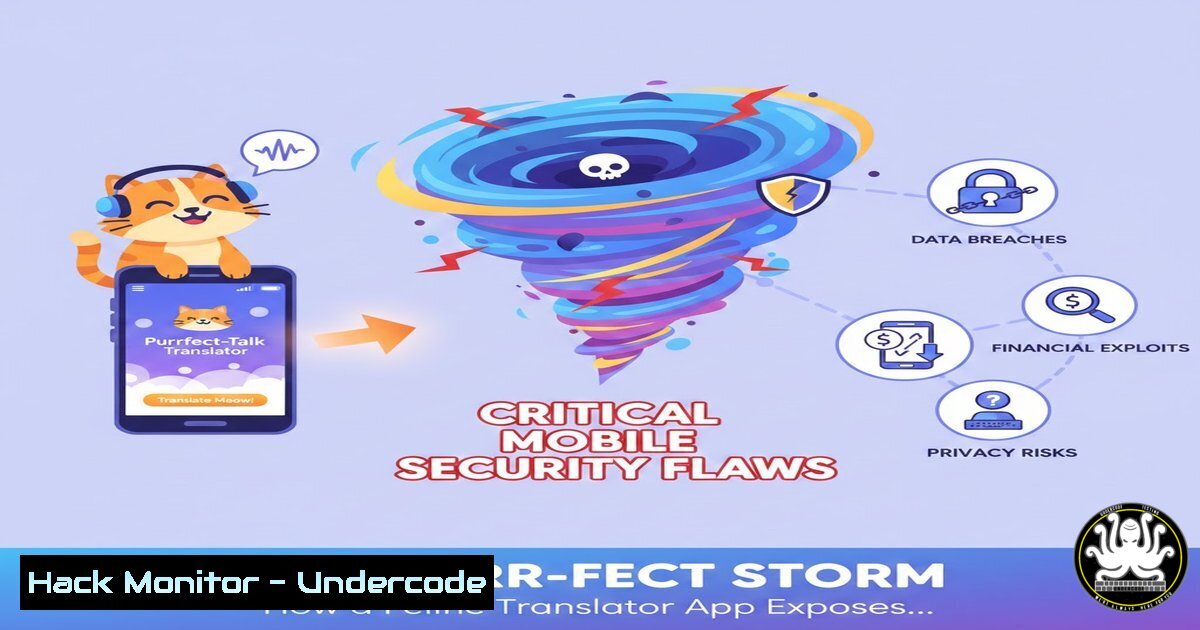
The launch of a whimsical “Kitty Translator” app serves as a stark reminder that even the most innocuous applications can harbor significant cybersecurity risks. In an era of escalating mobile threats, understanding the underlying vulnerabilities in app architecture, data handling, and AI model integrity is no longer optional for developers and security professionals. This article deconstructs the potential attack vectors hidden within seemingly simple apps and provides a technical blueprint for mitigation.
Learning Objectives:
- Analyze the data privacy and permission overreach risks in mobile applications, even non-malicious ones.
- Understand the security implications of on-device versus cloud-based AI model processing.
- Implement hardening techniques for mobile applications to prevent data exfiltration and unauthorized access.
You Should Know:
- The Illusion of Harmlessness: Data Harvesting Through “Fun” Apps
The “Nico’s Kitty Translator” app, while presented as a simple toy, operates on a principle common to both legitimate and malicious software: it requires access to your device’s microphone. The step-by-step process—record audio, press translate, receive output—masquerades a complex data processing operation. The immediate question for a security professional is: where is this audio processed, and what happens to the recording post-translation?
Step-by-Step Guide to Analyzing App Permissions:
Android (using ADB):
After installing the app, connect your device to a computer with Android Debug Bridge (ADB) enabled. You can query the permissions the app requests using:
`adb shell dumpsys package [package.name.of.kitty.translator] | grep permission`
This command lists all permissions the app holds, allowing you to identify if it requests sensitive access like `android.permission.INTERNET` (which could send recordings to a remote server) or `android.permission.WRITE_EXTERNAL_STORAGE` (which could save files without your knowledge).
iOS (Manual Inspection):
On an iPhone, navigate to Settings > Privacy & Security > [App Name] to see what resources it can access (Microphone, Speech Recognition, etc.). Crucially, check Settings > [Your Name] > iTunes & App Store > [App Name] to see if it uses data collection policies, a common vector for information leakage.
2. On-Device vs. Cloud AI: The Security Trade-Off
The core functionality of translation relies on an AI model. The security posture of the app hinges entirely on where this model executes. A cloud-based model transmits your audio to a remote server, creating a potential point of interception or data mishandling. An on-device model is more secure but requires robust local security to prevent reverse-engineering.
Step-by-Step Guide to Basic Network Analysis for Data Exfiltration:
- Set up a Proxy: Use a tool like Burp Suite or OWASP ZAP configured as a proxy for your mobile device.
- Intercept Traffic: Perform the translation action in the app while the proxy is running.
- Analyze Requests: Look for HTTP/HTTPS requests sent to external domains immediately after pressing “Translate.” A request to an unknown API endpoint containing an audio blob or encoded data is a major red flag, indicating that your pet’s “meows” are being sent to a third-party server, potentially for undisclosed training or profiling purposes.
-
Input Validation and Model Poisoning in AI-Powered Apps
Even a “for fun” AI is susceptible to adversarial attacks. An app that translates cat meows could be vulnerable to input that confuses its model. A malicious actor could play specific audio frequencies not audible to humans to trigger unexpected behaviors or crash the app, a form of Denial-of-Service (DoS).
Step-by-Step Guide to Basic Input Fuzzing:
- Tool Selection: Use a fuzzing tool like `ffuf` for web APIs or a custom script for mobile apps.
- Target Identification: If the app uses a cloud API, target the translation endpoint.
- Fuzz: Send a massive number of malformed or unexpected audio files or data packets to the endpoint.
`ffuf -w /path/to/audio_payloads.txt -u https://api.kittytranslator.com/v1/translate -X POST`
The goal is to see if the API returns errors, crashes, or behaves in an unpredictable way, revealing underlying code vulnerabilities.
4. Hardening the Mobile Application Sandbox
Both Android and iOS use sandboxing to isolate apps. However, misconfigurations can weaken these walls. Developers must ensure their apps adhere to the principle of least privilege.
Developer Commands for Android Hardening:
In your AndroidManifest.xml, audit permissions. Remove any that are not critical. For file storage, use internal storage or scoped storage. To check for world-readable/writable files on a rooted device, use:
`adb shell find /data/data/[package.name]/ -type f -perm -o=w`
This command finds files that are writable by “others,” a critical misconfiguration.
5. The Supply Chain Risk in Third-Party Libraries
It is highly unlikely the developer built the AI translation model from scratch. They likely used a third-party SDK or library. A vulnerability in this library becomes a vulnerability in every app that uses it.
Step-by-Step Guide to Dependency Scanning:
- For Developers: Integrate Software Composition Analysis (SCA) tools like OWASP Dependency-Check, Snyk, or GitHub’s Dependabot into your CI/CD pipeline.
- For Analysts: Use mobile security scanners like MobSF (Mobile Security Framework). You can load an APK into MobSF, and it will automatically enumerate third-party libraries and identify known CVEs associated with them.
`docker pull opensecurity/mobile-security-framework-mobsf`
`docker run -it -p 8000:8000 opensecurity/mobile-security-framework-mobsf`
What Undercode Say:
- The most significant threats often originate from applications we perceive as low-risk, normalizing dangerous data-sharing habits.
- The integration of AI, even in trivial applications, exponentially increases the attack surface, introducing risks related to data integrity, model security, and supply chain vulnerabilities.
Analysis: The post about the cat translator is a microcosm of the modern application security landscape. It highlights a critical disconnect between user perception and technical reality. Users see a fun gadget; security professionals see a potential data collection tool, a vector for AI model exploitation, and a node in a complex software supply chain. The app’s disclaimer, “Do not purchase stocks… based upon what your cat says,” is a legal safeguard, but it does nothing to address the technical risks of the microphone access and data processing it requires. This incident underscores the necessity of “Security by Design,” where applications are built with a security-first mindset from the ground up, regardless of their perceived frivolity.
Prediction:
The convergence of AI and consumer-grade mobile applications will lead to a new class of “boutique” cyber threats. We will see a rise in attacks targeting the integrity of on-device AI models, using poisoned data to manipulate app behavior for fraud or disinformation. Furthermore, the data harvested from these “low-risk” apps will be aggregated to build sophisticated behavioral profiles, enabling highly targeted social engineering attacks that bypass traditional security awareness. The cat translator of today could be the training ground for the phishing campaign of tomorrow.
🎯Let’s Practice For Free:
IT/Security Reporter URL:
Reported By: Heathernoggle The – Hackers Feeds
Extra Hub: Undercode MoN
Basic Verification: Pass ✅


