Listen to this Post
Introduction:
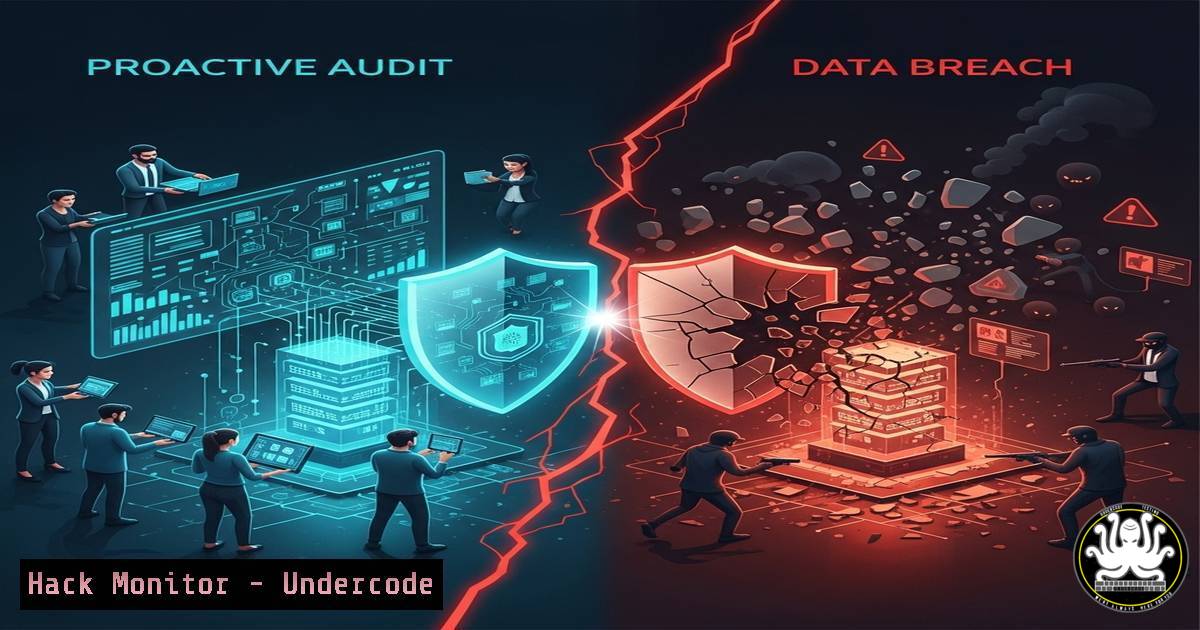
A preventive cybersecurity audit is not an expense but a critical investment in organizational resilience. It systematically identifies and remediates vulnerabilities before they can be exploited, transforming your security posture from reactive to proactive and safeguarding your most valuable assets from catastrophic compromise.
Learning Objectives:
- Understand the core components and value proposition of a comprehensive cybersecurity audit.
- Learn practical commands and techniques for conducting initial internal vulnerability assessments.
- Develop a actionable framework for hardening systems and preparing for a formal audit.
You Should Know:
1. Network Reconnaissance: Mapping Your Attack Surface
The first step in understanding your vulnerability is seeing your network from an attacker’s perspective. This involves discovering live hosts and identifying open ports running potentially vulnerable services.
`nmap -sS -sV -O 192.168.1.0/24`
What this does: This Nmap command performs a SYN stealth scan (-sS) against the entire 192.168.1.0/24 subnet to discover live hosts. It also attempts to determine the version of services running on open ports (-sV) and fingerprint the operating system of the target machines (-O).
How to use it:
- Install Nmap on your Linux or Windows (via command prompt) system.
- Replace the IP range (
192.168.1.0/24) with your own network’s range. - Run the command from a system with appropriate network permissions. Analyze the output to create an inventory of all devices and services on your network.
2. Vulnerability Scanning with OpenVAS
While Nmap finds openings, a vulnerability scanner like OpenVAS (now Greenbone Vulnerability Management) probes them for known weaknesses, misconfigurations, and outdated software.
`gvm-cli socket –xml “
What this does: This command queries the OpenVAS/GVM server via its CLI to list all configured scanning tasks. Managing tasks is central to scheduling and running vulnerability assessments.
How to use it:
1. Set up a Greenbone Vulnerability Management server.
- Authenticate with the `gvm-cli` tool using your credentials.
- Use various XML commands to create targets, tasks, start scans, and generate reports. The output is an XML report detailing CVEs, severity scores, and remediation advice for each found vulnerability.
3. Windows Server Hardening: Auditing User Privileges
Excessive user privileges are a primary vector for lateral movement in a breach. Regularly auditing local administrators on critical Windows systems is non-negotiable.
`net localgroup Administrators`
What this does: This simple but powerful Windows command-line utility displays all members of the local “Administrators” group on the machine where it is executed.
How to use it:
- Open Command Prompt or PowerShell as an administrator.
- Execute the command. Scrutinize the list of users and groups. Any unfamiliar or unnecessary accounts should be removed immediately using
net localgroup Administrators [bash] /delete.
4. Linux Server Hardening: Securing SSH Access
The SSH service is a prime target. Hardening it drastically reduces the attack surface for your Linux infrastructure.
`sudo nano /etc/ssh/sshd_config`
What this does: This command opens the SSH server configuration file for editing. Key directives to change include:
`PermitRootLogin no` (Disables direct root login)
`PasswordAuthentication no` (Forces key-based authentication)
`Protocol 2` (Forces use of the more secure protocol version)
`AllowUsers [bash]` (Explicitly allows only specific users)
How to use it:
- Open the configuration file with your preferred text editor (vim, nano).
- Modify the above lines, ensuring you have SSH key-based authentication set up for your user before disabling password auth.
- Save the file and restart the SSH service:
sudo systemctl restart sshd. -
Web Application Security: Checking for Common Header Misconfigurations
Misconfigured HTTP headers can lead to security flaws like clickjacking, XSS, and information leakage. Auditing them is crucial for any public-facing web asset.`curl -I https://your-website.com/ | grep -i “x-frame-options\|content-security-policy\|strict-transport-security”`
What this does: This curl command fetches the headers (-I) from a web server. The output is then piped to grep to search for (case-insensitively) key security headers: X-Frame-Options (anti-clickjacking), Content-Security-Policy (XSS mitigation), and Strict-Transport-Security (forces HTTPS).
How to use it:
- Run the command from a terminal, replacing the URL with your own.
- Analyze the output. If these headers are missing or misconfigured, it represents a finding that must be addressed in your web server configuration (e.g., Apache’s .htaccess or Nginx’s .conf files).
6. Cloud Security: Auditing Publicly Accessible S3 Buckets
In AWS, a common misconfiguration is leaving S3 buckets, which often contain sensitive data, open to the public.
`aws s3api get-bucket-policy –bucket YOUR-BUCKET-NAME –query Policy –output text | jq .`
What this does: This AWS CLI command retrieves the JSON policy attached to a specified S3 bucket and formats it for readability using jq. You must look for the `”Principal”: “”` which indicates a public permission grant.
How to use it:
- Ensure the AWS CLI is configured with appropriate credentials.
- Run the command for each bucket in your inventory.
- Review the policy for overly permissive statements. The principle of least privilege should be applied, granting access only to specific, necessary IAM users or roles.
7. Incident Preparedness: Validating Backup Integrity
An audit must verify not just prevention but recovery capabilities. Encrypted, tested backups are the ultimate mitigation.
`sha256sum /path/to/critical_backup.tar.gz`
What this does: This command generates a cryptographic SHA-256 hash of the backup file. By comparing this hash to one generated at the time of creation, you can mathematically verify the backup has not been altered, corrupted, or tampered with.
How to use it:
- Generate a hash immediately after creating a backup and store it securely separately from the backup itself.
- Periodically, as part of an audit, re-generate the hash of the stored backup file.
- Compare the new hash to the original. If they match exactly, the backup’s integrity is confirmed. This should be part of a full disaster recovery drill.
What Undercode Say:
- Perception is Deceiving: The greatest risk is the false belief that “it won’t happen to us.” This complacency is the vulnerability most frequently and successfully exploited by threat actors, far more than any software flaw.
- Cost is Relative: The financial outlay for a comprehensive audit and subsequent hardening is consistently orders of magnitude lower than the direct financial loss, regulatory fines, operational downtime, and irreversible reputational damage caused by a single significant breach.
The paradigm is shifting. Cybersecurity is no longer a niche IT concern but a fundamental pillar of business continuity and corporate governance. The post advocating for audits highlights a universal truth in risk management: prevention is profoundly more efficient than crisis response. Organizations that internalize this, moving from a reactive to a proactive and continuous security stance, will be the ones that survive and earn trust in the digital economy. The technical commands outlined are not a replacement for a full audit but represent the first steps toward a culture of security self-awareness, demystifying the process and empowering teams to take initial ownership of their defensive posture.
Prediction:
The escalating sophistication and industrialization of cyber threats, particularly with AI-powered automation, will make manual, infrequent security checks utterly obsolete. Organizations that fail to adopt a continuous auditing mindset, leveraging automated compliance scanning and real-time threat detection, will find themselves unable to keep pace with the attack volume. The future of cybersecurity belongs to predictive analytics and automated remediation, where audits are not periodic events but a constant, integrated function of the IT ecosystem. The gap between audited and non-audited organizations will transform from a competitive advantage into a chasm of survivability.
🎯Let’s Practice For Free:
IT/Security Reporter URL:
Reported By: Malioudia Un – Hackers Feeds
Extra Hub: Undercode MoN
Basic Verification: Pass ✅


