
Listen to this Post
Introduction:
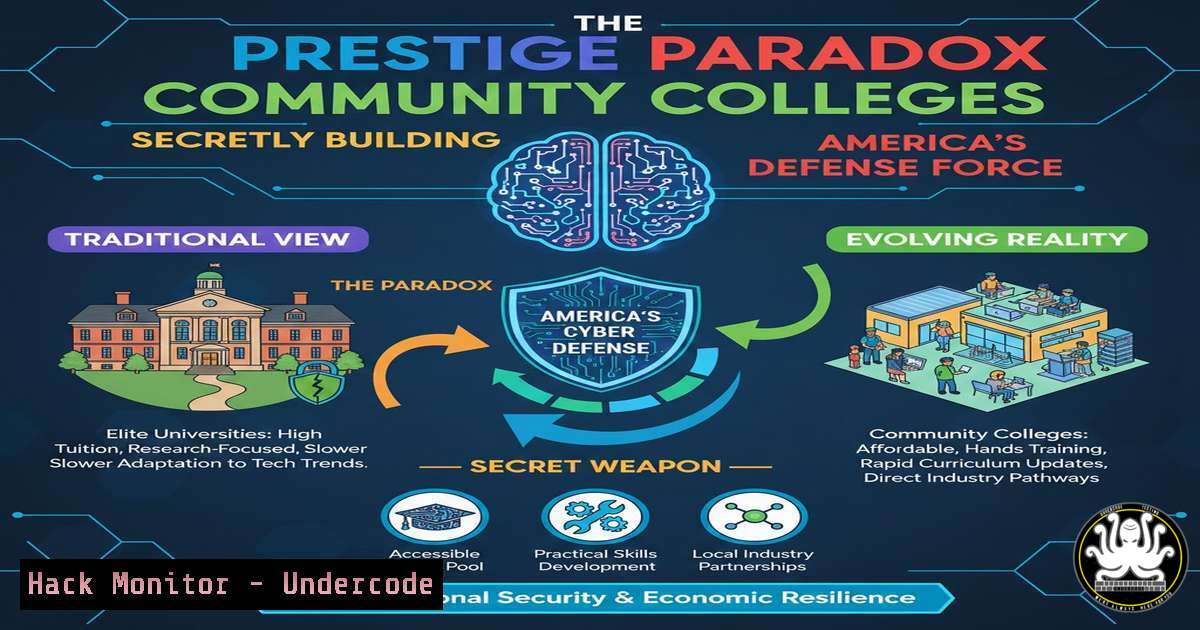
In an industry plagued by a critical skills gap, the obsession with elite university pedigrees is blinding organizations to the most potent and pragmatic talent pipeline: community colleges. These institutions are deploying hyper‑local, cost‑effective, and skills‑first programs that directly feed into cybersecurity, IT, and cloud roles, creating job‑ready defenders faster and with less debt than traditional four‑year paths. This shift represents a strategic realignment from credential signaling to competence building, a necessity for national cyber resilience.
Learning Objectives:
- Understand the economic and pedagogical advantages of community college IT and cybersecurity programs.
- Identify key technical skills and certifications that are commonly mastered in these accelerated pathways.
- Learn practical, hands‑on commands and configurations for core security tools often taught in such curricula.
- Evaluate a candidate based on skill demonstrations rather than academic pedigree.
- Implement a personal upskilling plan using low‑cost, high‑impact educational resources.
You Should Know:
- The Hands‑On Lab Advantage: From Theory to Terminal
Community college programs often emphasize immediate, practical application. A typical networking or security fundamentals course will have students interacting with live systems from day one. This bridges the gap between theoretical concepts and operational command.
Step‑by‑step guide explaining what this does and how to use it:
Task: Conduct a basic network reconnaissance using command‑line tools available in both Linux and Windows.
On Linux (using Kali/WSL):
Open a terminal. Identify your network interface with `ip a` or ifconfig.
Discover live hosts on your local network: `sudo netdiscover -r 192.168.1.0/24` (adjust subnet accordingly).
Perform a simple port scan on a target host: nmap -sV -O 192.168.1.105. This identifies open ports, running services, and the OS.
On Windows (using PowerShell):
Open PowerShell as Administrator. Get network adapter info: Get-NetIPAddress.
Test connectivity to a range of addresses: 1..254 | ForEach-Object {Test-Connection -ComputerName "192.168.1.$_" -Count 1 -AsJob} | Get-Job | Receive-Job.
Use the built‑in `Test-NetConnection` for port checks: Test-NetConnection -ComputerName 192.168.1.105 -Port 443.
- Cloud & API Security Fundamentals: The Modern Curriculum Edge
Aligned with local industry advisory boards, these programs rapidly integrate in‑demand skills like cloud security (AWS, Azure) and API hardening, often through vendor‑specific certificates.
Step‑by‑step guide explaining what this does and how to use it:
Task: Secure an AWS S3 bucket using the AWS CLI, a common misconfiguration leading to data breaches.
1. Install and configure the AWS CLI with your credentials: aws configure.
2. Create a bucket (replace uniquename): aws s3api create-bucket --bucket my-secure-uniquename-bucket --region us-east-1.
3. CRITICAL STEP: Block all public access by default:
`aws s3api put-public-access-block –bucket my-secure-uniquename-bucket –public-access-block-configuration “BlockPublicAcls=true, IgnorePublicAcls=true, BlockPublicPolicy=true, RestrictPublicBuckets=true”`
4. Verify the setting: aws s3api get-public-access-block --bucket my-secure-uniquename-bucket.
3. Vulnerability Management: Passive Reconnaissance with OSINT Tools
Before any penetration test, information gathering is key. Community college cyber courses frequently introduce Open‑Source Intelligence (OSINT) tools.
Step‑by‑step guide explaining what this does and how to use it:
Task: Use `theHarvester` to gather emails, subdomains, and IPs related to a target domain.
1. On Kali Linux or via Docker: sudo docker run --rm -it reconng/theharvester.
2. Run a basic collection from multiple sources (e.g., Google, LinkedIn):
`theHarvester -d example.com -b google,linkedin -l 100 -f report.html`
3. Analyze the `report.html` file. This data helps map an organization’s digital footprint and potential attack surfaces.
- Active Defense: Configuring a Host‑Based Firewall (Windows & Linux)
Job‑ready skills include configuring basic host defenses, a core IT function.
Windows (via PowerShell): Create a rule to block an inbound port.
`New-NetFirewallRule -DisplayName “Block Port 4444” -Direction Inbound -LocalPort 4444 -Protocol TCP -Action Block`
Linux (usingufw): Simplicity is key for rapid deployment.
`sudo ufw enable` Turn on the firewall.
`sudo ufw allow ssh` Allow SSH before locking yourself out.
`sudo ufw deny from 203.0.113.100` Block a specific malicious IP.
- Log Analysis & Threat Hunting: The First Line of Defense
Security operations center (SOC) analyst roles demand log parsing skills. Courses teach tools likegrep,awk, and Splunk fundamentals.
Step‑by‑step guide explaining what this does and how to use it:
Task: Analyze an Apache access log for potential brute‑force attacks. - Download a sample log file to your Linux machine.
- Look for multiple failed login attempts (HTTP 401/403 status) from a single IP:
`grep ” 401\|403 ” access.log | awk ‘{print $1}’ | sort | uniq -c | sort -rn | head -10`
This command isolates IPs ($1) with failed accesses, counts them, and shows the top 10 offenders.
6. Scripting for Automation: The Force Multiplier
Python and Bash scripting are taught not as abstract concepts but as tools to automate security tasks.
Example Python Script (Password Strength Checker):
import re
def check_password(password):
if len(password) < 12:
return "Weak: Less than 12 characters."
if not re.search(r"[A-Z]", password):
return "Weak: No uppercase letter."
if not re.search(r"[a-z]", password):
return "Weak: No lowercase letter."
if not re.search(r"\d", password):
return "Weak: No digit."
if not re.search(r"[!@$%^&]", password):
return "Weak: No special character."
return "Strong Password."
print(check_password(input("Enter password: ")))
7. The Certification Bridge: From Classroom to SOC
Programs are tightly aligned with certifications like CompTIA Security+, Network+, AWS Cloud Practitioner, and (ISC)² SSCP, providing validated, vendor‑neutral skill proof that hiring managers can trust.
What Undercode Say:
- Prestige is a Poor Proxy for Skill: The cybersecurity battlefield does not care about your alma mater’s brand. It cares about your ability to configure a firewall, read a log, and secure an API endpoint. Community colleges focus relentlessly on these competencies.
- The ROI of Pragmatic Education: A candidate with an associate’s degree, a Security+ cert, hands‑on lab experience, and no debt can be operational in a junior SOC role within 18–24 months—often faster, cheaper, and with more practical skill than a graduate from a theoretical four‑year program.
The analysis is clear: the “prestige gap” is a cognitive bias that weakens organizational security. Hiring managers clinging to elite university filters are ignoring a vast, motivated, and highly trained talent pool graduating from institutions designed for workforce velocity. The future of cybersecurity staffing depends on valuing demonstrable, hands‑on capability over pedigree. Community colleges are not just an alternative; for building a resilient, scalable, and diverse cyber workforce, they are becoming a strategic imperative.
Prediction:
Within the next 3–5 years, forward‑leaning organizations will actively partner with community college systems to create “cyber apprenticeship pipelines,” directly shaping curriculum and guaranteeing interviews for graduates. This demand‑driven model will significantly close the skills gap faster than traditional academia can. Simultaneously, we will see a rise in “skills‑first” hiring platforms that anonymize educational background, forcing a market correction where the premium paid for a prestigious degree in technical fields will sharply decline, replaced by a premium for verified, certifiable skills and hands‑on project portfolios.
▶️ Related Video (82% Match):
🎯Let’s Practice For Free:
IT/Security Reporter URL:
Reported By: Joshuacopeland Unpopularopinion – Hackers Feeds
Extra Hub: Undercode MoN
Basic Verification: Pass ✅


