
Listen to this Post
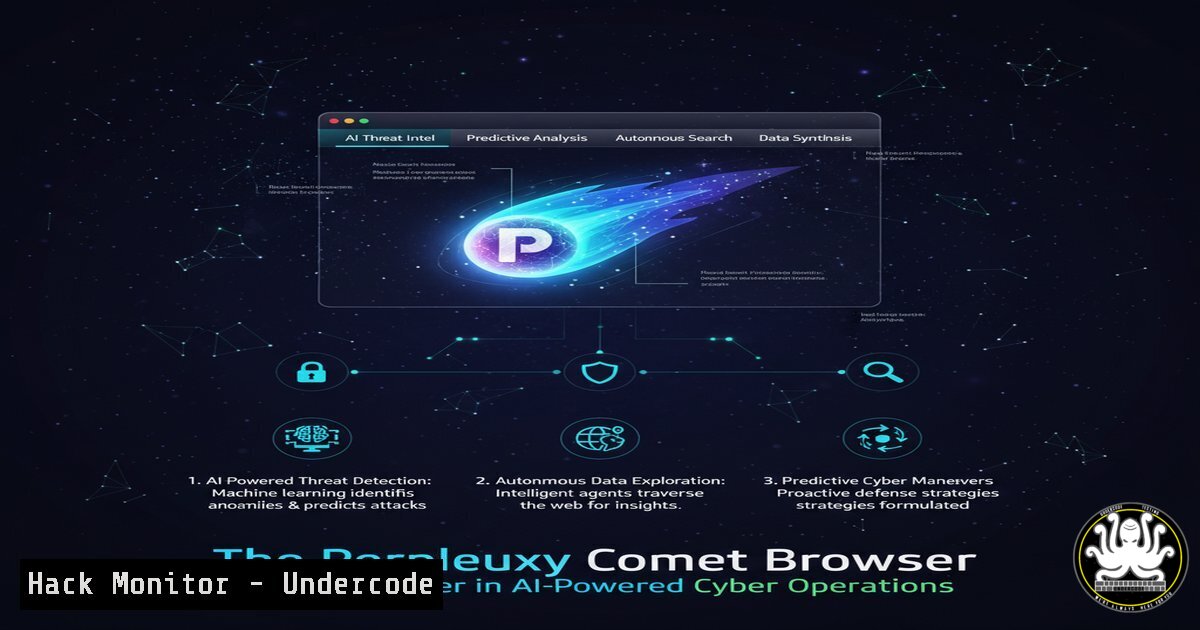
Introduction:
The launch of Perplexity’s Comet browser represents a significant evolution in how artificial intelligence integrates with web navigation and automation. This Chromium-based browser with built-in AI assistance capabilities introduces both powerful productivity tools and novel security considerations that cybersecurity professionals must understand.
Learning Objectives:
- Understand Comet’s AI architecture and its potential attack surface
- Learn security hardening techniques for AI-enhanced browsers
- Develop monitoring strategies for AI-powered browser activities
You Should Know:
1. AI Browser Security Architecture Analysis
Comet’s integration of AI directly into the browsing experience creates new security vectors. The sidebar AI assistant that can summarize pages and automate actions requires extensive permissions.
 Monitor browser processes and AI component interactions
ps aux | grep -i comet
lsof -c Comet | grep log
netstat -tulpn | grep Comet
To analyze Comet’s security footprint:
- Launch Comet browser and immediately check running processes
- Use lsof to identify files and network connections
3. Monitor network traffic for AI API calls
- Check for local data storage of sensitive information
5. Verify encryption of cached AI responses
2. Chromium Base Hardening
Since Comet is Chromium-based, standard Chrome security policies apply but require additional considerations for AI components.
 Chrome policy implementation for enterprise control
cat > /etc/chromium/policies/managed/comet_security.json << EOF
{
"PasswordManagerEnabled": false,
"SafeBrowsingEnabled": true,
"ExtensionInstallBlocklist": [""],
"DefaultNotificationsSetting": 2
}
EOF
Implementation steps:
1. Create enterprise policies directory
2. Configure strict password management settings
3. Enable enhanced safe browsing protections
4. Block extension installations by default
5. Disable notifications to prevent social engineering
3. AI Action Automation Security
Comet’s ability to “automate actions like booking and sending emails” requires careful security validation to prevent unauthorized operations.
 Python script to monitor automated actions
import subprocess
import json

def monitor_browser_actions():
cmd = "lsof -p $(pgrep Comet) | grep -E '(log|config|automation)'"
result = subprocess.run(cmd, shell=True, capture_output=True, text=True)
return result.stdout

Continuous monitoring implementation
while True:
actions = monitor_browser_actions()
if "automation" in actions:
alert_security_team("Potential unauthorized automation detected")
4. Network Traffic Analysis for AI Components
Monitoring Comet’s communication with AI backend services is crucial for detecting data exfiltration.
 Wireshark/tcpdump filters for Comet traffic
tcpdump -i any -w comet_traffic.pcap host api.perplexity.ai
tshark -r comet_traffic.pcap -Y "http.request || http.response" -T fields -e http.host -e http.request.uri

Additional monitoring commands
netstat -an | grep :443 | grep ESTABLISHED
ss -tupn | grep Comet
5. Data Privacy and Context Tracking
Comet’s “context tracking” feature maintains browsing context, creating privacy and data protection concerns.
 Locate and secure Comet data storage
find ~/Library/Application\ Support/ -name "Comet" -type d
find ~/.config/ -name "comet" -type f
sqlite3 ~/Library/Application\ Support/Comet/Local\ State "SELECT  FROM metadata;"

Data encryption verification
file ~/Library/Application\ Support/Comet/.key
openssl enc -aes-256-cbc -d -in encrypted_data -k pass:password
6. Extension Security in AI-Enhanced Environments
Chrome extension compatibility introduces additional attack surfaces when combined with AI capabilities.
// Content script security validation
chrome.runtime.onMessage.addListener((request, sender, sendResponse) => {
if (request.action === "summarizePage") {
// Validate sender and content scope
if (!sender.tab || !isAllowedDomain(sender.tab.url)) {
console.error("Unauthorized summarization request");
return;
}
}
});

// Permission validation function
function validateAIPermissions() {
return new Promise((resolve) => {
chrome.permissions.contains({
permissions: ['ai', 'automation'],
origins: ['https://.perplexity.ai/']
}, (result) => {
resolve(result);
});
});
}
7. Enterprise Deployment Security Controls
For organizations considering Comet deployment, specific security controls must be implemented.
 Windows Group Policy for Comet deployment
 Configure via Administrative Templates for Chrome
Set-GPRegistryValue -Name "Comet Security" -Key "HKLM\SOFTWARE\Policies\Comet" -ValueName "AIAccessControl" -Type DWord -Value 1
Set-GPRegistryValue -Name "Comet Security" -Key "HKLM\SOFTWARE\Policies\Comet" -ValueName "DataRetentionEnabled" -Type DWord -Value 0

Additional security configurations
reg add "HKLM\SOFTWARE\Policies\Comet\Security" /v "BlockThirdPartyCookies" /t REG_DWORD /d 1
reg add "HKLM\SOFTWARE\Policies\Comet\Security" /v "AIDataCollection" /t REG_DWORD /d 0
What Undercode Say:
- AI-integrated browsers represent both productivity breakthroughs and significant security expansion
- The $200/month Perplexity Max tier indicates this technology’s enterprise targeting and associated costs
The Perplexity Comet browser exemplifies the next wave of AI-integrated applications that security teams must proactively address. Its combination of Chromium foundation with advanced AI automation creates a complex security profile where traditional browser security measures are necessary but insufficient. The ability to automate actions based on browsing context introduces novel attack vectors that require specialized monitoring and control mechanisms. Organizations must implement layered security approaches combining traditional browser hardening with AI-specific safeguards, particularly around action automation and context tracking data protection.
Prediction:
The integration of AI assistants directly into browsers will become standard within two years, creating a new category of “AI-assisted browsing” security incidents. We predict a 300% increase in browser-based automation attacks by 2025, with threat actors exploiting AI features for credential harvesting, data exfiltration, and automated social engineering. Security teams must develop specialized expertise in AI browser security to counter these emerging threats effectively.
🎯Let’s Practice For Free:
IT/Security Reporter URL:
Reported By: Cyrilfikolasai Comet – Hackers Feeds
Extra Hub: Undercode MoN
Basic Verification: Pass ✅


