Listen to this Post
Introduction:
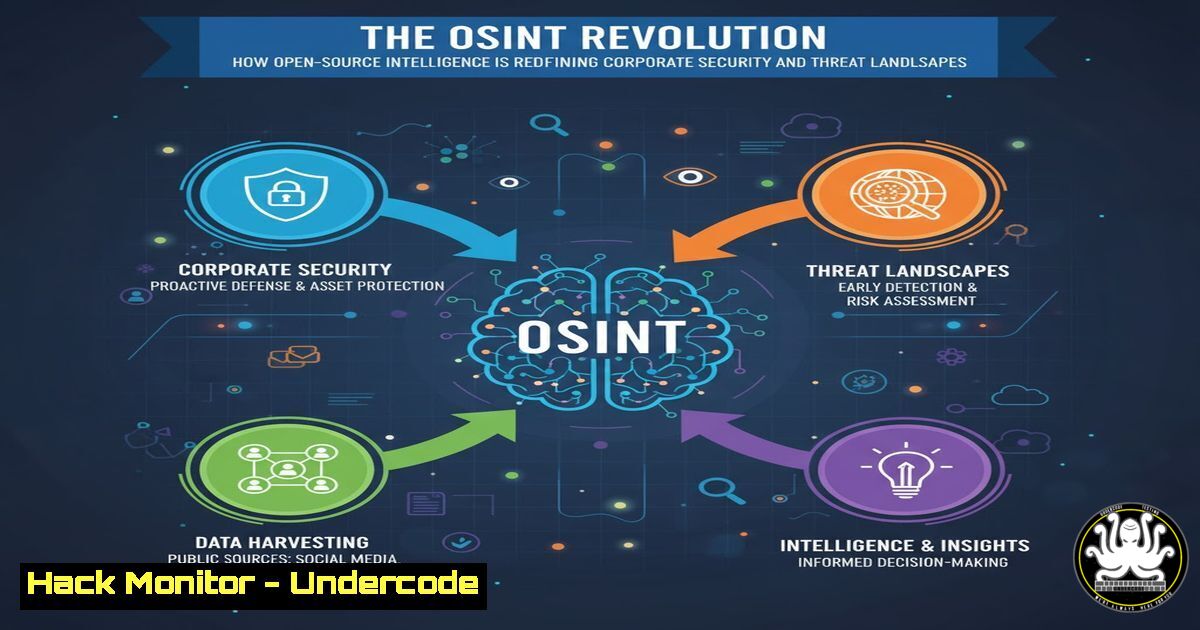
Open-Source Intelligence (OSINT) has evolved from a niche government practice to a cornerstone of modern corporate security and business intelligence. The integration of AI and advanced data analytics is supercharging OSINT capabilities, allowing organizations to map digital footprints, identify threats, and gain a competitive edge from publicly available information. This paradigm shift makes OSINT proficiency an indispensable skill for security professionals, analysts, and business leaders alike.
Learning Objectives:
- Understand the core methodologies and tools used in professional OSINT investigations.
- Learn how to leverage OSINT for corporate threat intelligence and digital risk protection.
- Master the application of AI and data-sifting techniques to automate and enhance OSINT collection.
You Should Know:
1. The Foundation: Recon-ng for Automated Information Gathering
Recon-ng is a powerful, modular OSINT framework written in Python. It automates the process of data collection from a vast array of online sources.
Verified Command List & Tutorial:
 Start Recon-ng
recon-ng

List all available modules
modules search

Load a specific module, e.g., for discovering hosts
modules load recon/domains-hosts/google_site_web

Set module options (like the target domain)
options set SOURCE example.com

Run the module
run

Show results from the database
show hosts
Step-by-Step Guide:
This setup creates a structured workflow for domain reconnaissance. After launching Recon-ng, you search for and load modules relevant to your target, such as `google_site_web` for host discovery. Setting the `SOURCE` option to your target domain (example.com) directs the module. Executing `run` initiates the scan, and the discovered hosts are stored in an internal database, which you can query with show hosts. This automates what would otherwise be a manual and time-consuming search across Google.
2. Harvesting Data with theHarvester
TheHarvester is a cornerstone tool for the initial stages of penetration testing and OSINT, designed to gather emails, subdomains, IPs, and URLs from public sources.
Verified Command List & Tutorial:
 Basic usage to search a domain with multiple data sources
theHarvester -d microsoft.com -b google,bing,linkedin

Limit the number of results for a focused search
theHarvester -d target-company.com -l 200 -b all

Save results to files for later analysis
theHarvester -d example.org -b google -f results.html -v
Step-by-Step Guide:
The `-d` flag specifies the target domain. The `-b` flag chooses the data sources (e.g., google, bing, linkedin). Using `-l` limits the number of results to prevent overwhelming data sets, which is crucial for efficient analysis. The `-f` flag outputs the findings to a file, and `-v` provides verbose output for debugging. This tool provides a critical first look at a company’s public-facing digital assets.
3. Mastering Maltego for Link Analysis
Maltego is a premier tool for visualizing complex relationships between people, groups, domains, and infrastructure. It transforms raw data into an actionable intelligence graph.
Verified Command List & Tutorial:
This is a GUI-based tool, but its power lies in transform sequences.
1. Create a new graph.
- Drag a “Domain” entity from the palette onto the canvas.
- Right-click the domain entity and select “Run Transform.”
- Navigate to `All Transforms` -> `To DNS name
` to find mail servers associated with the domain.</li>
<li>Right-click on a discovered IP address and run `To Domain [bash]` to find other domains sharing the same infrastructure.</li>
</ol>

<h2 style="color: yellow;">Step-by-Step Guide:</h2>

Maltego operates on the principle of "transforms," which are automated queries to various OSINT data sources. Starting with a single piece of data like a domain name, you can recursively apply transforms to discover associated email addresses, network blocks, social media profiles, and documents. This graphical link analysis is invaluable for uncovering hidden relationships and attack paths that would be impossible to see in a text-based list.

<ol>
<li>Shodan: The Search Engine for the Internet of Things
Shodan indexes devices connected directly to the internet, from webcams and servers to industrial control systems. It is a critical tool for attack surface mapping.</li>
</ol>

<h2 style="color: yellow;">Verified Command List & Tutorial:</h2>

[bash]
 Using Shodan CLI after installing and initializing with an API key

Search for a specific product or service
shodan search "Apache httpd 2.4.49"

Count results for a specific country
shodan count "country:US net:192.168.0.0/16"

Get detailed information on a specific host
shodan host 8.8.8.8
Step-by-Step Guide:
The Shodan CLI allows for powerful, scriptable queries from the terminal. The `search` command finds devices based on banners and metadata. Using filters like `country:US` or `net:192.168.0.0/16` narrows down results geographically or by network block. The `host` command provides a comprehensive report on a single IP, including open ports, services, and vulnerabilities. This helps security teams identify improperly exposed assets in their own or a client’s infrastructure.
5. Metadata Extraction with ExifTool
Often, the most sensitive information is hidden within the metadata of publicly shared documents and images. ExifTool reads and writes meta information from a multitude of file types.
Verified Command List & Tutorial:
 Extract all metadata from an image
exiftool image.jpg

Extract specific data, like GPS coordinates and camera model
exiftool -GPSLatitude -GPSLongitude -Model image.jpg

Remove all metadata from a file before publishing (anonymization)
exiftool -all= document.pdf
Step-by-Step Guide:
Running `exiftool` on a file reveals a wealth of information: creation dates, author names, GPS coordinates (from smartphones), and software versions. This is a classic OSINT technique for profiling an individual or verifying the authenticity of a file. The command `exiftool -all=` is a crucial privacy practice, stripping this hidden data to prevent accidental information leakage when sharing files online.
6. Cloud Asset Discovery with Cloud Enum
As organizations migrate to the cloud, traditional subdomain enumeration is insufficient. Cloud Enum specifically searches for targets in cloud environments like AWS, Azure, and Google Cloud.
Verified Command List & Tutorial:
 Install via pip
pip install cloud-enum

Basic usage with multiple cloud providers
cloud_enum -k target-name -k company-name -l output.txt

Target specific cloud platforms
cloud_enum -k target-name --azures --gcps -l cloud_assets.txt
Step-by-Step Guide:
This tool uses permutation-based discovery. You provide one or more keywords (
-k), and it generates a list of potential subdomains, blob storage URLs, and function names to check across cloud platforms. The `–azures` and `–gcps` flags focus the search on Microsoft Azure and Google Cloud Platform, respectively. Finding a misconfigured, publicly accessible cloud storage bucket (“blob”) is a common and critical OSINT discovery.7. Advanced Google Dorking for Precision Searching
Google Dorking, or using Google Advanced Operators, allows investigators to find specific, often hidden, information that is not accessible through a simple search.
Verified Command List & Tutorial:
These are search queries, not terminal commands.
site:github.com "companyname" "password"
filetype:pdf "confidential" "draft"
intitle:"index of" "parent directory" .bak
inurl:/wp-admin/ "target-company.com"
Step-by-Step Guide:
These operators refine search engine results with surgical precision. `site:` restricts the search to a specific domain. `filetype:` looks for specific file extensions. `intitle:` and `inurl:` search for text in the page title and URL, respectively. Combining these operators can uncover exposed sensitive documents, backup files, and unsecured administrative interfaces, forming a core skill in any OSINT practitioner’s toolkit.
What Undercode Say:
- OSINT is Now a Core Business Function. It is no longer confined to security teams. Marketing, legal, and business development are leveraging these techniques for competitive analysis, due diligence, and market research.
- AI is the Force Multiplier. The future lies in using AI to sift through the colossal volume of public data. AI can identify patterns, correlate disparate information points, and generate leads at a scale impossible for humans alone, automating the tedious parts of investigation and freeing analysts for higher-level interpretation.
The convergence of OSINT and AI, as highlighted by industry leaders, signals a fundamental shift. Organizations that fail to build these capabilities internally will be at a significant disadvantage, both defensively and offensively. The ability to see your own digital footprint as an attacker sees it, and to understand the public narrative and technical exposure of your competitors, is becoming a primary determinant of resilience and market agility.
Prediction:
The integration of AI with OSINT will lead to the development of fully autonomous threat intelligence platforms. These systems will continuously monitor the surface, deep, and dark web, providing real-time alerts on data leaks, brand impersonation, and vulnerability discussions specific to an organization. This will shrink the time between exposure and mitigation from days to minutes. Conversely, threat actors will weaponize these same tools, leading to an AI-driven arms race in cyber reconnaissance, making comprehensive digital hygiene and continuous attack surface management non-negotiable for survival in the digital age.
🎯Let’s Practice For Free:
IT/Security Reporter URL:
Reported By: Joathanhatzbani Profile – Hackers Feeds
Extra Hub: Undercode MoN
Basic Verification: Pass ✅🔐JOIN OUR CYBER WORLD [ CVE News • HackMonitor • UndercodeNews ]
📢 Follow UndercodeTesting & Stay Tuned:


