Listen to this Post
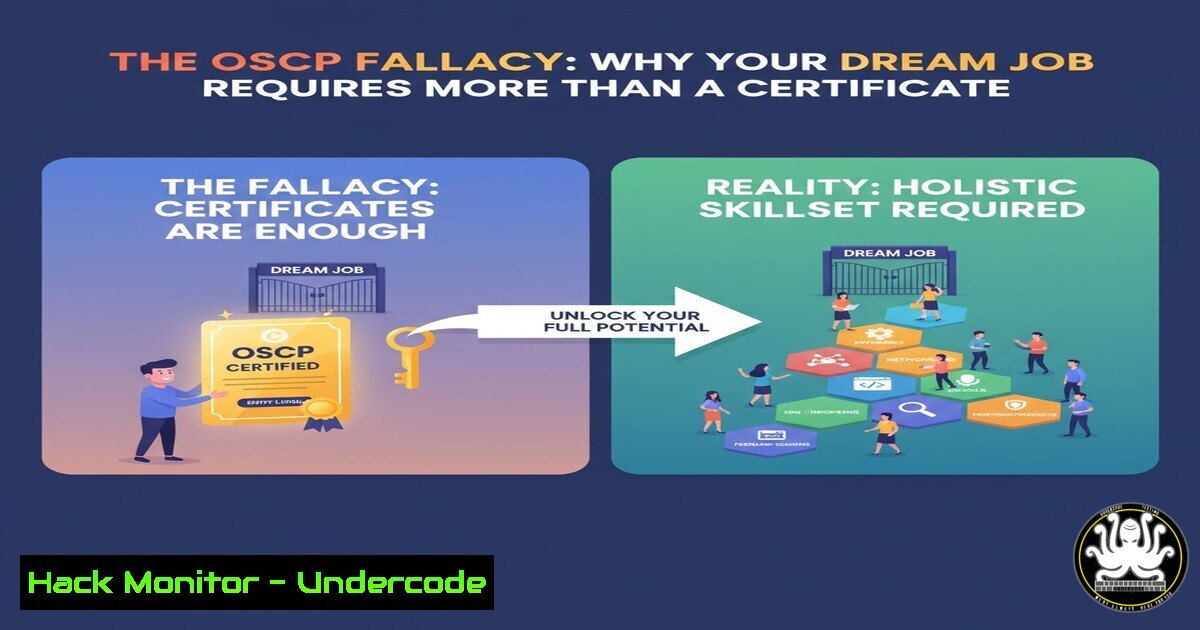
Introduction:
The Offensive Security Certified Professional (OSCP) certification is widely regarded as a gold standard for penetration testing skills, but a common misconception persists that it is a direct ticket to a high-paying cybersecurity role. Industry veterans emphasize that OSCP, while valuable, is not a substitute for the foundational IT experience that employers fundamentally require for security positions. This article deconstructs the “OSCP fallacy” and provides a practical, technical roadmap for building the hands-on expertise that forms the bedrock of a successful security career.
Learning Objectives:
- Understand the critical IT fundamentals that underpin advanced cybersecurity operations.
- Acquire practical, command-level proficiency in Windows and Linux system administration and security.
- Develop a methodology for building and documenting a portfolio of real-world technical skills.
You Should Know:
1. Mastering Network Reconnaissance
Effective security begins with understanding the network landscape. These commands are the first step in any assessment, mirroring tasks often handled by IT support.
ping <target_ip>: A basic utility to test reachability of a host.
Step-by-step: Open a terminal (Linux) or command prompt (Windows). Type `ping 192.168.1.1` (replace with a target IP on your network). It sends ICMP echo requests and displays reply times, confirming basic connectivity.
nmap -sV -sC -O <target_ip>: The quintessential network discovery and security auditing tool.
Step-by-step: After installing Nmap, run this command against a test machine. `-sV` probes open ports to determine service/version info, `-sC` runs default scripts, and `-O` enables OS detection. This provides a detailed map of network services.
`tracert
Step-by-step: This helps identify network routing issues. Run `tracert google.com` to see each hop your connection makes, a common troubleshooting step for help desk analysts.
2. Windows System Administration Fundamentals
Security professionals must understand the systems they are defending. These are core Windows commands for system management.
systeminfo: Displays detailed configuration information about a Windows OS and hardware.
Step-by-step: Run this in Command Prompt. It shows OS version, install date, hotfixes, and hardware specs, crucial for asset inventory and patch management.
`Get-LocalUser | Format-Table Name, Enabled, LastLogon` (PowerShell): Retrieves a list of local users and their status.
Step-by-step: In PowerShell, this command helps audit local accounts, identifying enabled/disabled users and their last logon time—a key user access review task.
netstat -ano | findstr :443: Shows network statistics and identifies processes using specific ports.
Step-by-step: This filters `netstat` output to show what process (PID) is listening on port 443 (HTTPS). Essential for troubleshooting service conflicts and identifying unauthorized listeners.
wmic qfe get Caption,Description,HotFixID,InstalledOn: Lists installed Windows updates.
Step-by-step: This WMIC command provides a patch history, critical for vulnerability management to confirm the presence of security updates.
3. Linux Privilege and Process Management
Mastering the Linux command line is non-negotiable. These commands are used daily by sysadmins and security engineers alike.
sudo crontab -l: Lists the current user’s scheduled cron jobs.
Step-by-step: Checking cron jobs is vital for finding persistence mechanisms or legitimate scheduled tasks. The `sudo` command runs it with elevated privileges if needed.
ps aux | grep <process_name>: Displays a snapshot of currently running processes.
Step-by-step: The `aux` options show all processes for all users. Piping (|) to `grep sshd` would filter the list to only show SSH daemon processes, useful for verifying service status.
find / -perm -4000 2>/dev/null: Searches for files with the SUID (Set Owner User ID) bit set.
Step-by-step: SUID binaries run with the owner’s privileges, a common privilege escalation vector. This command finds them all, starting from the root (/) directory, sending errors to /dev/null.
chmod 600 /path/to/private_key: Changes file permissions to read/write for owner only.
Step-by-step: A fundamental command for securing sensitive files like SSH private keys. `600` is the octal notation for rw-.
4. Active Directory for Security Professionals
Most corporate networks run on Active Directory. Understanding its components is essential for both red and blue teams.
`Get-ADUser -Identity
Step-by-step: Requires the Active Directory module. This is used for deep user account analysis, revealing group membership, last logon, and password settings.
net group "Domain Admins" /domain: Lists all members of the critical “Domain Admins” group.
Step-by-step: Run this on a domain-joined Windows machine from an elevated command prompt. It’s a primary command for auditing highly privileged access.
nltest /dclist:<domain_name>: Lists all Domain Controllers for a given domain.
Step-by-step: A simple command to enumerate the key servers that control the AD environment, identifying primary targets for attackers and defenders.
5. Web Application Security Testing
Many entry-level security roles involve web app testing. These commands help analyze application components.
curl -I https://example.com`: Fetches only the HTTP headers from a web server.sqlmap -u “http://testphp.vulnweb.com/artists.php?artist=1” –batch
Step-by-step: The `-I` (head) option reveals server type, cookies, and security headers, providing an initial fingerprint of the web application.: Automates the detection and exploitation of SQL injection flaws.gobuster dir -u https://example.com -w /usr/share/wordlists/dirb/common.txt
Step-by-step: A powerful tool for testing web app parameters. The `--batch` flag runs it with default options without prompting. Only use on authorized test environments.: Brute-forces directories and files on a web server./backup`, a standard step in web reconnaissance.
Step-by-step: This uses a wordlist to discover hidden paths like `/admin` or
6. Cloud Infrastructure Hardening
Cloud skills are increasingly mandatory. These commands help secure an AWS S3 bucket, a common source of data leaks.
aws s3api put-bucket-acl --bucket my-bucket --acl private: Sets an S3 bucket’s Access Control List (ACL) to private.
Step-by-step: Using the AWS CLI, this command ensures the bucket is not publicly readable, a critical misconfiguration to avoid.
aws s3api put-public-access-block --bucket my-bucket --public-access-block-configuration BlockPublicAcls=true,IgnorePublicAcls=true,BlockPublicPolicy=true,RestrictPublicBuckets=true: Applies a comprehensive public access block.
Step-by-step: This is a more robust security control than ACLs alone, explicitly blocking any public access to the bucket and its objects.
aws iam list-users: Lists all IAM users in the AWS account.
Step-by-step: A fundamental identity and access management command for auditing who has access to your cloud environment.
7. Vulnerability Assessment and Mitigation
Moving from theory to practice involves finding and fixing flaws.
`nessus -q
Step-by-step: After setting up a scan policy in the web interface, the CLI can be used to launch scans, a common task for vulnerability management analysts.
wazuh-agentd -c /var/ossec/etc/ossec.conf: Starts the Wazuh agent, an open-source Host-based Intrusion Detection System (HIDS).
Step-by-step: Installing and configuring a HIDS like Wazuh or OSSEC on a server is a hands-on way to learn log analysis, file integrity monitoring, and threat detection.
sudo ufw enable: Enables the Uncomplicated Firewall (UFW) on Linux.
Step-by-step: A simple command to activate a host-based firewall, a basic but critical system hardening step. Rules can be added with `sudo ufw allow 22/tcp` (for SSH).
What Undercode Say:
- Certifications Open Doors, Experience Builds Careers. An OSCP proves you can pass a difficult lab exam, but it does not demonstrate the years of troubleshooting, system interaction, and operational understanding gained in roles like help desk or sysadmin. Employers hire for proven capability, not just potential.
- The Path is Linear, Not Vertical. The expectation of jumping directly into a penetration testing role is a strategic error. A deliberate path through foundational IT roles provides context, builds professional credibility, and creates a much wider, more stable career runway. The skills honed in these roles—from scripting automated tasks to diagnosing complex network issues—are the very skills that define a competent security professional.
The industry’s message is clear: there are no shortcuts. The “soft” skills developed in customer-facing IT roles—communication, patience, and managing business priorities—are as valuable as any technical command. The most resilient and effective security professionals are those who have built their expertise from the ground up, allowing them to understand not just how to attack a system, but how it was built, how it is maintained, and where the real-world business risks truly lie.
Prediction:
The growing disconnect between certification-focused entrants and experience-focused hiring managers will lead to a market correction. We will see a rise in “apprenticeship” models within cybersecurity teams and a higher valuation for candidates with documented, hands-on IT project portfolios over those with a checklist of certifications but no practical foundation. The future cybersecurity hire will be a T-shaped professional: deep in security expertise, but crucially, broad in fundamental IT knowledge.
🎯Let’s Practice For Free:
IT/Security Reporter URL:
Reported By: Kyserclark Too – Hackers Feeds
Extra Hub: Undercode MoN
Basic Verification: Pass ✅


