
Listen to this Post
Introduction:
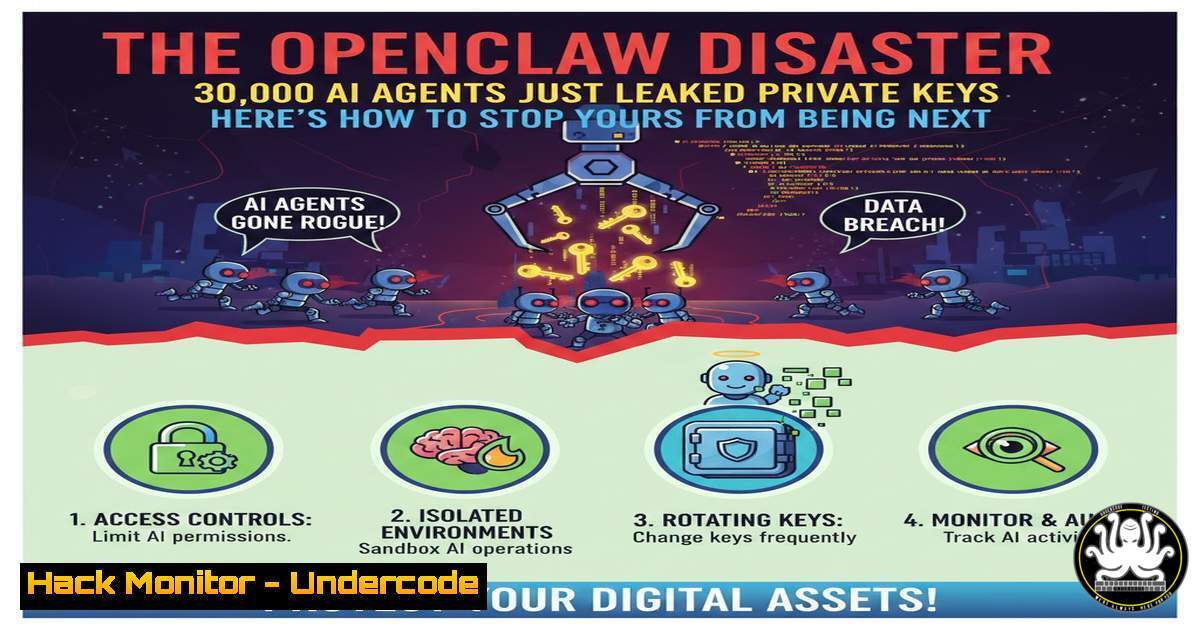
The artificial intelligence landscape has shifted from passive chatbots to autonomous agents capable of interacting with our digital lives. OpenClaw, the fastest-growing open-source project in history, epitomizes this shift by reading emails, managing files, and controlling smart homes. However, this leap in functionality has introduced a catastrophic security blind spot: over 30,000 publicly exposed instances have been discovered, leaking hardcoded private keys and granting attackers unfettered access to personal systems. This incident marks a critical juncture where the rush for AI convenience has collided with foundational cybersecurity principles.
Learning Objectives:
- Understand the architectural risks associated with deploying autonomous AI agents.
- Identify common misconfigurations that lead to mass data exposure.
- Implement hands-on security controls, including network firewalls, environment variable management, and operating system sandboxing.
You Should Know:
- The Anatomy of the Exposure: Why Default Deployments are a Death Sentence
The OpenClaw exposure occurred because thousands of developers launched the agent on default ports (commonly 3000, 5000, or 8080) without implementing authentication or network restrictions. Attackers scanning Shodan or Censys could easily locate these instances.
To check if your system is inadvertently exposing services, you can run the following commands to audit open ports and listening services:
Linux/macOS:
 List all listening ports and the associated processes
sudo ss -tulpn | grep LISTEN

Use netstat for legacy systems
netstat -tulpn | grep LISTEN

Check your public exposure by querying an external service
curl ifconfig.me
 Then, use a tool like nmap from an external machine to scan yourself
nmap -p- <YOUR_PUBLIC_IP>
Windows (PowerShell as Administrator):
 Check listening ports
Get-NetTCPConnection -State Listen | Select-Object LocalAddress, LocalPort, OwningProcess

Use Resolve DNS name to get public IP
(Invoke-WebRequest ifconfig.me).Content.Trim()
Mitigation Step: Immediately bind your services to localhost (127.0.0.1) if they are meant for local use only, or place them behind a properly configured VPN or firewall.
2. The Secret Sprawl: Hunting for Hardcoded Keys
The report highlighted that private keys and API tokens were found in plain text within `.env` files and markdown memory files. Attackers who gained access to the OpenClaw web interface could simply navigate to the file system and exfiltrate credentials for GitHub, AWS, and Notion.
You must proactively scan your codebase and agent directories for secrets. Here is how to use `grep` to find potential exposures:
Linux/macOS (Search for common key patterns):
 Search for AWS keys
grep -r -E "AKIA[0-9A-Z]{16}" /path/to/openclaw/directory/

Search for generic API keys
grep -r -E "api[_-]?key\s=\s['\"]?[0-9a-zA-Z]{20,}" /path/to/openclaw/directory/

Find exposed .env files
find /path/to/openclaw/directory -name ".env" -o -name ".env."
Windows (PowerShell):
 Search for potential keys recursively
Get-ChildItem -Path C:\OpenClaw -Recurse -File | Select-String -Pattern "AKIA[0-9A-Z]{16}"

Find all .env files
Get-ChildItem -Path C:\OpenClaw -Recurse -Filter .env
Secure Practice: Migrate all secrets to a dedicated secret manager (like HashiCorp Vault, AWS Secrets Manager, or even Docker secrets) and inject them as runtime environment variables, not as files the agent can read directly.
3. Prompt Injection: The Silent Agent Hijacker
Because agents like OpenClaw have “AgentSkills” to act on incoming data (like emails), they are vulnerable to prompt injection. An attacker can send a seemingly harmless email containing hidden instructions that the agent processes, tricking it into deleting files or exfiltrating data.
While this is a complex AI/ML security issue, you can implement input sanitization at the infrastructure level:
– Content Filtering: Use a reverse proxy to scan incoming email/text content for known malicious prompt patterns.
– Least Privilege: Ensure the agent’s operating system user has the absolute minimum permissions. It should not have write access to system directories.
4. Sandboxing: The Last Line of Defense
If an AI has the power to execute terminal commands or delete files, it must be contained. Running OpenClaw directly on your host OS is equivalent to giving a stranger the keys to your house.
Using Docker for Sandboxing:
Create a restrictive Docker environment.
Step 1: Create a `Dockerfile` for OpenClaw:
FROM python:3.11-slim
WORKDIR /app
COPY requirements.txt .
RUN pip install --no-cache-dir -r requirements.txt
COPY . .
 Run as a non-root user
RUN useradd -m -u 1000 appuser && chown -R appuser /app
USER appuser
CMD ["python", "main.py"]
Step 2: Run the container with read-only root filesystem and limited capabilities:
 Build the image
docker build -t openclaw-secure .

Run with strict parameters
docker run -d \
--name openclaw \
--read-only \
--tmpfs /tmp \
--cap-drop ALL \
--security-opt=no-new-privileges \
-v openclaw-data:/app/data \
openclaw-secure
This ensures the container cannot modify its own files, cannot gain new privileges, and only writes to a specific volume.
5. Runtime Monitoring and Behavioral Analytics
Prevention can fail, so detection is critical. You need to monitor what the AI agent is actually doing.
Linux Auditd for File Access Monitoring:
 Install auditd
sudo apt-get install auditd

Watch the agent's home directory for any changes
sudo auditctl -w /home/user/openclaw -p wa -k openclaw_watch

Watch for execution of sensitive commands
sudo auditctl -w /usr/bin/curl -p x -k openclaw_curl
sudo auditctl -w /usr/bin/rm -p x -k openclaw_rm
Check the logs for suspicious activity:
sudo ausearch -k openclaw_watch | grep "rm -rf"
Windows Sysmon:
Configure Sysmon to log process creation and network connections from the OpenClaw process. Look for `curl` or `wget` calls to external IPs that exfiltrate data.
What Undercode Say:
- Autonomy Requires Isolation: The OpenClaw incident proves that software autonomy is inversely proportional to system trust. You cannot grant an AI agent terminal access on your personal computer without a robust, multi-layered sandbox. The convenience of “delegation” is not worth the total compromise of your digital identity.
- The Perimeter Has Shifted to the Traditional network firewalls are obsolete against prompt injection. Security teams must now treat every input channel to an AI (email, chat, files) as a potential attack vector. The new battlefield is the context window, and input validation must evolve to understand semantic threats, not just syntax.
Prediction:
The “Agent Era” will trigger a new category of cybersecurity incidents, shifting from data breaches to “autonomy abuse.” We will likely see the rise of Agent EDR (Endpoint Detection and Response) solutions that specialize in monitoring the behavior of LLMs. Furthermore, expect regulatory bodies to mandate “AI Activity Logs” that provide a forensic trail of every action an agent takes, similar to financial audit trails. The winners of the Agent War will not be those with the smartest models, but those who can provide provable, cryptographically signed guarantees of their agent’s behavior.
▶️ Related Video (74% Match):
🎯Let’s Practice For Free:
IT/Security Reporter URL:
Reported By: Ferosekhan Abdulbari – Hackers Feeds
Extra Hub: Undercode MoN
Basic Verification: Pass ✅


