Listen to this Post
Introduction:
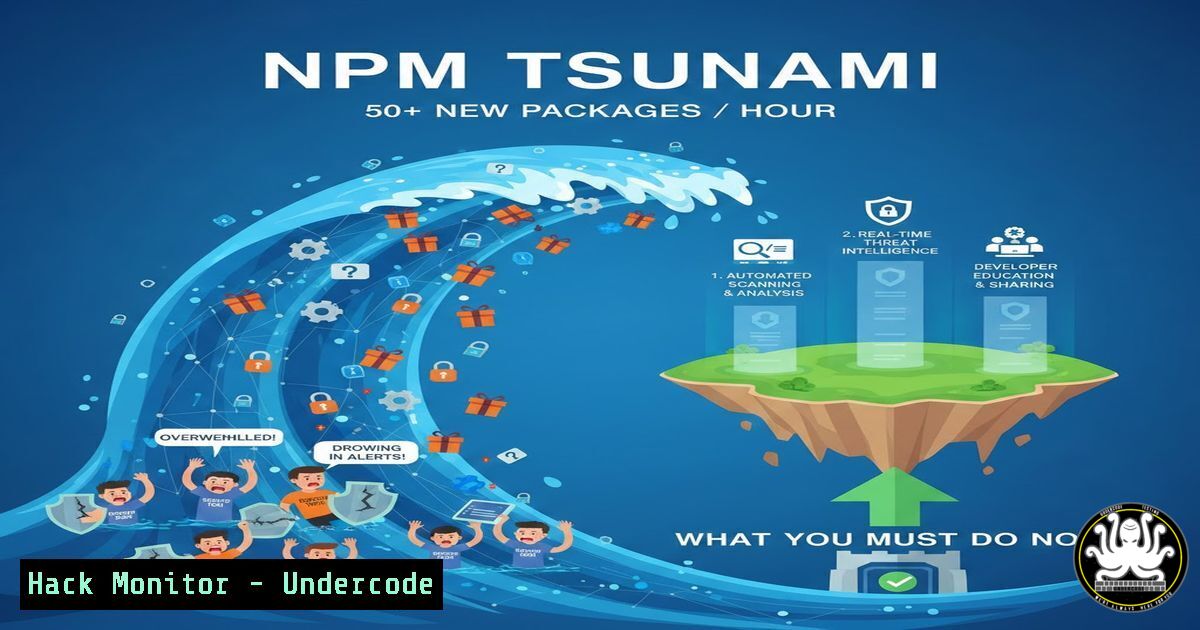
The JavaScript ecosystem is experiencing a hypergrowth crisis, with NPM now adding over 50 new packages every hour and more than one package update per second. This incomprehensible scale, while a testament to developer activity, has created a perfect storm for software supply chain attacks, allowing malicious actors to hide in plain sight amidst the noise. Security teams are facing an existential challenge in separating legitimate innovation from automated spam campaigns and sophisticated malware.
Learning Objectives:
- Understand the scale of the NPM ecosystem and the associated attack surfaces it creates.
- Learn to identify and mitigate common attack vectors like dependency confusion, typo-squatting, and automated spam packages.
- Implement actionable tools and practices to harden your development pipeline against supply chain poisoning.
You Should Know:
- The Staggering Scale: Noise as the Ultimate Attack Vector
The core statistic is mind-boggling: approximately 1,100 new packages are published to NPM daily, with over 134,000 daily events including updates and deletions. This volume isn’t just about scale; it’s a strategic weapon for attackers. Campaigns like “IndonesianFoods” can publish 150,000 spam packages that go unnoticed for over a year because the signal is lost in the noise. The first step for any security-conscious team is visibility.
Step‑by‑step guide:
Monitor the Firehose: Use APIs like `ecosyste.ms` to track ecosystem trends. While you can’t monitor everything, you can track dependencies of your direct dependencies.
Audit Your Dependency Graph: Use `npm ls` to visualize your project’s entire dependency tree and understand your exposure.
 List all dependencies (production and development)
npm ls --all
 Output to a file for analysis
npm ls --all --json > dependency-tree.json
Analyze for Risk: Use a tool like `npm-audit` or a commercial Software Composition Analysis (SCA) tool to get a baseline of known vulnerabilities in your current dependencies.
npm audit
 For a more detailed JSON report
npm audit --json
- Exploiting the Chaos: Common Attack Methodologies in a Vast Registry
Attackers leverage the ecosystem’s size and practices. The prevalence of micro-libraries creates deep, complex transitive dependency graphs, multiplying attack surfaces. Common tactics include Dependency Confusion (uploading a malicious public package with the same name as a private internal one), Typosquatting (packages with names similar to popular ones, like `lodash` vs Iodash), and Brandjacking (fake packages purporting to be from legitimate companies).
Step‑by‑step guide:
Defend Against Typosquatting: Use package-lock.json rigorously to lock dependency versions and hashes, preventing accidental installation of new, similarly-named packages.
Mitigate Dependency Confusion:
On Linux/macOS: Configure your project or system to prioritize private registries. For example, scope your internal packages under a unique namespace (@mycompany/) and configure npm accordingly.
 Set registry for a specific scope
npm config set @mycompany:registry https://private.registry.url/
 Login to your private registry
npm login --registry=https://private.registry.url --scope=@mycompany
On Windows (PowerShell): The commands are similar, but ensure your npm configuration is set correctly in the user profile.
npm config set @mycompany:registry https://private.registry.url/
3. Detecting Malware and Junk in the Flood
As highlighted in the discussion, a significant portion of new packages may be “junk” or outright malware. Automated publishing campaigns flood the registry with spam, making manual review impossible. Tools like Socket (mentioned in the comments) perform static analysis to detect suspicious behaviors like network calls, shell access, and obfuscated code directly in the package source.
Step‑by‑step guide:
Integrate Proactive Detection: Use CLI tools to scan packages before they enter your environment.
Using `npm audit` with third-party plugins: Some security tools provide npm-compatible audit endpoints.
Using Grype or Trivy for SCA: These open-source tools can scan container images and filesystems for vulnerabilities in your npm dependencies.
 Install Grype
curl -sSfL https://raw.githubusercontent.com/anchore/grype/main/install.sh | sh -s -- -b /usr/local/bin
 Scan a directory containing your project (with node_modules)
grype dir:/path/to/your/project
4. Hardening Your CI/CD Pipeline
Security must be shifted left and automated. Your continuous integration pipeline is the last line of defense before code reaches production. It must be configured to automatically reject builds that introduce high-risk dependencies or known vulnerabilities.
Step‑by‑step guide:
Create a CI Security Gate: Here’s an example for a GitHub Actions workflow that blocks on high-severity vulnerabilities.
 .github/workflows/security-audit.yml
name: Security Audit
on: [push, pull_request]
jobs:
audit:
runs-on: ubuntu-latest
steps:
- name: Checkout code
uses: actions/checkout@v3
- name: Setup Node.js
uses: actions/setup-node@v3
with:
node-version: '18'
- name: Install dependencies
run: npm ci
- name: Run NPM Audit and fail on high/critical
run: |
npm audit --audit-level=high
Implement Software Bill of Materials (SBOM): Generate an SBOM for every build using `cyclonedx-npm` to maintain an inventory of all components.
npx @cyclonedx/cyclonedx-npm --output-file bom.json
5. Policy Enforcement and Developer Training
Technology alone isn’t enough. Organizations need clear policies governing open-source consumption. Mandate the use of trusted, vetted packages and require justification for adding new dependencies. Train developers on the risks of the software supply chain and safe practices, like verifying package maintainers and checking download counts and issue activity before adoption.
Step‑by‑step guide:
Create a `.npmrc` Policy File: Enforce registry settings and engine versions company-wide.
 Example .npmrc
engine-strict=true
save-exact=true
package-lock=true
 Optional: Block scripts post-install for security
ignore-scripts=true
Use `npx` for One-Off Tools: Instead of permanently adding a CLI tool as a project dependency, use `npx` to run it once, preventing pollution of your dependency graph.
npx create-react-app my-app
What Undercode Say:
- Volume is the Vulnerability: The primary security risk of modern package ecosystems like NPM is no longer a single sophisticated attack, but the overwhelming volume of activity that provides perfect camouflage for malicious campaigns. As Paul McCarty noted, this noise allows threats like the “IndonesianFoods” campaign to persist undetected for years.
- The Ecosystem’s Strength is Its Greatest Weakness: The very attributes that make NPM powerful—ease of publishing, micro-packages, and a massive community—are the same ones that make it “comically insecure,” as Josh Bressers stated. The frictionless model that drives adoption also drastically lowers the barrier for attackers.
The contradiction is stark: the most successful ecosystem is also the most vulnerable. Solving this requires a fundamental shift from reactive vulnerability scanning to proactive, behavioral analysis of packages (as tools like Socket are doing) and stricter institutional policies. The days of blindly running `npm install` are over.
Prediction:
The current trajectory points towards an escalation of automated, AI-driven spam and malware publication, further saturating registries. In response, we will see the rise of curated, vetted package subsets (like “NPM Gold” or enterprise-verified lists) and the mandatory adoption of cryptographically signed artifacts and provenance (via SLSA, Sigstore). Platform-level changes, such as introducing reputation scores for publishers and mandatory two-factor authentication for maintainers of popular packages, will become standard. The future of open source security lies not in trying to audit everything, but in building intelligent, automated trust boundaries within the chaotic ecosystem.
🎯Let’s Practice For Free:
IT/Security Reporter URL:
Reported By: Joshbressers Im – Hackers Feeds
Extra Hub: Undercode MoN
Basic Verification: Pass ✅


