Listen to this Post
Introduction:
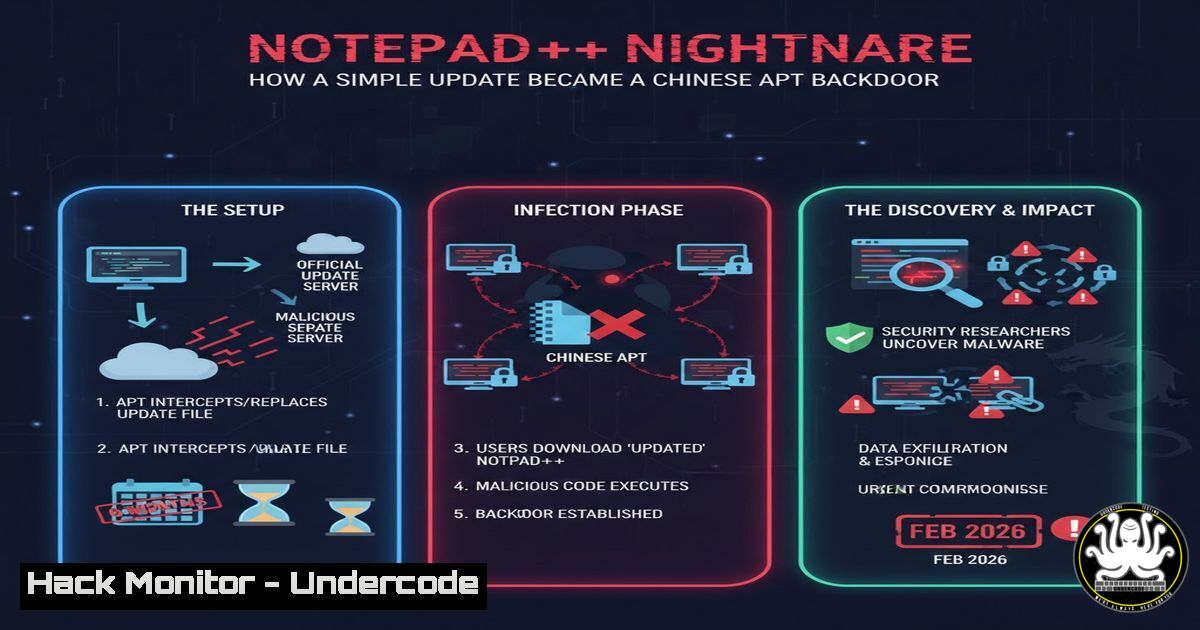
A sophisticated supply-chain attack targeting the popular Notepad++ text editor has been exposed, revealing a months-long campaign attributed to Chinese state-sponsored actors. By hijacking the software’s update traffic, threat actors selectively delivered malicious payloads to specific users, exploiting a critical flaw in the update verification process. This incident underscores the escalating threat to software supply chains and the dire consequences of weak update security controls.
Learning Objectives:
- Understand the mechanics of a software update hijacking attack and the specific vulnerability exploited in Notepad++.
- Learn to detect signs of compromised update mechanisms and tampered binaries on both Windows and Linux systems.
- Implement hardening measures for application update processes and system integrity monitoring.
You Should Know:
- The Attack Vector: HTTPS Interception and Manifest Poisoning
The attackers did not breach the official Notepad++ server. Instead, they performed a machine-in-the-middle (MitM) attack to intercept HTTPS traffic between targeted users and the update server. The core exploit was in the update verification logic. The application used multiple sources for its update manifest (an XML file listing the latest version and download link), including a fallback to a less-secure HTTP source if the primary HTTPS source failed. Attackers exploited this by poisoning the DNS or routing of specific targets to serve a tampered manifest pointing to a malicious download server hosting a compromised installer.
Step-by-Step Guide:
How It Worked: 1) Victim’s system sends a routine update check. 2) Traffic is rerouted to attacker-controlled infrastructure. 3) A fake update manifest (gpup.xml) is served, containing a URL to a malicious binary. 4) The application, due to flawed verification, accepts and executes the malicious installer.
Detection Command (Linux/macOS): Check for unexpected SSL certificates or DNS resolutions. Use curl -vI https://notepad-plus-plus.org/update/` and examine the certificate chain. Compare with a known-good system.Get-NetTCPConnection | Where-Object {$_.RemoteAddress -like ‘notepad-plus-plus’} | Select-Object LocalAddress, RemoteAddress, State`.
Detection Command (Windows with PowerShell): Investigate network connections during an update check using
- Exploiting the Verification Gap: A Lesson in Cryptographic Signing
The critical failure was the lack of cryptographic signature validation for the downloaded binary. While the manifest may have been intercepted, a robust system would have required the final `.exe` or `.msi` file to be signed by the developer’s certificate, which the attackers could not forge. Notepad++’s process did not enforce this check strictly enough at the time of the attack.
Step-by-Step Guide:
Manual Verification (Windows): Always right-click a downloaded installer, select “Properties,” and go to the “Digital Signatures” tab
▶️ Related Video (76% Match):
🎯Let’s Practice For Free:
IT/Security Reporter URL:
Reported By: Wayne Shaw – Hackers Feeds
Extra Hub: Undercode MoN
Basic Verification: Pass ✅


