Listen to this Post
Introduction:
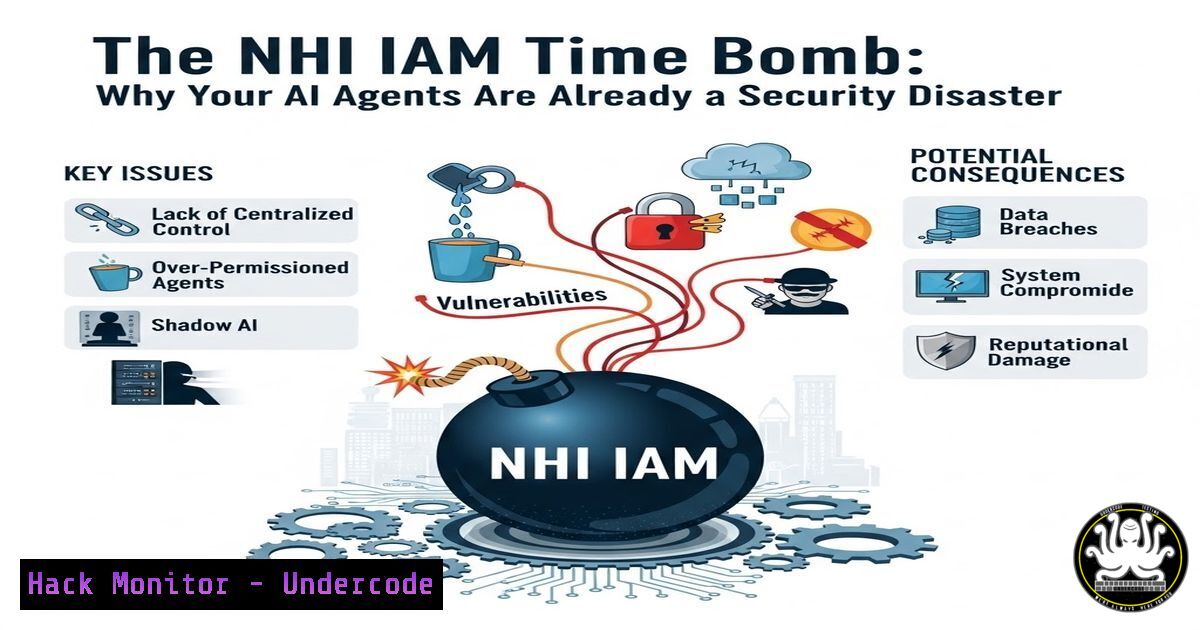
The exponential growth of Non-Human Identities (NHIs)—such as AI agents, service accounts, and automated scripts—has created a critical blind spot in enterprise identity and access management (IAM). Outnumbering human identities by over 100 to 1, these machine identities are frequently granted excessive, long-lived permissions, operating at machine speeds that bypass traditional security controls. The core problem isn’t a lack of security frameworks, but a failure to rigorously apply existing IAM principles—like least privilege, short-lived credentials, and continuous monitoring—to these autonomous agents, creating a systemic risk across healthcare, finance, and critical infrastructure.
Learning Objectives:
- Understand the unique security challenges posed by Non-Human Identities (NHIs) and AI agents.
- Learn to apply existing IAM and Zero Trust frameworks to govern machine identities effectively.
- Acquire practical, step-by-step techniques for discovering, hardening, and monitoring NHIs across cloud, on-premises, and hybrid environments.
You Should Know:
1. Discovering and Inventorying Your Non-Human Identity Landscape
Before you can secure NHIs, you must find them. They often lurk in hidden corners of your infrastructure: CI/CD pipelines, cloud provider IAM roles, configuration management tools, and orphaned service accounts. Start with a comprehensive audit across your environments.
Step-by-step guide to discovering NHIs:
On Linux/macOS (Scanning for common service accounts and automation users):
 List all human users (UID >= 1000 typically) and all system/service accounts
getent passwd | awk -F: '$3 >= 1000 {print "Human: " $1} $3 < 1000 {print "System/NHI: " $1}'

Find processes running under service accounts that might be agents or automated tasks
ps aux | grep -E '^(daemon|bin|sys|nobody|www-data|_apt|messagebus|sshd|jenkins|gitlab-runner)'

Check for long-running processes by non-human users
ps -eo user,pid,etime,cmd --sort=user | grep -E '^(daemon|bin|sys)'
On Windows (PowerShell as Administrator):
 List all local user accounts and identify service accounts
Get-LocalUser | Select-Object Name, Enabled, Description, LastLogon

Find all services running with non-human or managed service accounts
Get-WmiObject Win32_Service | Where-Object { $<em>.StartName -like '$' -or $</em>.StartName -like 'NT ' -or $_.StartName -like 'svc' } | Select-Object Name, StartName, State

Search scheduled tasks that might be automated agents
Get-ScheduledTask | Where-Object { $_.TaskPath -notlike '\Microsoft' } | Get-ScheduledTaskInfo
In Cloud (AWS CLI example for IAM roles):
 List all IAM roles (many are NHIs for EC2, Lambda, etc.)
aws iam list-roles --query "Roles[?AssumeRolePolicyDocument.contains(String, 'Service') == `true`].{RoleName:RoleName, Arn:Arn, CreateDate:CreateDate}" --output table

Identify unused or over-permissioned roles
aws iam list-roles | jq -r '.Roles[] | select(.RoleLastUsed == null) | .RoleName'
What this does: These commands help you visualize the scale of NHIs, moving from human-centric views to systematically identifying automated accounts and processes that often go unnoticed.
2. Applying Least Privilege to Machine Identities
NHIs are notorious for having permissions far beyond their requirements, inherited from overly broad roles or long-standing service accounts. Rightsizing these entitlements is critical.
Step-by-step guide to auditing and reducing NHI permissions:
Linux: Check sudo rights and file permissions for automation accounts:
 Check what sudo commands an NHI (e.g., 'jenkins') can run
sudo -l -U jenkins

Review file permissions for application configuration files (often contain secrets)
find /var/www -user jenkins -ls
find /etc -name ".conf" -exec ls -l {} \; | grep jenkins
Windows: Analyze effective permissions for an Active Directory service account:
 Using PowerShell ActiveDirectory module (run on Domain Controller)
Get-ADUser svc_app1 -Properties MemberOf | Select-Object -ExpandProperty MemberOf

Check effective permissions on a specific folder for a service account
$path = "C:\ProgramData\MyApp"
$identity = "DOMAIN\svc_app1"
(Get-Acl $path).Access | Where-Object IdentityReference -eq $identity
Kubernetes (using kubectl): Review RBAC for service accounts:
 List all service accounts
kubectl get serviceaccounts --all-namespaces

View detailed permissions for a specific service account
kubectl describe rolebinding,clusterrolebinding -n development | grep -B 10 "my-ai-agent-sa"

Simulate what the account can do (using 'kubectl auth can-i')
kubectl auth can-i list secrets --as=system:serviceaccount:development:my-ai-agent-sa
What this does: This process forces you to map actual usage against granted permissions. Tools like AWS IAM Access Analyzer or Azure AD access reviews can automate this, but manual verification is the first step to breaking overly permissive configurations.
- Hardening NHIs with Short-Lived Credentials and Secrets Management
Long-lived credentials for NHIs are a primary attack vector. Transitioning to ephemeral credentials and robust secrets management drastically reduces risk.
Step-by-step guide to implementing dynamic secrets:
Using HashiCorp Vault (Conceptual Setup for an AI Agent):
 1. Enable the database secrets engine
vault secrets enable database

<ol>
<li>Configure a database connection (e.g., PostgreSQL)
vault write database/config/postgres-db \
plugin_name=postgresql-database-plugin \
allowed_roles="my-ai-role" \
connection_url="postgresql://{{username}}:{{password}}@postgres.example.com:5432/mydb" \
username="vault_admin" \
password="sUp3rS3cR3t!"</p></li>
<li><p>Create a role that generates ephemeral credentials
vault write database/roles/my-ai-role \
db_name=postgres-db \
creation_statements="CREATE USER \"{{name}}\" WITH PASSWORD '{{password}}' VALID UNTIL '{{expiration}}'; GRANT SELECT ON ALL TABLES IN SCHEMA public TO \"{{name}}\";" \
default_ttl="1h" \
max_ttl="24h"

The AI agent authenticates to Vault and fetches its 1-hour DB password dynamically.
AWS: Enforce use of Instance Profiles with short-term credentials:
– Step 1: Create an IAM role with only the necessary permissions for your EC2-based AI agent.
– Step 2: Launch the EC2 instance with that IAM role (Instance Profile).
– Step 3: The AWS SDK on the instance automatically retrieves and rotates temporary credentials via the instance metadata service. Avoid placing AWS Access Keys directly on the instance.
Step-by-step guide for secrets scanning (prevent hardcoded NHI creds):
 Using 'truffleHog' to find secrets in a Git repository
trufflehog git file:///path/to/your/repo --since-commit HEAD~50 --max-depth 5

Using 'git-secrets' to prevent committing secrets (add as a pre-commit hook)
git secrets --add 'password|secret|token|key'
git secrets --install
What this does: This shifts NHI authentication from static keys to dynamic, time-bound credentials. Even if a credential is intercepted, its window of usefulness is minimal. Secrets scanning prevents developers from accidentally exposing NHI credentials in code.
- Monitoring and Auditing NHI Behavior at Machine Speed
Traditional user behavior analytics (UBA) are too slow for NHIs. You need real-time monitoring, logging, and anomaly detection tailored to machine-to-machine interactions.
Step-by-step guide to configuring NHI-specific monitoring:
Linux: Audit system calls for a specific service account:
 Install auditd (sudo apt install auditd - Debian/Ubuntu; sudo yum install audit - RHEL/CentOS)
sudo service auditd start

Add a rule to watch all file access by user 'jenkins' in /etc and /var/www
sudo auditctl -a always,exit -S all -F auid=jenkins -F dir=/etc -k jenkins_etc_access
sudo auditctl -a always,exit -S all -F auid=jenkins -F dir=/var/www -k jenkins_web_access

Search the audit logs for this activity
sudo ausearch -k jenkins_etc_access
Windows: Enable Advanced Audit Policy for service accounts:
 Via Group Policy or PowerShell (Run as Admin)
auditpol /set /subcategory:"Process Creation" /success:enable /failure:enable
auditpol /set /subcategory:"Logon" /success:enable /failure:enable

Then monitor Event IDs:
 4688: A new process has been created (track what your NHIs execute)
 4624: An account was successfully logged on (track NHI logins)
 4648: A logon was attempted using explicit credentials (potential lateral movement by an NHI)
Cloud (AWS): Enable CloudTrail and monitor for anomalous API calls:
 Create a CloudWatch alarm for unauthorized attempts by an IAM role (NHI)
aws cloudwatch put-metric-alarm \
--alarm-name "NHI-Unauthorized-API-Attempts" \
--metric-name "AuthorizationFailures" \
--namespace "AWS/CloudTrailMetrics" \
--statistic "Sum" \
--period 300 \
--evaluation-periods 1 \
--threshold 5 \
--comparison-operator GreaterThanOrEqualToThreshold \
--alarm-actions "arn:aws:sns:us-east-1:123456789012:NHI-Security-Alert"
What this does: This creates a high-fidelity audit trail specifically for NHIs. By focusing on their expected behavior (e.g., the jenkins user should never write to /etc), you can detect compromise or misuse in near real-time.
5. Securing Third-Party and Vendor AI Agents
External AI services and “shadow AI” projects (like unauthorized AI assistants connecting to your data) represent a massive NHI risk. They often require OAuth grants or API keys that can be abused.
Step-by-step guide to governing third-party AI connections:
Step 1: Audit Connected Apps (Microsoft 365/Google Workspace)
 For Microsoft 365 (using Microsoft Graph PowerShell)
Connect-MgGraph -Scopes "Application.Read.All", "OAuth2PermissionGrant.Read.All"
Get-MgServicePrincipal | Where-Object {$_.AppOwnerOrganizationId -ne $null} | Format-List DisplayName, Id, AppOwnerOrganizationId, AppRoleAssignedTo
Step 2: Review OAuth Permissions Critically
- Red Flags: Third-party AI with permissions to read all email, access files, or send mail as any user.
- Action: Revoke grants for over-privileged apps via the Admin Console or use tools like
Remove-MgOAuth2PermissionGrant -OAuth2PermissionGrantId "grantID".
Step 3: Implement API Gateways for AI Access
Configure an API gateway (e.g., Kong, AWS API Gateway, or NGINX) in front of internal APIs consumed by external AI services.
 NGINX example - rate limiting and key validation for an AI vendor
location /api/ai-vendor/ {
 Validate the API key
if ($http_api_key != "expected_secure_key_hash") {
return 401;
}
 Rate limit to 10 requests per minute
limit_req zone=aivendor burst=10 nodelay;
 Log all access
access_log /var/log/nginx/ai_vendor_access.log detailed;
proxy_pass http://internal_ai_service;
}
What this does: It moves from implicit trust of external agents to explicit, enforceable contracts with monitoring, rate limiting, and strict permissions, mirroring Zero Trust principles.
What Undercode Say:
- The NHI crisis is an adoption crisis, not a framework gap. Organizations already possess the necessary tools (NIST, Zero Trust, CIS controls). The failure is in rigorously applying them to the exponentially growing population of non-human identities.
- Short-term credentials and continuous monitoring are non-negotiable. The combination of machine speed and over-permissioned, long-lived credentials creates an unacceptable blast radius. Shifting to dynamic secrets and real-time auditing is the most effective mitigation.
- Procurement and insurance must drive adoption. Positive incentives, like cyber insurance discounts for verified NHI IAM controls or “UL-style” certifications for AI products, will be far more effective than waiting for regulation.
Prediction:
Within 12-24 months, a major breach attributed directly to a compromised AI agent will force a regulatory or insurance market correction. We will see the emergence of mandatory “AI agent security questionnaires” in vendor risk management and the rapid adoption of NHI-specific security standards, transforming it from an overlooked niche into a core compliance requirement for all connected infrastructure.
▶️ Related Video (80% Match):
🎯Let’s Practice For Free:
IT/Security Reporter URL:
Reported By: Mikedavis4cybersecure Nhi – Hackers Feeds
Extra Hub: Undercode MoN
Basic Verification: Pass ✅


