Listen to this Post
Introduction:
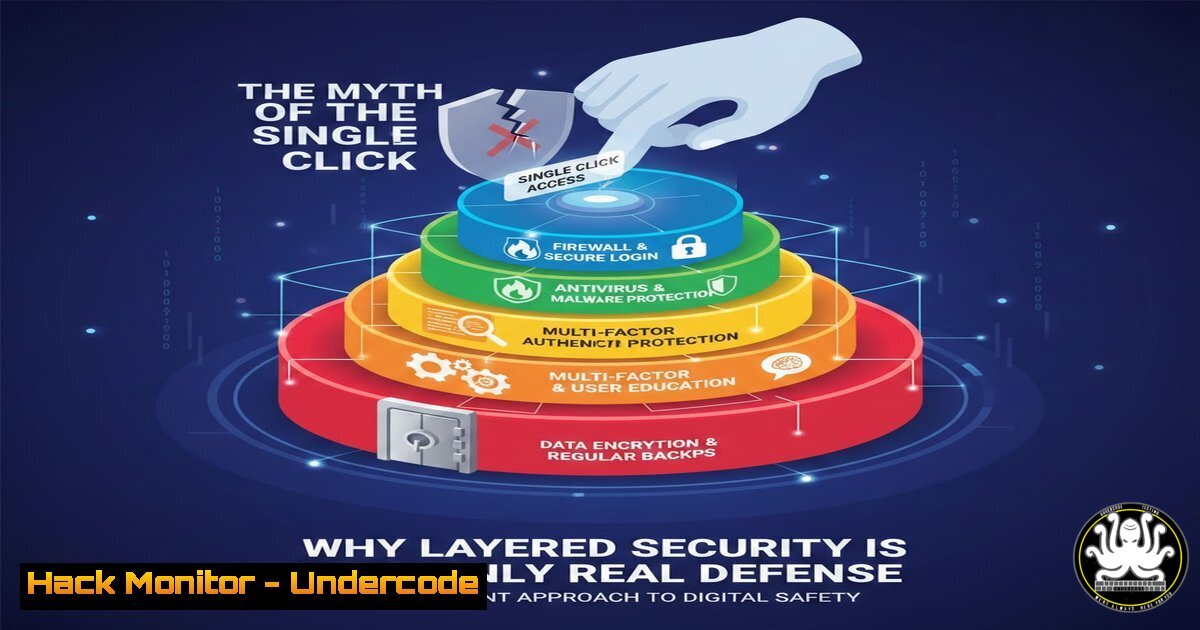
The cybersecurity industry is rife with oversimplified mantras, and “One click is all it takes” is perhaps the most pervasive. While this phrase effectively captures the anxiety around social engineering, it dangerously misrepresents the nature of modern attacks. In reality, a successful breach is rarely the result of a single user error; it is the culmination of multiple control failures across people, process, and technology. By shifting our focus from blaming the user to auditing the “kill chain,” we can transform this cliché from a source of fear-mongering into a blueprint for building resilient, defense-in-depth architectures.
Learning Objectives:
- Deconstruct the “one click” narrative to understand the multi-layered attack chain required for a successful compromise.
- Learn to map user actions to technical control failures (email gateways, endpoint protection, privilege management).
- Develop a practical, cross-functional exercise to identify and remediate single points of failure in your infrastructure.
You Should Know:
- Deconstructing the “Click”: Mapping the Modern Attack Chain
The phrase “one click” implies a direct line from user action to system compromise. In reality, a click is merely the entry point. For that click to result in a breach, several underlying technical controls must have already failed.
– The Email Gateway Bypass: Before the user even sees the email, the phishing message or malicious attachment evaded Secure Email Gateways (SEGs) that utilize SPF, DKIM, DMARC, and sandboxing.
– The User Context: If the user is operating with standard user privileges (not local admin), the impact of a malicious macro or script is significantly limited.
– The Execution Phase: After the click, the payload must execute. This is where Endpoint Detection and Response (EDR) or next-gen antivirus should trigger.
– The C2 Beacon: The malware must establish Command & Control (C2) outbound traffic, which firewalls and egress filtering should detect.
Step‑by‑step guide to simulate and analyze this chain:
- Simulate the Phish: Use an open-source framework like GoPhish to deploy a simulated credential-harvesting campaign to a test environment.
- Analyze Network Traffic: On the target machine (preferably a VM), execute the payload. Use Wireshark or tcpdump to capture traffic.
On Linux (victim simulation)
sudo tcpdump -i eth0 -w capture.pcap host [bash]
- Check Endpoint Logs: On Windows, review Windows Defender logs via PowerShell or check your EDR console. Look for the alert that should have fired.
On Windows (PowerShell as Admin)
Get-MpThreatDetection | fl
- Check DNS Logs: Analyze DNS query logs to see if the machine attempted to resolve a known malicious domain (simulated). This highlights the gap between the click and the actual damage.
2. Implementing “Post-Click” Controls: The Windows Hardening Checklist
Since we cannot guarantee users will never click, we must harden the endpoint to render the click harmless. This involves aggressive privilege reduction and attack surface reduction.
Step‑by‑step guide to hardening Windows against post-click execution:
- Remove Local Admin Rights: The single most effective control. Use Local Group Policy or Intune to enforce standard user privileges.
- Enable Attack Surface Reduction (ASR) Rules: These prevent common malware behaviors.
– Block Office applications from creating child processes (blocks macros launching PowerShell).
– Block credential stealing from the Windows Local Security Authority Subsystem (LSASS).
Deploy via PowerShell:
 Enable ASR Rule to block Office apps from creating child processes
Add-MpPreference -AttackSurfaceReductionRules_Ids "d4f940ab-401b-4efc-aadc-ad5f3c50688a" -AttackSurfaceReductionRules_Actions Enabled
3. Configure Controlled Folder Access: Prevent ransomware from encrypting critical documents by allowing only trusted apps to access protected folders.
Set-MpPreference -EnableControlledFolderAccess Enabled
3. Linux Server Hardening: Limiting Blast Radius
If a web application is compromised via a click (e.g., an admin clicking a malicious link), the server must be configured to contain the damage. This requires strict privilege separation and immutability.
Step‑by‑step guide to reducing Linux server vulnerability:
- Implement SELinux/AppArmor: Ensure mandatory access controls are enforced, confining compromised processes.
Check SELinux status
sestatus
Set enforcing mode
sudo setenforce 1
- Harden SSH Configuration: Disable root login and password authentication to prevent lateral movement via credential theft.
Edit /etc/ssh/sshd_config
PermitRootLogin no
PasswordAuthentication no
Restart service
sudo systemctl restart sshd
- Use Immutable Infrastructure: If possible, deploy containers or servers that are destroyed and rebuilt daily. Tools like Ansible or Packer ensure that even if a click compromises a server, the persistence is impossible.
4. Cloud Hardening: The Misconfiguration Gap
The “click” often targets a cloud console admin. If an admin clicks a malicious link and their session is hijacked, the damage depends entirely on the cloud configuration. Identity and Access Management (IAM) is the cloud’s equivalent of endpoint hardening.
Step‑by‑step guide to securing the Cloud Control Plane (AWS Example):
1. Enforce MFA: This is the direct countermeasure to credential theft via phishing.
2. Implement Permission Boundaries: Even if a user’s keys are compromised, boundaries prevent privilege escalation outside a defined scope.
3. Audit with aws-cli: Regularly check for exposed keys or misconfigurations.
 List all users and check for missing MFA
aws iam list-users --query "Users[].UserName" --output text | xargs -I {} aws iam list-mfa-devices --user-name {}
 Check for overly permissive policies
aws iam list-policies --scope Local --only-attached
5. API Security and Web Application Firewalls (WAF)
A “click” in a web app is often an API call. Modern breaches exploit business logic flaws via APIs. A WAF can intercept malicious payloads before they reach the application.
Step‑by‑step guide to testing WAF rules:
- Simulate SQLi: Use cURL to send a malicious payload mimicking a user clicking a compromised link.
curl -X POST https://yourapp.com/login \ -H "Content-Type: application/json" \ -d '{"username":"admin' OR '1'='1", "password":"anything"}' - Monitor WAF Logs: Check your WAF (e.g., AWS WAF, Cloudflare, ModSecurity) to see if the request was blocked. If it passed, your WAF rules (like OWASP Core Rule Set) need tuning.
- Rate Limiting: Implement rate limiting to prevent automated bots from exploiting stolen session cookies (post-click).
6. The Collaborative Audit: The “Click List” Exercise
As mentioned in the original post, the most productive use of this phrase is to audit it. This is a governance exercise that bridges the gap between technical and non-technical stakeholders.
Step‑by‑step guide to running the exercise:
- Assemble the Team: Include IT, Security, HR, and Department Heads.
- Brainstorm “Clicks”: List every possible clickable action that could cause damage (e.g., “An accountant clicks a link in a fake invoice email,” “A developer clicks ‘merge’ on a malicious pull request,” “An HR manager opens a fake resume with macros”).
- Map to Controls: For each “click,” map the existing controls:
– Pre-click: Did the email filter catch it?
– Click: Does the user have permission to execute the action?
– Post-click: Does the EDR detect the behavior?
4. Identify the Gap: The clicks that survive this mapping are your true risks.
What Undercode Say:
- Security is a system, not a slogan. Reducing security to “don’t click bad things” ignores the reality that systems must be designed to fail safely. The goal is to build an environment so resilient that even a malicious click results in nothing more than a logged event and a blocked process.
- Shift Left, but also “Shift Right.” While we focus on preventing the initial access (Shift Left), we must also focus on detection and response (Shift Right). Assume the click will happen. How fast can you detect the post-click behavior and contain the blast radius? The average dwell time of a threat actor is what we should be measuring, not the number of clicks.
Prediction:
As AI-generated phishing becomes indistinguishable from legitimate communication, the “one click” narrative will become even more dangerous and prevalent. We will see a market shift away from user-centric awareness training (which blames the victim) towards “Zero Trust” technical controls that assume the user is always compromised. The future of defense lies in micro-segmentation and AI-driven behavior analytics that can identify a compromised session in real-time, effectively nullifying the click regardless of who made it.
▶️ Related Video (80% Match):
🎯Let’s Practice For Free:
IT/Security Reporter URL:
Reported By: Michael Andrewes – Hackers Feeds
Extra Hub: Undercode MoN
Basic Verification: Pass ✅


