Listen to this Post
Introduction:
The 2023 breach of Microsoft’s systems, which saw nation-state actors steal a cryptographic key and access critical federal and corporate data, serves as a stark reminder of the fragility of even the most established cloud infrastructures. This incident, compounded by a subsequent Russian hack exploiting basic misconfigurations, underscores a universal truth: foundational security hygiene is not optional. This article deconstructs the technical failures and provides the verified commands and steps to fortify your own environment against similar fates.
Learning Objectives:
- Understand the critical role of cryptographic key management and automated rotation.
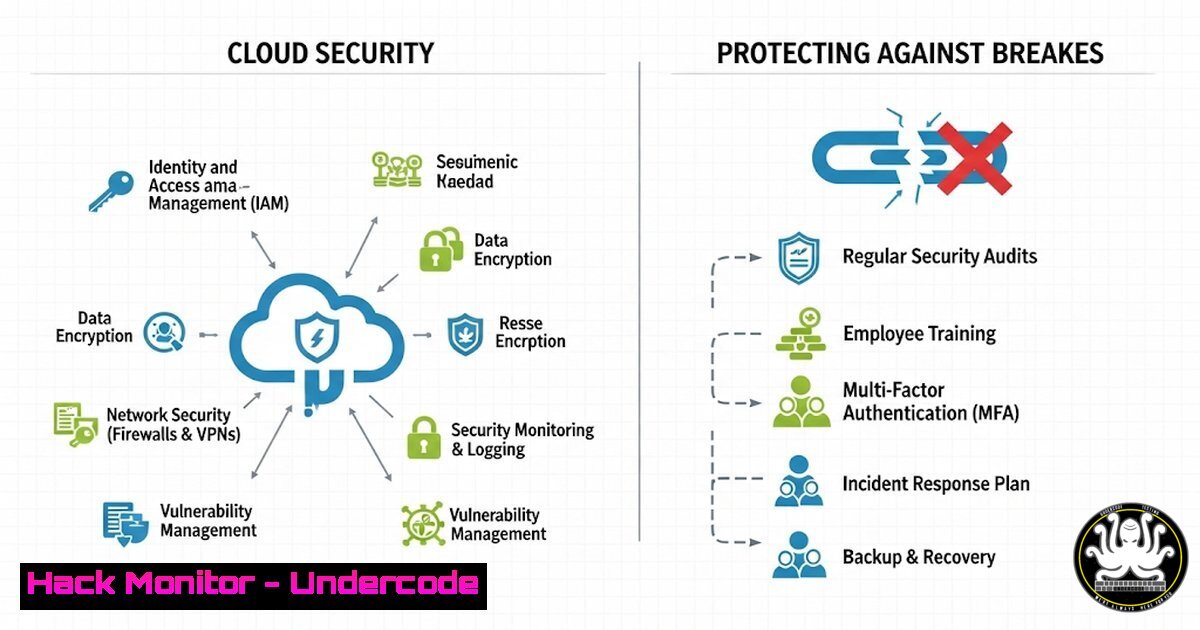
- Learn to enforce Multi-Factor Authentication (MFA) and audit conditional access policies across cloud tenants.
- Master the commands to inventory, identify, and eliminate legacy applications and excessive permissions.
You Should Know:
1. Enforcing Universal Multi-Factor Authentication (MFA)
The Russian attack on Microsoft leveraged a tenant without MFA. Enforcing MFA is the single most effective control to prevent credential-based attacks.
Microsoft PowerShell (MSOL) Commands:
 Connect to MSOnline service
Connect-MsolService

Get all users who do not have MFA enabled
Get-MsolUser -All | Where-Object {$_.StrongAuthenticationMethods.Count -eq 0} | Select-Object DisplayName,UserPrincipalName

Enable MFA requirements for a specific user (Enforced)
$auth = New-Object -TypeName Microsoft.Online.Administration.StrongAuthenticationRequirement
$auth.RelyingParty = ""
$auth.State = "Enforced"
Set-MsolUser -UserPrincipalName [email protected] -StrongAuthenticationRequirements $auth
Step-by-step guide:
1. Open Windows PowerShell as an Administrator.
- Install the `MSOnline` module if needed:
Install-Module MSOnline. - Run `Connect-MsolService` and provide global admin credentials when prompted.
- Use the `Get-MsolUser` command to generate a list of all users without MFA enabled. This is your critical remediation list.
- Use the `Set-MsolUser` command to enforce MFA on high-value targets or service accounts immediately. For broader rollout, use the Azure AD portal to create conditional access policies.
2. Auditing and Removing Legacy OAuth Applications
The attackers found a “legacy” test OAuth app with elevated access. Regularly auditing and removing unnecessary applications is crucial.
Microsoft PowerShell (AzureAD) Commands:
 Connect to Azure AD
Connect-AzureAD

Get all service principals (enterprise applications)
Get-AzureADServicePrincipal -All $true | Select-Object DisplayName, AppId, PublisherName, AccountEnabled

Get a specific application's permissions (replace AppId)
$sp = Get-AzureADServicePrincipal -Filter "AppId eq 'xxxxxxxx-xxxx-xxxx-xxxx-xxxxxxxxxxxx'"
Get-AzureADServiceAppRoleAssignment -ObjectId $sp.ObjectId

Remove a service principal (WARNING: Use with extreme caution)
Remove-AzureADServicePrincipal -ObjectId "<ObjectId-GUID>"
Step-by-step guide:
1. Connect to Azure AD with `Connect-AzureAD`.
- List all applications with
Get-AzureADServicePrincipal. Export this list to CSV for analysis. - Scrutinize applications with `PublisherName` set to non-trusted entities or with unclear `DisplayName` values like “test” or “legacy.”
- Investigate the permissions of suspicious apps using
Get-AzureADServiceAppRoleAssignment. - If an application is confirmed to be unnecessary and poses a risk, use `Remove-AzureADServicePrincipal` to delete it.
3. Automating Cryptographic Key Rotation
The 2016 key that was never rotated was a central failure. Manual key rotation is unreliable; automation is mandatory.
Linux OpenSSL & Cron Command Example:
 Generate a new private key (RSA 2048-bit)
openssl genrsa -out /etc/ssl/private/webserver_new.key 2048

Generate a new CSR from the new key
openssl req -new -key /etc/ssl/private/webserver_new.key -out /etc/ssl/csr/webserver_new.csr

Script to rotate keys and reload service (example for Nginx)
!/bin/bash
 Rotate key and cert, then reload webserver
systemctl stop nginx
cp /etc/ssl/private/webserver.key /etc/ssl/private/webserver_old.key
cp /etc/ssl/private/webserver_new.key /etc/ssl/private/webserver.key
 Install new cert from CA (process depends on CA)
systemctl start nginx
systemctl reload nginx

Add to crontab for quarterly rotation (crontab -e)
0 0 1 /3  /path/to/your/key_rotation_script.sh
Step-by-step guide:
- Use `openssl genrsa` to generate new private keys well before their expiration date.
- Create a shell script that safely backs up the old key, moves the new key into place, installs the new certificate, and gracefully restarts the dependent service (e.g., Nginx, Apache).
- Test the script thoroughly in a staging environment.
- Schedule the script to run automatically using a job scheduler like `cron` on Linux or Task Scheduler on Windows.
4. Hardening Cloud Tenants with Security Benchmarks
Microsoft’s purge of 1.3 million insecure tenants highlights the need for continuous hardening based on established benchmarks.
Azure CLI Commands:
 Check for insecure storage accounts (allow public access)
az storage account list --query "[?allowBlobPublicAccess == <code>true</code>].{Name:name, PublicAccess:allowBlobPublicAccess}"

Enable Microsoft Defender for Cloud on all subscriptions
az security pricing create -n "VirtualMachines" --tier "Standard"

Audit network security groups for overly permissive rules (e.g., 0.0.0.0/0 on port 22)
az network nsg list --query "[].{Name:name, Rules:securityRules[?destinationPortRange=='22' || destinationPortRange contains '22,' && access=='Allow' && sourceAddressPrefix=='0.0.0.0/0']}"
Step-by-step guide:
- Install the Azure CLI and authenticate (
az login). - Use the `az storage account list` query to identify storage accounts that allow public blob access, a common misconfiguration leading to data leaks.
- Use the `az security pricing create` command to enable advanced threat protection for your VMs across subscriptions.
- Regularly audit NSG rules with the `az network nsg list` query to find any overly permissive SSH/RDP rules from the entire internet (
0.0.0.0/0).
5. Implementing Just-In-Time (JIT) VM Access
Limit standing access to critical virtual machines to reduce the attack surface, a core tenet of Zero Trust.
Azure PowerShell Commands:
 Enable JIT on a specific VM
Set-AzJitNetworkAccessPolicy -ResourceGroupName "SecGroup" -Location "EastUS" -Name "default" -VirtualMachine @{Id = "/subscriptions/xxxxx/resourceGroups/SecGroup/providers/Microsoft.Compute/virtualMachines/myVM"; Ports = @{ number = 22; protocol = ""; allowedSourceAddressPrefix = @("<your-public-ip>"); maxRequestAccessDuration = "PT3H"}}
Step-by-step guide:
- Use the `Set-AzJitNetworkAccessPolicy` cmdlet to define a policy for a specific VM.
- In the command, specify the resource group, VM ID, and the ports to protect (e.g., 22 for SSH, 3389 for RDP).
- Define the maximum allowed access duration (e.g., `PT3H` for 3 hours) and optionally restrict source IP addresses.
- Once enabled, users must request access through the Microsoft Defender for Cloud portal to open these ports temporarily.
What Undercode Say:
- Hygiene Over Hype: The most sophisticated nation-state attacks consistently exploit basic failures: missing MFA, unrotated keys, and legacy permissions. No amount of AI-driven security can compensate for these foundational gaps.
- Transparency is a Feature, Not a Bug: Microsoft’s initial poor communication eroded trust more than the technical breach itself. Organizations must have clear incident communication plans that prioritize stakeholder clarity over brand protection.
The analysis of these breaches reveals a critical disconnect between the marketing of advanced security platforms and the operational reality of maintaining them. While Microsoft’s Secure Future Initiative represents a positive step, its reactive nature proves that security is a continuous grind, not a one-time announcement. For security teams, the lesson is universal: prioritize the tedious, unglamorous work of configuration management, auditing, and automation. The attack vectors exploited here are not Microsoft-specific; they are universal flaws in identity and access management that every organization must relentlessly address through verified technical controls.
Prediction:
The Microsoft breaches will catalyze a industry-wide shift towards mandatory, automated security baselines and increased regulatory scrutiny of cloud service providers (CSPs). We predict the emergence of “liability-share” models in cloud contracts, where CSPs face greater financial and legal accountability for breaches stemming from foundational hygiene failures within their platform’s configuration defaults. Furthermore, insurance providers will increasingly mandate continuous auditing via API-based checks against CIS benchmarks as a prerequisite for coverage, forcing organizations to automate their compliance or risk being uninsurable.
🎯Let’s Practice For Free:
IT/Security Reporter URL:
Reported By: Edwardtargett I – Hackers Feeds
Extra Hub: Undercode MoN
Basic Verification: Pass ✅


