
Listen to this Post
Introduction:
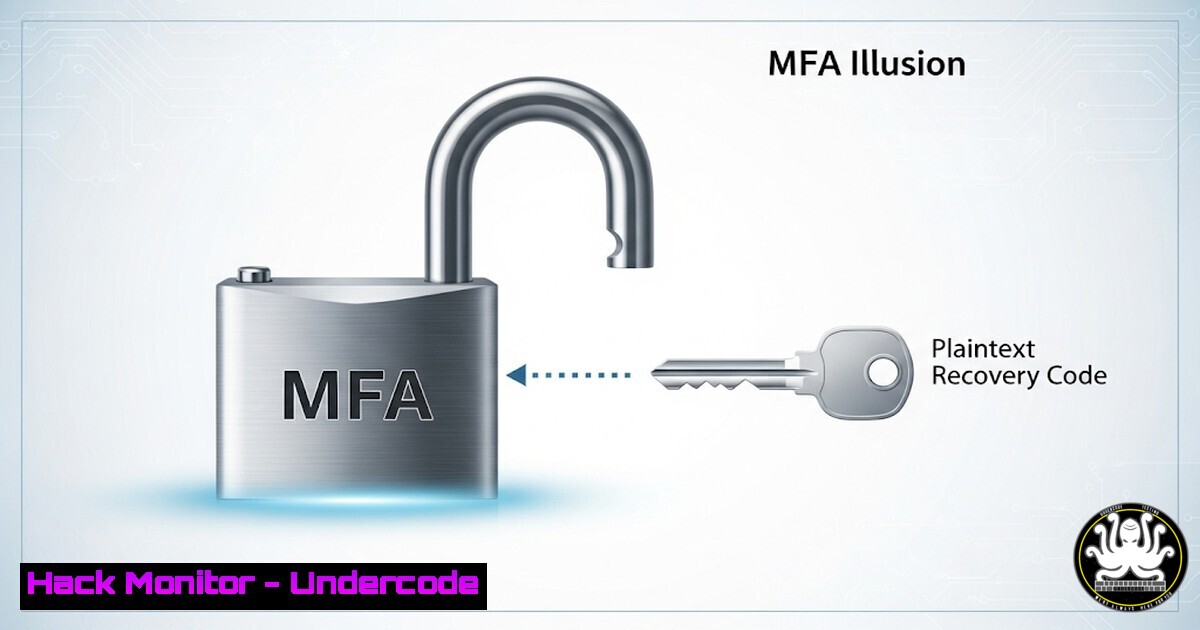
Multi-factor authentication (MFA) is widely regarded as a cornerstone of modern cybersecurity, yet a single implementation flaw can render it completely useless. A recent incident investigated by Huntress demonstrates how storing recovery codes in plaintext led to a catastrophic bypass of security controls, allowing threat actors to impersonate privileged users and neutralize critical defenses. This case serves as a stark reminder that robust authentication requires securing every component of the identity lifecycle, not just the primary login mechanism.
Learning Objectives:
- Understand the critical risks associated with improperly storing MFA recovery codes and secrets.
- Learn to identify and audit systems that may be storing sensitive authentication data in plaintext.
- Implement secure storage and management practices for all authentication credentials within your environment.
You Should Know:
1. Auditing for Plaintext Secrets on Linux Systems
`grep -r “recovery\|backup\|code\|secret” /var/www/ /etc/ /opt/ –include=”.php” –include=”.conf” –include=”.txt” 2>/dev/null`
This command recursively searches through common web and configuration directories on a Linux server for files containing high-risk keywords related to authentication secrets. The `2>/dev/null` suppresses permission denied errors, cleaning up the output. Run this from a privileged account to ensure thorough access. Any positive results should be immediately investigated to determine if sensitive data is exposed.
2. Windows PowerShell Command for Finding Plaintext Files
`Get-ChildItem -Path C:\ -Include .txt, .csv, .xml, .config -Recurse -ErrorAction SilentlyContinue | Select-String -Pattern “recovery_code|mfa_backup|2fa_secret” | Select-Object -Unique Path`
This PowerShell cmdlet scans all drives for common text-based file types and searches their contents for patterns indicative of stored MFA recovery codes. The `-ErrorAction SilentlyContinue` prevents the command from halting on access errors. This should be run from an elevated PowerShell session and can be targeted at specific user profile or application directories to reduce scan time.
3. Secure Hashing of Sensitive Data with SHA-256
`echo “SuperSecretRecoveryCode123” | sha256sum`
When recovery codes are necessary, they must be stored as cryptographically strong hashes, not plaintext. This command pipes a hypothetical code into the `sha256sum` utility, which outputs a fixed-size, irreversible hash. In an application, the user-provided code during recovery would be hashed with the same algorithm and compared to the stored hash. This ensures that even a database compromise does not reveal the usable codes.
4. Linux Access Control: Restricting File Permissions
`chmod 600 /opt/app/config/recovery_codes.conf`
`chown root:root /opt/app/config/recovery_codes.conf`
If sensitive data must be stored on a filesystem, strict access controls are non-negotiable. The first command removes all permissions from the file except read/write for the file owner. The second command ensures the file is owned by the root user and group. This combination guarantees that only processes running with root privileges can access the file, drastically reducing the attack surface.
5. Windows icacls Command for File Permission Hardening
`icacls “C:\AppData\secrets.txt” /inheritance:r /grant:r “Administrators:(F)” /grant:r “SYSTEM:(F)”`
This Windows command uses the `icacls` utility to enforce strong permissions on a file. The `/inheritance:r` removes any inherited permissions that might be too permissive. It then grants full access (F) only to the Administrators group and the SYSTEM user, explicitly defining who can access the file and removing all other users.
6. Querying Windows Event Logs for Authentication Events
`Get-WinEvent -FilterHashtable @{LogName=’Security’; ID=4624,4625} -MaxEvents 50 | Format-List -Property TimeCreated, Message`
This PowerShell command retrieves the most recent 50 successful (ID 4624) and failed (ID 4625) login events from the Windows Security log. Monitoring these logs is crucial for detecting impersonation attempts and identifying anomalous logins, such as a user authenticating from an unusual location or at an odd time shortly after a recovery code was used.
7. Leveraging AWS KMS for Encryption of Secrets
`aws kms encrypt –key-id alias/MyAppKey –plaintext fileb://recovery_codes.txt –output text –query CiphertextBlob | base64 –decode > encrypted_codes.bin`
For cloud-based applications, using a dedicated Key Management Service (KMS) is the gold standard. This AWS CLI command encrypts the contents of a `recovery_codes.txt` file using a specified KMS key. The output is a binary ciphertext blob that can be safely stored in a database or on disk. The original plaintext file should be securely deleted immediately after encryption.
What Undercode Say:
- Security is a Chain, Not a Silos: The Huntress breach exemplifies that security controls are interdependent. An impregnable MFA front door is worthless if the spare key is hidden under the mat. Defense-in-depth requires assessing and hardening every potential pathway a threat actor could exploit.
- Assume Compromise of Data Stores: The principle of least privilege and secure secret storage must be applied universally. Any database, configuration file, or directory that might be accessed during a breach (e.g., via a VPN appliance exploit) should be treated as if it will be exfiltrated. Plaintext secrets are a guaranteed failure in this scenario.
This incident moves beyond a simple vulnerability; it represents a critical failure in security architecture philosophy. The over-reliance on the perceived strength of MFA created a blind spot, allowing a single misstep to cascade into a total compromise. Organizations must shift their mindset from “adding” security layers to “integrating” them securely, with continuous auditing and a ruthless approach to credential management. The fact that recovery codes, a failsafe, became the primary attack vector is a lesson in irony and a powerful warning for all security teams.
Prediction:
The success of this attack vector will lead to a rapid increase in automated scanning for and exfiltration of plaintext recovery codes and other authentication secrets from compromised edge devices and cloud storage. Threat actors will increasingly prioritize “credential harvesting 2.0,” targeting backup authentication mechanisms rather than directly attacking MFA. This will force a paradigm shift in identity and access management (IAM), accelerating the adoption of passwordless technologies, hardware security keys (FIDO2), and centralized secrets management solutions that eliminate the concept of a “recoverable” plaintext code.
🎯Let’s Practice For Free:
IT/Security Reporter URL:
Reported By: Activity 7373525954511450112 – Hackers Feeds
Extra Hub: Undercode MoN
Basic Verification: Pass ✅


