Listen to this Post
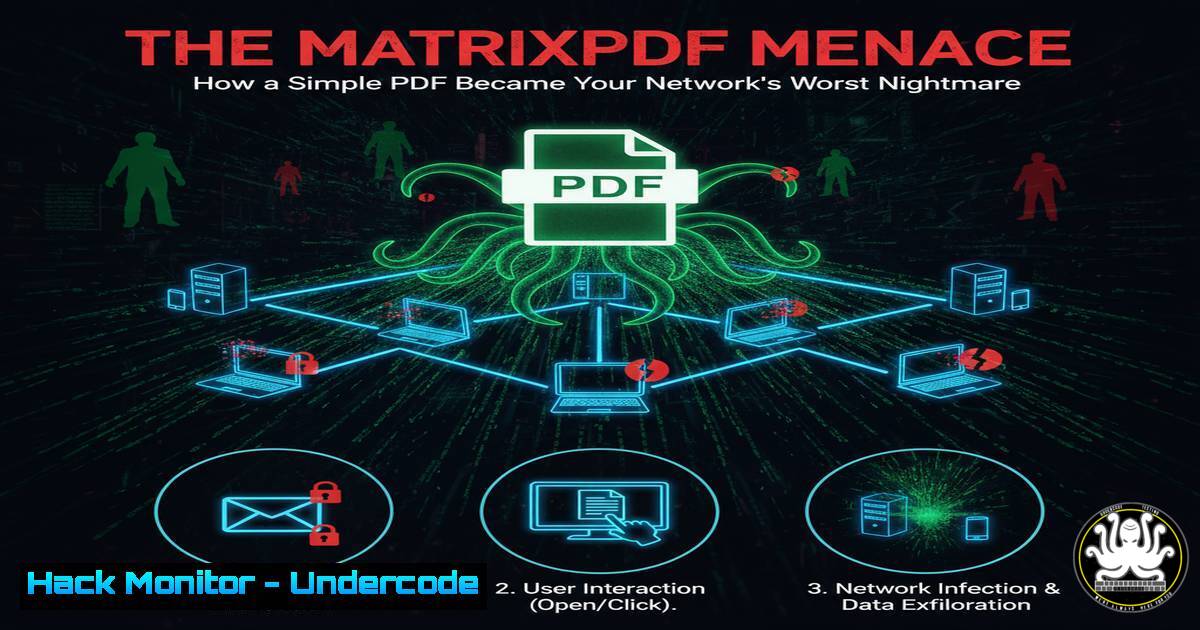
Introduction:
A new underground toolkit known as MatrixPDF is weaponizing ordinary PDF documents, transforming them into sophisticated phishing and malware delivery vehicles. This shift exploits the inherent trust users place in PDF files, making them a potent tool for credential theft and initial network compromise. Understanding the mechanics of this threat is critical for developing effective defensive strategies.
Learning Objectives:
- Decode the technical execution of MatrixPDF-based attacks, from social engineering lures to malicious JavaScript payloads.
- Implement proactive system and application hardening to neutralize this threat vector.
- Develop incident response procedures specific to a successful PDF-borne compromise.
You Should Know:
1. Disabling JavaScript in Adobe Acrobat Reader
The primary method MatrixPDF uses to execute its payload is through embedded JavaScript. Disabling this functionality in the most common PDF viewer globally effectively neuters the attack.
Adobe Acrobat Reader DC -> Edit -> Preferences -> JavaScript -> Uncheck "Enable JavaScript"
This step-by-step guide navigates to the settings that control JavaScript execution. By unchecking this option, you prevent any embedded scripts within a PDF from running, thereby blocking redirects to phishing pages or the download of secondary malware payloads. This is the single most impactful configuration change to protect against this specific threat.
2. Analyzing PDF Structure with pdfid.py
Before opening a suspicious PDF, it can be analyzed with tools like `pdfid.py` from Didier Stevens’ suite to detect potentially malicious elements.
python pdfid.py --scan suspicious_file.pdf
This command will scan the PDF and output a count of various objects. Look for a high count in `/JavaScript` or /JS, which are strong indicators of a weaponized file. The `–scan` flag provides a more thorough analysis. A clean PDF typically should not contain any JavaScript objects.
3. Sandboxed Analysis with ANY.RUN
For dynamic analysis, interactive sandboxes like ANY.RUN allow you to safely execute and observe the behavior of a suspicious PDF.
1. Navigate to https://app.any.run/
2. Upload the suspect PDF file.
3. Monitor for network connections (phishing callbacks), spawned processes, and file system changes.
This step-by-step guide outlines the process of using an online sandbox. By submitting the file, you can witness its real-world behavior without risking your own system. Observe if it attempts to connect to external domains (a sign of credential harvesting) or drops executable files.
- Windows Command Line: Enhancing Email Security with Egress Filtering
While not a direct PDF command, strengthening email filtering is a key defense. You can use PowerShell to query your mail flow rules.Get-TransportRule | Where-Object {$_.Name -like "PDF"} | Ft Name, State, DescriptionThis PowerShell command, for Microsoft Exchange environments, lists any existing transport rules related to PDFs. An organization could create a rule to quarantine emails with PDFs containing JavaScript or to strip all PDF attachments from external senders, significantly reducing the attack surface.
5. Linux Command Line: Isolating a Compromised Endpoint
If a system is suspected to be compromised, immediate network isolation is critical. On a Linux-based network appliance or via SSH, you can block the endpoint’s MAC address.
sudo arptables -A INPUT --source-mac [bash] -j DROP
This command uses `arptables` to block all traffic from the specific MAC address of the compromised machine. This is a faster, layer-2 alternative to IP-based blocking and effectively contains the threat at the network level while forensics are performed.
6. Implementing Application Allowlisting with PowerShell
Preventing unauthorized programs from running can stop malware dropped by PDFs. PowerShell can be used to audit the current state.
Get-AppLockerPolicy -Effective | Test-AppLockerPolicy -UserName [bash] -Path C:\temp\malware.exe
This command tests whether a specific file path would be allowed to execute for a given user under the effective AppLocker policy. A properly configured allowlisting policy would prevent any executable dropped from a PDF in a user’s temp directory from running.
7. Forensic Triage: Hunting for Persistence
After an incident, check for new persistence mechanisms. The Windows System Registry and scheduled tasks are common targets.
reg query "HKCU\Software\Microsoft\Windows\CurrentVersion\Run"
Get-ScheduledTask | Where-Object {$_.State -eq "Ready"} | Ft TaskName, State
These commands list auto-start programs for the current user and all ready scheduled tasks. An attacker may use the PDF exploit to establish a foothold and then create a scheduled task to run every hour, ensuring their access persists after a reboot.
What Undercode Say:
- The democratization of advanced attack tools like MatrixPDF lowers the entry barrier for cybercriminals, making sophisticated spear-phishing a commodity.
- Defensive postures must shift from purely signature-based detection to a focus on application hardening (e.g., disabling PDF JS) and robust user training.
The MatrixPDF toolkit represents a significant evolution in social engineering. Its drag-and-drop interface abstracts away the technical complexity, enabling a wider range of threat actors to launch highly convincing campaigns. The core vulnerability it exploits is not a software bug, but the human tendency to trust familiar file formats. While technical controls are paramount, this threat underscores that the most critical security layer remains an informed and skeptical user. The analysis of recent campaigns shows a clear focus on high-value targets in finance and critical infrastructure, where a single click can lead to a major breach.
Prediction:
The success of MatrixPDF will catalyze a new wave of “as-a-Service” phishing kits targeting other trusted file formats, such as Microsoft Office documents and even image files with hidden interactive elements. We predict a short-term surge in PDF-based credential harvesting attacks, forcing a widespread industry shift towards disabling JavaScript in PDF readers by default. In the longer term, this will accelerate the adoption of fundamentally safer document formats and AI-powered email security solutions that can behaviorally analyze attachment content in real-time, beyond static signature matching.
🎯Let’s Practice For Free:
IT/Security Reporter URL:
Reported By: Michael Vincent – Hackers Feeds
Extra Hub: Undercode MoN
Basic Verification: Pass ✅


