Listen to this Post
Introduction:
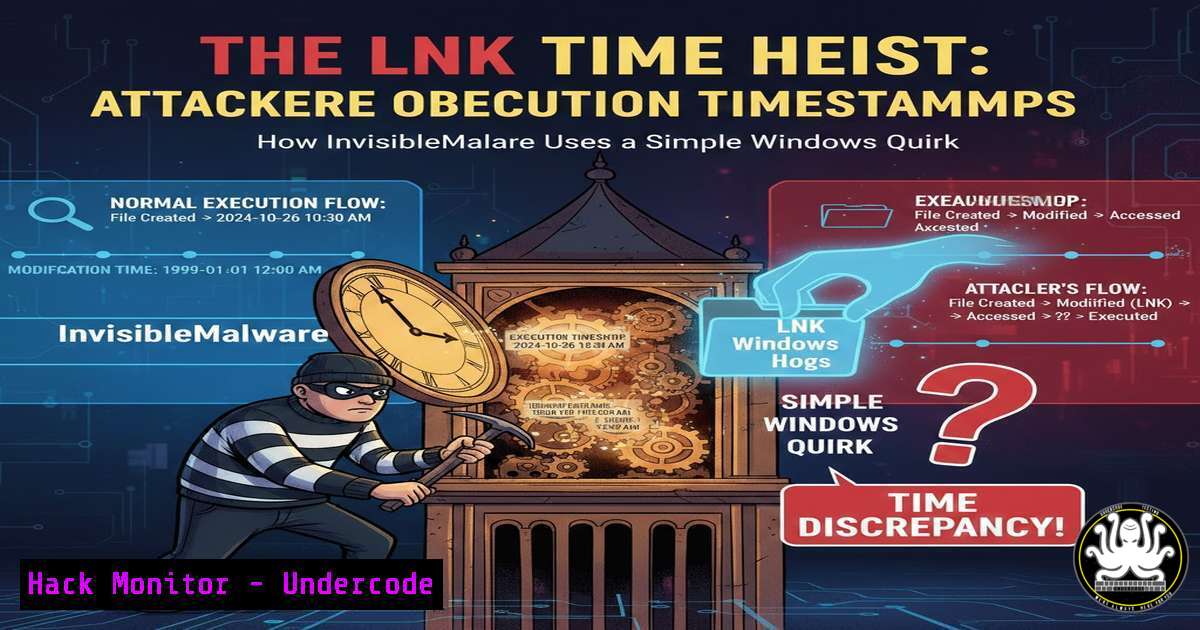
In the meticulous world of digital forensics, Windows Shortcut (LNK) files are foundational artifacts, providing investigators with a timeline of application execution. However, a sophisticated anti-forensics technique exploits a core Windows behavior to decouple malicious activity from its true timestamp. By orchestrating a “filename collision,” attackers can manipulate LNK metadata to point investigators toward a benign event, effectively laundering the execution time of malware and obscuring the initial breach window.
Learning Objectives:
- Understand the Windows LNK file creation mechanism and its forensic significance.
- Learn how executing files with identical names in different paths creates a single, misleading LNK artifact.
- Develop detection and mitigation strategies to counter this timestamp spoofing technique.
You Should Know:
1. The Forensic Goldmine: Understanding Windows LNK Files
Windows LNK files are more than just shortcuts; they are rich metadata repositories. When a user or process executes a file from a non-indexed location (like a downloaded folder or USB drive), Windows creates an LNK file in `%UserProfile%\AppData\Roaming\Microsoft\Windows\Recent\` to speed up future access. This artifact records the target file’s path, size, timestamps (Created, Modified, Accessed), and crucially, the last execution time of the application.
Step-by-step guide explaining what this does and how to use it.
Forensic analysts use tools to parse this data. On a live Windows system or a mounted forensic image, you can examine these artifacts.
Using Command-Line Tools (Linux/Mac Analysis of Forensic Image):
 Using exiftool to view LNK metadata from a forensic copy
exiftool -a 'Evidence/Recent/MyMalware.lnk'
 Look for fields like 'FileAccessDate', 'FileModifyDate', and 'RunTime'
Using Dedicated Forensic Suites:
Tools like Eric Zimmerman’s LECmd (part of the KAPE toolkit) are industry standards.
 Command Line usage of LECmd on a Windows analysis machine
LECmd.exe -f "C:\Evidence\Recent\MyMalware.lnk" --csv "C:\Output"
This CSV output will detail all embedded properties, providing the timestamps an examiner relies on.
- The Core Vulnerability: Windows’ “Recent” File Handling Logic
The vulnerability stems from how Windows manages the `Recent` folder. It appears Windows uses the filename (not the full path) as a key identifier for LNK creation. If two files with the identical name (Husam.exe) are executed from different directories, Windows does not create two LNK files. Instead, it maintains only one LNK file, and its metadata is updated to reflect the details—including the execution timestamp—of the most recently executed file.
Step-by-step guide explaining what this does and how to use it.
An attacker can weaponize this logic:
- Stage Malware: An attacker delivers and executes `malware.exe` from
C:\Users\Victim\Downloads\. A legitimate LNK file is created pointing to this malicious instance. - Plant Decoy: Later, the attacker (or a script) places a benign file also named `malware.exe` in a different location, e.g.,
C:\Users\Victim\Documents\LegitApp\. - Execute Decoy: The benign file is executed. Windows updates the existing LNK file in
Recent. The target path may change or be ambiguous, and the execution timestamp now reflects the time the harmless file was run. - Obscure Timeline: During forensic analysis, the LNK artifact now suggests the “malware” ran at the later, innocuous time, breaking the timeline and potentially exfiltrating the initial compromise.
3. Detecting the Collision: Forensic Analysis Techniques
Relying solely on the `Recent` folder is insufficient. Examiners must correlate artifacts.
Step-by-step guide explaining what this does and how to use it.
Prefetch Analysis: If Prefetch is enabled (on Windows 10/11 by default for non-SSDs), a `.pf` file is created for every unique executable path run. This is a critical correlation point.
 Using PECmd (Another Zimmerman tool) from KAPE
PECmd.exe -f "C:\Windows\Prefetch\MALWARE.EXE-[bash].pf" --csv "C:\Output"
The Prefetch file contains the full original path and multiple execution timestamps, exposing the first run of the malicious instance.
Event Logs: Security and Sysmon logs (if configured) record process creation with full paths and parent process IDs (Event ID 4688 / Sysmon Event ID 1).
USN Journal & MFT Analysis: The NTFS USN Journal and MFT entries can show the creation of the original malware file in its initial directory, long before the decoy execution.
4. Mitigation and Hardening: Defending the Timeline
Organizations can harden environments to reduce the efficacy of this technique.
Step-by-step guide explaining what this does and how to use it.
Enable and Configure Sysmon: Use a configuration that logs all process creation with command-line arguments. This provides an immutable record.
<!-- Sample Sysmon config snippet (SysmonConfig by SwiftOnSecurity or Olaf Hartong) -->
<ProcessCreate onmatch="include">
<CommandLine condition="contains">.exe</CommandLine>
</ProcessCreate>
Ensure Prefetch is Enabled: For forensic utility on non-critical systems, ensure Prefetch is not disabled. It provides a vital alternate artifact stream.
Endpoint Detection and Response (EDR): Deploy EDR solutions that record process execution with high-fidelity telemetry, making timestamp spoofing irrelevant.
User Training & AppLocker: Implement application allow-listing via AppLocker or WDAC to prevent unauthorized executables from running in user writable directories like `Downloads` in the first place.
5. Attacker Simulation: Understanding the Tradecraft
To fully defend, you must understand the attack. This technique is low-tech but requires specific conditions.
Step-by-step guide explaining what this does and how to use it.
An attacker’s workflow might involve:
- Initial access and execution of payload `update.exe` from a temp directory.
2. Establishment of persistence.
- As a cleanup or anti-forensics step, planting a legitimate `update.exe` (e.g., from a known software vendor) in
C:\Program Files\Vendor\. - Executing the legitimate binary to re-write the LNK artifact. This can be done locally or via a scheduled task after a delay.
- Potentially deleting the original malicious binary to leave only the misleading LNK pointing to a legitimate, later-timestamped file.
What Undercode Say:
- Single Artifact Failure: This technique is a powerful reminder that digital forensics cannot rely on a single artifact or data point. The “connect the dots” methodology, correlating LNK files with Prefetch, event logs, and filesystem journals, is non-negotiable for accurate incident reconstruction.
- The Deception is Simple, The Impact is High: The core vulnerability lies in a logical design choice within Windows, not a bug. This makes it a persistent and reliable technique for attackers seeking to manipulate forensic timelines, emphasizing the need for defenders to gather system-wide telemetry.
Prediction:
This specific LNK collision technique will likely be incorporated into more advanced attacker playbooks and automated post-exploitation toolkits. We can expect to see it used in combination with other anti-forensics methods like Timestomping (direct MFT manipulation) and log wiping to create a cascade of misleading evidence. The future of forensic defense lies in the holistic, centralized collection of endpoint telemetry (EDR/XDR) and the increased use of immutable logging solutions. Investigations will depend less on reconstructing events from isolated disk artifacts and more on querying a canonical, tamper-resistant record of all endpoint activity, rendering such localized timestamp spoofing obsolete. However, for unprepared organizations or in low-technology attacks, this technique will remain a significant and effective obstacle for investigators.
▶️ Related Video (80% Match):
🎯Let’s Practice For Free:
IT/Security Reporter URL:
Reported By: Wenray Here – Hackers Feeds
Extra Hub: Undercode MoN
Basic Verification: Pass ✅


