Listen to this Post
Introduction:
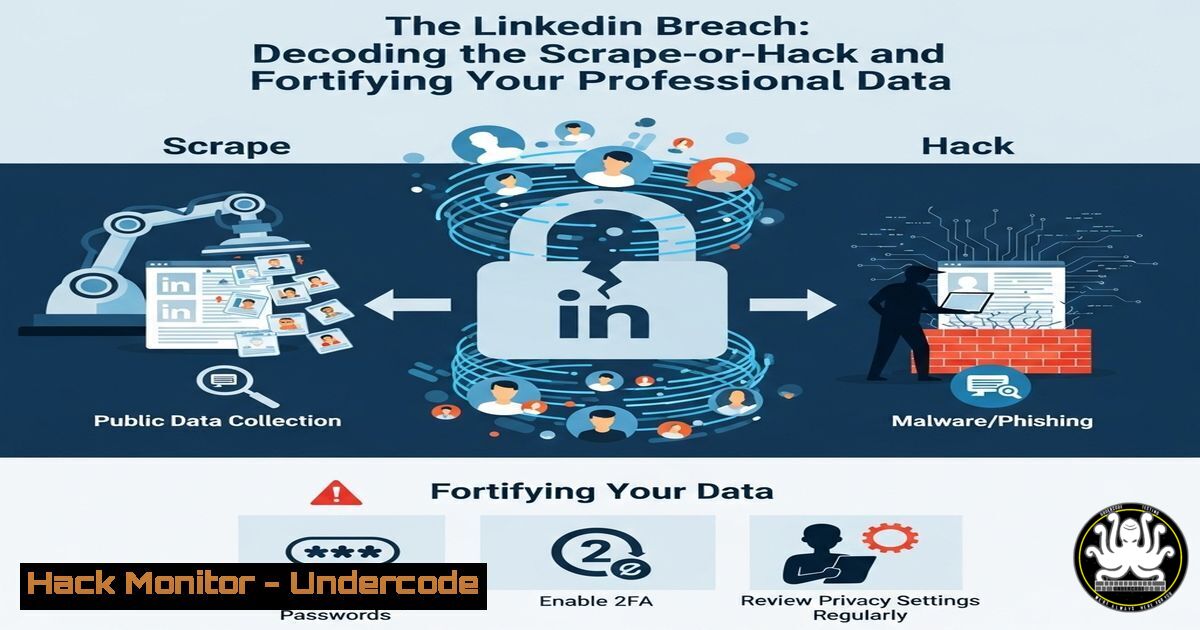
The recent exposure of a massive dataset containing information from 700 million LinkedIn users has sent shockwaves through the professional world. This incident blurs the lines between a malicious data breach and aggressive data scraping, highlighting critical vulnerabilities in how even the largest platforms handle user privacy. This article deconstructs the technical mechanics of such data extraction and provides a comprehensive guide to hardening your digital footprint against similar exploits.
Learning Objectives:
- Understand the technical difference between a data breach via system exploitation and data harvesting via API abuse.
- Learn immediate commands and techniques to audit your own publicly exposed information.
- Implement advanced privacy configurations on professional and social media platforms.
You Should Know:
1. Reconnaissance: Mapping the Digital Footprint
Before an attacker can scrape data, they must enumerate what is available. This process begins with open-source intelligence (OSINT) gathering.
`Command (Linux/MacOS):`
theharvester -d linkedin.com -l 500 -b google
`Step-by-step guide:`
This command uses theHarvester, a classic OSINT tool, to find emails and subdomains associated with linkedin.com. The `-d` flag specifies the domain, `-l` limits results to 500, and `-b` sets the data source (e.g., google, bing, linkedin). This simulates an attacker’s first step in understanding the target’s public-facing data landscape. Install it via sudo apt install theharvester.
2. API Interrogation: Probing for Data Leaks
Modern scrapers often target mobile application programming interfaces (APIs) that may be less secure than main web services.
`Command (Linux/MacOS with jq):`
curl -s "https://www.linkedin.com/api/v2/profiledata?profileId=12345" -H "User-Agent: LinkedInApp/1.0" | jq .
`Step-by-step guide:`
This `curl` command mimics a request from the official LinkedIn mobile app to its API endpoint. The `-H` flag sets the User-Agent header to appear legitimate. `jq` is used to parse and prettify the JSON response. While this exact endpoint may be protected, attackers systematically fuzz IDs and endpoints to find ones that return data. This demonstrates how APIs can be abused if not properly rate-limited and authenticated.
3. Data Parsing and Organization
Scraped data is often messy. Attackers use powerful command-line tools to clean and structure it.
`Command (Linux/MacOS):`
cat raw_scraped_data.txt | grep -Eo '\b[A-Za-z0-9._%+-]+@[A-Za-z0-9.-]+.[A-Z|a-z]{2,}\b' | sort | uniq > extracted_emails.txt
`Step-by-step guide:`
This pipeline takes a raw data file (raw_scraped_data.txt), uses `grep` with a regular expression to extract all email-like strings, sorts them, removes duplicates (uniq), and saves the cleaned list to a new file. This is a fundamental step in weaponizing scraped data for phishing campaigns.
4. Hardening Your Browser Against Tracking
Limiting third-party trackers is a first defense against data aggregation.
`Browser Console Command (Developer Tools):`
// Example to view blocked trackers (uBlock Origin extension required)
console.log(uBlockOrigin.getBlockedPerPage());
`Step-by-step guide:`
Open browser developer tools (F12), navigate to the Console tab, and paste this command. It requires the uBlock Origin extension and will print a count of trackers blocked on the current page. This illustrates the volume of tracking attempts on a typical site and underscores the importance of using privacy-focused browser extensions.
5. Windows Privacy Audit: See What Microsoft Collects
Windows 10/11 itself is a significant data collection vector.
`PowerShell Command (Admin):`
Get-WindowsDiagnosticData -DetailLevel Security | Format-List
`Step-by-step guide:`
Run Windows PowerShell as Administrator. This command retrieves the current level of diagnostic data being sent to Microsoft. The levels are Security, Basic, Enhanced, and Full. Understanding this setting is crucial for corporate and personal privacy. You can reduce the level via Settings > Privacy & security > Diagnostics & feedback.
6. Network-Level Anti-Scraping Defense
Blocking requests from known data center IP ranges (AWS, Azure, Google Cloud) can mitigate large-scale scraping.
`Command (Linux IPTables Firewall):`
iptables -I INPUT -s 192.0.2.0/24 -j DROP
`Step-by-step guide:`
This `iptables` command inserts a rule to drop all incoming traffic from the IP range `192.0.2.0/24` (a placeholder for a real data center range). While simplistic, this demonstrates the principle of network access control lists (ACLs). Enterprises often subscribe to dynamic lists of data center IPs to block at the firewall level, hindering scrapers operating from cloud servers.
7. Advanced LinkedIn Privacy Lockdown
Go beyond the basic settings. Use your browser to inspect elements and find hidden data.
`Browser Console Command (On LinkedIn Profile Page):`
// Check for hidden data attributes in the DOM
document.querySelectorAll('[data-urn]').forEach(el => console.log(el.dataset.urn));
`Step-by-step guide:`
On your LinkedIn profile page, open Developer Tools (F12) and go to the Console. This JavaScript snippet finds all elements with a `data-urn` attribute (a unique resource identifier often used internally) and logs them. This reveals the kind of structured data embedded in the page that scrapers target. To protect this, set your profile visibility to “Private” in the Settings & Privacy > Visibility > Profile viewing options.
What Undercode Say:
- Your Data is Already Public: The primary takeaway is that the paradigm has shifted. Assume any information you have ever put on a professional network is or will be public. Security is now about damage control and audit, not total prevention.
- Scraping is the New Hacking: The line between a “breach” and “scraping” is legally nuanced but technically irrelevant for the victim. The result is the same: a large-scale loss of control over personal data. Defenses must now focus on detecting and blocking abnormal data flows, not just preventing system intrusions.
The incident is less about a classic software vulnerability and more about the systemic abuse of intended functionality at a massive scale. It reveals a fundamental conflict between a platform’s business model of encouraging data sharing and its responsibility to protect that same data. Organizations must now implement defenses like sophisticated rate-limiting, behavioral analysis of API traffic, and data poisoning techniques to corrupt scraped datasets. For individuals, this serves as a stark reminder that if a service is free, you and your data are the product.
Prediction:
This event will catalyze two major trends. First, we will see a rise in “data poisoning” countermeasures, where platforms intentionally seed slight inaccuracies or unique identifiers into user profiles. When these inaccuracies appear in a third-party dataset, it provides forensic evidence to prove data theft and identify the source of the leak. Second, expect stringent regulatory action similar to GDPR focusing explicitly on data scraping, moving beyond rules written for traditional breaches. This will force platforms to fundamentally redesign their APIs and data accessibility, potentially making legitimate research and recruiting activities more difficult in exchange for greater user privacy.
🎯Let’s Practice For Free:
IT/Security Reporter URL:
Reported By: Goddess Matula – Hackers Feeds
Extra Hub: Undercode MoN
Basic Verification: Pass ✅


