Listen to this Post
Introduction:
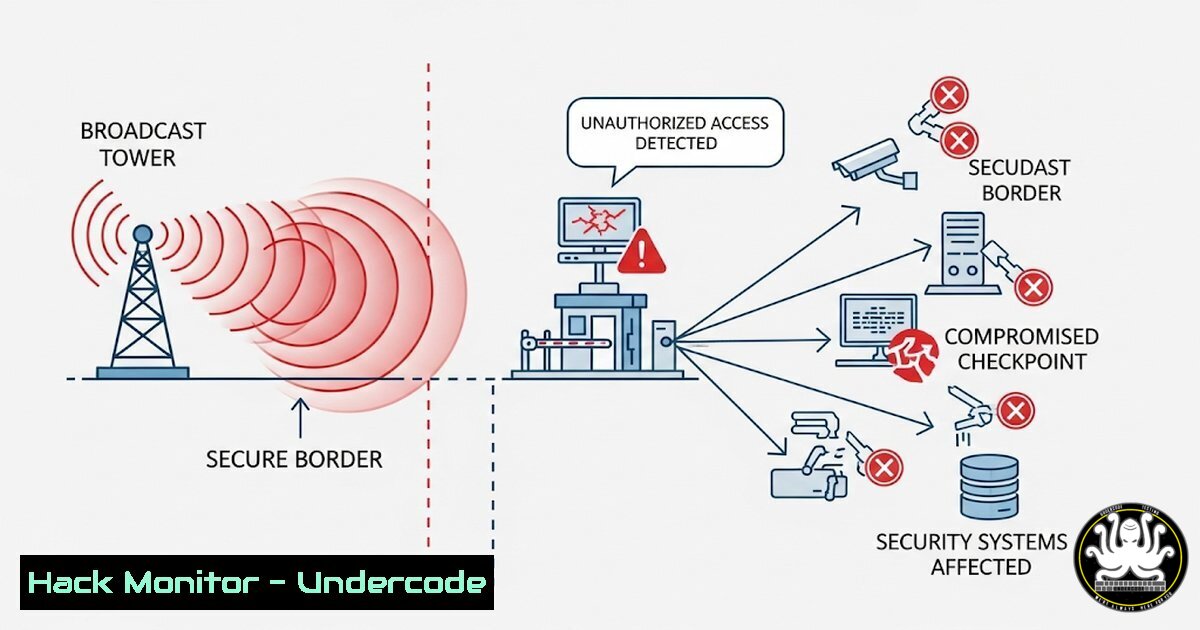
A critical vulnerability in an international border protection Android application, dubbed “BorderDroid,” exposed a severe mobile security flaw. The exploit leveraged an exported BroadcastReceiver component, allowing attackers to bypass kiosk mode and brute-force a PIN via malicious intents, highlighting the dangers of improper component exporting and insecure endpoints.
Learning Objectives:
- Understand the risks of improperly exported Android application components.
- Learn to identify and exploit vulnerable BroadcastReceiver implementations.
- Develop mitigation strategies to secure endpoints and enforce proper component permissions.
You Should Know:
1. Identifying Exported Components with ADB
Verified Android/ADB command list:
`adb shell dumpsys package
`adb shell cmd package list packages`
`aapt dump badging | grep exported`
Step‑by‑step guide explaining what this does and how to use it.
These commands are crucial for mobile security assessments. The first command queries a installed package on a connected Android device or emulator to list all components (activities, services, receivers) that are explicitly exported (exported=true), making them accessible to other applications. The second lists all installed packages to target the correct one. The third uses the Android Asset Packaging Tool (aapt) on the APK file itself to analyze its manifest without installation, searching for exported flags. To use this, an attacker or tester would first download the target APK, use `aapt` to get the package name and identify exported components, then use `adb` on a connected device to confirm the runtime state. This is the first step in mapping an application’s attack surface.
2. Broadcasting an Intent to a Receiver
Verified ADB command:
`adb shell am broadcast -a android.intent.action.VIEW -n com.target.package/.ExportedReceiverName –es pin “1234”`
Step‑by‑step guide explaining what this does and how to use it.
The `am` (activity manager) command is used to send an intent from the ADB shell. The `broadcast` argument specifies that the intent is a broadcast. The `-a` flag defines the intent action, and the `-n` flag explicitly defines the target component (package name and receiver class). The `–es` flag is used to add an extra string to the intent; in this case, a PIN value of “1234”. An attacker who has identified an exported BroadcastReceiver that accepts PIN codes would script this command to brute-force all possible PIN values, sending thousands of intents automatically until the correct one is found, thereby triggering the receiver’s functionality unauthorizedly.
3. Static Analysis with MobSF
Verified MobSF setup and analysis commands:
git clone https://github.com/MobSF/Mobile-Security-Framework-MobSF.git`./setup.sh
<h2 style="color: yellow;"></h2>python3 manage.py runserver
<h2 style="color: yellow;"></h2>
Upload APK to web interface at `http://localhost:8000`
Step‑by‑step guide explaining what this does and how to use it.
MobSF (Mobile Security Framework) is an automated pen-testing tool for static and dynamic analysis. These commands clone the project from GitHub, run the setup script to install dependencies, and start the local web server. After setup, a security researcher uploads the target APK through the GUI. MobSF automatically decompiles the app and scans it, generating a report that highlights security issues, including a detailed list of all exported components, which is precisely how a vulnerability like the one in BorderDroid would be quickly identified during a security audit.
4. Dynamic Analysis with Frida for Bypass
Verified Frida command and script snippet:
`frida -U -f com.target.package -l bypass.js --no-pause
// bypass.js
Java.perform(function() {
var MainActivity = Java.use("com.target.package.MainActivity");
MainActivity.checkPin.implementation = function(pin) {
console.log("Bypassing pin check, sending true");
return true;
};
});
Step‑by‑step guide explaining what this does and how to use it.
Frida is a dynamic instrumentation toolkit. This command injects a JavaScript script (bypass.js) into the target application (com.target.package) on a USB-connected device (-U) as soon as it starts (-f). The script itself hooks the `checkPin` function in the app’s code and forces it to always return true, effectively bypassing the PIN verification logic without needing to brute-force. This is an alternative exploitation method if the function can be hooked, demonstrating that a single vulnerability can often be exploited in multiple ways.
5. Hardening Android Components
Verified AndroidManifest.xml code snippets:
`
`
``
Step‑by‑step guide explaining what this does and how to use it.
This is the mitigation code for developers. The first line ensures a BroadcastReceiver is not exported, making it inaccessible to other apps. The second line exports the receiver but protects it with a custom permission, meaning only apps holding that permission can send intents to it. These changes are made in the app’s `AndroidManifest.xml` file. Developers must audit every component and explicitly set android:exported, never relying on the default behavior which changes based on whether an `
6. Network Security Hardening
Verified Android Network Security Config XML (res/xml/network_security_config.xml):
<network-security-config>
<domain-config cleartextTrafficPermitted="false">
<domain includeSubdomains="true">trusted.example.com</domain>
</domain-config>
</network-security-config>
And manifest reference:
`
Step‑by‑step guide explaining what this does and how to use it.
The BorderDroid vulnerability involved a local web server, which could be susceptible to network-based attacks. This configuration enforces a strict network security policy. It disallows cleartext HTTP traffic globally (cleartextTrafficPermitted="false") but can whitelist specific, trusted domains that use HTTPS. By implementing this, developers prevent applications from accidentally communicating over insecure channels, mitigating the risk of man-in-the-middle attacks that could intercept or brute-force pins sent to local endpoints.
7. Implementing Rate Limiting on Endpoints
Verified Java code snippet for endpoint hardening:
import java.util.concurrent.TimeUnit;
import okhttp3.OkHttpClient;

OkHttpClient client = new OkHttpClient.Builder()
.connectTimeout(10, TimeUnit.SECONDS)
.callTimeout(10, TimeUnit.SECONDS)
.addInterceptor(new RateLimitingInterceptor()) // Custom interceptor
.build();
Step‑by‑step guide explaining what this does and how to use it.
If the app must run a local web server, the endpoints must be secured. This code creates an HTTP client with timeouts and a custom rate-limiting interceptor. The interceptor would track request counts by IP address for a specific endpoint (e.g., /pin-verify). If too many requests are received from a single IP in a short time window, subsequent requests are blocked or delayed, effectively neutralizing automated brute-force attacks. This is a critical secondary defense layer for any authentication endpoint, local or remote.
What Undercode Say:
- The exportation of application components remains one of the most critical and common misconfigurations in mobile app security.
- A defense-in-depth strategy is non-negotiable; never rely on a single point of authentication or obscurity.
This BorderDroid case study is a textbook example of a chain of security failures. The exported receiver was the primary vulnerability, but the lack of rate limiting on the local web server endpoint allowed for practical and reliable exploitation. This highlights a critical gap in many security models: the assumption that localhost or app-level communication is inherently trustworthy. In reality, any interface, especially one accepting authentication credentials, must be treated as exposed and hardened accordingly. The technical writeup confirms that even “high-assurance” systems like those used in border security are susceptible to fundamental oversights, necessitating rigorous manual code reviews and automated security testing (SAST/DAST) in the development lifecycle.
Prediction:
This vulnerability pattern will increasingly be targeted by malware seeking to bypass enterprise and public-facing kiosk applications, leading to data exfiltration or unauthorized system access. As mobile devices become more integrated into critical infrastructure (IoT, point-of-sale, industrial controls), the exploitation of such component-based flaws could facilitate large-scale, coordinated attacks on physical systems, moving beyond data theft to real-world disruption.
🎯Let’s Practice For Free:
IT/Security Reporter URL:
Reported By: Lautarovculic 8ksec – Hackers Feeds
Extra Hub: Undercode MoN
Basic Verification: Pass ✅


