
Listen to this Post
Introduction:
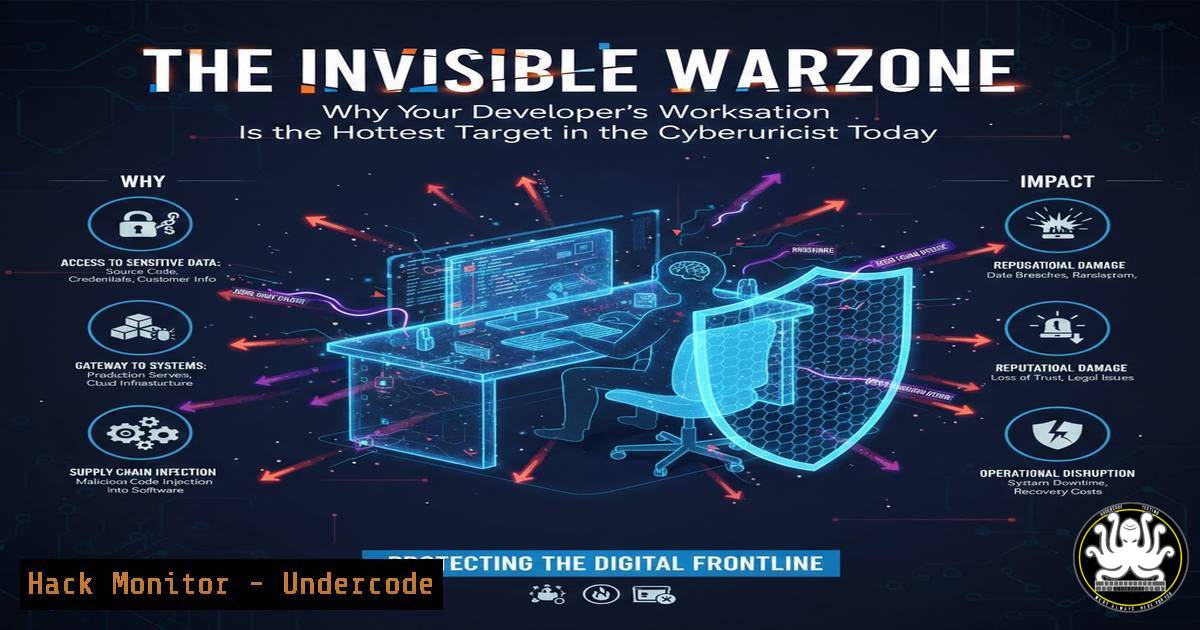
The developer endpoint has transformed from a productivity hub into a critical attack surface, eclipsing traditional corporate workstations in both value and vulnerability. In an era defined by AI integration and rampant software supply chain attacks, these machines—often exempt from standard security controls—present a massive, organization-wide blind spot. This article dissects the modern threats targeting developers and provides actionable, technical defenses to secure this new front line.
Learning Objectives:
- Understand the unique threat vectors targeting developer workstations, including AI tooling, supply chain dependencies, and IDE extensions.
- Learn to implement technical controls and monitoring that secure without crippling developer productivity.
- Gain practical steps for hardening endpoints, from command-line audits to runtime protection, across Linux and Windows environments.
You Should Know:
- AI Tooling: The New Attack Vector for Prompt Injection and Data Exfiltration
Modern developers leverage AI tools like MCP (Model Context Protocol) servers and locally-run Hugging Face models, creating novel risk channels. Attackers can exploit these via poisoned models, malicious prompt injections through shared rules, or by compromising the tools’ communication channels to steal code, secrets, or training data.
Step‑by‑step guide:
Audit & Isolate AI Processes: First, identify what’s running. On Linux, use `ps aux | grep -E “(mcp|huggingface|ollama|litellm)”` to find relevant processes. On Windows, `Get-Process | Where-Object {$_.ProcessName -like “ML” -or $_.CommandLine -like “huggingface”}` in PowerShell can help.
Network Segmentation: Restrict outbound traffic from these tools. Use firewall rules to block unauthorized external connections. For Linux/ufw: sudo ufw deny out from any to any port 443 app 'MCP-Server'. On Windows via PowerShell: New-NetFirewallRule -DisplayName "Block MCP Outbound" -Direction Outbound -Program "C:\path\to\mcp-server.exe" -Action Block.
Mandate Local Model Verification: Implement a policy where all open-source models are checksum-verified before use. For example: `sha256sum downloaded-model.bin` and compare against a curated internal list.
2. Supply Chain Attacks: Beyond Vulnerability Scanning
Traditional vulnerability scanners fail against sophisticated supply chain attacks like the recent NX tool compromise, where malicious packages steal environment variables and secrets. Patching is irrelevant; the damage occurs at installation.
Step‑by‑step guide:
Implement Dedicated Supply Chain Security Tools: Use tools like `npm audit` or `yarn audit` but go further with `checkov` or `trivy` for IaC and container scanning: trivy fs --severity CRITICAL,HIGH ..
Isolate Development Environments with Containers: Mandate the use of containers (Docker) for dependency installation and testing to limit host system exposure. Use a minimal base image and scan it: docker scan <your-image>.
Secret Detection Pre-Commit: Use `gitleaks` or `truffleHog` as a pre-commit hook to prevent secret leakage from stolen tokens: gitleaks protect --staged -v.
- The IDE Extension Minefield: Gaining Persistence and Privilege
Malicious Visual Studio Code or JetBrains extensions can run with the IDE’s high privileges, enabling keylogging, code theft, and lateral movement. Traditional EDR may not inspect the IDE’s extension sandbox.
Step‑by‑step guide:
Curate an Approved Extension Registry: Maintain an internal, vetted marketplace. Disable direct installation from public markets via IDE group policy or settings.json: `”extensions.autoUpdate”: false` and "extensions.allowedRecommendations": [...].
Monitor Extension Activity: On Linux, use auditd to monitor extension directories: sudo auditctl -w /home/user/.vscode/extensions -p wa -k vscode_extensions. On Windows, use Sysmon Event ID 11 (FileCreate) to monitor %USERPROFILE%\.vscode\extensions.
Analyze Extensions Offline: Use `vsce` (VS Code Extension Manager) to inspect extension packages: `vsce ls –include-json
- Why Traditional MDM and EDR Fail (And How to Adapt)
Mobile Device Management (MDM) and Endpoint Detection and Response (EDR) tools often break development workflows—blocking localhost connections, flagging build tools as malicious, or causing unbearable latency. This leads to blanket exemptions, creating the blind spot.
Step‑by‑step guide:
Create Developer-Specific EDR Exclusions with Precision: Instead of disabling, carefully exclude known-safe paths and processes. For example, in your EDR policy, exclude directories for language package managers (e.g., C:\Users\\node_modules\, /home//.cargo/).
Use Network Policies that Allow Local Development: Configure SASE/VPN clients to split-tunnel traffic, allowing local subnet (192.168.0.0/24, 127.0.0.1) and staging environment traffic to bypass the tunnel. This preserves port-forwarding.
Implement Behavioral, Not Just Signature-Based, Alerting: Configure EDR to alert on behavior chains like [Process: Python spawned from VSCode] -> [Network: Connects to unusual external IP on port 443] -> [File: Accesses ~/.ssh/id_rsa].
5. Proactive Hardening: Building a Secure Baseline Image
A secure, standardized baseline image for developer workstations is non-negotiable. This “golden image” should have hardened configurations pre-applied.
Step‑by‑step guide:
Full Disk Encryption (FDE): Mandate via MDM or scripts. Windows: Manage-bde -on C:. Linux: Enable LUKS during OS installation.
Least Privilege Enforcement: Developers should not run as local administrators. Use `sudo` rules (Linux) or Windows LAPS for managed, audited local admin access.
Host-Based Firewall Configuration: Harden beyond defaults. Linux/nftables example to drop unexpected outbound: nft add rule inet filter output ct state established,related accept. Windows: Harden PowerShell execution policy and disable unnecessary services.
Centralized Audit Logging: Forward logs from the workstation to a SIEM. Use `rsyslog` on Linux or Windows Event Forwarding to capture security events (4688, 5140) for analysis.
What Undercode Say:
- Developer Productivity and Security Are Not Mutually Exclusive: The historical trade-off is a false dichotomy. Security for developers must be engineered into the toolchain itself, not bolted on as obstructive gatekeeping.
- Visibility Precedes Control: You cannot protect what you cannot see. Continuous, deep monitoring of the developer toolchain—from package install to AI model inference—is the foundational step, enabling targeted, intelligent controls that don’t break workflows.
Analysis: The post correctly identifies a paradigm shift. Attacks have moved up the stack, targeting the very tools and trust models that underpin modern software development. The solution isn’t to strip developers of power but to instrument their environments with security that is as agile and sophisticated as their own work. Relying on traditional corporate IT MDM strategies is a recipe for failure, as they create friction that will be bypassed. The future lies in security tools that speak the language of development—integrating with CI/CD, understanding dependencies, and monitoring runtime behavior of development tools themselves. The linked article on malicious VSCode extensions underscores that the attack surface is granular and specialized, demanding an equally specialized defense.
Prediction:
The convergence of AI-assisted development and software supply chain complexity will catalyze the rise of a new cybersecurity niche: Developer Environment Protection Platforms. These platforms will seamlessly integrate into the IDE and development lifecycle, offering real-time, context-aware security analysis—scanning not just code for vulnerabilities, but monitoring the behavior of AI coding assistants, auditing extensions in real-time, and automatically sandboxing the execution of newly pulled open-source packages. Organizations that fail to adopt this specialized layer of defense will face an epidemic of breaches originating from their most privileged and targeted users: their developers.
▶️ Related Video (80% Match):
🎯Let’s Practice For Free:
IT/Security Reporter URL:
Reported By: Francescofaenzi Trusteverybodybutcutthecards – Hackers Feeds
Extra Hub: Undercode MoN
Basic Verification: Pass ✅


